Intel H310 Motherboard Comes With Integrated GeForce GTX 1650 Graphics

Chinese motherboard vendor Zeal-All today revealed its new ZA-KB1650 motherboard, a Frankenstein union between the Intel LGA1151 CPU socket and the Nvidia GeForce GTX 1650 in a single package.

Similar to the ZA-SK1050, the new ZA-KB1650 doesn’t conform to any official form factors. The motherboard has a 234.95 x 197.48mm footprint, so that would put it somewhere in the middle of the what we know as FlexATX and MicroATX. Although the ZA-KB1650 is based on the same LGA1151 socket as the ZA-SK1050, it does leverage a more a modern chipset. Its H310C chipset ushers in support for Intel’s Core chips spanning from the 6th Generation to 9th Generation families.

The ZA-KB1650 isn’t built for overclocking though, as you can tell by the motherboard’s humble 4-phase power delivery subsystem. Furthermore, there are no 24-pin or 8-pin EPS power connectors on the board. The ZA-KB1650 draws power entirely from its lone 19V DC port.

Zeal-All has an affinity for Nvidia graphics cards that come with a 75W TDP (thermal design power), and rightfully so, since they sip very little power and are easy to cool. Compared to the ZA-SK1050 motherboard that has an integrated Nvidia GeForce GTX 1050 Ti, Zeal-All has endowed its latest offering with a more up-to-date graphics card in the form of the Turing-powered GTX 1650. You won’t be able to swap it out for a new graphics card, as the GPU and other chips are soldered to the motherboard’s PCB. The cooling solution consists of a heatsink and corresponding cooling fan.

The ZA-KB1650 only offers you two SO-DIMM DDR4 RAM slots. According to the manufacturer, the maximum that the motherboard supports is 32GB, and memory speeds are limited to DDR4-2133.

The storage options on the ZA-KB1650 are limited. There’s only one SATA III port, but you get access to an M.2 port that appears to support SSDs up to 80mm. At the time of writing, the user manual wasn’t available, so we’re not certain if the M.2 port’s topology and whether it supports both SATA-and PCIe-based drives. To round off the storage options, there’s also a JSATA port if you’re into that kind of thing.

The layout of the ZA-KB1650 exposes three 4-pin fan connectors, one LVDS header, three USB 2.0 headers, two parallel ports, a front panel header, a speaker header and the mysterious invert and CFPA headers.

Zeal-All has definitely upped the ZA-KB1650’s display game. The motherboad provides one HDMI port and two DisplayPort outputs for connecting your best monitors. 

Internet connectivity on the ZA-KB1650 is pretty overpowered for a H310 offering. Zeal-All has included three Gigabit Ethernet ports, which are based on Intel’s I211 controller. There’s also a special M.2 port present for installing M.2 Wi-Fi cards. 

Once again, Zeal-All utilized the Realtek ALC662 codec for audio duties. The rear panel houses four USB 3.0 ports and two 3.5mm audio jacks as well.

The list of features on the ZA-KB1650 includes support for PoE (Power over Ethernet) and different kinds of monitoring, such as temperature, voltage and system power management. The motherboard is compatible with three operating systems: Windows 7, Windows 8 and Linux.

Zeal-All didn’t reveal the price or release date for the ZA-KB1650.

A new leak points to a Plus variant for the Motorola One Vision

The Motorola One Vision launched with a brand-first punch-hole selfie camera in its 21:9 display. It was also unusual among its series as it did so with the Exynos 9609 SoC. Now – despite having been around for about a year now – it seems it is getting a new version.

This evidence comes courtesy of the Android Enterprise Recommended directory, to which a “One Vision Plus” has just been added. However, it is difficult to see what is new about this variant; its new official listing shows it persists in having a 6.3-inch display and 4GB of RAM.

On the other hand, an image of this phone shows it has a waterdrop-style notch rather than the One Vision’s newer kind of front-facing shooter. This detail presents even more of a puzzle as to what could be ‘Plus’ about this phone, frankly. Perhaps it has more storage, or a more up-to-date processor. However, time will ultimately tell whenever this One Vision Plus is launched.

Should you buy a Wear OS watch or a Galaxy Watch?

The two most popular smartwatch options for Android are devices running Google’s own Wear OS platform (formerly Android Wear), and Samsung’s Galaxy/Gear watches that are powered by Tizen OS. While there is a great deal of overlap between the two — they can both display notifications, run apps, track health, and so on — there are also some differences between them.

In this guide, we’ll go over the key differences between both platforms, so you can make an informed smartwatch purchase.

Watch selection

The first key difference between Wear OS and Tizen is the watch selection. Several manufacturers produce watches with Wear OS, including Motorola, Fossil Group, Mobvoi, and others. By comparison, Samsung is the only one creating watches with Tizen. While Samsung does produce a few different watch styles, it can’t match the variety you get with Wear OS.

Most Wear OS watches on the market right now come from Fossil Group and its various sub-brands, including Skagen, Diesel, Misfit, and others. Taking into account the handful of watches produced under the entirety of Fossil Group, and all the different styles available for each model, you get dozens of possible designs. That’s not including the new Moto360, the TicWatch lineup, and other models created outside of Fossil.

Samsung currently produces just two smartwatch models: the Galaxy Watch and Galaxy Watch Active2. The former is a larger watch, with a spinning bezel used for navigating through menus. The latter model is a slimmer sports watch with no spinning bezel, available in two sizes.

While Wear OS does offer more aesthetic options, Samsung’s watches are generally regarded as being well-designed. Looks are entirely subjective, so this is one comparison that you’ll have to make for yourself.

Interface

After the last major Wear OS update, which added full-screen tiles to the platform, it and Tizen OS are more similar than ever from a design perspective.

Let’s start with Wear OS. The watch face acts as the ‘home screen’ of sorts, and you can scroll through your notifications by swiping up on the watch face. Swiping down opens the quick settings, and pressing the center side button displays your list of apps. ‘Tiles,’ full-screen widgets that display information from installed apps, are accessible by swiping to the side of the watch face. Pretty simple.

Tizen operates in a similar manner, but with some of the gestures switched around. Notifications are organized to the left of the watch face, with tiles to the right. Just like on Wear OS, pressing the side button will show a list of apps, and swiping down from the top will bring up quick settings. If you already use Samsung phones, you might appreciate that Tizen has the same One UI interface design as Samsung’s recent Galaxy devices.

One of the greatest advantages of Tizen is its performance. Swiping between tasks and opening apps is noticeably faster and smoother on Samsung’s watches than on any Wear OS wearable. The performance difference is less noticeable on Wear OS watches with 1GB of RAM, like the Fossil Gen 5 and Skagen Falster 3, but it’s still there.

Apps

Wear OS and Tizen both have a fairly limited selection of applications, especially third-party ones. There are a few big names on both platforms, like Spotify, Strava, and Uber, but the vast amount of apps come from smaller third-party developers or the OS vendor (Samsung/Google).

As you might expect, most of the must-have apps on Wear OS come from Google. You can check notes on your wrist with Google Keep, scroll through texts with Messages (as long as the Messages SMS app is on your phone), review fitness data with Google Fit, and so on. If you’re deeply entrenched in the Google ecosystem, with no desire to switch to other services, Wear OS might be a better option.

Tizen is in a similar situation, with most of the headlining apps coming from Samsung itself. You have Samsung Fit, Samsung Internet, SmartThings (for smart home device management), and a few others. Again, there are only a few apps from big-name developers.

Assistant

Google Assistant is arguably the best virtual assistant on any platform, so its presence on Wear OS is a major selling point. While Assistant on Wear OS can’t do everything that the Android equivalent can, like reading news summaries, the core functionality is still available: sending texts, talking to third-party services, retrieving the weather, opening apps, and so on. If your watch has a speaker (or if you have Bluetooth headphones paired), Assistant replies are spoken aloud.

The major catch is that Assistant is still a somewhat-buggy experience on Wear OS. Whether due to Bluetooth sync issues, or some other factor, Assistant telling you “Sorry, something went wrong” is a common occurrence on even the best Wear OS watches.

Galaxy watches have the ever-useful Bixby assistant, the same found on most recent Samsung phones. While Bixby doesn’t have as much functionality as Assistant, it does do just about everything you would want from a watch. It can start timers, tell you the weather, send texts, and other tasks. In my experience, Bixby doesn’t fail nearly as often as Assistant on Wear OS, so Bixby has that going for it.

Health

Most people buy smartwatches with the primary intention of using to track physical activity, and if you’re in that camp, a Galaxy Watch is probably a better choice than any Wear OS device. While Google Fit is serviceable, it has had plenty of issues in the past, and some planned features never saw the light of day.

Samsung Health generally goes slightly beyond Google Fit. The Galaxy Watch and Watch Active periodically remind you to stretch if you haven’t moved in a while, and some watches can measure stress levels. The Galaxy Watch Active and Active2 can also measure blood pressure with an app, but the feature isn’t quite as tested as the Apple Watch’s pressure monitor.

AMD Ryzen 7 4700G surfaces with double the cores of the Ryzen 5 3400GA

AMD Ryzen 4000 “Renoir” desktop APUs are having quite a month in the Twitterverse. First, an unidentified desktop Renoir APU was spotted by TUM_APISAK on UserBenchmark touting 8 cores, 16 threads and a base clock of 3GHz. And now, tipster @_rogame has leaked another chip bearing the Ryzen 7 4700G moniker.

Spotted from an Ashes of the Singularity benchmark, the Ryzen 7 4700G is shown to have the same 8 cores and 16 threads as the previous APU, though we urge you to take this with a grain of salt. 

If this processor is real, it’s expected to utilize the same Zen 2 architecture and 7nm process that made the mobile Renoir chips a staggering success. More importantly, it could double the core count of the current Ryzen 3000 APU line and its flagship, the Ryzen 5 3400G, which only has four cores.

UserBenchmark has seen fake submissions before, so this is hardly proof that a 8-core, 16-thread Renoir desktop APU is definitely coming. However, it’s worth noting that AMD’s Ryzen 7 chips typically sport 8 cores, so if this rumored APU does in fact have 8 cores, the name is certainly fitting. 

If the AMD Ryzen 7 4700G is real and on its way, it would be the very first APU to carry the Ryzen 7 branding.

Here’s what Ryzen 7 4700G could look like

Not much else is revealed about the Ryzen 7 4700G in this leak, unfortunately. But, that hasn’t stopped anyone from speculating before.

As reported by Tom’s Hardware, if this chip and the previously leaked desktop Renoir APU are actually one and the same, then the Ryzen 7 4700G will have a base clock of 3GHz, with 3.95GHz boost. On the other hand, _rogame did argue that there are currently two 8-core Renoir APUs being tested, one with a 3GHz base, the other running at 3.5GHz. 

In any case, these are decent numbers that could potentially be higher in the final production units.

Tom’s Hardware expects the processor to support DDR4-3200 memory modules out of the box, though perhaps not PCIe 4.0 as the mobile Renoir processors only offer PCIe 3.0 support. Still, the Ryzen 3000 desktop chips are on the PCIe 4.0 interface, which means that it’s also possible for the desktop Renoir APUs to take after them.

It further speculates that the Ryzen 7 4700G could take after the Ryzen 9 4900H’s iGPU design, which will give it eight Compute Units (CUs) and up to 512 Stream Processors (SPs). Since current flagship Ryzen 5 3400G has up to 11 CUs, this could be a downgrade. However, AMD may offset that with a higher graphics clock.

Obviously, there’s no word yet on the pricing. But seeing as the Ryzen 5 3400G sells for $149 (£139, AU$240), the price tag on Ryzen 7 4700G – again, if it does exist – is expected to stay competitive, especially with AMD’s ethos of offering powerful components for less than the price of the competition.

$299 Lenovo Duet Chromebook first impressions: Positive as long as you keep expectations in check

Late last week, I attended a private briefing regarding the Lenovo Duet Chromebook. My review unit arrived that same day: I have the $299 model which is priced $20 higher than the base model and doubles the amount of local storage from 64 GB to 128 GB.

As of Monday this week, you can officially purchase your own Lenovo Duet Chromebook, which comes with the keyboard and fabric back cover, which is also a kickstand. And as of Monday, reviews were allowed to go live.

Regular readers know I don’t like to review a device over just two or three days solely to meet an artificial deadline. I ran into this same situation with the Pixelbook Go, only getting the device shortly before the review embargo.

Having said that, I can share some first impressions on the Lenovo Duet Chromebook from using it over the past few days. Expect a full review when I’m satisfied that I’ve tested it enough in the coming days. Also: If there are specific things you’d like to see tested, let me know in the comments and I’ll do my best to address them.

Build quality and display are excellent

The first Chrome OS tablet, the Acer Chromebook Tab 10, was very plasticy and felt like a low end device. That’s not the case with the Lenovo Duet Chromebook: This is a well-designed and built piece of hardware, complete with an aluminum frame.

The form-factor and build reminds me of my iPad Pro 11, with similar materials and nicely rounded corners. Put another way, some tablets look cheaply made. This isn’t one of them. It’s the kind of device that looks more expensive than it costs.

The 1920 x 1200 display is also a standout so far. It’s sharp, although a little blueish, and plenty bright enough, topping out at 400 nits on the spec sheet. I’m perfectly fine using this device with brightness between 40 and 60 percent in most cases.

The full package is chunkier than I expected

The Lenovo Duet Chromebook is 7.35 millimeters (0.29-inches) thick by itself and easy to tote around. Once you add the keyboard and the fabric backed kickstand though, you’re up to 18.2 millimeters thick (0.71-inches). That’s pretty thick and more than I anticipated. Indeed, it’s slightly thicker than the Google Pixel Slate with its keyboard:

You could reduce the thickness by not attaching the magnetic fiber backing but then the physical keyboard becomes useless. Why? Because the kickstand needed to hold up the display when using the keyboard built in to the tablet; it’s part of the fabric attachment. So you’re really looking at just a thin tablet alone without a keyboard or the full, thick package.

You also go from a 0.99 pound tablet to a 2.03 pound device with the keyboard and kickstand part. It feels dense in the latter case because that roughly two pounds isn’t spread out over a wide area: This is a 10.1-inch tablet with relatively small screen bezels.

Early performance indicators are what I’d expect at this price

So far, this $300 Chrome OS tablet performs as I’d expect: Like most other Chromebooks in this price range. That is to say the MediaTek Helio P60T Octa-Core behaves to me like a recent Intel Celeron processor. Perhaps like a new Pentium. That’s not a bad thing because my expectations were set early on: I didn’t think we’d see Intel Core i3-like performance from this device.

I’ve said many times in the past that I’m not a fan of benchmarks, or at least not as the “end-all, be-all” metric to look at.

However, people always ask for them and as long as you see them as an indicator of general performance, they can be a useful data point. So here you go, with all tests run after a reboot and in Guest Mode. In all cases, higher numbers are better.

Again, these aren’t performance numbers that can compete with a Chromebook powered by an Intel Core m3 or better processor and double the memory. But again, this is a $300 package, so you can’t expect to perform like a Chromebook that costs $500 or more.

For example, benchmarks from various devices that cost nearly triple illustrate my point: Triple the cost can mean triple the performance. Keep that in mind as you think about purchasing the Lenovo Duet Chromebook: This may be better suited for most people as a secondary device instead of a primary Chromebook, depending on your needs.

For general browsing, the Lenovo Duet Chromebook performs fine. I do see the occasional lag from time to time, which I suspect is partly due to the 4 GB of memory. But I think I’d be happy using this as a small browser or part-time productivity device based on the performance.

I haven’t yet tested any Android apps, so I’ll focus on them during my full review. The new pinned tabs for Chrome OS tablets that arrived in Chrome OS 81 are useful and I don’t see any performance issues with them.

About that keyboard

On the briefing call, Lenovo said that most $300 devices have some compromise. You might get good performance but bad battery life. Or you might sacrifice on the display or not get a keyboard. So the company says this is a tablet that can also be a laptop, hence the included keyboard and the inclusion of the word “Chromebook” in the product name.

First up, I’m thrilled that Lenovo is including the keyboard at no extra cost. A USI stylus is optional and will cost you; Lenovo plans to debut one in the coming months but any USI stylus will work with the Lenovo Duet Chromebook.

Having said that, there is some compromise in this keyboard. It’s not backlit, for starters. I’m actually OK with that but others may not be. And there are some keys that aren’t full-sized. That’s a design challenge when you only have so much space to work with on a keyboard to fit a 10.1-inch display so it’s not unique to Lenovo.

For perspective, being around 5′ 5″ tall, I have relatively small hands. Here’s what one looks like with this keyboard.

Aside from those two observations, the keyboard is good, provided you can get used to the overall size and spacing. Even after a few days of use, I feel a bit cramped when typing. That’s why I don’t think I could use this as a full-time device for productivity. Give me an hour of productivity tasks though and the experience is good. The same can be said for the trackpad: It’s small but that’s a design constraint in a device with this size. However, it’s very responsive so far.

I should note that the Lenovo Duet Chromebook keyboard suffers in a fashion similar to the Google Pixel Slate Keyboard: It twists and flops a little when using the Duet on your lap. That’s because the top end of the keyboard has flexible fabric between it and the magnetic base that attaches to the screen. It’s actually not as a bad as the Pixel Slate keyboard because this device isn’t as a wide. But, you’ll likely notice it.

Overall first impressions are favorable

For $300, I’m generally impressed by the Lenovo Duet Chromebook, although I kept my expectations in check based on the specification sheet. Battery life so far seems to be what Lenovo has claimed, the screen is really nice while the speakers are adequate but not outstanding. Performance seems to be on par with other devices at this price point.

Obviously, I have more to test such as the aforementioned Android apps. And I’m sure folks will want to see how Linux works on this device although I don’t see that being a primary use case for a 10.1-inch tablet, even when connected to an external monitor. You’re limited to Linux apps compiled for ARM processors to begin with and you’re still looking at running Linux on what’s essentially a smartphone processor.

On that note, let me know what you’d like to see tested or if you have any specific questions. Again, I’ll address as many of them as I can.

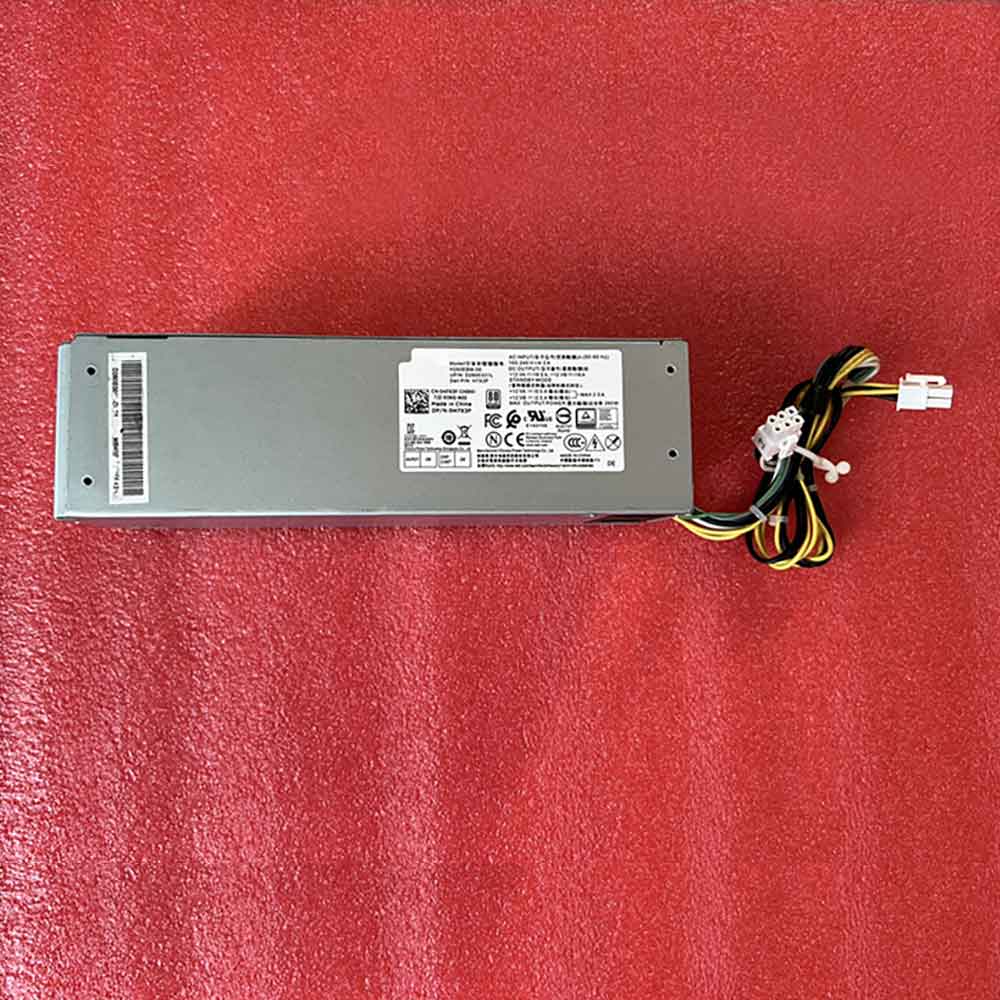
Dell H7X3F laptop Adapter ,H7X3F Adapter for Dell Optiplex 3060 5060 7060 6-pin 4-pin

+12 VA==/16.5A,+12 VB=16A H7X3F Laptop Charger Wholesale,Dell H7X3F laptop Adapter is replacement for Dell Optiplex 3060 5060 7060 6-pin 4-pin ,Dell H7X3F laptop Adapter discount price,Fast Shipping.

H7X3F

Specifications

  • Brand:Dell
  • DC Output:+12 VA==/16.5A,+12 VB=16A
  • AC Input:100-240V~/4.2A 50-60Hz

Charger features:

  • CE, FCC and RoHS certified to ensure proper adapter safety and quality.
  • Sealed for protection against moisture and humidity.
  • Designed with internal safety features to protect against voltage spikes, surges or fluctuations.
  • Utilizes low voltage shut down protection.
  • Utilizes over voltage limiting protection.
  • Utilizes output over current limiting protection.
  • Utilizes “short-circuit†shutdown protection. 
  • Undergone comprehensive quality testing throughout the manufacturing and assembly process.
  • Includes a 12-month free replacement warranty for manufacturer’s defects.

Compatible Part Numbers:

H7X3F H260EBM-00 D260E001L

Compatible Model Numbers:

Dell Optiplex 3060 5060 7060 6-pin 4-pin

Description of Dell H7X3F laptop Adapter

High Quality, Guarantee :
Factory direct price, 100% compatible, No memory effect. Hi-Capacity, Quality garantee, certification Fast shipping. We stand behind our Replace for Dell Cord/Charger Dell H7X3F 100%.
Low Prices, Guarantee :
All laptop Replace for Dell Cord/Charger Dell H7X3F at batteryforpc.co.uk are all directly purchased from various reputable manufacturers in the world and have passed stringent quality assurance procedures to achieve international standards. Through this direct selling model, middleman cost is minimized.
Satisfaction Guarantee :
Our goal is to make sure you receive the best value of every purchase you make at our site. We want to be your number one choice Replace for Dell H7X3F. If you have any question or suggestion about this laptop ac adapter, please contact us so we can offer you the most convenient service.
Secure Shopping Guarantee :
Shopping from us is safe and secure. None of our customers have ever reported fraudulent use of their credit cards as a result of shopping with us. You can be assured that the information you give us is confidential. We do not sell, rent or share information of our customers with other parties. batteryforpc.co.uk guarantee your Replace for Dell H7X3F transaction will be 100% safe.

Hot Products

11.1V/12.4v 2300mah BOSE 404600 for Bose SOUNDLINK I II III16.8V/20V 400mA/2200mAH/32Wh BOSE 300769-003 for Bose Sounddock Portable Digita3.8V 6300mAh/23.94Wh AMAZON 2955C7 for Amazon Kindle Fire HD 10.1 7th3.8 V 1300 mAh AMAZON MC-305070 for AMAZON Kindle Voyage7.7V 37Wh/4810mAh ACER AP16M5J for ACER A315-51-51SL N17Q1 SERIES3.8V/4.35V 2000MAH/7.6Wh ALCATEL TLI020F7 for Alcatel Onetouch Pixi 4 (5) 503.8V 4000mAh/15.2Wh LENOVO L15D1P31 for Lenovo Yoga Tab3 Pro YT3-X90L3.8V 2930mAh/11.1Wh NETGEAR W-7 for Netgear AirCard 790S 790SP 8103.85V/4.4V 3080MAH/11.86WH ALCATEL TLp030JC for Alcatel A3 XL 9008j3.7V/4.2V 1750MAH/6.5WH AMAZON GP-S10-346392-0100 for AMAZON KINDLE 3 3G WIFI Kindle

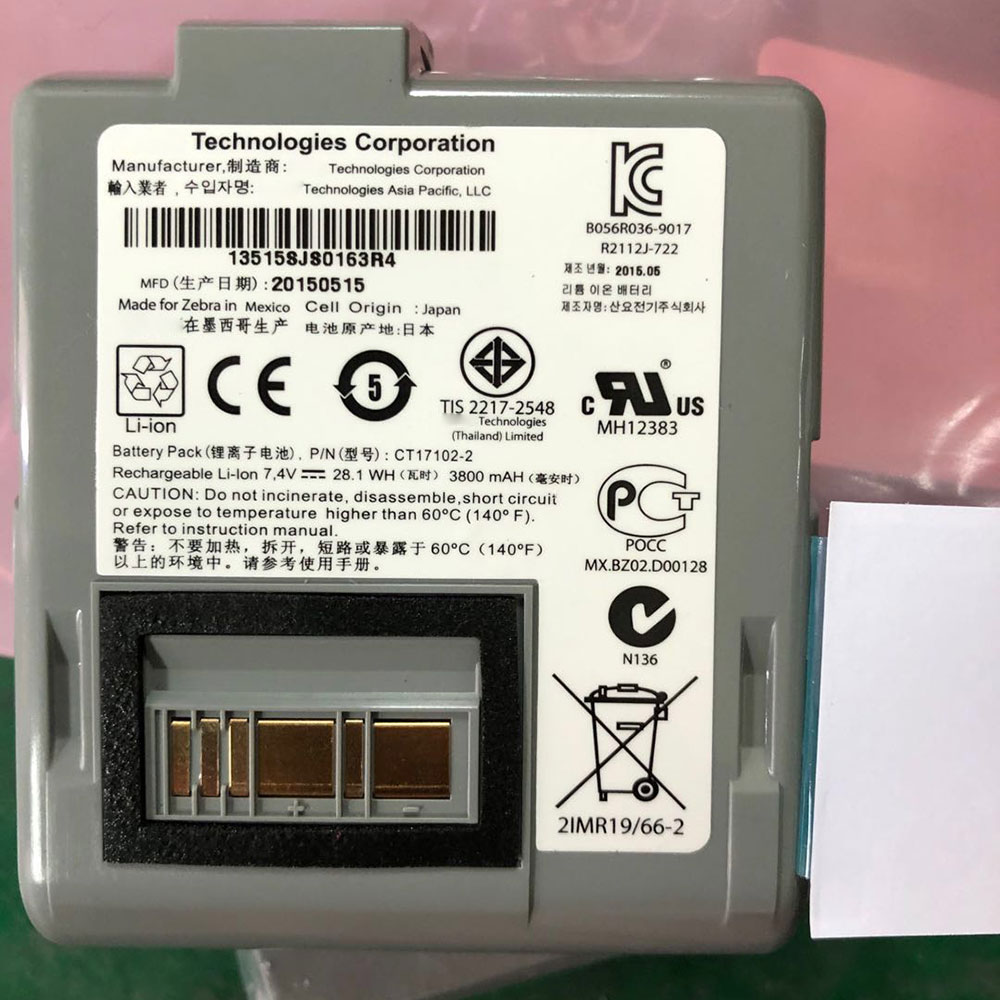
Cheap Zebra CT17102-2 Li-ion Other battery, Brand New CT17102-2 replacement battery for Zebra RW420/RW420 EQ Wireless Printer

3800mAh 28.1Wh 7.4V Zebra CT17102-2 Batteries for Zebra RW420/RW420 EQ Wireless Printer, Zebra CT17102-2 Other battery is a brand new,100% Compatible original and replacement Laptop battery,Purchase wholesale and retail CT17102-2 with high quality and low price!

CT17102-2 Battery zebra Li-ion 7.4V 3800mAh 28.1Wh

CT17102-2

Specifications

  • Brand:Zebra
  • Capacity :3800mAh 28.1Wh
  • Voltage :7.4V
  • Type :Li-ion
  • Battery Cell Quality: Grade A
  • Descriptive: Replacement Battery – 1 Year Warranty
  • Description: Brand New, 1 Year Warranty! 30-Days Money Back! Fast Shipping!

How we test this Zebra CT17102-2 Battery Li-ion 7.4V 3800mAh 28.1Wh

Step 1: Make sure customer bought the correct battery.
Step 2: Check battery’s appearance and interface.
Step 3: Test battery charger and recharger function.
Step 4: Charger the battery to 100% and recharger to 0% to get real battery capacity
Step 5: Use Ev2300 to check the voltage difference of each goroup cells.
Step 6: Charger battery power more than 30%.
Step 7: Package battery carefully and send out

Compatible Part Numbers:

CT17102-2

Compatible Model Numbers:

Zebra RW420/RW420 EQ Wireless Printer

How much do you know about how to run laptop well as any place? The follow Tips cut way back on protecting battery life.


1). Please recharge or change your Other battery when battery power low.
2). Using Li-Ion Replacement Zebra CT17102-2 Other Battery for your notebook which can work longer time than Non Li-ion one.
3). It is better to defragmentation regularly for your Other battery life.
4). In order to reduce the laptop power consumpition, you can use some optical drive spin-down and hard drive in your Other .
5). Please keep your laptop in sleep or standby model without long time using, which both save the Replacement Zebra CT17102-2 Other Battery power and extend battery using life.
6). Leave your battery in a dry and cool condition when without using.
7). When you rarely or generally plugged in fixed power using, Please take down your battery to avoid hurting battery life.

Hot Products

11.1V/12.4v 2300mah BOSE 404600 for Bose SOUNDLINK I II III16.8V/20V 400mA/2200mAH/32Wh BOSE 300769-003 for Bose Sounddock Portable Digita3.8V 6300mAh/23.94Wh AMAZON 2955C7 for Amazon Kindle Fire HD 10.1 7th3.8 V 1300 mAh AMAZON MC-305070 for AMAZON Kindle Voyage7.7V 37Wh/4810mAh ACER AP16M5J for ACER A315-51-51SL N17Q1 SERIES3.8V/4.35V 2000MAH/7.6Wh ALCATEL TLI020F7 for Alcatel Onetouch Pixi 4 (5) 503.8V 4000mAh/15.2Wh LENOVO L15D1P31 for Lenovo Yoga Tab3 Pro YT3-X90L3.8V 2930mAh/11.1Wh NETGEAR W-7 for Netgear AirCard 790S 790SP 8103.85V/4.4V 3080MAH/11.86WH ALCATEL TLp030JC for Alcatel A3 XL 9008j3.7V/4.2V 1750MAH/6.5WH AMAZON GP-S10-346392-0100 for AMAZON KINDLE 3 3G WIFI Kindle

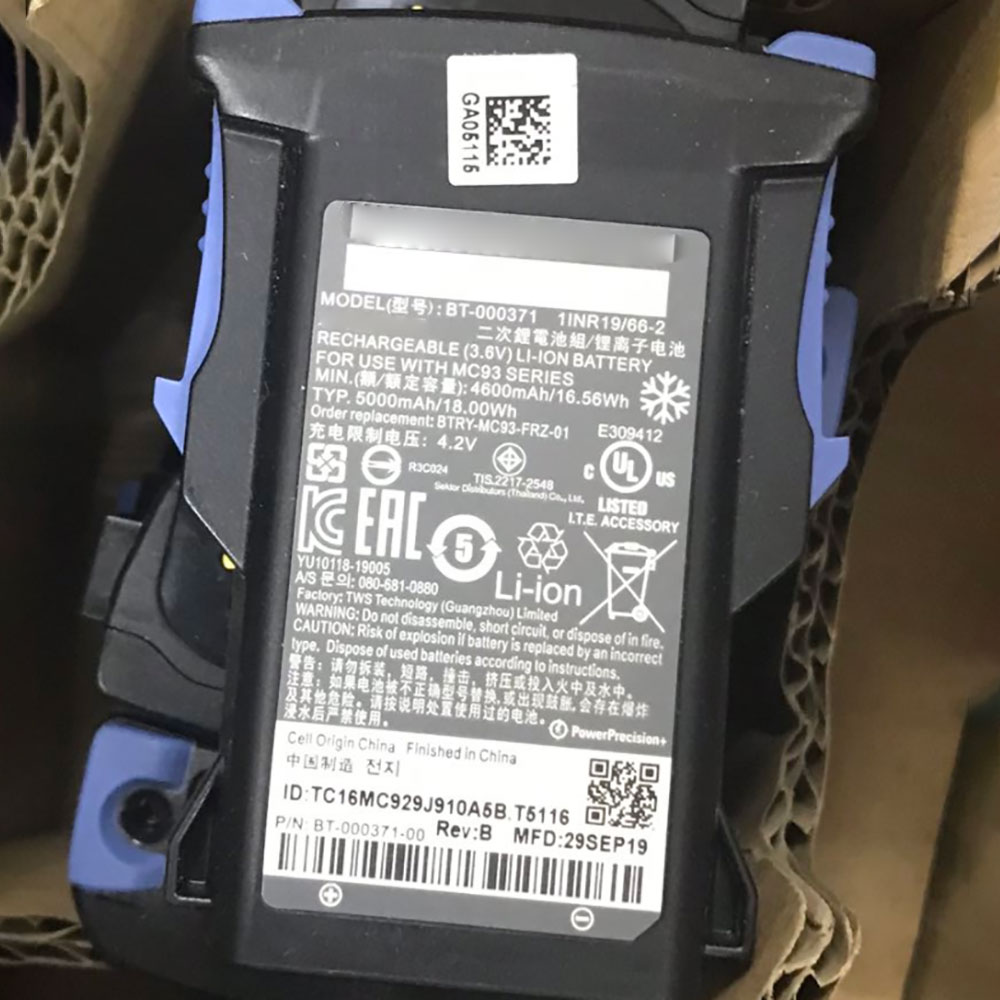
Cheap Zebra BT-000371 Li-ion Other battery, Brand New BT-000371 replacement battery for ZEBRA MC9300

5000mah/18WH 3.6V/4.2V Zebra BT-000371 Batteries for ZEBRA MC9300, Zebra BT-000371 Other battery is a brand new,100% Compatible original and replacement Laptop battery,Purchase wholesale and retail BT-000371 with high quality and low price!

BT-000371 Battery zebra Li-ion 3.6V/4.2V 5000mah/18WH

BT-000371

Specifications

  • Brand:ZEBRA
  • Capacity :5000mah/18WH
  • Voltage :3.6V/4.2V
  • Type :Li-ion
  • Battery Cell Quality: Grade A
  • Descriptive: Replacement Battery – 1 Year Warranty
  • Description: Brand New, 1 Year Warranty! 30-Days Money Back! Fast Shipping!

How we test this Zebra BT-000371 Battery Li-ion 3.6V/4.2V 5000mah/18WH

Step 1: Make sure customer bought the correct battery.
Step 2: Check battery’s appearance and interface.
Step 3: Test battery charger and recharger function.
Step 4: Charger the battery to 100% and recharger to 0% to get real battery capacity
Step 5: Use Ev2300 to check the voltage difference of each goroup cells.
Step 6: Charger battery power more than 30%.
Step 7: Package battery carefully and send out

Compatible Part Numbers:

BTRY-MC93-FRZ-01 BT-000371

Compatible Model Numbers:

ZEBRA MC9300

How much do you know about how to run laptop well as any place? The follow Tips cut way back on protecting battery life.


1). Please recharge or change your Other battery when battery power low.
2). Using Li-Ion Replacement Zebra BT-000371 Other Battery for your notebook which can work longer time than Non Li-ion one.
3). It is better to defragmentation regularly for your Other battery life.
4). In order to reduce the laptop power consumpition, you can use some optical drive spin-down and hard drive in your Other .
5). Please keep your laptop in sleep or standby model without long time using, which both save the Replacement Zebra BT-000371 Other Battery power and extend battery using life.
6). Leave your battery in a dry and cool condition when without using.
7). When you rarely or generally plugged in fixed power using, Please take down your battery to avoid hurting battery life.

Hot Products

11.1V/12.4v 2300mah BOSE 404600 for Bose SOUNDLINK I II III16.8V/20V 400mA/2200mAH/32Wh BOSE 300769-003 for Bose Sounddock Portable Digita3.8V 6300mAh/23.94Wh AMAZON 2955C7 for Amazon Kindle Fire HD 10.1 7th3.8 V 1300 mAh AMAZON MC-305070 for AMAZON Kindle Voyage7.7V 37Wh/4810mAh ACER AP16M5J for ACER A315-51-51SL N17Q1 SERIES3.8V/4.35V 2000MAH/7.6Wh ALCATEL TLI020F7 for Alcatel Onetouch Pixi 4 (5) 503.8V 4000mAh/15.2Wh LENOVO L15D1P31 for Lenovo Yoga Tab3 Pro YT3-X90L3.8V 2930mAh/11.1Wh NETGEAR W-7 for Netgear AirCard 790S 790SP 8103.85V/4.4V 3080MAH/11.86WH ALCATEL TLp030JC for Alcatel A3 XL 9008j3.7V/4.2V 1750MAH/6.5WH AMAZON GP-S10-346392-0100 for AMAZON KINDLE 3 3G WIFI Kindle

You can still get Windows 10 for free on Windows 7, 8.1

Microsoft has officially ended the support for Windows 7 on January 14, 2020, and you can still upgrade to Windows 10 for free. The original free upgrade offer to Windows 10 officially expired years ago, but the loophole is still working in May 2020, according to our testing.

It means that if you own a valid license of Windows 7 or Windows 8.1, you can get Windows 10 without paying $120 for the upgrade. It also appears that Microsoft knows of the loophole and the company will not block users from upgrading to Windows 10 even if that means it wouldn’t make money from the upgrades.

To get Windows 10 for free, you need to download and run Windows Media Creation Tool on Windows 10. Once downloaded, you need to choose the upgrade path where you keep your files.

In the Windows Media Creation Tool, you just need to follow the prompts and complete the upgrade. When the upgrade is complete and the device is connected to the Internet, the digital license of Windows 10 would be activated.

You can verify the activation status by going to Settings > Update and Security > Activation.

We have also heard from users that a fresh install will work with the free Windows 10 upgrade, but you’ll be asked to enter your Windows 7. However, an alleged Microsoft employee said that you may lose the ability to upgrade to Windows 10 for free if you choose to do a fresh install.

Windows 10 is also available for free if you’re a student or you have an alumni email account. If you can prove it, you might be able to score a free copy of Windows 10 Education, which is very similar to Windows 10 Enterprise.

According to the latest market share report, Windows 10’s desktop share is 56%, down from 57.34% and Windows 7 market share is 25.59, which also dropped from 26.3%.

Intel won’t benchmark GPUs with more than 768 shaders and 3GB memory

Intel was poised to be bravo six, going dark. Their covert GPU development program was confirmed. It took one burst for them to capture nearly a dozen industry specialists from other companies. They hunkered down. They went radio silent for a year. Then, they hired a marketing team.

That marketing team flipped the paradigm and introduced an unprecedented level of transparency into the development process. (I’m personally grateful to Intel’s marketing team for giving me so much to write about.) Their ploy has often worked. Early promises of ray tracing and a 10nm production node extinguished concerns based on Intel’s CPU strife. An early leak promising a GPU with 4096 cores quickly impressed; only last week photos of the largest GPU in development sparked a wave of new curiosity. But promises made years ago are quickly forgotten and intangible specifications raise concerns over accuracy.

It’s been five months since their last press event. In that period, we’ve seen only one Intel GPU make the rounds. Designed with software developers in mind, the Xe DG1 SDV won’t impress consumers. As the only visible product, however, and given that it has plenty of RGB, that role has fallen upon it. Yesterday’s SiSoftware leak dispelled rumors suggesting it would have 128 EUs, but rather 96 EUs (the difference was an error in counting the CPU’s integrated graphics as part of the discrete solution). That’s a mediocre 768 shaders/cores. The database entry also showed that it was operating at 1.5 GHz, and that it was paired with 3GB of memory.

That’s by no means an insufficient performance bracket for a device intended for developers. Released as the right consumer-oriented product, in laptops, say, as Intel demonstrated back in January, it may be perfectly competitive. But I will pose this question to Intel’s marketing team: why should anyone care?

A year ago, when this device was leaked alongside three Xe HP (high performance) GPUs with stunningly beautiful core counts, the leak as a whole was a good sign. That only the least impressive of the products has manifested is not a great sign. I’d almost say that last week’s photo of what turned out to be the largest of the previously leaked GPUs was an attempt to distract from that fact. What was very promising five months ago doesn’t look so rosy anymore.

Intel, choose: stop putting RGB on your developer cards and pretending gamers have something to look forward to soon, or outright give us something to be hopeful for.