
Cheap Machenike NFSV151X-00-03-3S2P-0 Li-ion Laptop battery, Brand New NFSV151X-00-03-3S2P-0 replacement battery for Machenike MR X6TI-M2 X6TI-S

47.52Wh/4400mAh 10.8V/11.26V Machenike NFSV151X-00-03-3S2P-0 Batteries for Machenike MR X6TI-M2 X6TI-S, Machenike NFSV151X-00-03-3S2P-0 Laptop battery is a brand new,100% Compatible original and replacement Laptop battery,Purchase wholesale and retail NFSV151X-00-03-3S2P-0 with high quality and low price!

NFSV151X-00-03-3S2P-0 Battery machenike Li-ion 10.8V/11.26V 47.52Wh/4400mAh
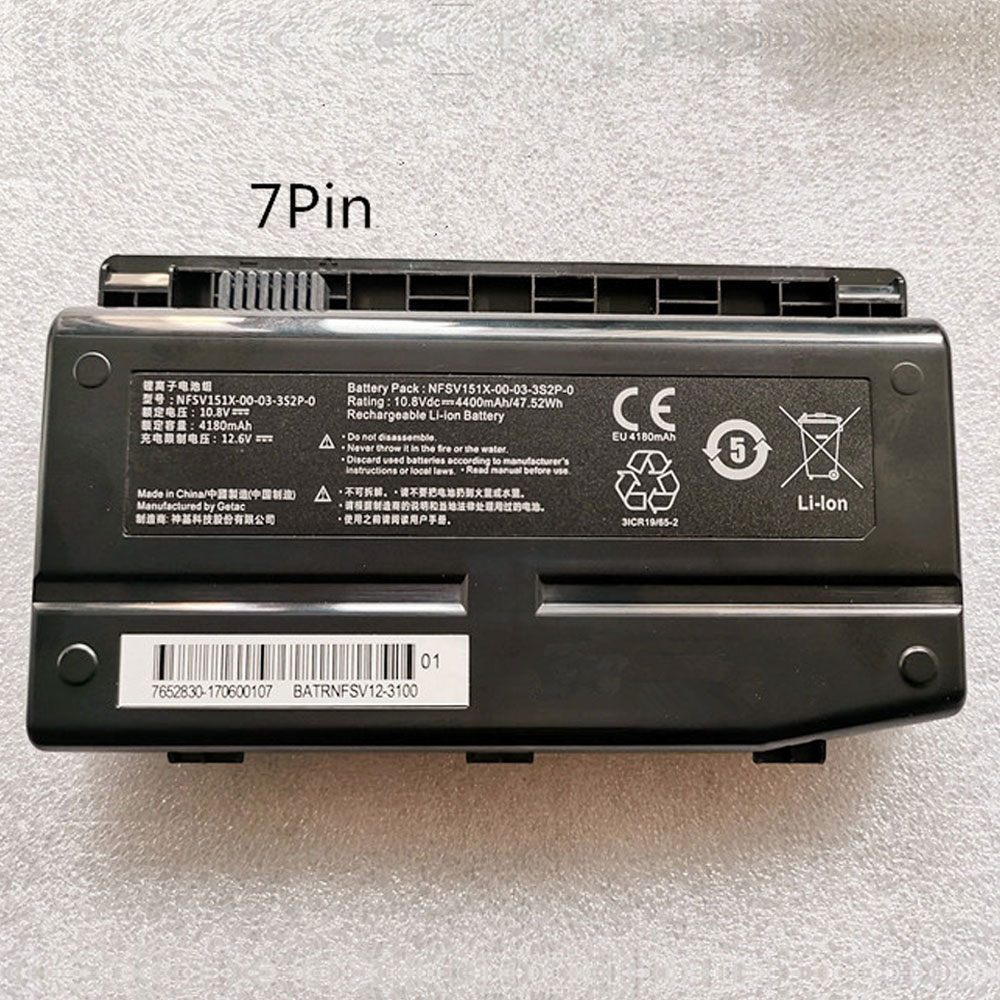
NFSV151X-00-03-3S2P-0

Specifications

  • Brand:Machenike
  • Capacity :47.52Wh/4400mAh
  • Voltage :10.8V/11.26V
  • Type :Li-ion
  • Battery Cell Quality: Grade A
  • Descriptive: Replacement Battery – 1 Year Warranty
  • Description: Brand New, 1 Year Warranty! 30-Days Money Back! Fast Shipping!

How we test this Machenike NFSV151X-00-03-3S2P-0 Battery Li-ion 10.8V/11.26V 47.52Wh/4400mAh

Step 1: Make sure customer bought the correct battery.
Step 2: Check battery’s appearance and interface.
Step 3: Test battery charger and recharger function.
Step 4: Charger the battery to 100% and recharger to 0% to get real battery capacity
Step 5: Use Ev2300 to check the voltage difference of each goroup cells.
Step 6: Charger battery power more than 30%.
Step 7: Package battery carefully and send out

Compatible Part Numbers:

NFSV151X-00-03-3S2P-0

Compatible Model Numbers:

Machenike MR X6TI-M2 X6TI-S
Machenike F117 F1 F2

How much do you know about how to run laptop well as any place? The follow Tips cut way back on protecting battery life.


1). Please recharge or change your Laptop battery when battery power low.
2). Using Li-Ion Replacement Machenike NFSV151X-00-03-3S2P-0 Laptop Battery for your notebook which can work longer time than Non Li-ion one.
3). It is better to defragmentation regularly for your Laptop battery life.
4). In order to reduce the laptop power consumpition, you can use some optical drive spin-down and hard drive in your Laptop .
5). Please keep your laptop in sleep or standby model without long time using, which both save the Replacement Machenike NFSV151X-00-03-3S2P-0 Laptop Battery power and extend battery using life.
6). Leave your battery in a dry and cool condition when without using.
7). When you rarely or generally plugged in fixed power using, Please take down your battery to avoid hurting battery life.
Hot Products

Google’s Pixel C Android tablet may not get any more security updates

Google’s Pixel C, the last first-party Android tablet released all the way back in December of 2015, may have just stopped getting monthly security patches. There has been no official announcement, and device-specific delays have happened before, but the Pixel C wasn’t among those that received today’s July set of updates, and the precise timing is awfully suspicious.

Although Google does not list the Pixel C on its update schedule help page, the company does note when discussing Pixel phones that they “get security updates for at least 18 months from when the Google Store last sold the device.” Google’s Pixel C was last sold on the Play Store in December 2017, which is about 18 months ago.

Google hasn’t published a specific expiration date when it comes to the Pixel C’s software support lifetime, but the absence this month (which we honestly didn’t notice at first) is conspicuous given how well it fits into the expected timeline. The Nexus 5X and 6P only lasted a single month after their EOL dates passed.

We’ve reached out to Google for additional information or confirmation that the update period has explicitly ended, but none was forthcoming at the time of publication. If it is the end, 2015 to 2019 is a pretty good run for the much-forgotten Android tablet.

At least there’s always LineageOS — though you’re still just looking at Android 8.0 Oreo.

Microsoft’s October release of Windows 10 will be deliberately anticlimactic

If you’ve been wondering what Microsoft’s next feature release of Windows 10—19H2—has in store, the answer is: not much.

Microsoft said Monday that the upcoming 19H2 release, due in September, will include “a scoped set of features for select performance improvements, enterprise features and quality enhancements.” The goal appears to be to enhance what’s already in Windows, with an eye toward enterprise and partner deployments, rather than add consumer-facing features.

As part of that schedule, Microsoft said that it will release new 19H2 builds as part of the Slow Ring, the counterpart to the “Fast Ring” of Windows 10 Insider releases. Each build will be deployed as a cumulative update—a patch, in other words, rather than an entirely new build. The first of these, Build 18362.1, was made available to users on Monday. “This update contains two behind-the-scenes changes designed for OEMs and does not contain anything visible to Insiders,” the company said.

Insiders aren’t even guaranteed to see the new changes. They’ll be deployed on a schedule, and some releases will have the features turned off and enabled later.

If you’re not a Windows Insider, and don’t want to be, nothing will change. Sometime in September, the 19H2 release will be pushed to consumers the same as it’s always been. This time around, however, consumers are less likely to see any significant changes to their Windows experience once it arrives.

What this means for consumers is if Microsoft continues on its path, there will still be two feature releases per year, around April and September. But only the April release will add new features, making the fall release a servicing release that will iron out bugs and upgrade features already in Windows. It appears that Microsoft is trying to ease the burden on PC makers and large enterprise customers, who must test and deploy the spring and fall feature updates.

If nothing else, it does add some order back to Microsoft’s release schedule. Microsoft has already begun shipping the first builds of the so-called 20H1 release, due around April 2020. Even those have been primarily improvements rather than new features. So far, the most important new feature of the 20H1 release is probably the Windows Subsystem for Linux 2, with an actual Linux kernel inside.

Samsung will unveil the Galaxy Note 10 on August 7th

You can expect it to inherit features from the S10 family.

The rumors were true — Samsung has announced that it’s holding its second Unpacked event of the year on August 7th at 4PM Eastern in Brooklyn’s Barclays Center. The company hasn’t said anything about what to expect, but the pen-centric teaser image (above) doesn’t leave much to the imagination. The Galaxy Note 10 will clearly be the star of the show, and it’s just a matter of pinning down the finer details.

This could be one of the biggest Galaxy Note introductions yet. Current rumors and leaks suggest the Note 10 will retain the harder-edged design of the Note line, but inherit Galaxy S10 features like a hole-punch camera (this time at the top center), in-screen fingerprint readers and, crucially a wider selection of models. There may be two Note variants this year, a 6.3-inch base Note 10 and a nearly 6.8-inch Note 10+ (the larger of which would offer a 5G variant). You could expect upgrades to the pen experience, the camera and likely other traits.

The Note 10 might be a step back for some, though. There are murmurs that none of the new models would include a headphone jack (making Samsung’s previous bragging a bit awkward), and that only the Note 10+ would have a microSD slot. If so, some of the features Samsung owners have taken for granted are about to go away — and there’s no guarantee that the Galaxy Buds or increased storage will satisfy some fans.

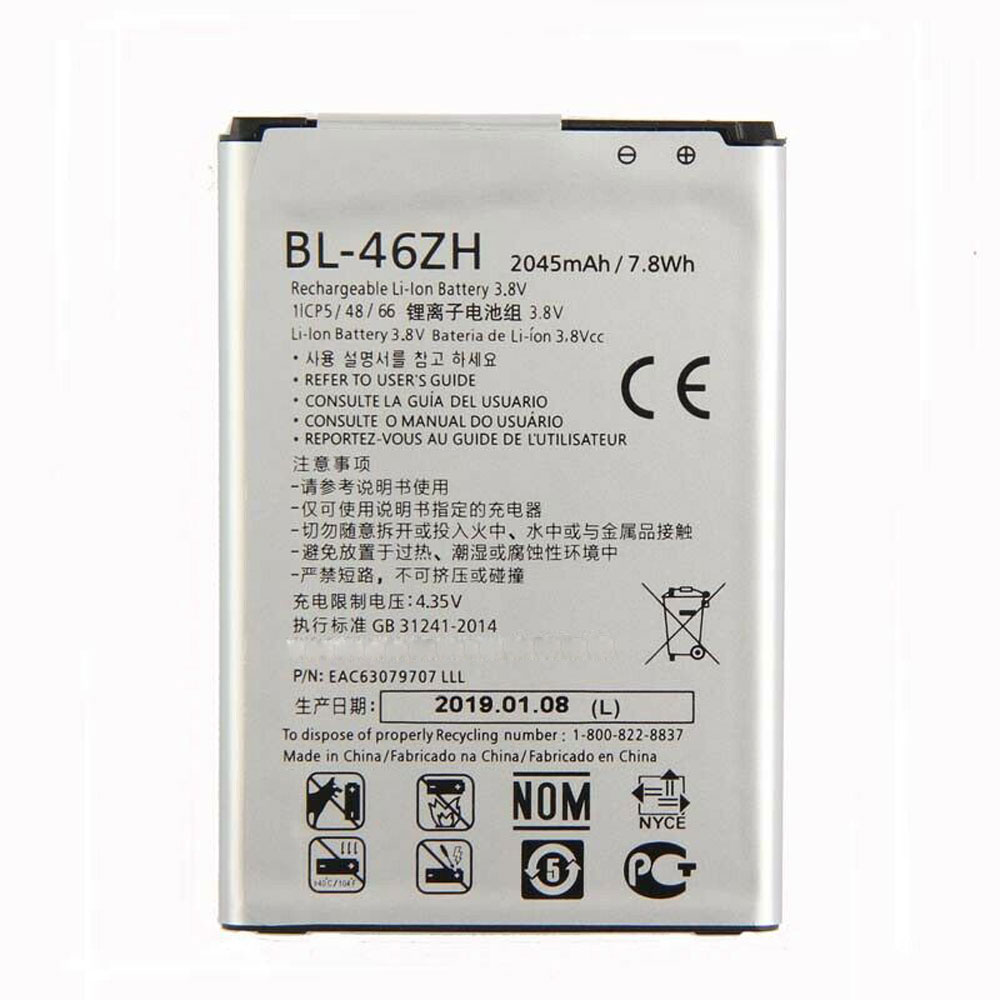
Cheap Lg BL-46ZH Li-ion Cell Phone battery, Brand New BL-46ZH replacement battery for LG K7 LS675 Tribute 5 K8 K350N MS330

2045mAh /7.8WH 3.8V/4.35V Lg BL-46ZH Batteries for LG K7 LS675 Tribute 5 K8 K350N MS330, Lg BL-46ZH Cell Phone battery is a brand new,100% Compatible original and replacement Laptop battery,Purchase wholesale and retail BL-46ZH with high quality and low price!

BL-46ZH Battery lg Li-ion 3.8V/4.35V 2045mAh /7.8WH

BL-46ZH

Specifications

  • Brand:LG
  • Capacity :2045mAh /7.8WH
  • Voltage :3.8V/4.35V
  • Type :Li-ion
  • Battery Cell Quality: Grade A
  • Descriptive: Replacement Battery – 1 Year Warranty
  • Description: Brand New, 1 Year Warranty! 30-Days Money Back! Fast Shipping!

How we test this Lg BL-46ZH Battery Li-ion 3.8V/4.35V 2045mAh /7.8WH

Step 1: Make sure customer bought the correct battery.
Step 2: Check battery’s appearance and interface.
Step 3: Test battery charger and recharger function.
Step 4: Charger the battery to 100% and recharger to 0% to get real battery capacity
Step 5: Use Ev2300 to check the voltage difference of each goroup cells.
Step 6: Charger battery power more than 30%.
Step 7: Package battery carefully and send out

Compatible Part Numbers:

BL-46ZH BL46ZH

Compatible Model Numbers:

LG K7 LS675 Tribute 5 K8 K350N MS330

How much do you know about how to run laptop well as any place? The follow Tips cut way back on protecting battery life.


1). Please recharge or change your Cell Phone battery when battery power low.
2). Using Li-Ion Replacement Lg BL-46ZH Cell Phone Battery for your notebook which can work longer time than Non Li-ion one.
3). It is better to defragmentation regularly for your Cell Phone battery life.
4). In order to reduce the laptop power consumpition, you can use some optical drive spin-down and hard drive in your Cell Phone .
5). Please keep your laptop in sleep or standby model without long time using, which both save the Replacement Lg BL-46ZH Cell Phone Batterypower and extend battery using life.
6). Leave your battery in a dry and cool condition when without using.
7). When you rarely or generally plugged in fixed power using, Please take down your battery to avoid hurting battery life.
Hot Products

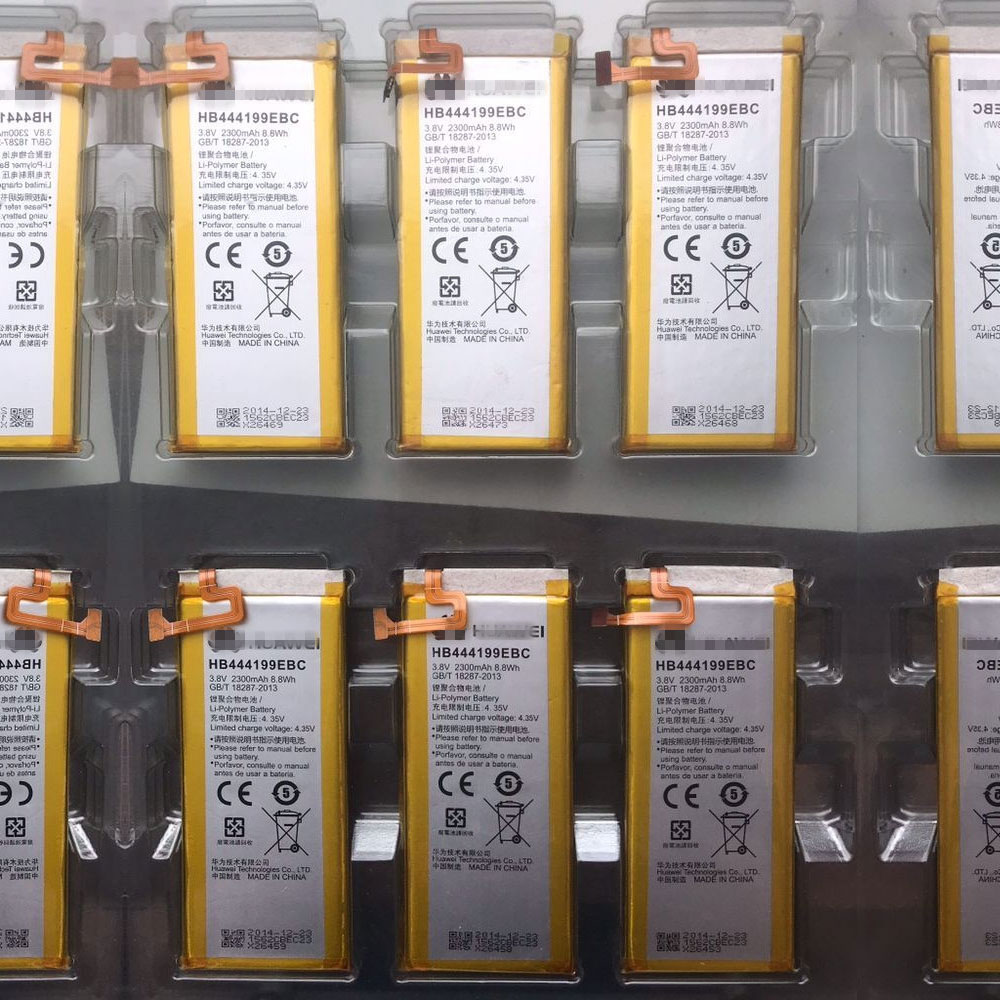
Cheap Huawei HB444199EBC Li-ion Cell Phone battery, Brand New HB444199EBC replacement battery for Huawei honor 4C C8818 CHM-TL00H CHM-CL00

2300mAh /8.8WH 3.8V/4.35V Huawei HB444199EBC Batteries for Huawei honor 4C C8818 CHM-TL00H CHM-CL00, Huawei HB444199EBC Cell Phone battery is a brand new,100% Compatible original and replacement Laptop battery,Purchase wholesale and retail HB444199EBC with high quality and low price!

HB444199EBC Battery huawei Li-ion 3.8V/4.35V 2300mAh /8.8WH

HB444199EBC

Specifications

  • Brand:HUAWEI
  • Capacity :2300mAh /8.8WH
  • Voltage :3.8V/4.35V
  • Type :Li-ion
  • Battery Cell Quality: Grade A
  • Descriptive: Replacement Battery – 1 Year Warranty
  • Description: Brand New, 1 Year Warranty! 30-Days Money Back! Fast Shipping!

How we test this Huawei HB444199EBC Battery Li-ion 3.8V/4.35V 2300mAh /8.8WH

Step 1: Make sure customer bought the correct battery.
Step 2: Check battery’s appearance and interface.
Step 3: Test battery charger and recharger function.
Step 4: Charger the battery to 100% and recharger to 0% to get real battery capacity
Step 5: Use Ev2300 to check the voltage difference of each goroup cells.
Step 6: Charger battery power more than 30%.
Step 7: Package battery carefully and send out

Compatible Part Numbers:

HB444199EBC

Compatible Model Numbers:

Huawei honor 4C C8818 CHM-TL00H CHM-CL00

How much do you know about how to run laptop well as any place? The follow Tips cut way back on protecting battery life.


1). Please recharge or change your Cell Phone battery when battery power low.
2). Using Li-Ion Replacement Huawei HB444199EBC Cell Phone Battery for your notebook which can work longer time than Non Li-ion one.
3). It is better to defragmentation regularly for your Cell Phone battery life.
4). In order to reduce the laptop power consumpition, you can use some optical drive spin-down and hard drive in your Cell Phone .
5). Please keep your laptop in sleep or standby model without long time using, which both save the Replacement Huawei HB444199EBC Cell Phone Battery power and extend battery using life.
6). Leave your battery in a dry and cool condition when without using.
7). When you rarely or generally plugged in fixed power using, Please take down your battery to avoid hurting battery life.
Hot Products

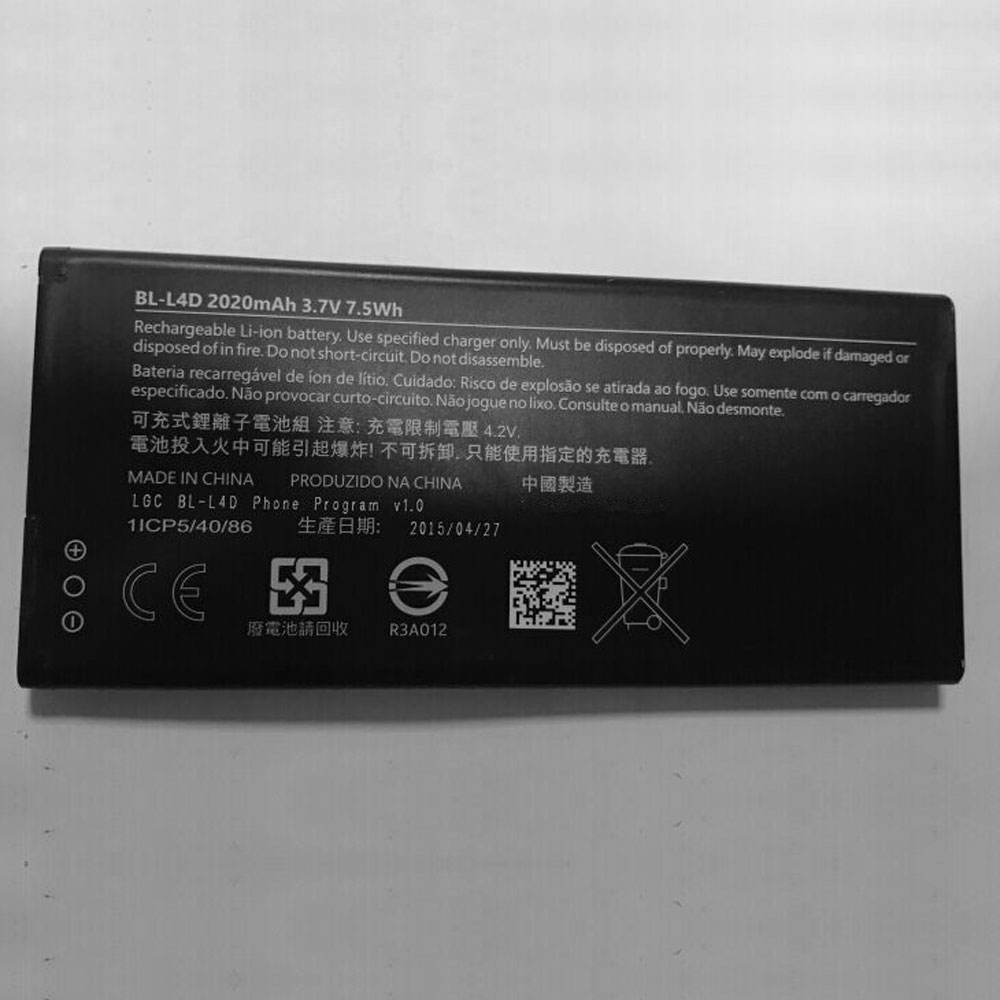
Cheap Microsoft BL-L4D Li-ion Cell Phone battery, Brand New BL-L4D replacement battery for Microsoft Nokia BL-L4D

2020mAh /7.5WH 3.7V/4.2V Microsoft BL-L4D Batteries for Microsoft Nokia BL-L4D, Microsoft BL-L4D Cell Phone battery is a brand new,100% Compatible original and replacement Laptop battery,Purchase wholesale and retail BL-L4D with high quality and low price!

BL-L4D Battery microsoft Li-ion 3.7V/4.2V 2020mAh /7.5WH

BL-L4D

Specifications

  • Brand:Microsoft
  • Capacity :2020mAh /7.5WH
  • Voltage :3.7V/4.2V
  • Type :Li-ion
  • Battery Cell Quality: Grade A
  • Descriptive: Replacement Battery – 1 Year Warranty
  • Description: Brand New, 1 Year Warranty! 30-Days Money Back! Fast Shipping!

How we test this Microsoft BL-L4D Battery Li-ion 3.7V/4.2V 2020mAh /7.5WH

Step 1: Make sure customer bought the correct battery.
Step 2: Check battery’s appearance and interface.
Step 3: Test battery charger and recharger function.
Step 4: Charger the battery to 100% and recharger to 0% to get real battery capacity
Step 5: Use Ev2300 to check the voltage difference of each goroup cells.
Step 6: Charger battery power more than 30%.
Step 7: Package battery carefully and send out

Compatible Part Numbers:

BL-L4D

Compatible Model Numbers:

Microsoft Nokia BL-L4D

How much do you know about how to run laptop well as any place? The follow Tips cut way back on protecting battery life.


1). Please recharge or change your Cell Phone battery when battery power low.
2). Using Li-Ion Replacement Microsoft BL-L4D Cell Phone Battery for your notebook which can work longer time than Non Li-ion one.
3). It is better to defragmentation regularly for your Cell Phone battery life.
4). In order to reduce the laptop power consumpition, you can use some optical drive spin-down and hard drive in your Cell Phone .
5). Please keep your laptop in sleep or standby model without long time using, which both save the Replacement Microsoft BL-L4D Cell Phone Battery power and extend battery using life.
6). Leave your battery in a dry and cool condition when without using.
7). When you rarely or generally plugged in fixed power using, Please take down your battery to avoid hurting battery life.
Hot Products

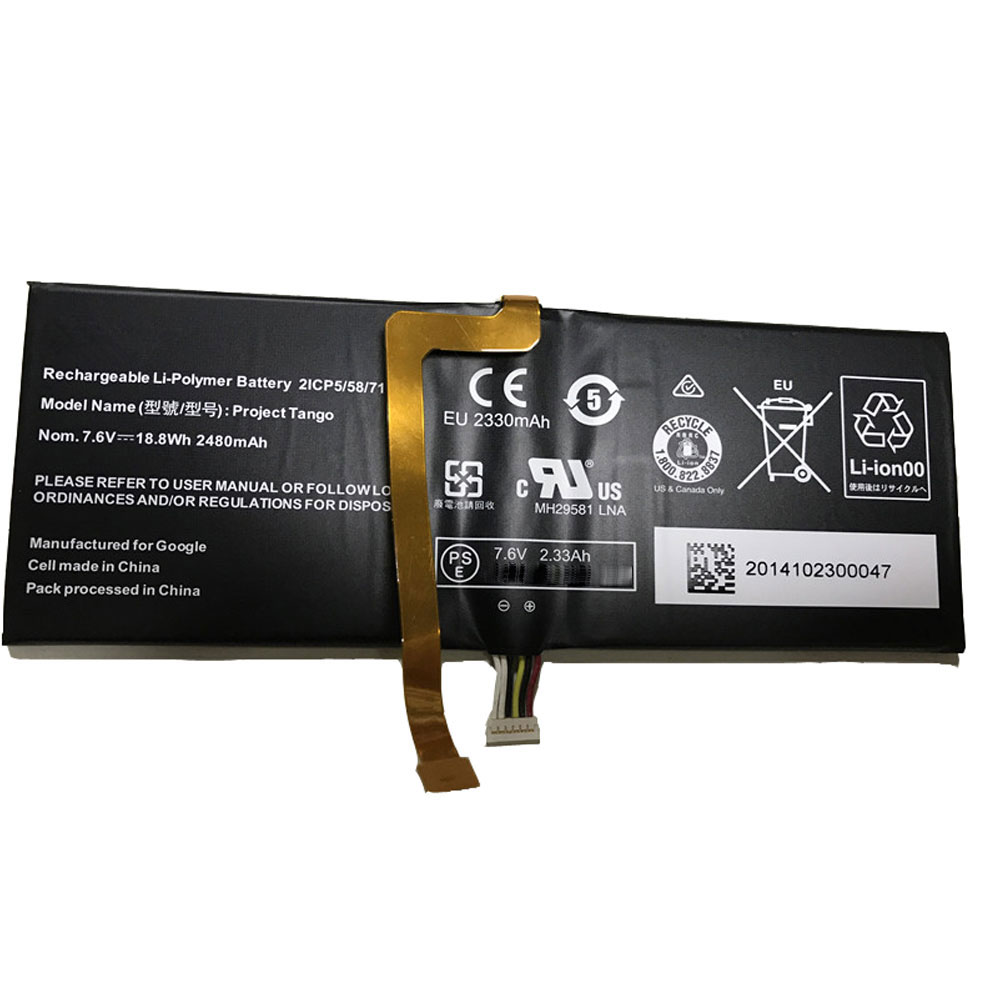
Cheap Google DVT3-2 Li-ion Tablets battery, Brand New DVT3-2 replacement battery for Google DVT3-2,Project Tango Tablet

2480MAH /18.8WH 7.6V/4.2V Google DVT3-2 Batteries for Google DVT3-2,Project Tango Tablet, Google DVT3-2 Tablets battery is a brand new,100% Compatible original and replacement Laptop battery,Purchase wholesale and retail DVT3-2 with high quality and low price!

DVT3-2 Battery google Li-ion 7.6V/4.2V 2480MAH /18.8WH

DVT3-2

Specifications

  • Brand:Google
  • Capacity :2480MAH /18.8WH
  • Voltage :7.6V/4.2V
  • Type :Li-ion
  • Battery Cell Quality: Grade A
  • Descriptive: Replacement Battery – 1 Year Warranty
  • Description: Brand New, 1 Year Warranty! 30-Days Money Back! Fast Shipping!

How we test this Google DVT3-2 Battery Li-ion 7.6V/4.2V 2480MAH /18.8WH

Step 1: Make sure customer bought the correct battery.
Step 2: Check battery’s appearance and interface.
Step 3: Test battery charger and recharger function.
Step 4: Charger the battery to 100% and recharger to 0% to get real battery capacity
Step 5: Use Ev2300 to check the voltage difference of each goroup cells.
Step 6: Charger battery power more than 30%.
Step 7: Package battery carefully and send out

Compatible Part Numbers:

DVT3-2

Compatible Model Numbers:

Google DVT3-2,Project Tango Tablet

How much do you know about how to run laptop well as any place? The follow Tips cut way back on protecting battery life.


1). Please recharge or change your Tablets battery when battery power low.
2). Using Li-Ion Replacement Google DVT3-2 Tablets Battery for your notebook which can work longer time than Non Li-ion one.
3). It is better to defragmentation regularly for your Tablets battery life.
4). In order to reduce the laptop power consumpition, you can use some optical drive spin-down and hard drive in your Tablets .
5). Please keep your laptop in sleep or standby model without long time using, which both save the Replacement Google DVT3-2 Tablets Batterypower and extend battery using life.
6). Leave your battery in a dry and cool condition when without using.
7). When you rarely or generally plugged in fixed power using, Please take down your battery to avoid hurting battery life.

Hot Products

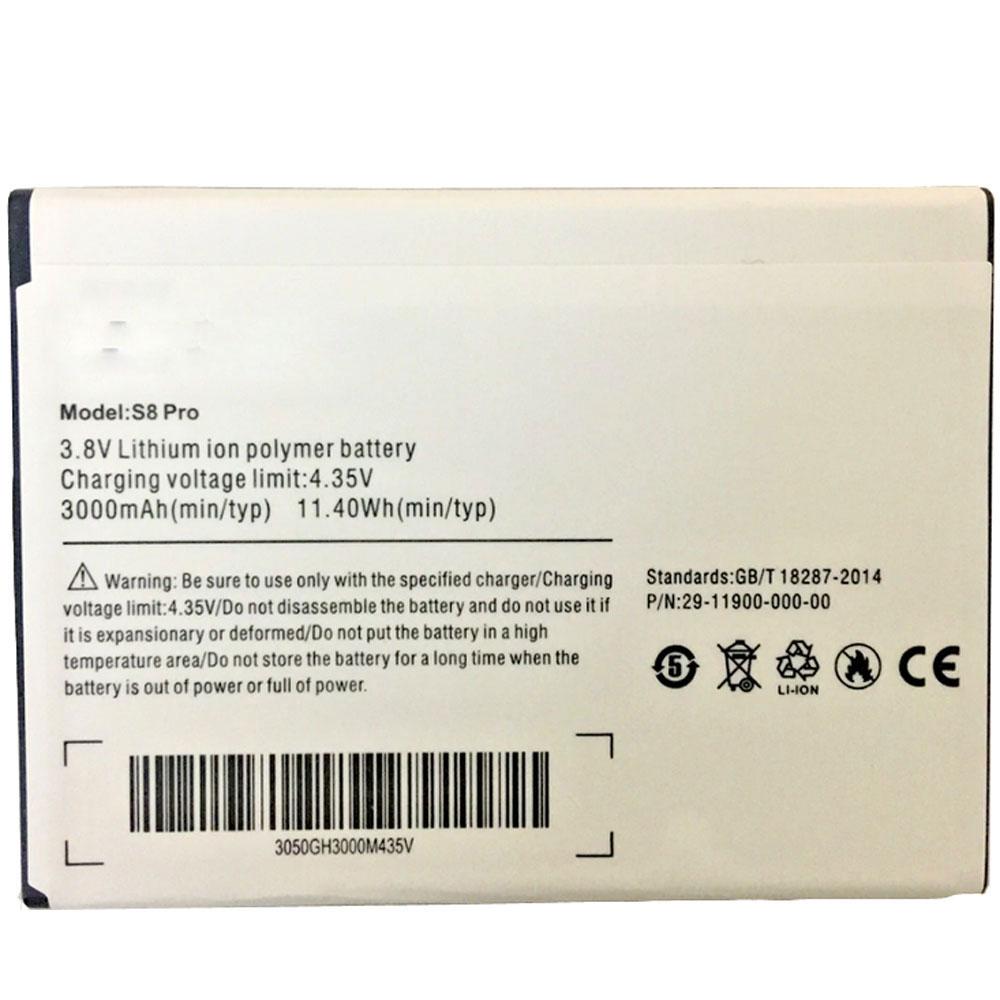
Cheap Ulefone S8 Li-ion Cell Phone battery, Brand New S8 replacement battery for Ulefone S8 S8 Pro

3000MAH /11.4WH 3.8V/4.35V Ulefone S8 Batteries for Ulefone S8 S8 Pro, Ulefone S8 Cell Phone battery is a brand new,100% Compatible original and replacement Laptop battery,Purchase wholesale and retail S8 with high quality and low price!

S8 Battery ulefone Li-ion 3.8V/4.35V 3000MAH /11.4WH

S8

Specifications

  • Brand:Ulefone
  • Capacity :3000MAH /11.4WH
  • Voltage :3.8V/4.35V
  • Color:white
  • Type :Li-ion
  • Battery Cell Quality: Grade A
  • Descriptive: Replacement Battery – 1 Year Warranty
  • Description: Brand New, 1 Year Warranty! 30-Days Money Back! Fast Shipping!

How we test this Ulefone S8 Battery Li-ion 3.8V/4.35V 3000MAH /11.4WH

Step 1: Make sure customer bought the correct battery.
Step 2: Check battery’s appearance and interface.
Step 3: Test battery charger and recharger function.
Step 4: Charger the battery to 100% and recharger to 0% to get real battery capacity
Step 5: Use Ev2300 to check the voltage difference of each goroup cells.
Step 6: Charger battery power more than 30%.
Step 7: Package battery carefully and send out

Compatible Part Numbers:

S8

Compatible Model Numbers:

Ulefone S8 S8 Pro

How much do you know about how to run laptop well as any place? The follow Tips cut way back on protecting battery life.


1). Please recharge or change your Cell Phone battery when battery power low.
2). Using Li-Ion Replacement Ulefone S8 Cell Phone Battery for your notebook which can work longer time than Non Li-ion one.
3). It is better to defragmentation regularly for your Cell Phone battery life.
4). In order to reduce the laptop power consumpition, you can use some optical drive spin-down and hard drive in your Cell Phone .
5). Please keep your laptop in sleep or standby model without long time using, which both save the Replacement Ulefone S8 Cell Phone Batterypower and extend battery using life.
6). Leave your battery in a dry and cool condition when without using.
7). When you rarely or generally plugged in fixed power using, Please take down your battery to avoid hurting battery life.

Hot Products

iOS 13 and iPadOS public betas: How to download and install them now

The final versions of Apple’s iOS 13 and iPadOS 13 software for your iPhones ($1,000 at Amazon) and iPads ($249 at Walmart) are coming your way this fall, but you can get a jump start now on everything the OSes offer. The public beta is open to anyone who wants to help test early builds of the operating system that will run on iPhones ($1,000 at Amazon) and iPads ($249 at Walmart) later this year. That’s right, this year we have two different versions of iOS. One, iOS 13, is for the iPhone and iPod Touch, the other, iPadOS 13, is dedicated to the iPad and brings with it new multitasking features and a desktop-class version of Safari.

Both software updates include a long list of new features, such as an official systemwide dark mode, new privacy features and improved Apple Maps. Apple also announced WatchOS 6, MacOS 10.15 Catalina, and TVOS 13 during its Worldwide Developers Conference keynote.

While the public betas are, as we said, open to anyone who wants to give them a spin, there are some things to be aware of.

Remember, it’s beta

Over the years, the beta program for an upcoming iOS release has gotten more stable. However, it’s called a beta version for a reason — it’s not finished. Apps are going to break, battery life is going to be horrible and frequent random restarts aren’t unheard of.

If you want to test iOS 13, go into it knowing that you’re testing beta software and do yourself — and Apple — a favor by providing feedback through the Feedback app.

You can’t (easily) go back

In addition to a willingness to deal with bugs and random issues, you need to know that you can go back to the current official version of iOS, but you can’t restore from a backup made with your device on iOS 13.

So, with that in mind, it’s a good idea to create a backup of your device as it is right before switching to the beta. The best way to do that is to use iTunes (RIP) and create an encrypted backup.

Ready? Here’s how to install iOS 13

Visit Apple’s Beta Software Program on your computer. You’ll need to sign in using your Apple ID, then pick iOS or iPadOS. The program will walk you through creating a back up of your iPhone or iPad — don’t just glance over this and move on, create a backup right now — and then you’ll need to download and install the beta profile. You can visit this link on your iPhone or iPad to download the profile.

After the profile is downloaded open the Settings app on your iPhone or iPad. The profile will show up, just below your name. Tap the profile, then approve the installation. Your device will reboot after the profile is added, after which you can go to Settings > General > Software Update to download and install iOS 13.

Of course, if you have a paid developer account you can still find the appropriate installation profiles on the developer site.