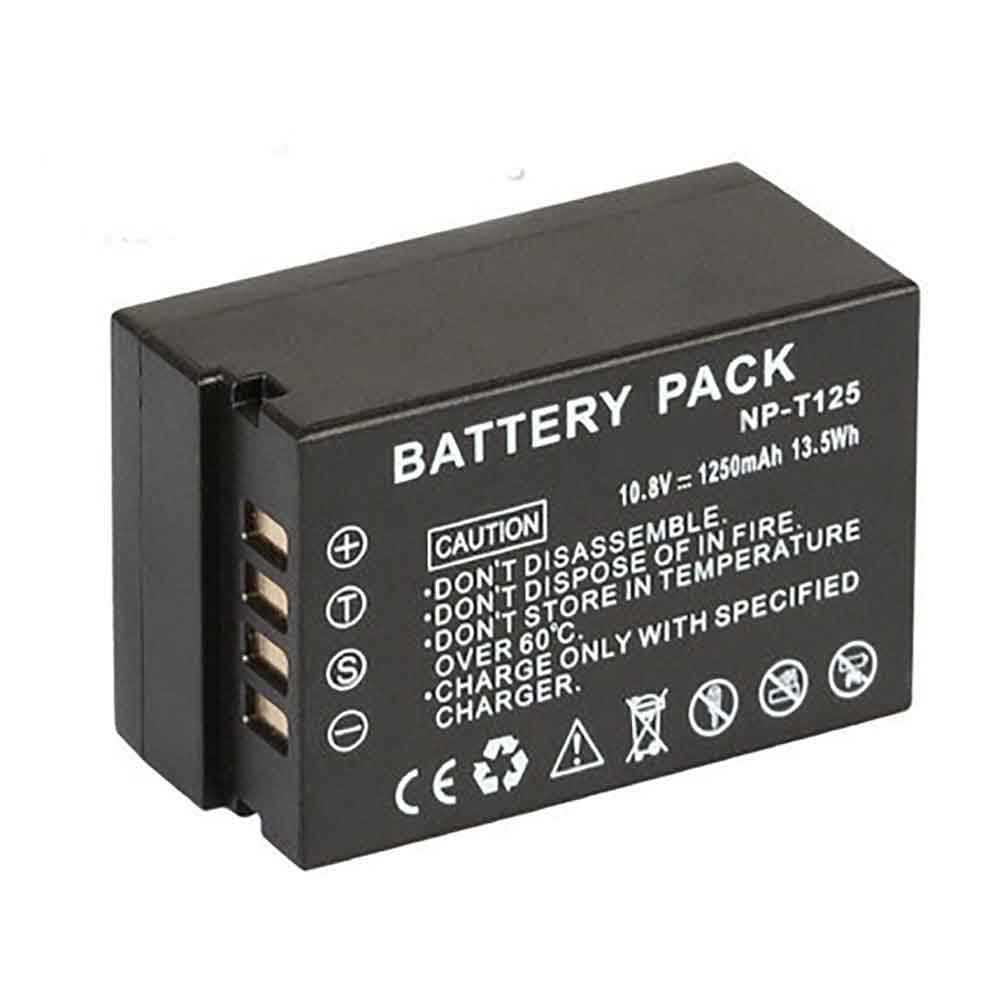
1250mAh 3.6V Panasonic DMW-BCM13GK Li-ion Battery for Panasonic Lumix DMC-FT5 DMC-FT5A DMC-FT5D

1250mAh 3.6V Panasonic DMW-BCM13GK Batteries for Panasonic Lumix DMC-FT5 DMC-FT5A DMC-FT5D, Panasonic DMW-BCM13GK Other battery is a brand new,100% Compatible original and replacement battery,Purchase wholesale and retail DMW-BCM13GK with high quality and low price!

Find ou your original model number or part number(P/N), and move your eyes on the tag of battery

DMW-BCM13GK

Specifications

  • Brand:Panasonic
  • Capacity :1250mAh
  • Voltage :3.6V
  • Type :Li-ion
  • Battery Cell Quality: Grade A
  • Descriptive: Replacement Battery – 1 Year Warranty
  • Description: Brand New, 1 Year Warranty! 30-Days Money Back! Fast Shipping!

How we test this Panasonic DMW-BCM13GK Battery
Step 1: Make sure customer bought the correct battery.
Step 2: Check battery’s appearance and interface.
Step 3: Test battery charger and recharger function.
Step 4: Charger the battery to 100% and recharger to 0% to get real battery capacity
Step 5: Use Ev2300 to check the voltage difference of each goroup cells.
Step 6: Charger battery power more than 30%.
Step 7: Package battery carefully and send out

Compatible Part Numbers:
DMW-BCM13GK
DMW-BCM13
DMW-BCM13E
DMW-BCM13PP

Compatible Model Numbers:
Panasonic Lumix DMC-FT5/DMC-FT5A/DMC-FT5D/DMC-FT5K/DMC-FT5S/DMC-FT6/DMC-FT7/DMC-LZ40/DMC-LZ40K/DMC-TS5/DMC-TS5A/DMC-TS5D/DMC-TS5K/DMC-TS5S/DMC-TS6/DMC-TS7/DMC-TZ37/DMC-TZ40W/DMC-TZ40/DMC-TZ40K/DMC-TZ40R/DMC-TZ40S/DMC-TZ41/DMC-ZS30W/DMC-TZ55/DMC-ZS30/DMC-ZS30K/DMC-ZS30/DMC-ZS30S/DMC-ZS27

How much do you know about how to run laptop well as any place? The follow Tips cut way back on protecting battery life.


1). Please recharge or change your Other battery when battery power low.
2). Using Li-Ion Replacement Panasonic DMW-BCM13GK Other Battery for your notebook which can work longer time than Non Li-ion one.
3). It is better to defragmentation regularly for your Other battery life.
4). In order to reduce the laptop power consumpition, you can use some optical drive spin-down and hard drive in your Other .
5). Please keep your laptop in sleep or standby model without long time using, which both save the Replacement Panasonic DMW-BCM13GK Other Battery power and extend battery using life.
6). Leave your battery in a dry and cool condition when without using.
7). When you rarely or generally plugged in fixed power using, Please take down your battery to avoid hurting battery life.

Hot Products

2800mAh TOSHIBA PA5247U-1BR for Toshiba Tecra A50-E,R50,A30,A46600mAh/68WH APPLE A1189 for Apple MacBook Pro 17 17-inch3000mAh ALCATEL TLP030F1 for Alcatel Idol 4S2800mAh LIFEPO4 30233 for LiFePO4 302332230mAH/17Wh BOSE 061384 for Bose Soundlink Mini I ONE160mAh GARMIN 361-00108-00 for Garmin Vivoactive 3 Music Smar4400mah TWINHEAD R15B_8750 for Twinhead Durabook R15D R15B S14350mAh/16.53WH DOOGEE BAT1919084350 for Doogee N2067Wh DELL X3PH0 for Dell Chromebook 13 7310 13-7314800mAh /36.48Wh TREKSTOR HW-3487265 for TREKSTOR Primebook C11

950mAh 3.6V Sony NP-BK1 Li-ion Battery for Sony MHS-PM1 MHS-PM1D MHS-PM1V MHS-PM5

950mAh 3.6V Sony NP-BK1 Batteries for Sony MHS-PM1 MHS-PM1D MHS-PM1V MHS-PM5, Sony NP-BK1 Other battery is a brand new,100% Compatible original and replacement battery,Purchase wholesale and retail NP-BK1 with high quality and low price!

Find ou your original model number or part number(P/N), and move your eyes on the tag of battery

NP-BK1

Specifications

  • Brand:Sony
  • Capacity :950mAh
  • Voltage :3.6V
  • Type :Li-ion
  • Battery Cell Quality: Grade A
  • Descriptive: Replacement Battery – 1 Year Warranty
  • Description: Brand New, 1 Year Warranty! 30-Days Money Back! Fast Shipping!

How we test this Sony NP-BK1 Battery
Step 1: Make sure customer bought the correct battery.
Step 2: Check battery’s appearance and interface.
Step 3: Test battery charger and recharger function.
Step 4: Charger the battery to 100% and recharger to 0% to get real battery capacity
Step 5: Use Ev2300 to check the voltage difference of each goroup cells.
Step 6: Charger battery power more than 30%.
Step 7: Package battery carefully and send out

Compatible Part Numbers:
NP-BK1

Compatible Model Numbers:
Sony MHS-PM1/MHS-PM1D/MHS-PM1V/MHS-PM5/DSC-S750/DSC-S780/DSC-S950/DSC-S980/DSC-W180/DSC-W190/DSC-W370/MHS-CM5

How much do you know about how to run laptop well as any place? The follow Tips cut way back on protecting battery life.


1). Please recharge or change your Other battery when battery power low.
2). Using Li-Ion Replacement Sony NP-BK1 Other Battery for your notebook which can work longer time than Non Li-ion one.
3). It is better to defragmentation regularly for your Other battery life.
4). In order to reduce the laptop power consumpition, you can use some optical drive spin-down and hard drive in your Other .
5). Please keep your laptop in sleep or standby model without long time using, which both save the Replacement Sony NP-BK1 Other Battery power and extend battery using life.
6). Leave your battery in a dry and cool condition when without using.
7). When you rarely or generally plugged in fixed power using, Please take down your battery to avoid hurting battery life.

Hot Products

2800mAh TOSHIBA PA5247U-1BR for Toshiba Tecra A50-E,R50,A30,A46600mAh/68WH APPLE A1189 for Apple MacBook Pro 17 17-inch3000mAh ALCATEL TLP030F1 for Alcatel Idol 4S2800mAh LIFEPO4 30233 for LiFePO4 302332230mAH/17Wh BOSE 061384 for Bose Soundlink Mini I ONE160mAh GARMIN 361-00108-00 for Garmin Vivoactive 3 Music Smar4400mah TWINHEAD R15B_8750 for Twinhead Durabook R15D R15B S14350mAh/16.53WH DOOGEE BAT1919084350 for Doogee N2067Wh DELL X3PH0 for Dell Chromebook 13 7310 13-7314800mAh /36.48Wh TREKSTOR HW-3487265 for TREKSTOR Primebook C11

If these new iOS 16 features annoy you, here’s how to get rid of them

 There’s a lot to discover in iOS 16, Apple’s latest mobile software update. For starters, you can unsend and edit text messages and emails, and easily crop people or objects from photos with just one click. There are several hidden features you should be aware of.

But not all iOS 16 features are universally loved. For example, the new iPhone home screen search button and unexpected photo pop-ups were quickly spurned. Fortunately, most of these iOS 16 features and settings can be completely disabled or removed. I’ll help you learn how to “fix” the most unpopular new iOS 16 feature. Let’s take a look below!

Stop unexpected (and embarrassing) photo pop-ups on your iPhone screen

Apple’s artificial intelligence helps you display photos and videos everywhere on your iPhone as reminders for family vacations, couple photos, and vacations, but you might not always want your personal photos to pop up unexpectedly, especially if they’re private , embarrassing or inappropriate.

In iOS 16, you can now prevent Featured Photos and a Featured Collection called Memories from appearing in the Photos widget on the Home screen and in the Search and For You sections of Photos.

To block these custom photos, launch the Settings app, go to Photos and turn off “Show Featured Content”. All featured content will no longer appear on your device, but will only be available in your photo library and albums.

Avoid accidentally ending your phone

The side/power button on the side of your iPhone lets you quickly sleep and wake your device, but if you accidentally press it during a call, you’ll end the call prematurely. If this is something you’ve encountered in the past, iOS 16 finally allows you to prevent that from happening.

In Settings, go to Accessibility > Touch and turn off “Lock End Call” to prevent the side button from ending a call. If you accidentally press the side button, your screen will go to sleep, but you will continue to receive calls without interruption.

Go back to using old iPhone lock screen notifications

Apple’s latest redesign brings widgets to the lock screen, customizable fonts and colors, a gallery of wallpapers and stylized date and time, and an overlooked notification change. Notifications now no longer appear at the top of the lock screen, but at the bottom, which you can then tap to go full screen.

However, not everyone is happy with the change. If you want to go back to how notifications appear on iOS 15, launch the Settings app and go to Notifications > Display As. Then you will see three options:

Count: Notifications appear as numbers at the bottom of the screen.

Stack: Notifications appear in a stack at the bottom of the screen.

List: Notifications appear entirely on your screen.

To return to the old notification style, select the list option.

>>>>>>>>>>>>iPhone battery

AirPods Pro features that more people should know how to use

 Apple launched a new version of its wireless earbuds called the AirPods Pro 2 in September. They feature longer battery life, a new charging case that supports Find My, updated microphones, new volume controls, and a new H2 chip.

The second-generation AirPods Pro are the follow-up to the first-generation AirPods Pro launched in 2019, including the same features such as active noise cancellation for improved listening experience and replaceable silicone ear tips for a more comfortable fit.

Whether you own the original AirPods Pro or the new AirPods Pro, there’s a lot you need to know about your in-ear headphones to unlock their full potential. In this guide, we’ll show you everything you need to know about AirPods Pro.

Pair AirPods Pro in seconds

After unboxing your AirPods Pro, unlock your iPhone or iPad and open the earphones’ charging case. After a second or two, a prompt will appear asking if you want to pair the earbuds. Click connect to initiate pairing and you’re done. AirPods Pro not only work with your iPhone, but also pair with all of your Apple devices signed in with your iCloud account.

Press, don’t touch on AirPods Pro

Instead of tapping one of the AirPods, use the stem of the AirPods Pro as a button. There are actually no buttons there. Instead, it’s a pressure-sensitive section that replicates the way you use the buttons. This is similar to the trackpad on MacBook, MacBook Air, and MacBook Pro not physically moving to click.

Squeeze the flat grooves on each AirPod with two fingers. You’ll hear a click in your ear every time you press it. Here’s what each button press does:

Click: Pause/Play

Double click: fast forward

Triple press: jump back

Long press: Switch between noise reduction and transparency mode.

Swipe to change AirPods Pro volume

A nice addition to the AirPods Pro 2 is the ability to use the lever to change the volume. Swipe up to increase the volume, swipe down to decrease the volume. Yes. It’s that easy.

How to Monitor Battery Life

One of the best features of the AirPods Pro is battery life. Between the battery in the case and the battery in each earbud, you can get hours of use without recharging. Apple has a few different ways to monitor the battery life of each AirPod Pro as well as the case.

Whenever you want to check the power of your AirPods Pro and the charging case, unlock your iPhone or iPad and open the charging case next to the device with your AirPods. An animation will appear showing the charge level of each AirPod and charging case.

You can also add a battery widget to your iPhone’s home screen. When the AirPods are actively paired with your phone, the remaining battery life and case of each earbud will be displayed in the widget.

How to use Active Noise Cancellation

The main feature of the AirPods Pro is its Active Noise Cancellation, or ANC. When it’s on, noise cancellation blocks out nearly all the background noise you’d normally hear with regular earbuds or standard AirPods.

Long press one of the AirPods buttons to turn off noise cancellation, or use Control Center on your iPhone or iPad. Swipe down from the top-right corner of your device’s screen; then, when Control Center appears, long-press the volume slider. At the bottom of the screen you will have three options: Noise Reduction, Off and Transparency. Click the setting you want to use.

When you switch to Transparency mode, you will be able to hear some sounds in the environment, but still hear the audio playing in the AirPods Pro, which is what you use when walking down a busy street, so you can hear To for example, when you need to listen for gate changes, in traffic or at the airport.

You can switch to transparency mode by long-pressing the AirPods’ button or using the toggle switch in Control Center.

Find My AirPods Pro 2 Case

One of the most popular features of the second-generation AirPods Pro is the ability to use Find My and pinpoint a lost AirPods Pro case. Open the Find My app on your iPhone and tap the Devices tab. Tap AirPods Pro in the list to see its location on the map. If you’re within 30 feet or so, press the Find Nearby button. Then follow the on-screen prompts to guide.

Check the charging status while wirelessly charging the case

The case that comes with the AirPods Pro will charge wirelessly on the same wireless charging pad as the iPhone. It also works with MagSafe chargers, just doesn’t stick to the charger magnetically like the iPhone 12 or 13. Place the charging case on the charging pad with the small light facing up and start charging. When it’s first placed on the mat, the case’s light will turn on to let you know it’s charging. However, it eventually times out and shuts down. Tap on the charging case to check the charging status of the charging case (green means fully charged).

>>>>>>>>>>>AirPods battery

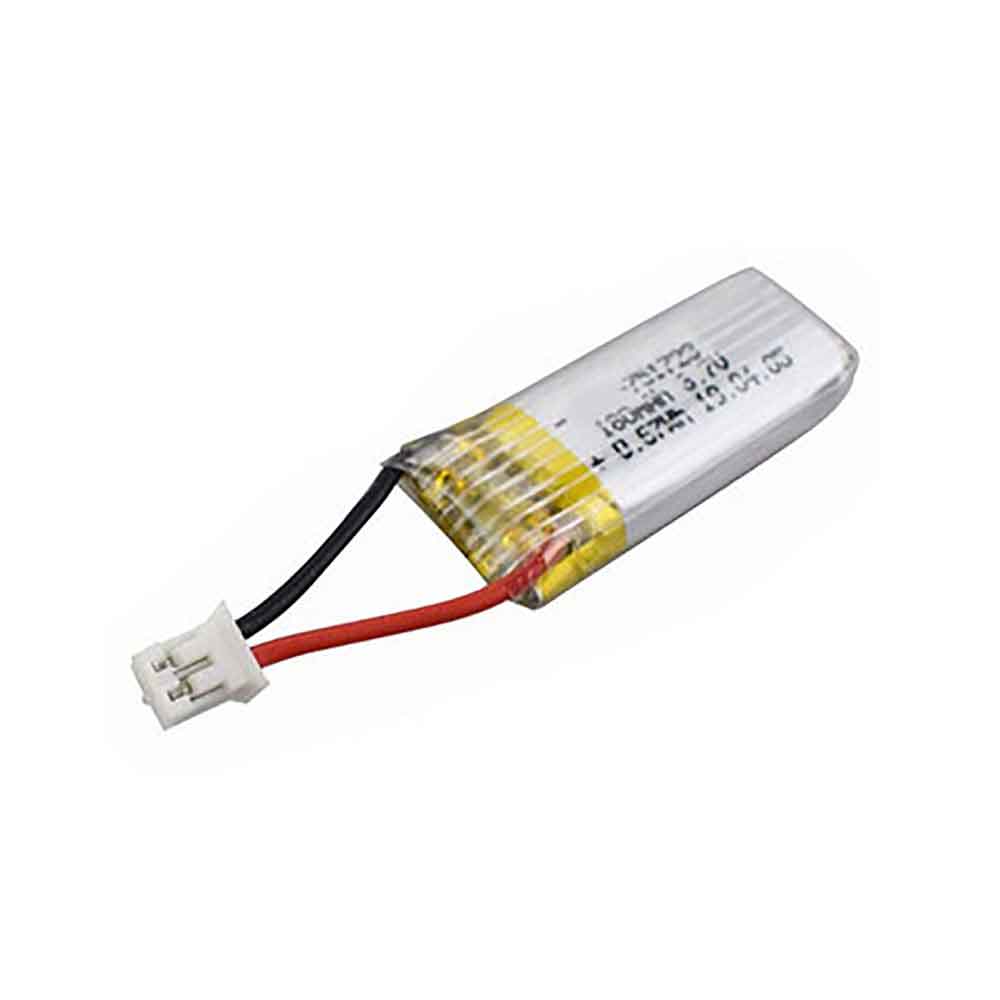
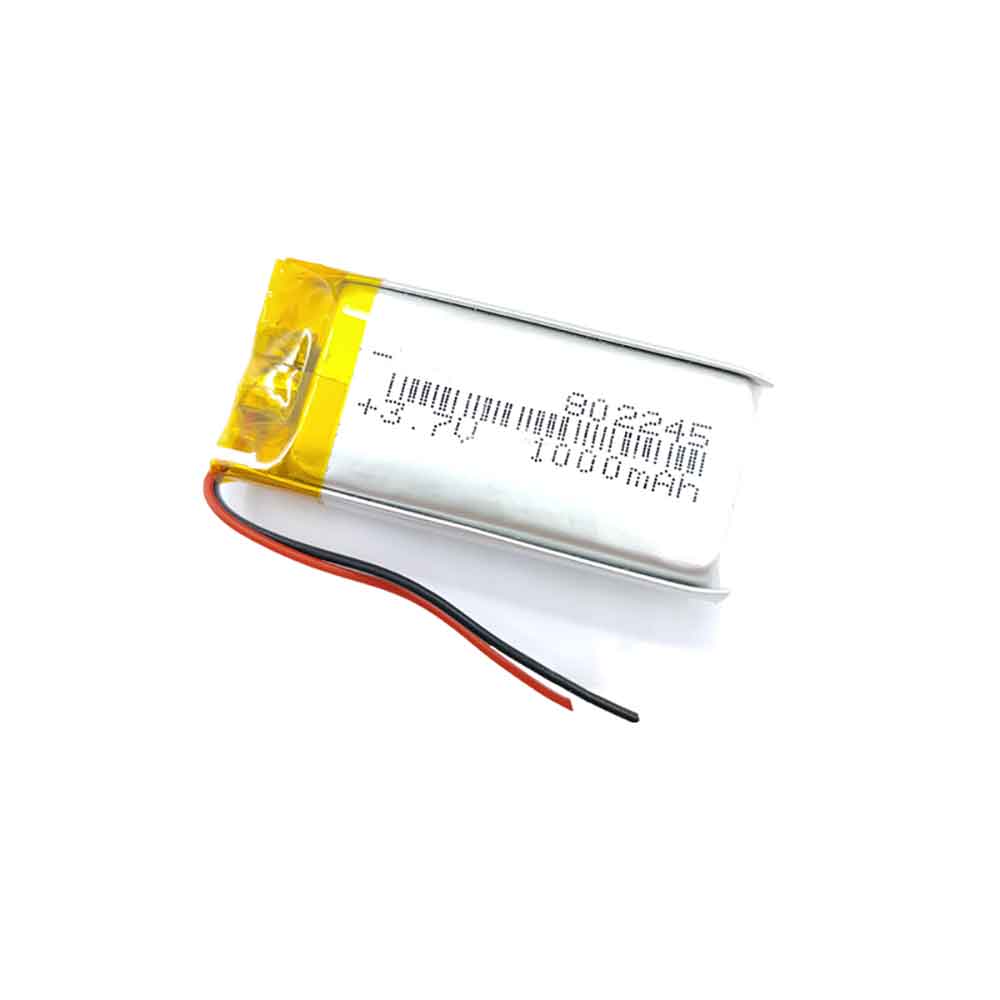
1200mAh 3.7V Yuhuida 803443 Li-ion Battery for Yuhuida Game Consoles Small Toys

1200mAh 3.7V Yuhuida 803443 Batteries for Yuhuida Game Consoles Small Toys, Yuhuida 803443 Other battery is a brand new,100% Compatible original and replacement battery,Purchase wholesale and retail 803443 with high quality and low price!

Find ou your original model number or part number(P/N), and move your eyes on the tag of battery

803443

Specifications

  • Brand:Yuhuida
  • Capacity :1200mAh
  • Voltage :3.7V
  • Type :Li-Po
  • Battery Cell Quality: Grade A
  • Descriptive: Replacement Battery – 1 Year Warranty
  • Description: Brand New, 1 Year Warranty! 30-Days Money Back! Fast Shipping!

How we test this Yuhuida 803443 Battery
Step 1: Make sure customer bought the correct battery.
Step 2: Check battery’s appearance and interface.
Step 3: Test battery charger and recharger function.
Step 4: Charger the battery to 100% and recharger to 0% to get real battery capacity
Step 5: Use Ev2300 to check the voltage difference of each goroup cells.
Step 6: Charger battery power more than 30%.
Step 7: Package battery carefully and send out

Compatible Part Numbers:
803443

Compatible Model Numbers:
Yuhuida Game Consoles Small Toys

How much do you know about how to run laptop well as any place? The follow Tips cut way back on protecting battery life.


1). Please recharge or change your Other battery when battery power low.
2). Using Li-Ion Replacement Yuhuida 803443 Other Battery for your notebook which can work longer time than Non Li-ion one.
3). It is better to defragmentation regularly for your Other battery life.
4). In order to reduce the laptop power consumpition, you can use some optical drive spin-down and hard drive in your Other .
5). Please keep your laptop in sleep or standby model without long time using, which both save the Replacement Yuhuida 803443 Other Battery power and extend battery using life.
6). Leave your battery in a dry and cool condition when without using.
7). When you rarely or generally plugged in fixed power using, Please take down your battery to avoid hurting battery life.

Hot Products

3000mAh ALCATEL TLP030F1 for Alcatel Idol 4S2800mAh LIFEPO4 30233 for LiFePO4 302332230mAH/17Wh BOSE 061384 for Bose Soundlink Mini I ONE160mAh GARMIN 361-00108-00 for Garmin Vivoactive 3 Music Smar4400mah TWINHEAD R15B_8750 for Twinhead Durabook R15D R15B S14350mAh/16.53WH DOOGEE BAT1919084350 for Doogee N2067Wh DELL X3PH0 for Dell Chromebook 13 7310 13-7314800mAh /36.48Wh TREKSTOR HW-3487265 for TREKSTOR Primebook C113200 mAh SONY Lip1654ERPC for Sony 1309-2675 Xperia XA2 /L24610mAh/52.5Wh LENOVO L15L3PB0 for Lenovo IdeaPad 320S-14IKB Flex

1150mAh 3.7V Yuhuida 782548 Li-ion Battery for Yuhuida Miebao Rabbit MB10 Early Education Story Machine Children’s Educational Toy

1150mAh 3.7V Yuhuida 782548 Batteries for Yuhuida Miebao Rabbit MB10 Early Education Story Machine Children’s Educational Toy, Yuhuida 782548 Other battery is a brand new,100% Compatible original and replacement battery,Purchase wholesale and retail 782548 with high quality and low price!

Find ou your original model number or part number(P/N), and move your eyes on the tag of battery

782548

Specifications

  • Brand:Yuhuida
  • Capacity :1150mAh
  • Voltage :3.7V
  • Type :Li-Po
  • Battery Cell Quality: Grade A
  • Descriptive: Replacement Battery – 1 Year Warranty
  • Description: Brand New, 1 Year Warranty! 30-Days Money Back! Fast Shipping!

How we test this Yuhuida 782548 Battery
Step 1: Make sure customer bought the correct battery.
Step 2: Check battery’s appearance and interface.
Step 3: Test battery charger and recharger function.
Step 4: Charger the battery to 100% and recharger to 0% to get real battery capacity
Step 5: Use Ev2300 to check the voltage difference of each goroup cells.
Step 6: Charger battery power more than 30%.
Step 7: Package battery carefully and send out

Compatible Part Numbers:
782548

Compatible Model Numbers:
Yuhuida Miebao Rabbit MB10 Early Education Story Machine Children’s Educational Toy

How much do you know about how to run laptop well as any place? The follow Tips cut way back on protecting battery life.


1). Please recharge or change your Other battery when battery power low.
2). Using Li-Ion Replacement Yuhuida 782548 Other Battery for your notebook which can work longer time than Non Li-ion one.
3). It is better to defragmentation regularly for your Other battery life.
4). In order to reduce the laptop power consumpition, you can use some optical drive spin-down and hard drive in your Other .
5). Please keep your laptop in sleep or standby model without long time using, which both save the Replacement Yuhuida 782548 Other Battery power and extend battery using life.
6). Leave your battery in a dry and cool condition when without using.
7). When you rarely or generally plugged in fixed power using, Please take down your battery to avoid hurting battery life.

Hot Products

3000mAh ALCATEL TLP030F1 for Alcatel Idol 4S2800mAh LIFEPO4 30233 for LiFePO4 302332230mAH/17Wh BOSE 061384 for Bose Soundlink Mini I ONE160mAh GARMIN 361-00108-00 for Garmin Vivoactive 3 Music Smar4400mah TWINHEAD R15B_8750 for Twinhead Durabook R15D R15B S14350mAh/16.53WH DOOGEE BAT1919084350 for Doogee N2067Wh DELL X3PH0 for Dell Chromebook 13 7310 13-7314800mAh /36.48Wh TREKSTOR HW-3487265 for TREKSTOR Primebook C113200 mAh SONY Lip1654ERPC for Sony 1309-2675 Xperia XA2 /L24610mAh/52.5Wh LENOVO L15L3PB0 for Lenovo IdeaPad 320S-14IKB Flex

380mAh 7.4V Udirc 452545 Li-ion Battery for Udirc U919 U945A U845A Drone

380mAh 7.4V Udirc 452545 Batteries for Udirc U919 U945A U845A Drone, Udirc 452545 Other battery is a brand new,100% Compatible original and replacement battery,Purchase wholesale and retail 452545 with high quality and low price!

Find ou your original model number or part number(P/N), and move your eyes on the tag of battery

452545

Specifications

  • Brand:Udirc
  • Capacity :380mAh
  • Voltage :7.4V
  • Type :Li-Po
  • Battery Cell Quality: Grade A
  • Descriptive: Replacement Battery – 1 Year Warranty
  • Description: Brand New, 1 Year Warranty! 30-Days Money Back! Fast Shipping!

How we test this Udirc 452545 Battery
Step 1: Make sure customer bought the correct battery.
Step 2: Check battery’s appearance and interface.
Step 3: Test battery charger and recharger function.
Step 4: Charger the battery to 100% and recharger to 0% to get real battery capacity
Step 5: Use Ev2300 to check the voltage difference of each goroup cells.
Step 6: Charger battery power more than 30%.
Step 7: Package battery carefully and send out

Compatible Part Numbers:
452545

Compatible Model Numbers:
Udirc U919 U945A U845A Drone

How much do you know about how to run laptop well as any place? The follow Tips cut way back on protecting battery life.


1). Please recharge or change your Other battery when battery power low.
2). Using Li-Ion Replacement Udirc 452545 Other Battery for your notebook which can work longer time than Non Li-ion one.
3). It is better to defragmentation regularly for your Other battery life.
4). In order to reduce the laptop power consumpition, you can use some optical drive spin-down and hard drive in your Other .
5). Please keep your laptop in sleep or standby model without long time using, which both save the Replacement Udirc 452545 Other Battery power and extend battery using life.
6). Leave your battery in a dry and cool condition when without using.
7). When you rarely or generally plugged in fixed power using, Please take down your battery to avoid hurting battery life.

Hot Products

3000mAh ALCATEL TLP030F1 for Alcatel Idol 4S2800mAh LIFEPO4 30233 for LiFePO4 302332230mAH/17Wh BOSE 061384 for Bose Soundlink Mini I ONE160mAh GARMIN 361-00108-00 for Garmin Vivoactive 3 Music Smar4400mah TWINHEAD R15B_8750 for Twinhead Durabook R15D R15B S14350mAh/16.53WH DOOGEE BAT1919084350 for Doogee N2067Wh DELL X3PH0 for Dell Chromebook 13 7310 13-7314800mAh /36.48Wh TREKSTOR HW-3487265 for TREKSTOR Primebook C113200 mAh SONY Lip1654ERPC for Sony 1309-2675 Xperia XA2 /L24610mAh/52.5Wh LENOVO L15L3PB0 for Lenovo IdeaPad 320S-14IKB Flex

1700mAh 7.4V Canon BP-820 Li-ion Battery for Canon FS11 FS21 FS22 HF10 HF11

1700mAh 7.4V Canon BP-820 Batteries for Canon FS11 FS21 FS22 HF10 HF11, Canon BP-820 Other battery is a brand new,100% Compatible original and replacement battery,Purchase wholesale and retail BP-820 with high quality and low price!

Find ou your original model number or part number(P/N), and move your eyes on the tag of battery

BP-820

Specifications

  • Brand:Canon
  • Capacity :1700mAh
  • Voltage :7.4V
  • Type :Li-ion
  • Battery Cell Quality: Grade A
  • Descriptive: Replacement Battery – 1 Year Warranty
  • Description: Brand New, 1 Year Warranty! 30-Days Money Back! Fast Shipping!

How we test this Canon BP-820 Battery
Step 1: Make sure customer bought the correct battery.
Step 2: Check battery’s appearance and interface.
Step 3: Test battery charger and recharger function.
Step 4: Charger the battery to 100% and recharger to 0% to get real battery capacity
Step 5: Use Ev2300 to check the voltage difference of each goroup cells.
Step 6: Charger battery power more than 30%.
Step 7: Package battery carefully and send out

Compatible Part Numbers:
BP-820

Compatible Model Numbers:
Canon FS11/FS21/FS22/HF10/HF11/HF20/HF21/HF100/HF200
Canon Legria FS21/FS22/FS36/FS37/FS46/FS200/FS305/FS306/FS307/FS406/HF G10/HF G25/HF G30/HF M31/HF M36/HF M46/HF M306/HF M406

How much do you know about how to run laptop well as any place? The follow Tips cut way back on protecting battery life.


1). Please recharge or change your Other battery when battery power low.
2). Using Li-Ion Replacement Canon BP-820 Other Battery for your notebook which can work longer time than Non Li-ion one.
3). It is better to defragmentation regularly for your Other battery life.
4). In order to reduce the laptop power consumpition, you can use some optical drive spin-down and hard drive in your Other .
5). Please keep your laptop in sleep or standby model without long time using, which both save the Replacement Canon BP-820 Other Battery power and extend battery using life.
6). Leave your battery in a dry and cool condition when without using.
7). When you rarely or generally plugged in fixed power using, Please take down your battery to avoid hurting battery life.

Hot Products

3000mAh ALCATEL TLP030F1 for Alcatel Idol 4S2800mAh LIFEPO4 30233 for LiFePO4 302332230mAH/17Wh BOSE 061384 for Bose Soundlink Mini I ONE160mAh GARMIN 361-00108-00 for Garmin Vivoactive 3 Music Smar4400mah TWINHEAD R15B_8750 for Twinhead Durabook R15D R15B S14350mAh/16.53WH DOOGEE BAT1919084350 for Doogee N2067Wh DELL X3PH0 for Dell Chromebook 13 7310 13-7314800mAh /36.48Wh TREKSTOR HW-3487265 for TREKSTOR Primebook C113200 mAh SONY Lip1654ERPC for Sony 1309-2675 Xperia XA2 /L24610mAh/52.5Wh LENOVO L15L3PB0 for Lenovo IdeaPad 320S-14IKB Flex

Here’s an Apple Watch setup to keep your watch going all day

 You probably know how to use your Apple Watch, but do you know how to charge your Apple Watch? This may seem like a ridiculous question, but there’s actually a hidden battery Apple Watch feature you might not know about.

The Apple Watch supports optimized battery charging, a setting perhaps best known for protecting the iPhone’s battery health. But since watchOS 7, Apple Watch has also offered optimized battery charging. Apple Watch battery health can easily deteriorate over time due to a number of factors. As lithium-ion batteries age chemically, their performance diminishes. This can cause your Apple Watch to last longer on a charge than it did when you first got it.

Enabling optimized battery charging is one of the best Apple Watch tips we can give. After all, there’s nothing more inconvenient than losing power on your Apple Watch when you want to start exercising or take advantage of your device’s sleep tracking features. While watchOS 9 introduces Apple Watch Low Power Mode, you still want to protect your Apple Watch’s battery long-term.

This tip on optimizing battery charging is especially useful for finding out if you have a new Apple Watch Series 8 or Apple Watch SE (2022). However, the rugged Apple Watch Ultra also has an advanced battery health feature called Optimized Charge Limit. Depending on your charging habits, this setting can determine when to charge your smartwatch to an optimized or “capped” limit, and when to allow a full charge.

Both settings are automatically enabled on new Apple Watches. However, if you want to make sure the setting is on (or off), here’s how to enable Optimized Charging for Apple Watch, and the Optimized Charging Limit on Apple Watch Ultra, so you can be sure you’re taking care of your smartwatch’s battery Health status.

How to Enable Apple Watch Optimized Battery Charging

1. Open Settings on Apple Watch

2. Open the battery settings menu.

3. Select Battery Health

4. Turn on Optimized battery charging

After enabling optimized charging on your Apple Watch, you may notice that the watch pauses charging between 75% and 80% capacity. This only happens when your watch thinks you’ll be charging for a long time. It will predict when it will finish charging based on your past charging schedule and location. Optimized charging may not activate if you are not charging your watch in your typical location.

Apple Watch Ultra Optimized Charging Limit

1. Open Settings on Apple Watch

2. Select Battery Health

3. Enable optimized charging limit

The Optimized Charge limit on the Apple Watch Ultra is very similar to the Standard Optimized Charge, but it actually stops charging the Apple Watch Ultra’s battery at the optimization point—rather than just suspending it. You can also bypass the charging limit by tapping the charging icon on Apple Watch Ultra, then tapping Charge Now to Full. If your Apple Watch Ultra is relatively new and has not yet learned about your charging habits, you won’t see this option.

>>>>>>>>>>>>Apple Watch battery

Thanks for reading, hope it helps!

Friendly reminder: If you need to replace the battery of your device, this battery store will be a good choice: www.batteryforpc.co.uk

The Samsung Galaxy Z Fold 5 can solve the biggest Fold 4 problems — here’s how

 The Samsung Galaxy Z Fold 5 still has some way to go, but Samsung is considering how to fix some of its biggest flaws based on the latest leaks. According to leaker Lanzuk, Samsung may be using a new material to make its next-generation foldable devices.

The Galaxy Z Fold 4 is our top pick for the best foldable phone right now, but there’s no denying it’s still a bulky phone. At 9.28 ounces, it’s lighter than the 9.5-ounce Fold 3, but still significantly heavier than the 8.5-ounce iPhone 14 Pro Max. To be fair, though, the iPhone 14 Pro Max has a 6.7-inch display, while the Fold’s foldable panel is 7.6 inches. Using lighter materials will help offset the phone’s large size and allow for extra features to be added without making the phone too bulky.

What extra features might these be? For a potential answer to this question, we can refer to a report from a recent Samsung Mobile Experience (MX) Vendor Conference, reported by TheElec. While painting a rosy picture for current and future foldable phone performance, Samsung at the conference still recognized room for improvement in its foldable phones, noting some of the challenges it expects its suppliers to overcome in future foldable phones . That includes making foldable phones that are lighter, thinner, and more durable, with smaller display creases, which are all the complaints we and other users have had since the original Galaxy Fold.

More interestingly, Samsung also agrees that a built-in S Pen slot is a key feature, and it reportedly wants to add one to the Galaxy Z Fold 4. It doesn’t explain why not, but hopefully that’s a good sign the Galaxy Z Fold 5 will have this feature.

Samsung also highlighted the importance of improving its foldable camera. The Galaxy Z Fold 4 has improved the camera from the Galaxy Z Fold 3, but Samsung was apparently held back by the weight and thickness of the device. Perhaps by using the aforementioned lighter materials, Samsung will feel comfortable adding a better camera to the Galaxy Z Fold 5. For example, we could see a more powerful telephoto camera like the one offered by the Galaxy S22 Ultra or a higher-resolution main camera.

Finally, Samsung mentioned that the more square inner screen aspect ratio of the Z Fold series requires more software to adapt. This isn’t just a problem for Samsung’s foldables, but as more rivals launch and ship foldables to the US, UK and Australia, Samsung has to stay ahead of the foldables market if it wants to stay on top. overcome this problem.

>>>>>>>>>>>Samsung battery