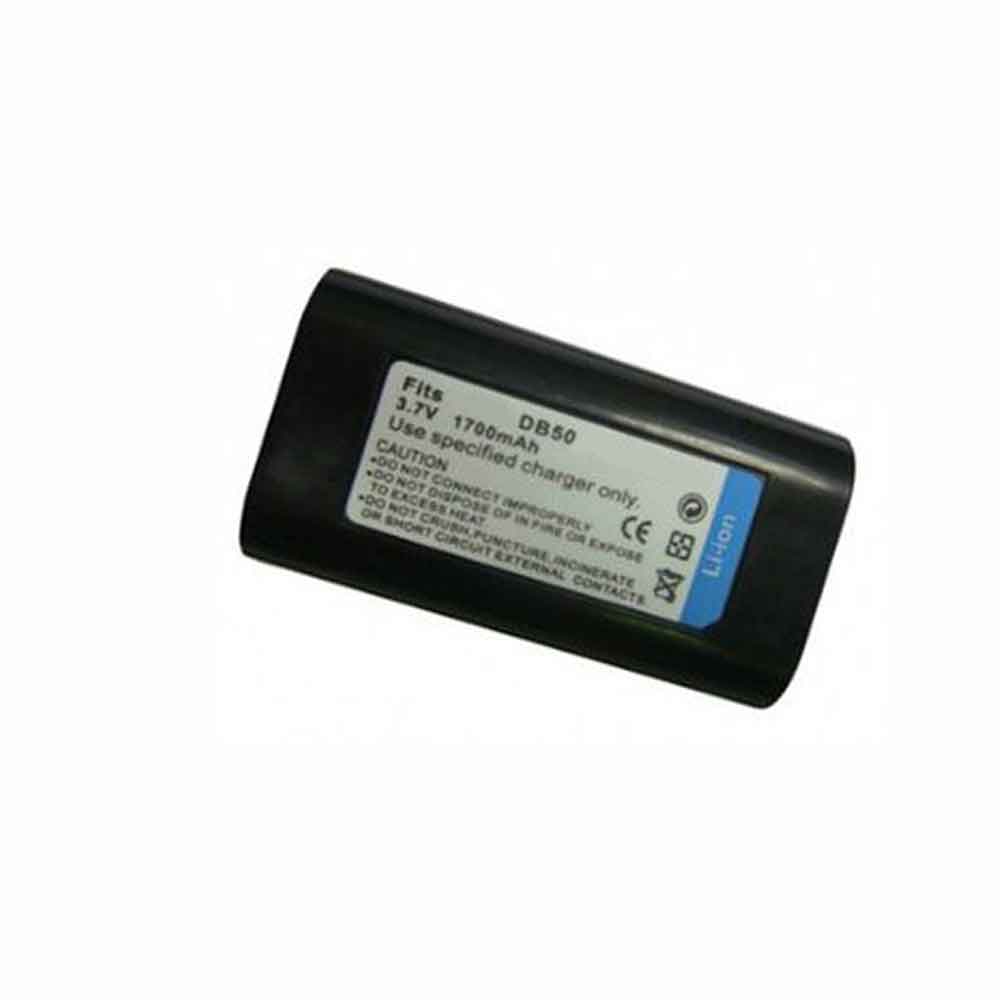
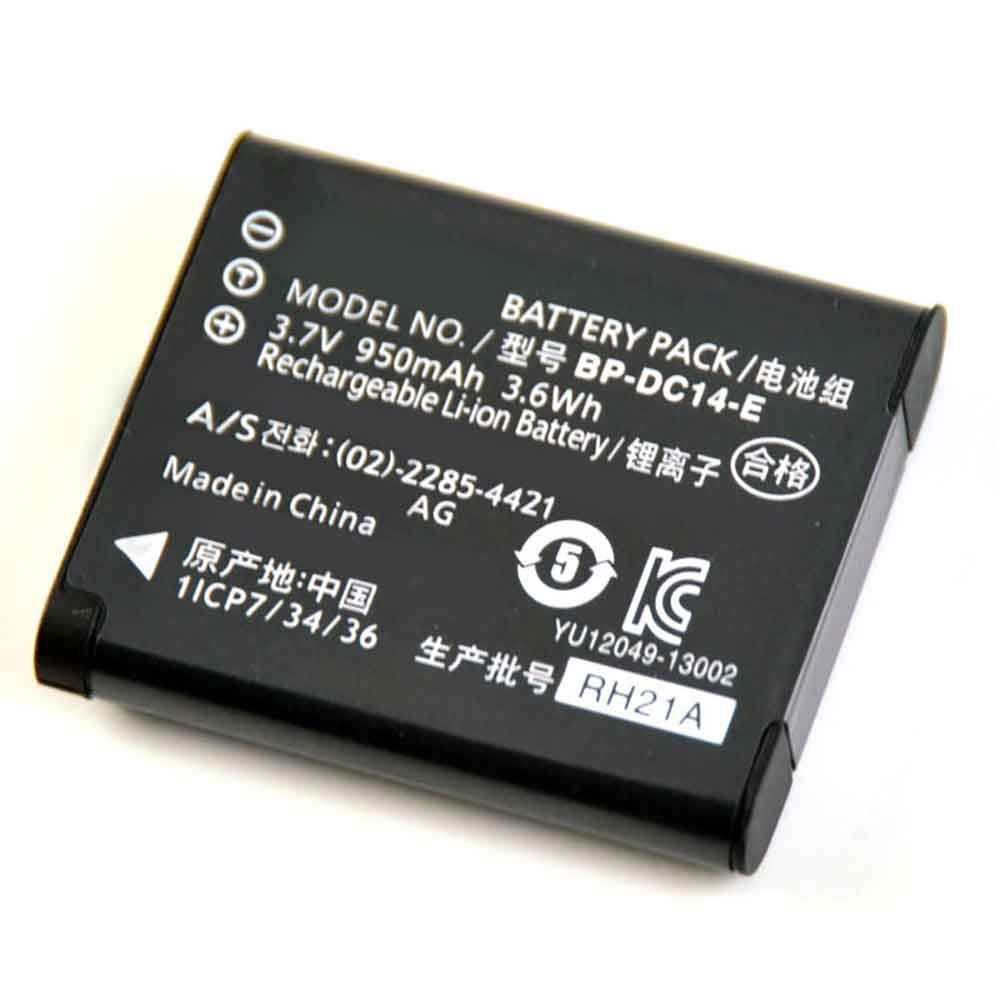
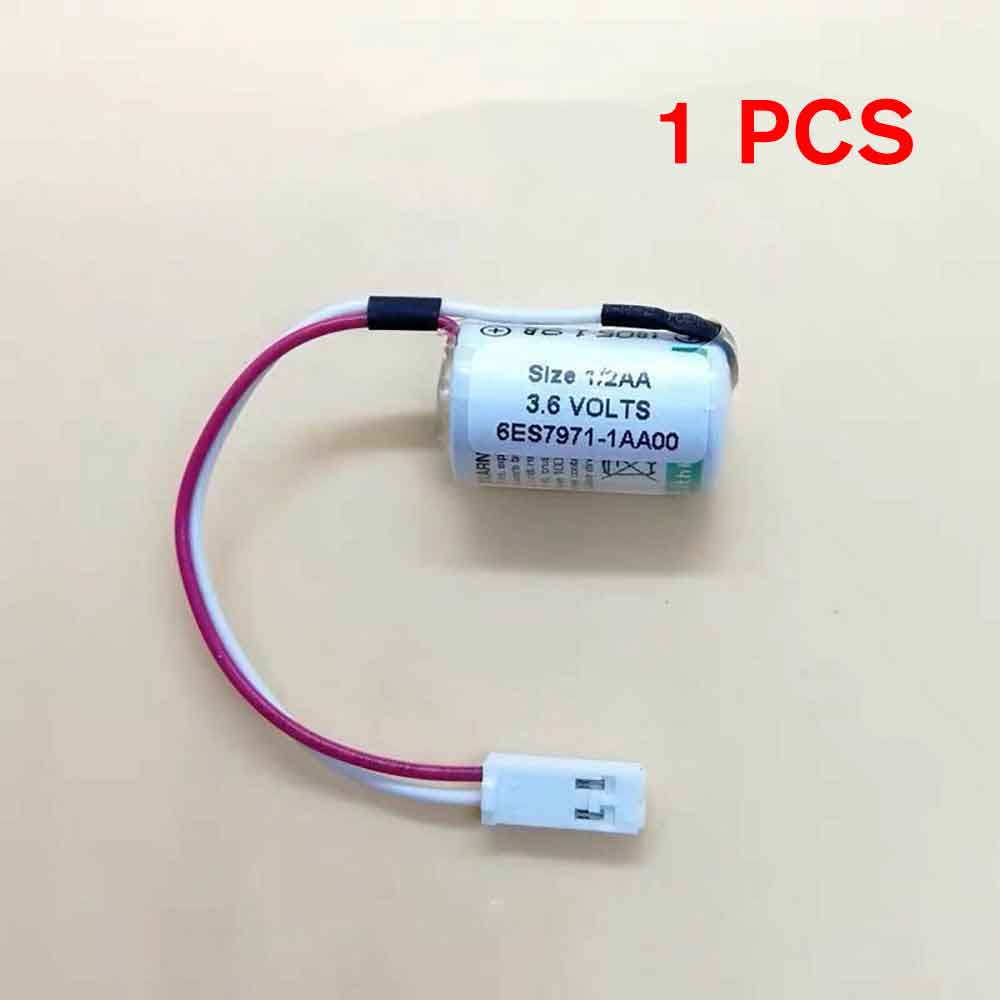
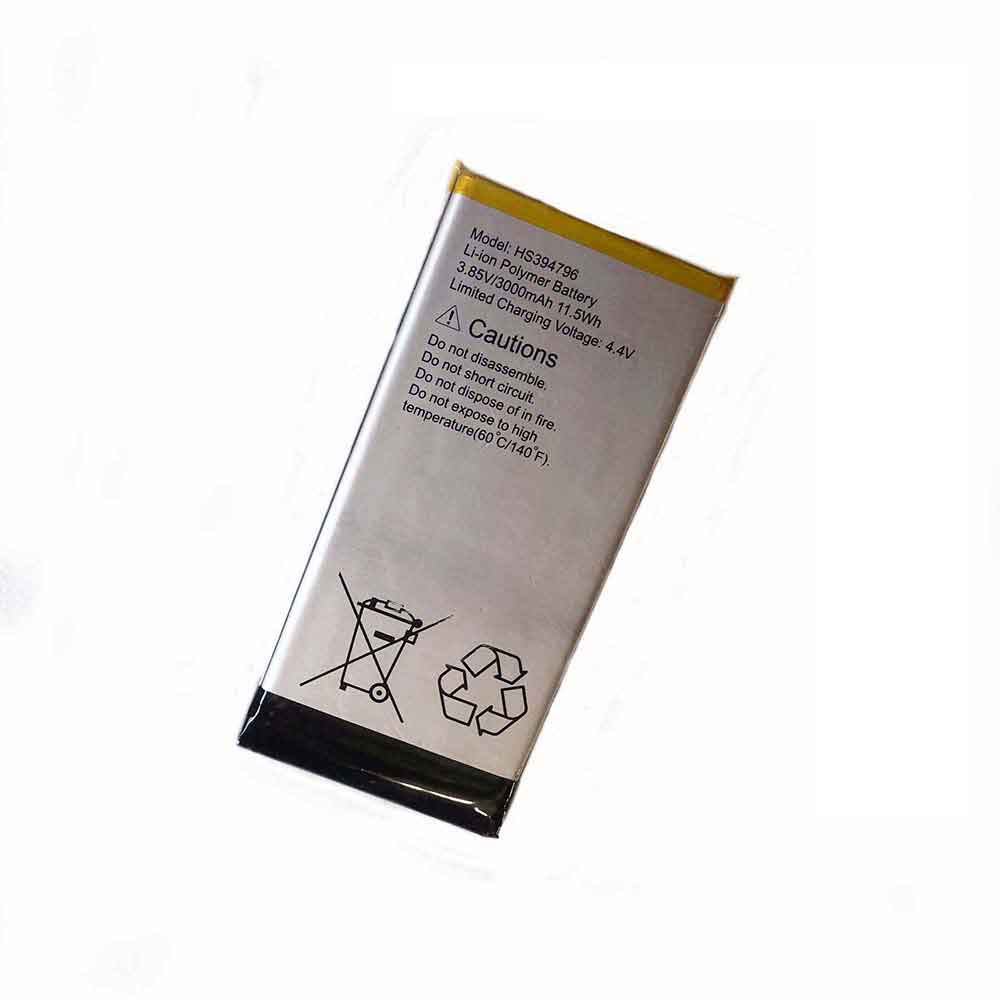
950mAh 3.7V Casio NP-150 Li-ion Battery for Casio TR300 TR10 TR350 TR15 TR350S

950mAh 3.7V Casio NP-150 Batteries for Casio TR300 TR10 TR350 TR15 TR350S, Casio NP-150 Other battery is a brand new,100% Compatible original and replacement battery,Purchase wholesale and retail NP-150 with high quality and low price!

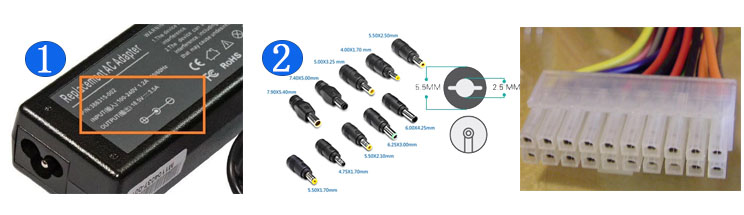
Find ou your original model number or part number(P/N), and move your eyes on the tag of battery

NP-150

Specifications

  • Brand:Casio
  • Capacity :950mAh
  • Voltage :3.7V
  • Type :Li-ion
  • Battery Cell Quality: Grade A
  • Descriptive: Replacement Battery – 1 Year Warranty
  • Description: Brand New, 1 Year Warranty! 30-Days Money Back! Fast Shipping!

How we test this Casio NP-150 Battery
Step 1: Make sure customer bought the correct battery.
Step 2: Check battery’s appearance and interface.
Step 3: Test battery charger and recharger function.
Step 4: Charger the battery to 100% and recharger to 0% to get real battery capacity
Step 5: Use Ev2300 to check the voltage difference of each goroup cells.
Step 6: Charger battery power more than 30%.
Step 7: Package battery carefully and send out

Compatible Part Numbers:
NP-150

Compatible Model Numbers:
Casio TR300/TR10/TR350/TR15/TR350S/TR35/TR500/TR50/TR550/TR60/TR600/TR70

How much do you know about how to run laptop well as any place? The follow Tips cut way back on protecting battery life.


1). Please recharge or change your Other battery when battery power low.
2). Using Li-Ion Replacement Casio NP-150 Other Battery for your notebook which can work longer time than Non Li-ion one.
3). It is better to defragmentation regularly for your Other battery life.
4). In order to reduce the laptop power consumpition, you can use some optical drive spin-down and hard drive in your Other .
5). Please keep your laptop in sleep or standby model without long time using, which both save the Replacement Casio NP-150 Other Battery power and extend battery using life.
6). Leave your battery in a dry and cool condition when without using.
7). When you rarely or generally plugged in fixed power using, Please take down your battery to avoid hurting battery life.

Hot Products

160mAh GARMIN 361-00108-00 for Garmin Vivoactive 3 Music Smar4400mah TWINHEAD R15B_8750 for Twinhead Durabook R15D R15B S14350mAh/16.53WH DOOGEE BAT1919084350 for Doogee N2067Wh DELL X3PH0 for Dell Chromebook 13 7310 13-7314800mAh /36.48Wh TREKSTOR HW-3487265 for TREKSTOR Primebook C113000mAh ALCATEL TLP030F1 for Alcatel Idol 4S3200 mAh SONY Lip1654ERPC for Sony 1309-2675 Xperia XA2 /L24610mAh/52.5Wh LENOVO L15L3PB0 for Lenovo IdeaPad 320S-14IKB Flex1400mAh YAESU FNB-V57 for YAESU VX-110 VX-127 VX-1602500mAh/9.5WH CUBOT X18_Plus for Cubot X18 Plus Phone+Tools

1200mAh 3.7V Casio NP-160 Li-ion Battery for Casio EX-Z2000 EX-Z2200 EX-Z200 ZR10 ZR15

1200mAh 3.7V Casio NP-160 Batteries for Casio EX-Z2000 EX-Z2200 EX-Z200 ZR10 ZR15, Casio NP-160 Other battery is a brand new,100% Compatible original and replacement battery,Purchase wholesale and retail NP-160 with high quality and low price!

Find ou your original model number or part number(P/N), and move your eyes on the tag of battery

NP-160

Specifications

  • Brand:Casio
  • Capacity :1200mAh
  • Voltage :3.7V
  • Type :Li-ion
  • Battery Cell Quality: Grade A
  • Descriptive: Replacement Battery – 1 Year Warranty
  • Description: Brand New, 1 Year Warranty! 30-Days Money Back! Fast Shipping!

How we test this Casio NP-160 Battery
Step 1: Make sure customer bought the correct battery.
Step 2: Check battery’s appearance and interface.
Step 3: Test battery charger and recharger function.
Step 4: Charger the battery to 100% and recharger to 0% to get real battery capacity
Step 5: Use Ev2300 to check the voltage difference of each goroup cells.
Step 6: Charger battery power more than 30%.
Step 7: Package battery carefully and send out

Compatible Part Numbers:
NP-160

Compatible Model Numbers:
Casio EX-Z2000/EX-Z2200/EX-Z200/ZR10/ZR15/ZR20/Z2300/Z3000/EX-ZR50/ZR55/ZR60/ZR65

How much do you know about how to run laptop well as any place? The follow Tips cut way back on protecting battery life.


1). Please recharge or change your Other battery when battery power low.
2). Using Li-Ion Replacement Casio NP-160 Other Battery for your notebook which can work longer time than Non Li-ion one.
3). It is better to defragmentation regularly for your Other battery life.
4). In order to reduce the laptop power consumpition, you can use some optical drive spin-down and hard drive in your Other .
5). Please keep your laptop in sleep or standby model without long time using, which both save the Replacement Casio NP-160 Other Battery power and extend battery using life.
6). Leave your battery in a dry and cool condition when without using.
7). When you rarely or generally plugged in fixed power using, Please take down your battery to avoid hurting battery life.

Hot Products

160mAh GARMIN 361-00108-00 for Garmin Vivoactive 3 Music Smar4400mah TWINHEAD R15B_8750 for Twinhead Durabook R15D R15B S14350mAh/16.53WH DOOGEE BAT1919084350 for Doogee N2067Wh DELL X3PH0 for Dell Chromebook 13 7310 13-7314800mAh /36.48Wh TREKSTOR HW-3487265 for TREKSTOR Primebook C113000mAh ALCATEL TLP030F1 for Alcatel Idol 4S3200 mAh SONY Lip1654ERPC for Sony 1309-2675 Xperia XA2 /L24610mAh/52.5Wh LENOVO L15L3PB0 for Lenovo IdeaPad 320S-14IKB Flex1400mAh YAESU FNB-V57 for YAESU VX-110 VX-127 VX-1602500mAh/9.5WH CUBOT X18_Plus for Cubot X18 Plus Phone+Tools

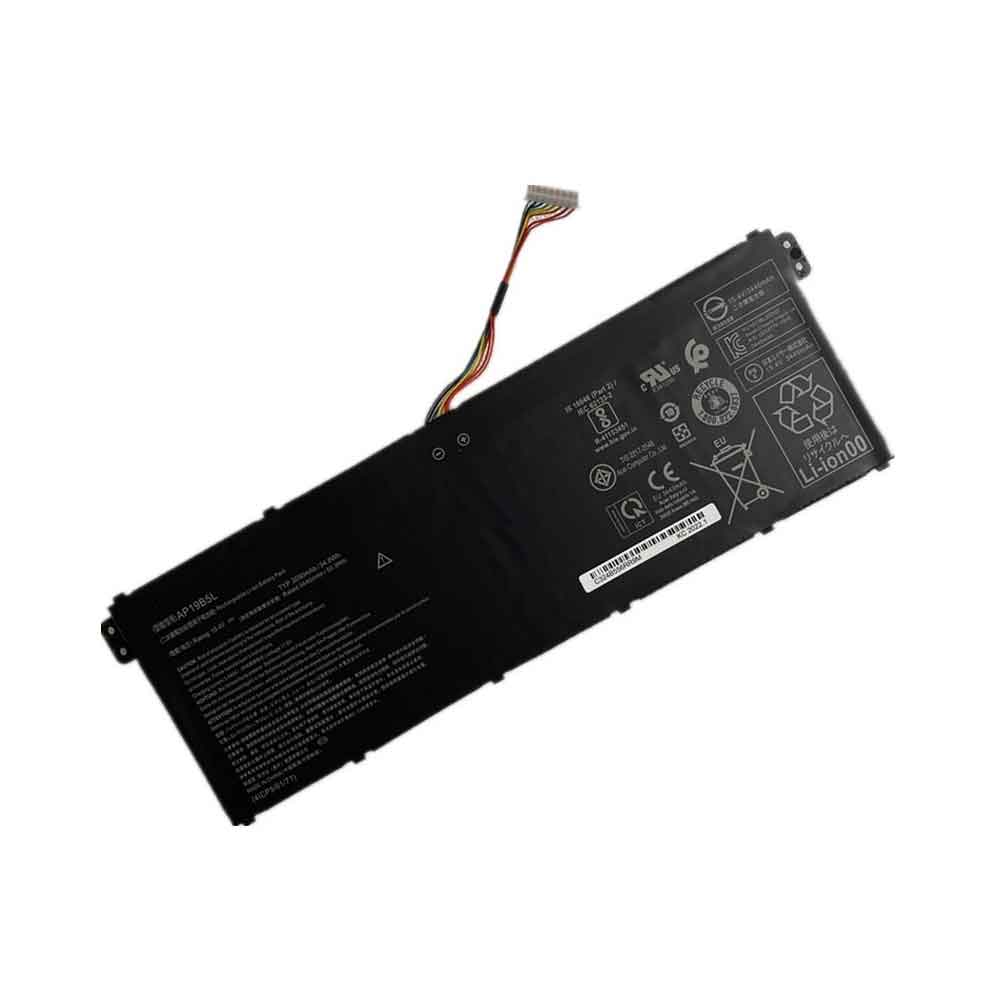
5900mAh 7.28V Panasonic AG-VBR59MC Li-ion Battery for Panasonic AJ-PX270 AJ-PX298 AJ-PX298MC

5900mAh 7.28V Panasonic AG-VBR59MC Batteries for Panasonic AJ-PX270 AJ-PX298 AJ-PX298MC, Panasonic AG-VBR59MC Other battery is a brand new,100% Compatible original and replacement battery,Purchase wholesale and retail AG-VBR59MC with high quality and low price!

Find ou your original model number or part number(P/N), and move your eyes on the tag of battery

AG-VBR59MC

Specifications

  • Brand:Panasonic
  • Capacity :5900mAh
  • Voltage :7.28V
  • Type :Li-ion
  • Battery Cell Quality: Grade A
  • Descriptive: Replacement Battery – 1 Year Warranty
  • Description: Brand New, 1 Year Warranty! 30-Days Money Back! Fast Shipping!

How we test this Panasonic AG-VBR59MC Battery
Step 1: Make sure customer bought the correct battery.
Step 2: Check battery’s appearance and interface.
Step 3: Test battery charger and recharger function.
Step 4: Charger the battery to 100% and recharger to 0% to get real battery capacity
Step 5: Use Ev2300 to check the voltage difference of each goroup cells.
Step 6: Charger battery power more than 30%.
Step 7: Package battery carefully and send out

Compatible Part Numbers:
AG-VBR59MC

Compatible Model Numbers:
Panasonic AJ-PX270/AJ-PX298/AJ-PX298MC/HC-MDH2/HC-MDH2GK/HC-MDH2M/HC-PV100GK/AG-FC100MC/AG-DVX200MC/HC-MDH2GK-K

How much do you know about how to run laptop well as any place? The follow Tips cut way back on protecting battery life.


1). Please recharge or change your Other battery when battery power low.
2). Using Li-Ion Replacement Panasonic AG-VBR59MC Other Battery for your notebook which can work longer time than Non Li-ion one.
3). It is better to defragmentation regularly for your Other battery life.
4). In order to reduce the laptop power consumpition, you can use some optical drive spin-down and hard drive in your Other .
5). Please keep your laptop in sleep or standby model without long time using, which both save the Replacement Panasonic AG-VBR59MC Other Battery power and extend battery using life.
6). Leave your battery in a dry and cool condition when without using.
7). When you rarely or generally plugged in fixed power using, Please take down your battery to avoid hurting battery life.

Hot Products

67Wh DELL X3PH0 for Dell Chromebook 13 7310 13-7314800mAh /36.48Wh TREKSTOR HW-3487265 for TREKSTOR Primebook C113000mAh ALCATEL TLP030F1 for Alcatel Idol 4S3200 mAh SONY Lip1654ERPC for Sony 1309-2675 Xperia XA2 /L24610mAh/52.5Wh LENOVO L15L3PB0 for Lenovo IdeaPad 320S-14IKB Flex1400mAh YAESU FNB-V57 for YAESU VX-110 VX-127 VX-1602500mAh/9.5WH CUBOT X18_Plus for Cubot X18 Plus Phone+Tools4000mAh/31Wh/4 cells SAMSUNG AA-PBUN4AR for Samsung NP940X3L 900X5L NP900X41Wh DELL G91J0 for Dell Latitude 34204000mAh/15.4WH BLU C876345400P for BLU G8 G0170

380mAh 3.7V Syma 762725 Li-ion Battery for Syma X21 X21W X26 X26A Collision Avoidance Quadcopter Remote-Controlled UAV

380mAh 3.7V Syma 762725 Batteries for Syma X21 X21W X26 X26A Collision Avoidance Quadcopter Remote-Controlled UAV, Syma 762725 Other battery is a brand new,100% Compatible original and replacement battery,Purchase wholesale and retail 762725 with high quality and low price!

Find ou your original model number or part number(P/N), and move your eyes on the tag of battery

762725

Specifications

  • Brand:Syma
  • Capacity :380mAh
  • Voltage :3.7V
  • Type :Li-Po
  • Battery Cell Quality: Grade A
  • Descriptive: Replacement Battery – 1 Year Warranty
  • Description: Brand New, 1 Year Warranty! 30-Days Money Back! Fast Shipping!

How we test this Syma 762725 Battery
Step 1: Make sure customer bought the correct battery.
Step 2: Check battery’s appearance and interface.
Step 3: Test battery charger and recharger function.
Step 4: Charger the battery to 100% and recharger to 0% to get real battery capacity
Step 5: Use Ev2300 to check the voltage difference of each goroup cells.
Step 6: Charger battery power more than 30%.
Step 7: Package battery carefully and send out

Compatible Part Numbers:
762725

Compatible Model Numbers:
Syma X21 X21W X26 X26A Collision Avoidance Quadcopter Remote-Controlled UAV

How much do you know about how to run laptop well as any place? The follow Tips cut way back on protecting battery life.


1). Please recharge or change your Other battery when battery power low.
2). Using Li-Ion Replacement Syma 762725 Other Battery for your notebook which can work longer time than Non Li-ion one.
3). It is better to defragmentation regularly for your Other battery life.
4). In order to reduce the laptop power consumpition, you can use some optical drive spin-down and hard drive in your Other .
5). Please keep your laptop in sleep or standby model without long time using, which both save the Replacement Syma 762725 Other Battery power and extend battery using life.
6). Leave your battery in a dry and cool condition when without using.
7). When you rarely or generally plugged in fixed power using, Please take down your battery to avoid hurting battery life.

Hot Products

67Wh DELL X3PH0 for Dell Chromebook 13 7310 13-7314800mAh /36.48Wh TREKSTOR HW-3487265 for TREKSTOR Primebook C113000mAh ALCATEL TLP030F1 for Alcatel Idol 4S3200 mAh SONY Lip1654ERPC for Sony 1309-2675 Xperia XA2 /L24610mAh/52.5Wh LENOVO L15L3PB0 for Lenovo IdeaPad 320S-14IKB Flex1400mAh YAESU FNB-V57 for YAESU VX-110 VX-127 VX-1602500mAh/9.5WH CUBOT X18_Plus for Cubot X18 Plus Phone+Tools4000mAh/31Wh/4 cells SAMSUNG AA-PBUN4AR for Samsung NP940X3L 900X5L NP900X41Wh DELL G91J0 for Dell Latitude 34204000mAh/15.4WH BLU C876345400P for BLU G8 G0170

How to turn on clean energy charging for iOS 16 on your iPhone

 iOS 16.1 introduces a feature we didn’t necessarily expect in the latest iPhone software update – Clean Energy Charging, designed to reduce the carbon footprint your phone builds up while charging. But to take advantage of this smarter way to charge your phone, you must know how to turn on clean energy charging in iOS 16.1.

This is of course a feature you want to take advantage of. With clean energy charging enabled, your iPhone will charge when low-carbon electricity is available. Your iPhone can do this by obtaining forecasts or carbon emissions from the local energy grid, scheduling charging slots when clean energy production occurs.

Currently, clean energy charging is only available for U.S. iPhone owners running iOS 16.1 on their phones. The first thing to do to turn this feature on is to adjust the settings. This is where you need to turn on clean energy charging:

1. Startup Settings

2. Scroll down to Battery and tap to enter battery settings.

3. On the subsequent screen, tap Battery Health and Charging.

4. The clean energy charging switch is at the bottom of the battery health and charging page. Slide the toggle switch to the right to turn on clean energy charging.

If you decide to turn the feature off, you can slide the toggle back to the left and Apple will give you the option to turn it off for just one day or permanently.

You need to check some other settings to make sure that clean energy charging is working as expected. To charge your phone at the right time, you also need to turn on Optimized battery charging. Luckily, that setting is also on the battery health and charging screen, just above the clean energy switch you just turned on.

Optimized battery charging lets your iPhone know when and where you regularly charge your phone so it can work with clean energy charging to ensure you charge your phone at the best time.

Apple recommends tweaking some location services settings to ensure you get a carbon forecast for your current area. This means going to Settings -> Privacy & Security -> Location Services and making sure you have Location Services turned on. From there, you need to click on System Services to make sure System Customization is also turned on. Additionally, selecting System Services from the Location Services screen allows you to turn on important locations.

With all of these features enabled, clean energy charging should work as expected, with greener charging entirely in the background.

>>>>>>>>>>>>iPhone battery

iPad Pro 2022 vs Microsoft Surface Pro 9: Which tablet is right for you?

 If you own the best Apple Watch, the best iPad, the best iPhone, or the best MacBook, then you’re probably going to choose the iPad Pro 2022. Conversely, if you use Windows and invest in apps like OneNote and Outlook, the Surface Pro 9 is for you.

But if you just want an all-around physical device regardless of its manufacturer, choosing which one to get can be a little tricky. Let’s take a look at the comparison between them!

iPad Pro 2022 vs Microsoft Surface Pro 9: Price

The 11-inch iPad Pro starts at $799, while the 12.9-inch iPad Pro starts at $1,099, but since these are entry-level models, they only offer Wi-Fi connectivity. If you want Wi-Fi + Cellular, the 11-inch iPad Pro starts at $999. The 12-inch Wi-Fi + Cellular model starts at $1,299.

Microsoft Surface Pro 9 starts at $999. This configuration features a 12th Gen Intel Core i5 processor, 8GB RAM, 128GB SSD memory, and Wi-Fi connectivity. You can also get the aforementioned ARM version for $1,299. It features a Microsoft SQ3 CPU, 8GB RAM, 128GB SSD, and 5G connectivity.

iPad Pro 2022 vs Microsoft Surface Pro 9: Design

In terms of design, the iPad Pro 2022 is no different from the iPad Pro 2021 and iPad Pro 2020. Space Gray and Silver are the only two colors available. Measuring 11.04 x 8.46 x 0.25 inches and weighing 1.5 pounds, the iPad Pro 2022 is exactly the same as last year’s model. At a whopping 3 pounds, the Magic Keyboard is just a tad heavier than the MacBook Air 2022 and Dell XPS 13 OLED 2022, which each weigh 2.7 pounds.

There are no changes to the buttons and ports. There’s a button on the top right for locking the screen and using Touch ID, two buttons on the right for volume up or down, and a Thunderbolt 4/USB-C port on the bottom edge of the device.

Microsoft hasn’t changed the Surface Pro 9’s design in any significant way. Surface Pro 9 models both measure 11.3 by 8.2 by 0.37 inches and weigh 1.94 pounds. They feature an anodized aluminum body, a kickstand on the back of the device, and a magnetic attachment for the keyboard. As before, the Surface Pro 9 is small and light enough to take anywhere. Color options include Platinum, Graphite, Sapphire, and Forest, the latter three only available on Wi-Fi models. Both devices retain the same form factor as their predecessors.

iPad Pro 2022 vs Microsoft Surface Pro 9: Display

The iPad Pro 2022 has a huge 12.9-inch mini-LED display with a resolution of 2,732 x 2,048 pixels and a refresh rate of up to 120Hz.

Like the Microsoft Surface Pro 8, the Surface Pro 9 features a 13-inch PixelSense Flow display (2880 X 1920) with a 120Hz refresh rate and a 3:2 aspect ratio. The display won’t blow your mind, but it’s good enough no matter what you’re looking at or doing.

With adaptive brightness turned off, the iPad Pro topped out at 586 nits, according to our brightness tests using a light meter. Conversely, the Surface Pro 9’s display hits an average of 431.6 nits and 447 nits near the center of the screen. In short, the iPad Pro’s screen is brighter and more colorful than the Surface Pro 9. HDR also makes Apple’s device a winner in this category.

iPad Pro 2022 vs Microsoft Surface Pro 9: Performance

The iPad Pro 2022 features the company’s M2 chip, while the Surface Pro 9 we reviewed has a 12th-generation Intel Core i7 mobile CPU.

On Geekbench 5.4, which measures overall performance, the iPad 2022 scored 1,862 in the single-core section and 8,500 in the multi-core test. By comparison, the Surface Pro 9 scored 1,633 and 8,541, respectively.

In our Adobe Premiere Rush video transcoding test, the new iPad Pro completed the task in 23 seconds. The M1-powered iPad Air took 22 seconds. Somewhat oddly, the M2-powered slab was a hair slower in this test.

The Surface Pro 9 transcoded a 4K video to 1080p using Handbrake in 9 minutes and 34 seconds, surpassing the Lenovo Yoga 9i Gen 7’s time for the same task (12:18). By comparison, the Surface Pro 8 took 13 minutes and 30 seconds.

We played Genshin Impact on the iPad Pro and found it to be a smooth experience overall. We didn’t see a noticeable drop in frame rate, even during combat.

On the Surface Pro 9, Sid Meier’s Civilization VI: Gathering of Storms averaged a miserable 24 fps at 1080p and an even worse 17 fps at 1920p. Because Microsoft‘s machines rely on Intel Iris Xe graphics rather than discrete graphics, you’ll struggle to play games natively on the device.

According to Geekbench tests, the tablets have relatively similar performance figures. I found no noticeable difference between the two tablets when watching videos or browsing the web.

>>>>>>>>>>Tablet battery

1250mAh 10.8V Fujifilm NP-T125 Li-ion Battery for Fujifilm GFX50S GFX50R

1250mAh 10.8V Fujifilm NP-T125 Batteries for Fujifilm GFX50S GFX50R, Fujifilm NP-T125 Other battery is a brand new,100% Compatible original and replacement battery,Purchase wholesale and retail NP-T125 with high quality and low price!

Find ou your original model number or part number(P/N), and move your eyes on the tag of battery

NP-T125

Specifications

  • Brand:Fujifilm
  • Capacity :1250mAh
  • Voltage :10.8V
  • Type :Li-ion
  • Battery Cell Quality: Grade A
  • Descriptive: Replacement Battery – 1 Year Warranty
  • Description: Brand New, 1 Year Warranty! 30-Days Money Back! Fast Shipping!

How we test this Fujifilm NP-T125 Battery
Step 1: Make sure customer bought the correct battery.
Step 2: Check battery’s appearance and interface.
Step 3: Test battery charger and recharger function.
Step 4: Charger the battery to 100% and recharger to 0% to get real battery capacity
Step 5: Use Ev2300 to check the voltage difference of each goroup cells.
Step 6: Charger battery power more than 30%.
Step 7: Package battery carefully and send out

Compatible Part Numbers:
NP-T125

Compatible Model Numbers:
Fujifilm GFX50S GFX50R

How much do you know about how to run laptop well as any place? The follow Tips cut way back on protecting battery life.


1). Please recharge or change your Other battery when battery power low.
2). Using Li-Ion Replacement Fujifilm NP-T125 Other Battery for your notebook which can work longer time than Non Li-ion one.
3). It is better to defragmentation regularly for your Other battery life.
4). In order to reduce the laptop power consumpition, you can use some optical drive spin-down and hard drive in your Other .
5). Please keep your laptop in sleep or standby model without long time using, which both save the Replacement Fujifilm NP-T125 Other Battery power and extend battery using life.
6). Leave your battery in a dry and cool condition when without using.
7). When you rarely or generally plugged in fixed power using, Please take down your battery to avoid hurting battery life.

Hot Products

41Wh DELL G91J0 for Dell Latitude 34204000mAh/31Wh/4 cells SAMSUNG AA-PBUN4AR for Samsung NP940X3L 900X5L NP900X4000mAh/15.4WH BLU C876345400P for BLU G8 G01708000mAh HUAWEI HB896487ECW for Huawei WiFi Pro E6878-3701750MAH/6.5WH AMAZON GP-S10-346392-0100 for AMAZON KINDLE 3 3G WIFI Kindle1300mAh PANASONIC CGA-S007E for Panasonic Lumix DMC-TZ1 TZ2 TZ1800mAh MITSUBISHI CR17335SE-R for Mitsubishi Q6BAT1950mAh APPLE A1672 for Apple Magic Mouse 26080mAh/23.4WH OUKITEL K3 for Oukitel K354.4Wh APPLE A1496 for Apple MacBook Air 13″ A1466(Mi

180mAh 3.7V Udirc 751723 Li-ion Battery for Udirc I22 Remote Control Quadaxis Aerial Camera UAV

180mAh 3.7V Udirc 751723 Batteries for Udirc I22 Remote Control Quadaxis Aerial Camera UAV, Udirc 751723 Other battery is a brand new,100% Compatible original and replacement battery,Purchase wholesale and retail 751723 with high quality and low price!

Find ou your original model number or part number(P/N), and move your eyes on the tag of battery

751723

Specifications

  • Brand:Udirc
  • Capacity :180mAh
  • Voltage :3.7V
  • Type :Li-Po
  • Battery Cell Quality: Grade A
  • Descriptive: Replacement Battery – 1 Year Warranty
  • Description: Brand New, 1 Year Warranty! 30-Days Money Back! Fast Shipping!

How we test this Udirc 751723 Battery
Step 1: Make sure customer bought the correct battery.
Step 2: Check battery’s appearance and interface.
Step 3: Test battery charger and recharger function.
Step 4: Charger the battery to 100% and recharger to 0% to get real battery capacity
Step 5: Use Ev2300 to check the voltage difference of each goroup cells.
Step 6: Charger battery power more than 30%.
Step 7: Package battery carefully and send out

Compatible Part Numbers:
751723

Compatible Model Numbers:
Udirc I22 Remote Control Quadaxis Aerial Camera UAV

How much do you know about how to run laptop well as any place? The follow Tips cut way back on protecting battery life.


1). Please recharge or change your Other battery when battery power low.
2). Using Li-Ion Replacement Udirc 751723 Other Battery for your notebook which can work longer time than Non Li-ion one.
3). It is better to defragmentation regularly for your Other battery life.
4). In order to reduce the laptop power consumpition, you can use some optical drive spin-down and hard drive in your Other .
5). Please keep your laptop in sleep or standby model without long time using, which both save the Replacement Udirc 751723 Other Battery power and extend battery using life.
6). Leave your battery in a dry and cool condition when without using.
7). When you rarely or generally plugged in fixed power using, Please take down your battery to avoid hurting battery life.

Hot Products

41Wh DELL G91J0 for Dell Latitude 34204000mAh/31Wh/4 cells SAMSUNG AA-PBUN4AR for Samsung NP940X3L 900X5L NP900X4000mAh/15.4WH BLU C876345400P for BLU G8 G01708000mAh HUAWEI HB896487ECW for Huawei WiFi Pro E6878-3701750MAH/6.5WH AMAZON GP-S10-346392-0100 for AMAZON KINDLE 3 3G WIFI Kindle1300mAh PANASONIC CGA-S007E for Panasonic Lumix DMC-TZ1 TZ2 TZ1800mAh MITSUBISHI CR17335SE-R for Mitsubishi Q6BAT1950mAh APPLE A1672 for Apple Magic Mouse 26080mAh/23.4WH OUKITEL K3 for Oukitel K354.4Wh APPLE A1496 for Apple MacBook Air 13″ A1466(Mi

1000mAh 3.7V Xinnuan 802245 Li-ion Battery for Xinnuan Recorder Pen Point Reading Pen

1000mAh 3.7V Xinnuan 802245 Batteries for Xinnuan Recorder Pen Point Reading Pen, Xinnuan 802245 Other battery is a brand new,100% Compatible original and replacement battery,Purchase wholesale and retail 802245 with high quality and low price!

Find ou your original model number or part number(P/N), and move your eyes on the tag of battery

802245

Specifications

  • Brand:Xinnuan
  • Capacity :1000mAh
  • Voltage :3.7V
  • Type :Li-Po
  • Battery Cell Quality: Grade A
  • Descriptive: Replacement Battery – 1 Year Warranty
  • Description: Brand New, 1 Year Warranty! 30-Days Money Back! Fast Shipping!

How we test this Xinnuan 802245 Battery
Step 1: Make sure customer bought the correct battery.
Step 2: Check battery’s appearance and interface.
Step 3: Test battery charger and recharger function.
Step 4: Charger the battery to 100% and recharger to 0% to get real battery capacity
Step 5: Use Ev2300 to check the voltage difference of each goroup cells.
Step 6: Charger battery power more than 30%.
Step 7: Package battery carefully and send out

Compatible Part Numbers:
802245

Compatible Model Numbers:
Xinnuan Recorder Pen
Point Reading Pen
Wireless Headphones
MP3 MP4
Small Toys

How much do you know about how to run laptop well as any place? The follow Tips cut way back on protecting battery life.


1). Please recharge or change your Other battery when battery power low.
2). Using Li-Ion Replacement Xinnuan 802245 Other Battery for your notebook which can work longer time than Non Li-ion one.
3). It is better to defragmentation regularly for your Other battery life.
4). In order to reduce the laptop power consumpition, you can use some optical drive spin-down and hard drive in your Other .
5). Please keep your laptop in sleep or standby model without long time using, which both save the Replacement Xinnuan 802245 Other Battery power and extend battery using life.
6). Leave your battery in a dry and cool condition when without using.
7). When you rarely or generally plugged in fixed power using, Please take down your battery to avoid hurting battery life.

Hot Products

41Wh DELL G91J0 for Dell Latitude 34204000mAh/31Wh/4 cells SAMSUNG AA-PBUN4AR for Samsung NP940X3L 900X5L NP900X4000mAh/15.4WH BLU C876345400P for BLU G8 G01708000mAh HUAWEI HB896487ECW for Huawei WiFi Pro E6878-3701750MAH/6.5WH AMAZON GP-S10-346392-0100 for AMAZON KINDLE 3 3G WIFI Kindle1300mAh PANASONIC CGA-S007E for Panasonic Lumix DMC-TZ1 TZ2 TZ1800mAh MITSUBISHI CR17335SE-R for Mitsubishi Q6BAT1950mAh APPLE A1672 for Apple Magic Mouse 26080mAh/23.4WH OUKITEL K3 for Oukitel K354.4Wh APPLE A1496 for Apple MacBook Air 13″ A1466(Mi

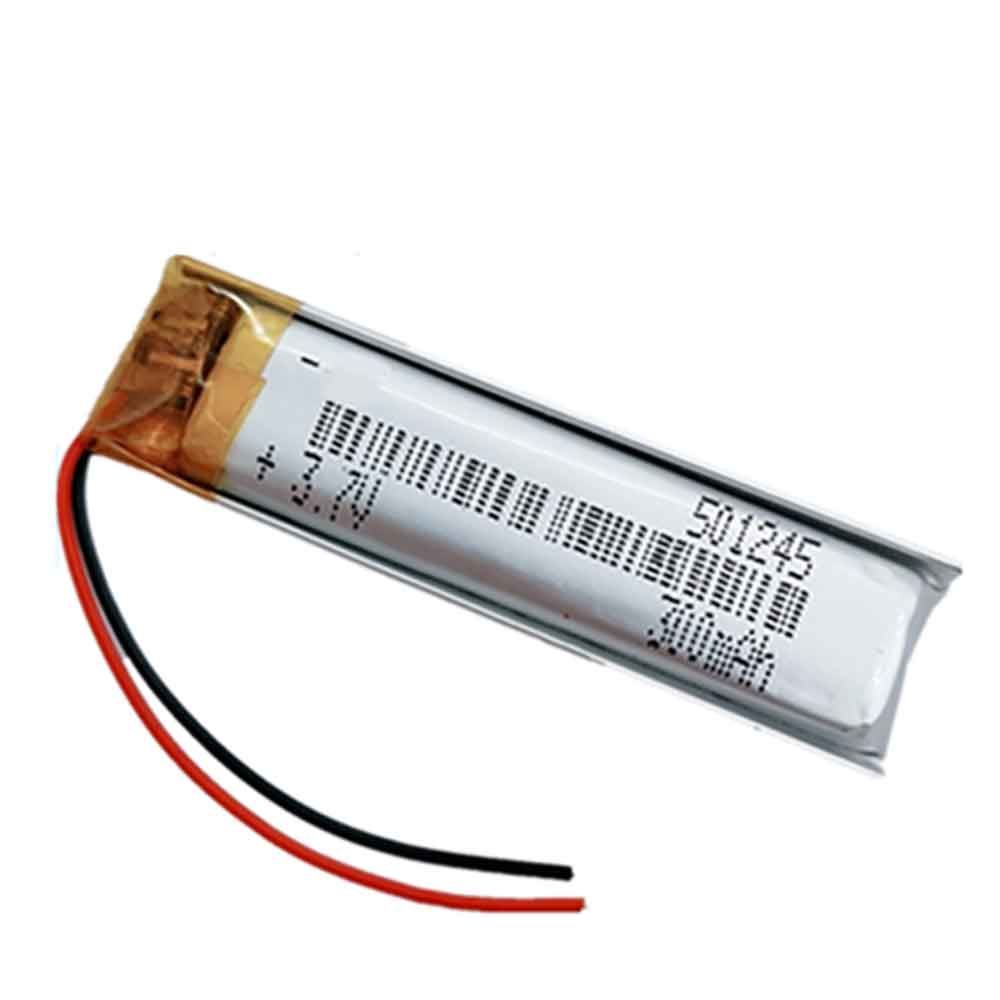
300mAh 3.7V Yuhuida 501245 Li-ion Battery for Yuhuida Little Toy Recorder

300mAh 3.7V Yuhuida 501245 Batteries for Yuhuida Little Toy Recorder, Yuhuida 501245 Other battery is a brand new,100% Compatible original and replacement battery,Purchase wholesale and retail 501245 with high quality and low price!

Find ou your original model number or part number(P/N), and move your eyes on the tag of battery

501245

Specifications

  • Brand:Yuhuida
  • Capacity :300mAh
  • Voltage :3.7V
  • Type :Li-Po
  • Battery Cell Quality: Grade A
  • Descriptive: Replacement Battery – 1 Year Warranty
  • Description: Brand New, 1 Year Warranty! 30-Days Money Back! Fast Shipping!

How we test this Yuhuida 501245 Battery
Step 1: Make sure customer bought the correct battery.
Step 2: Check battery’s appearance and interface.
Step 3: Test battery charger and recharger function.
Step 4: Charger the battery to 100% and recharger to 0% to get real battery capacity
Step 5: Use Ev2300 to check the voltage difference of each goroup cells.
Step 6: Charger battery power more than 30%.
Step 7: Package battery carefully and send out

Compatible Part Numbers:
501245

Compatible Model Numbers:
Yuhuida Little Toy Recorder

How much do you know about how to run laptop well as any place? The follow Tips cut way back on protecting battery life.


1). Please recharge or change your Other battery when battery power low.
2). Using Li-Ion Replacement Yuhuida 501245 Other Battery for your notebook which can work longer time than Non Li-ion one.
3). It is better to defragmentation regularly for your Other battery life.
4). In order to reduce the laptop power consumpition, you can use some optical drive spin-down and hard drive in your Other .
5). Please keep your laptop in sleep or standby model without long time using, which both save the Replacement Yuhuida 501245 Other Battery power and extend battery using life.
6). Leave your battery in a dry and cool condition when without using.
7). When you rarely or generally plugged in fixed power using, Please take down your battery to avoid hurting battery life.

Hot Products

41Wh DELL G91J0 for Dell Latitude 34204000mAh/31Wh/4 cells SAMSUNG AA-PBUN4AR for Samsung NP940X3L 900X5L NP900X4000mAh/15.4WH BLU C876345400P for BLU G8 G01708000mAh HUAWEI HB896487ECW for Huawei WiFi Pro E6878-3701750MAH/6.5WH AMAZON GP-S10-346392-0100 for AMAZON KINDLE 3 3G WIFI Kindle1300mAh PANASONIC CGA-S007E for Panasonic Lumix DMC-TZ1 TZ2 TZ1800mAh MITSUBISHI CR17335SE-R for Mitsubishi Q6BAT1950mAh APPLE A1672 for Apple Magic Mouse 26080mAh/23.4WH OUKITEL K3 for Oukitel K354.4Wh APPLE A1496 for Apple MacBook Air 13″ A1466(Mi