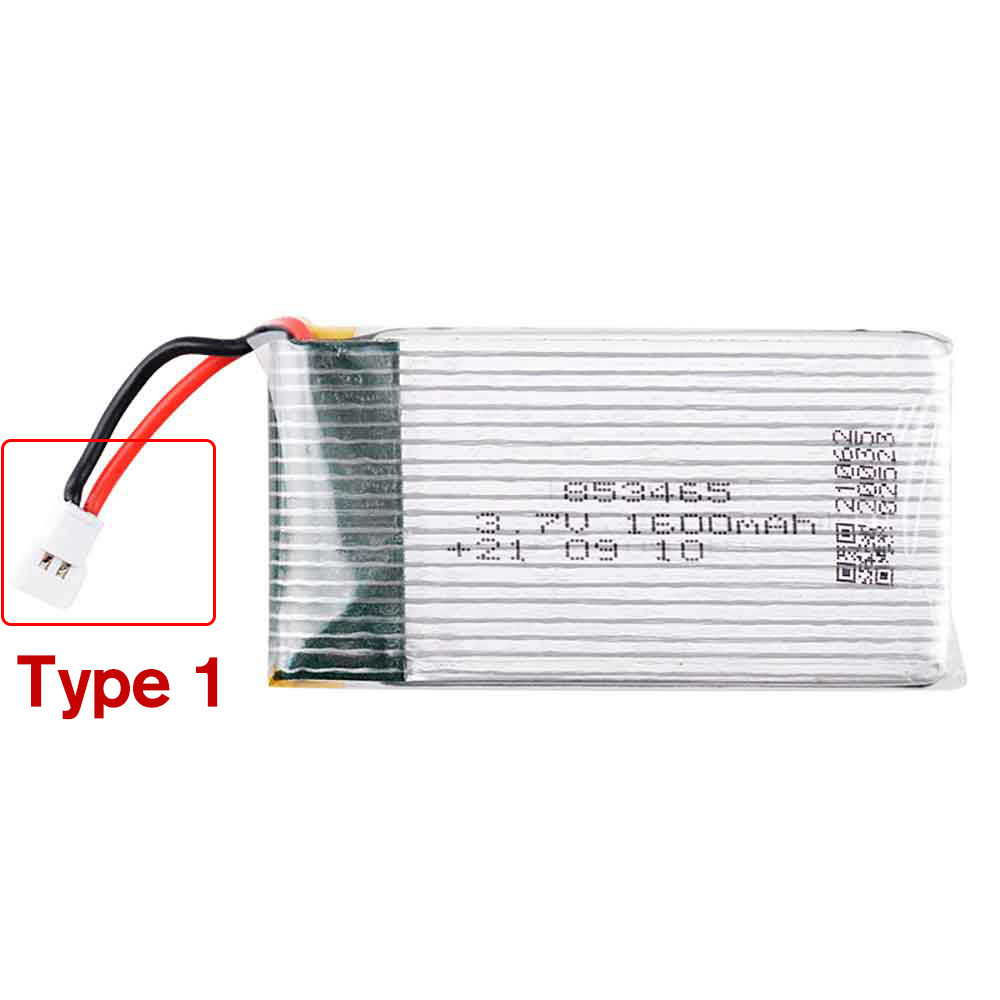
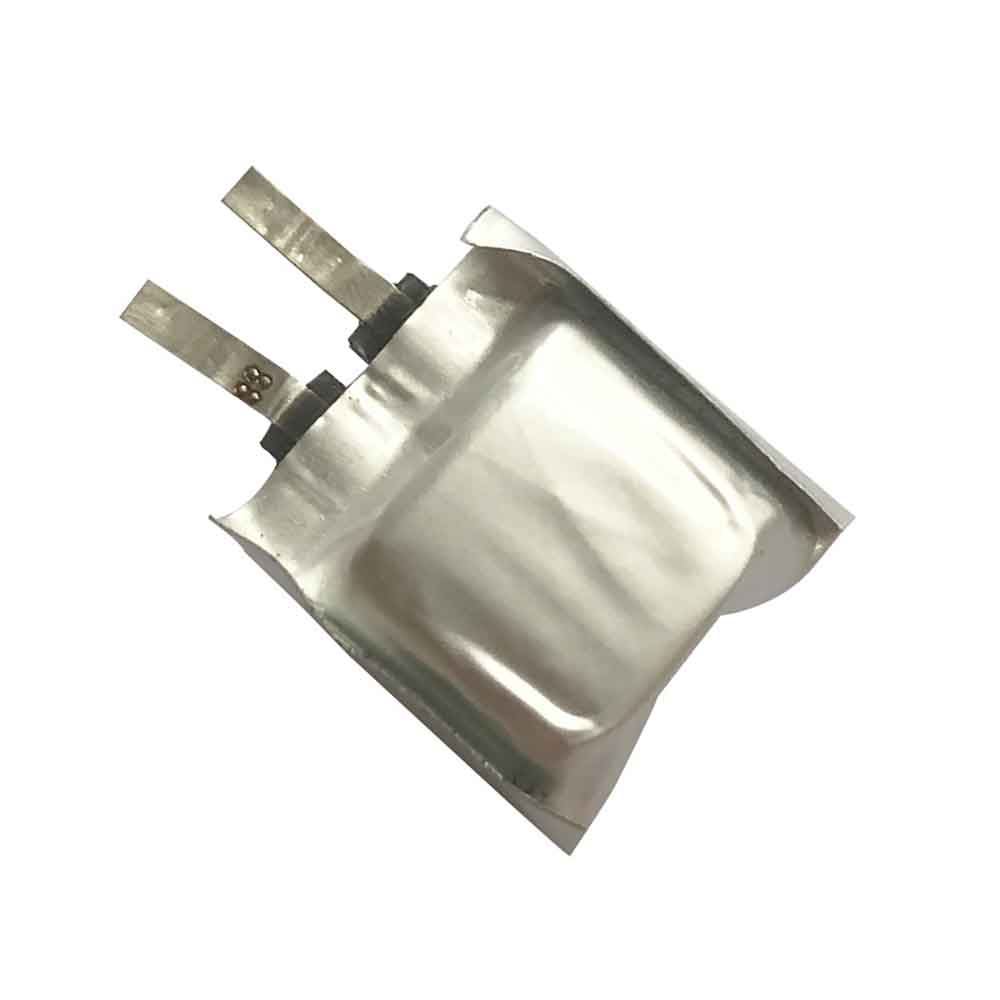
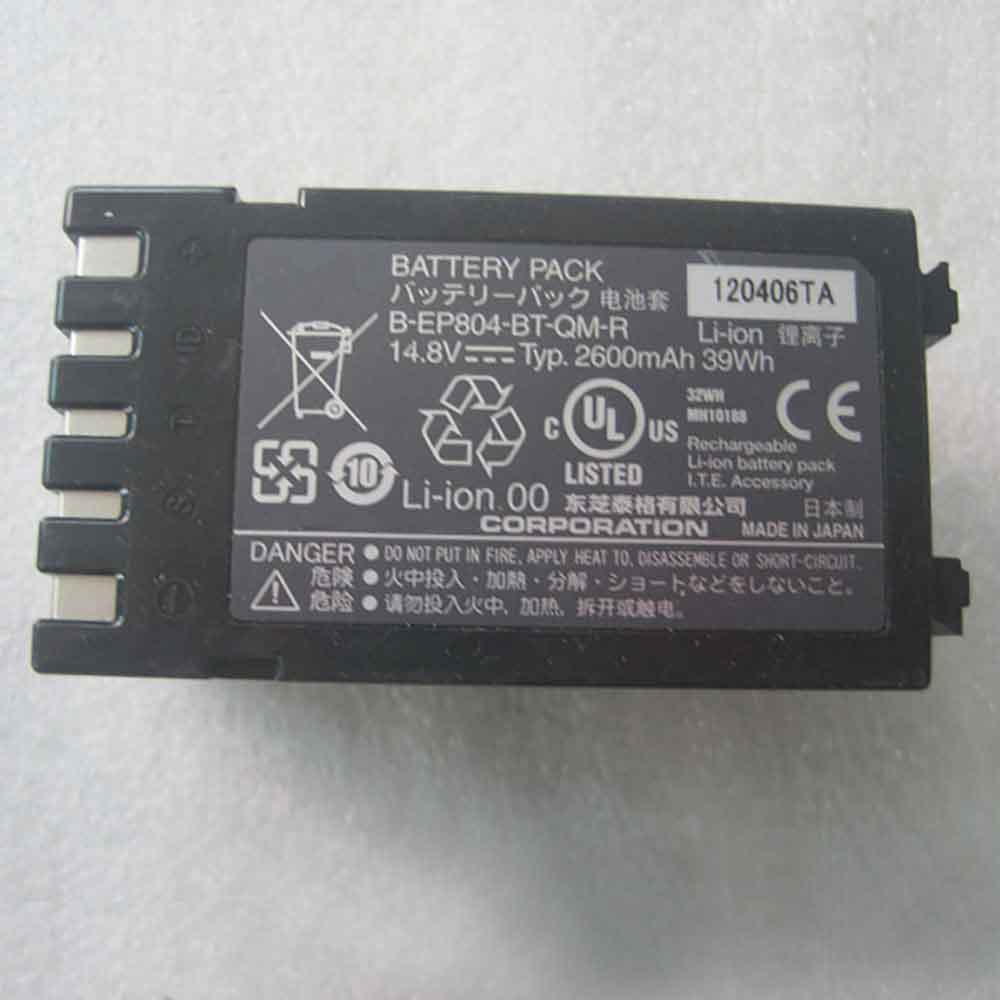
1000mAh 7.2V Sony NP-FP50 Li-ion Battery for Sony DCR-DVD103 105 105E

1000mAh 7.2V Sony NP-FP50 Batteries for Sony DCR-DVD103 105 105E, Sony NP-FP50 Other battery is a brand new,100% Compatible original and replacement battery,Purchase wholesale and retail NP-FP50 with high quality and low price!

Find ou your original model number or part number(P/N), and move your eyes on the tag of battery
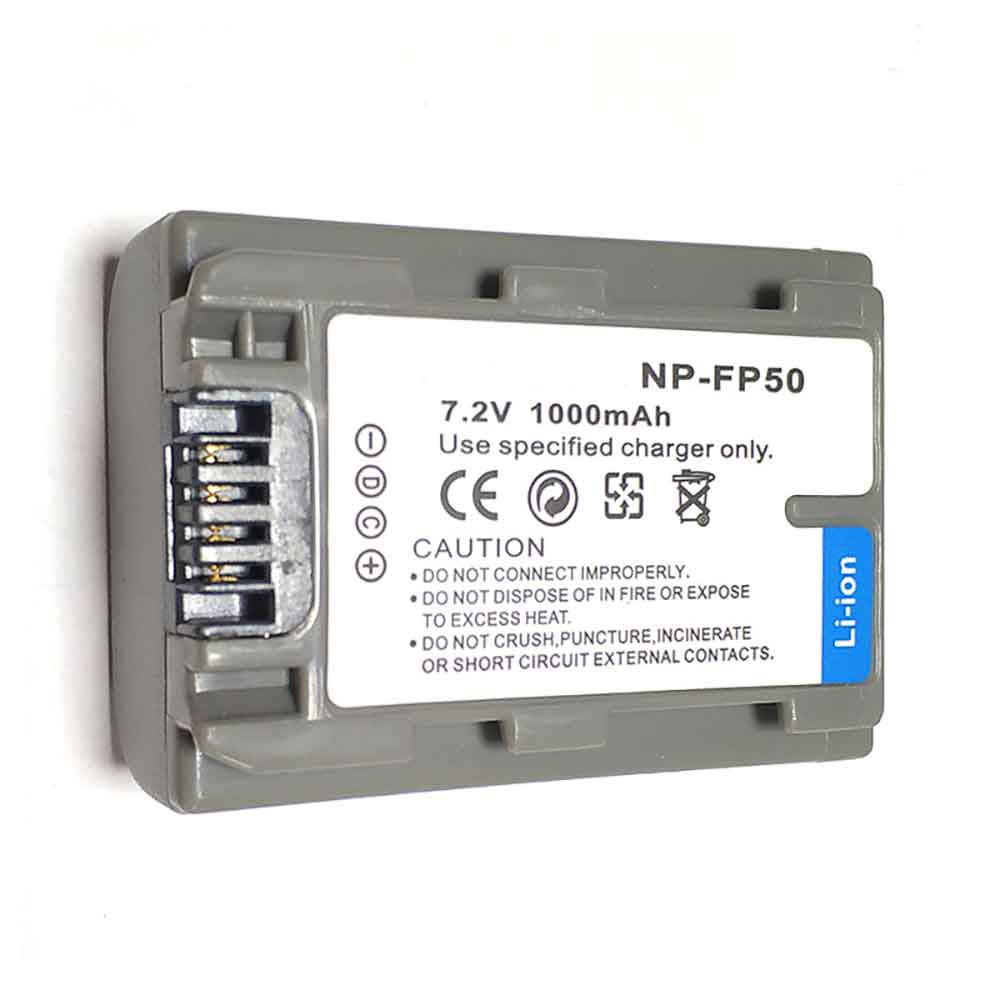
NP-FP50

Specifications

  • Brand:Sony
  • Capacity :1000mAh
  • Voltage :7.2V
  • Type :Li-ion
  • Battery Cell Quality: Grade A
  • Descriptive: Replacement Battery – 1 Year Warranty
  • Description: Brand New, 1 Year Warranty! 30-Days Money Back! Fast Shipping!

How we test this Sony NP-FP50 Battery
Step 1: Make sure customer bought the correct battery.
Step 2: Check battery’s appearance and interface.
Step 3: Test battery charger and recharger function.
Step 4: Charger the battery to 100% and recharger to 0% to get real battery capacity
Step 5: Use Ev2300 to check the voltage difference of each goroup cells.
Step 6: Charger battery power more than 30%.
Step 7: Package battery carefully and send out

Compatible Part Numbers:
NP-FP50

Compatible Model Numbers:
Sony DCR-DVD103/105/105E/202E/203/203E/205/205E/304E/305/305E/403/403E/404E/405/405E/505/505E/602/602E/605/605E DCR-HC16/16E/17/17E/18/18E/19E/20/20E/21E/22E/23E/24E/26/26E/27/27E/28/30/30G/30L/30S/32/32E/33E/35E/36/36E/39E

How much do you know about how to run laptop well as any place? The follow Tips cut way back on protecting battery life.


1). Please recharge or change your Other battery when battery power low.
2). Using Li-Ion Replacement Sony NP-FP50 Other Battery for your notebook which can work longer time than Non Li-ion one.
3). It is better to defragmentation regularly for your Other battery life.
4). In order to reduce the laptop power consumpition, you can use some optical drive spin-down and hard drive in your Other .
5). Please keep your laptop in sleep or standby model without long time using, which both save the Replacement Sony NP-FP50 Other Battery power and extend battery using life.
6). Leave your battery in a dry and cool condition when without using.
7). When you rarely or generally plugged in fixed power using, Please take down your battery to avoid hurting battery life.

Hot Products

67Wh/4220mah ASUS C41N1904 for Asus C41N1904-1 UX325JA UX393J2100mAh /2.1Ah HETRONIC 68300900 for HETRONIC Remote Control8000mAh/30.4WH RAZER FT803437PA for RAZER Gaming Mouse Battery FT87800mAh PANASONIC CF-VZSU46 for Panasonic Toughbook CF-30 CF-362Wh CLEVO N350BAT-6 for Clevo 6-87-N350S-4D7 3ICR19-654900mAh/18.8WH ZTE Li3949T44P6h996644 for ZTE Nubia Red Magic 3 NX629J33Wh HP BV02XL for HP Envy X2 Detachable 13 Serie2300mah BOSE 404600 for Bose SOUNDLINK I II III4342mAh/51Wh DELL 7WNW1 for Dell Latitude 7424 5424 5420 R3200mAh/12.4WH SONY LIP1660ERPC for Sony Xperia XZ3 H8416 H9436 H
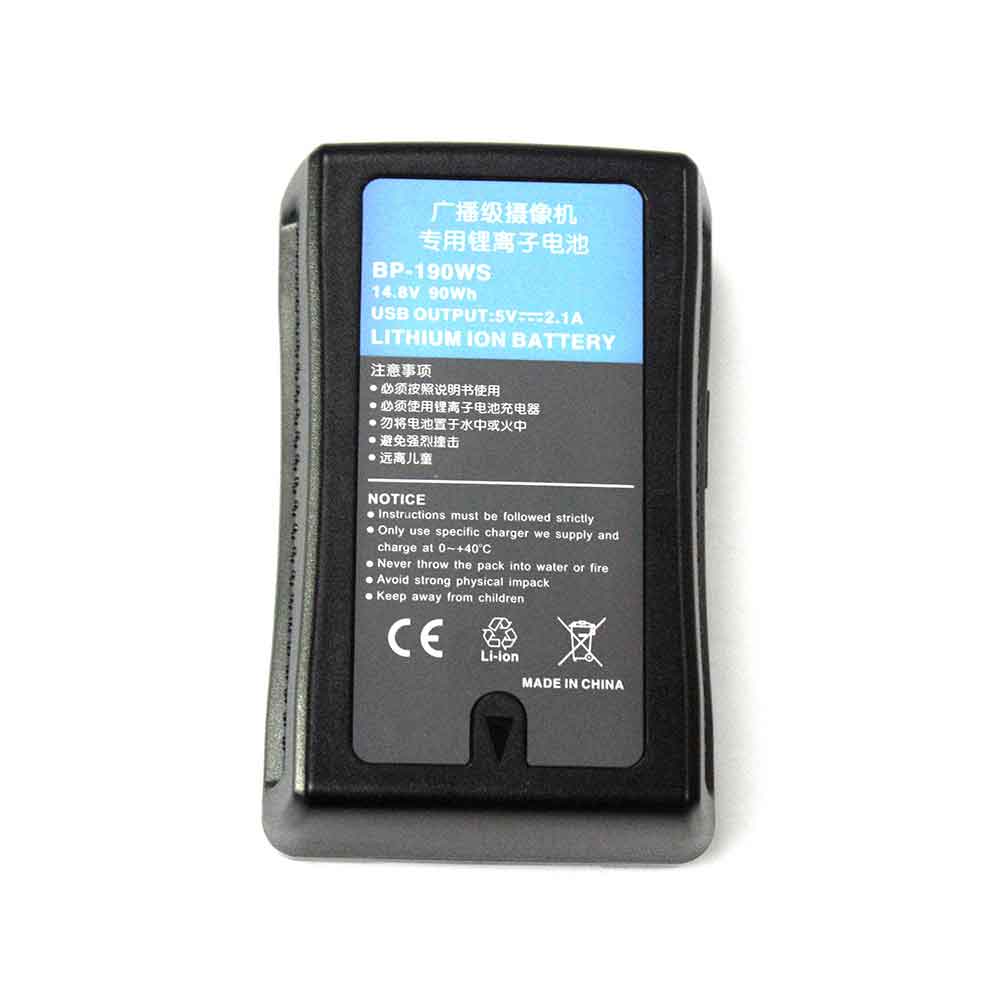
13200mAh 14.8V Sony BP-190WS Li-ion Battery for Sony DSR-250P 600P 650P 652P

13200mAh 14.8V Sony BP-190WS Batteries for Sony DSR-250P 600P 650P 652P, Sony BP-190WS Other battery is a brand new,100% Compatible original and replacement battery,Purchase wholesale and retail BP-190WS with high quality and low price!

Find ou your original model number or part number(P/N), and move your eyes on the tag of battery

BP-190WS

Specifications

  • Brand:Sony
  • Capacity :13200mAh
  • Voltage :14.8V
  • Type :Li-ion
  • Battery Cell Quality: Grade A
  • Descriptive: Replacement Battery – 1 Year Warranty
  • Description: Brand New, 1 Year Warranty! 30-Days Money Back! Fast Shipping!

How we test this Sony BP-190WS Battery
Step 1: Make sure customer bought the correct battery.
Step 2: Check battery’s appearance and interface.
Step 3: Test battery charger and recharger function.
Step 4: Charger the battery to 100% and recharger to 0% to get real battery capacity
Step 5: Use Ev2300 to check the voltage difference of each goroup cells.
Step 6: Charger battery power more than 30%.
Step 7: Package battery carefully and send out

Compatible Part Numbers:
BP-190WS

Compatible Model Numbers:
Sony DSR-250P 600P 650P 652P

How much do you know about how to run laptop well as any place? The follow Tips cut way back on protecting battery life.


1). Please recharge or change your Other battery when battery power low.
2). Using Li-Ion Replacement Sony BP-190WS Other Battery for your notebook which can work longer time than Non Li-ion one.
3). It is better to defragmentation regularly for your Other battery life.
4). In order to reduce the laptop power consumpition, you can use some optical drive spin-down and hard drive in your Other .
5). Please keep your laptop in sleep or standby model without long time using, which both save the Replacement Sony BP-190WS Other Battery power and extend battery using life.
6). Leave your battery in a dry and cool condition when without using.
7). When you rarely or generally plugged in fixed power using, Please take down your battery to avoid hurting battery life.

Hot Products

67Wh/4220mah ASUS C41N1904 for Asus C41N1904-1 UX325JA UX393J2100mAh /2.1Ah HETRONIC 68300900 for HETRONIC Remote Control8000mAh/30.4WH RAZER FT803437PA for RAZER Gaming Mouse Battery FT87800mAh PANASONIC CF-VZSU46 for Panasonic Toughbook CF-30 CF-362Wh CLEVO N350BAT-6 for Clevo 6-87-N350S-4D7 3ICR19-654900mAh/18.8WH ZTE Li3949T44P6h996644 for ZTE Nubia Red Magic 3 NX629J33Wh HP BV02XL for HP Envy X2 Detachable 13 Serie2300mah BOSE 404600 for Bose SOUNDLINK I II III4342mAh/51Wh DELL 7WNW1 for Dell Latitude 7424 5424 5420 R3200mAh/12.4WH SONY LIP1660ERPC for Sony Xperia XZ3 H8416 H9436 H
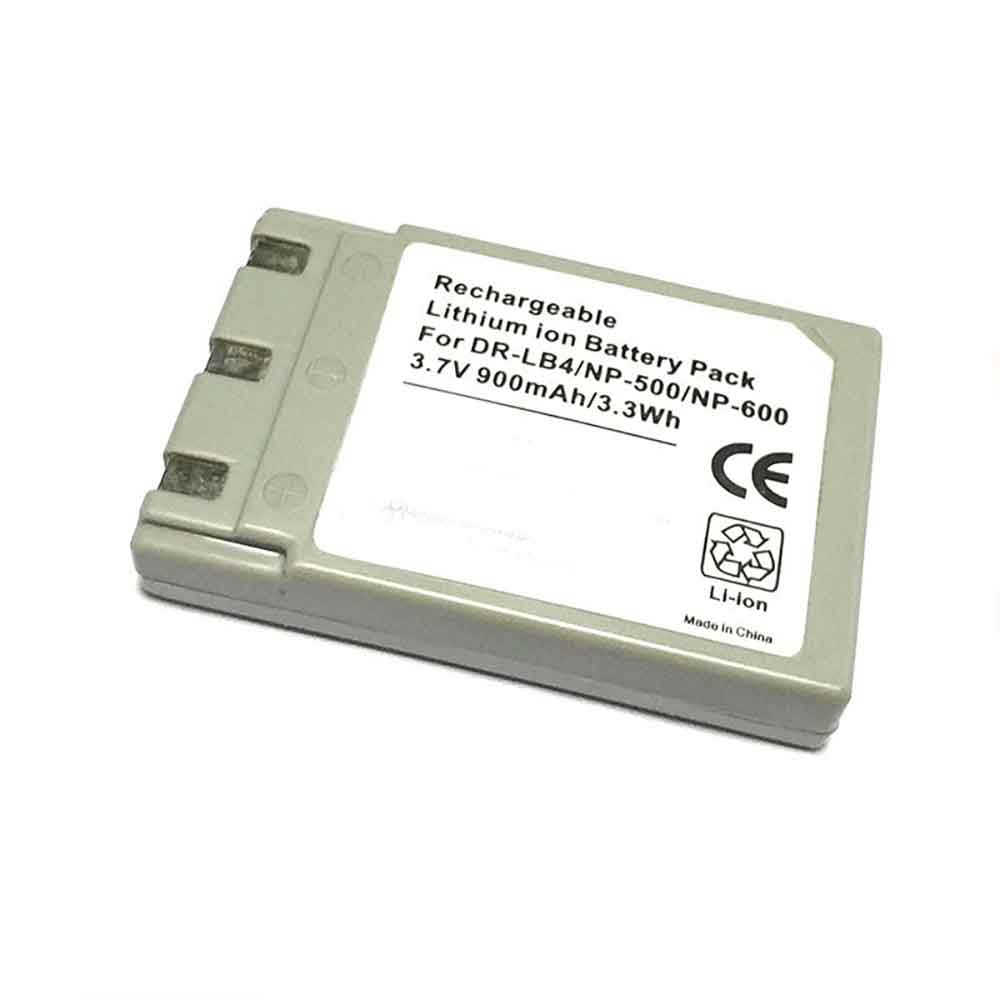
900mAh 3.7V Minolta DR-LB4/NP-500/NP-600 Li-ion Battery for Minolta DiMAGE G400 G500

900mAh 3.7V Minolta DR-LB4/NP-500/NP-600 Batteries for Minolta DiMAGE G400 G500, Minolta DR-LB4/NP-500/NP-600 Other battery is a brand new,100% Compatible original and replacement battery,Purchase wholesale and retail DR-LB4/NP-500/NP-600 with high quality and low price!

Find ou your original model number or part number(P/N), and move your eyes on the tag of battery

DR-LB4/NP-500/NP-600

Specifications

  • Brand:Minolta
  • Capacity :900mAh
  • Voltage :3.7V
  • Type :Li-ion
  • Battery Cell Quality: Grade A
  • Descriptive: Replacement Battery – 1 Year Warranty
  • Description: Brand New, 1 Year Warranty! 30-Days Money Back! Fast Shipping!

How we test this Minolta DR-LB4/NP-500/NP-600 Battery
Step 1: Make sure customer bought the correct battery.
Step 2: Check battery’s appearance and interface.
Step 3: Test battery charger and recharger function.
Step 4: Charger the battery to 100% and recharger to 0% to get real battery capacity
Step 5: Use Ev2300 to check the voltage difference of each goroup cells.
Step 6: Charger battery power more than 30%.
Step 7: Package battery carefully and send out

Compatible Part Numbers:
DR-LB4/NP-500/NP-600

Compatible Model Numbers:
Minolta DiMAGE G400 Minolta DiMAGE G500 Konica Minolta DiMAGE G530 Konica Minolta DiMAGE G600 Konica Digital Revio KD-510Z Konica Digital Revio KD-400Z Konica Revio KD-420Z Konica Minolta Revio KD310Z Konica Digital Revio KD-500Z Konica Revio KD-310Z

How much do you know about how to run laptop well as any place? The follow Tips cut way back on protecting battery life.


1). Please recharge or change your Other battery when battery power low.
2). Using Li-Ion Replacement Minolta DR-LB4/NP-500/NP-600 Other Battery for your notebook which can work longer time than Non Li-ion one.
3). It is better to defragmentation regularly for your Other battery life.
4). In order to reduce the laptop power consumpition, you can use some optical drive spin-down and hard drive in your Other .
5). Please keep your laptop in sleep or standby model without long time using, which both save the Replacement Minolta DR-LB4/NP-500/NP-600 Other Battery power and extend battery using life.
6). Leave your battery in a dry and cool condition when without using.
7). When you rarely or generally plugged in fixed power using, Please take down your battery to avoid hurting battery life.

Hot Products

67Wh/4220mah ASUS C41N1904 for Asus C41N1904-1 UX325JA UX393J2100mAh /2.1Ah HETRONIC 68300900 for HETRONIC Remote Control8000mAh/30.4WH RAZER FT803437PA for RAZER Gaming Mouse Battery FT87800mAh PANASONIC CF-VZSU46 for Panasonic Toughbook CF-30 CF-362Wh CLEVO N350BAT-6 for Clevo 6-87-N350S-4D7 3ICR19-654900mAh/18.8WH ZTE Li3949T44P6h996644 for ZTE Nubia Red Magic 3 NX629J33Wh HP BV02XL for HP Envy X2 Detachable 13 Serie2300mah BOSE 404600 for Bose SOUNDLINK I II III4342mAh/51Wh DELL 7WNW1 for Dell Latitude 7424 5424 5420 R3200mAh/12.4WH SONY LIP1660ERPC for Sony Xperia XZ3 H8416 H9436 H
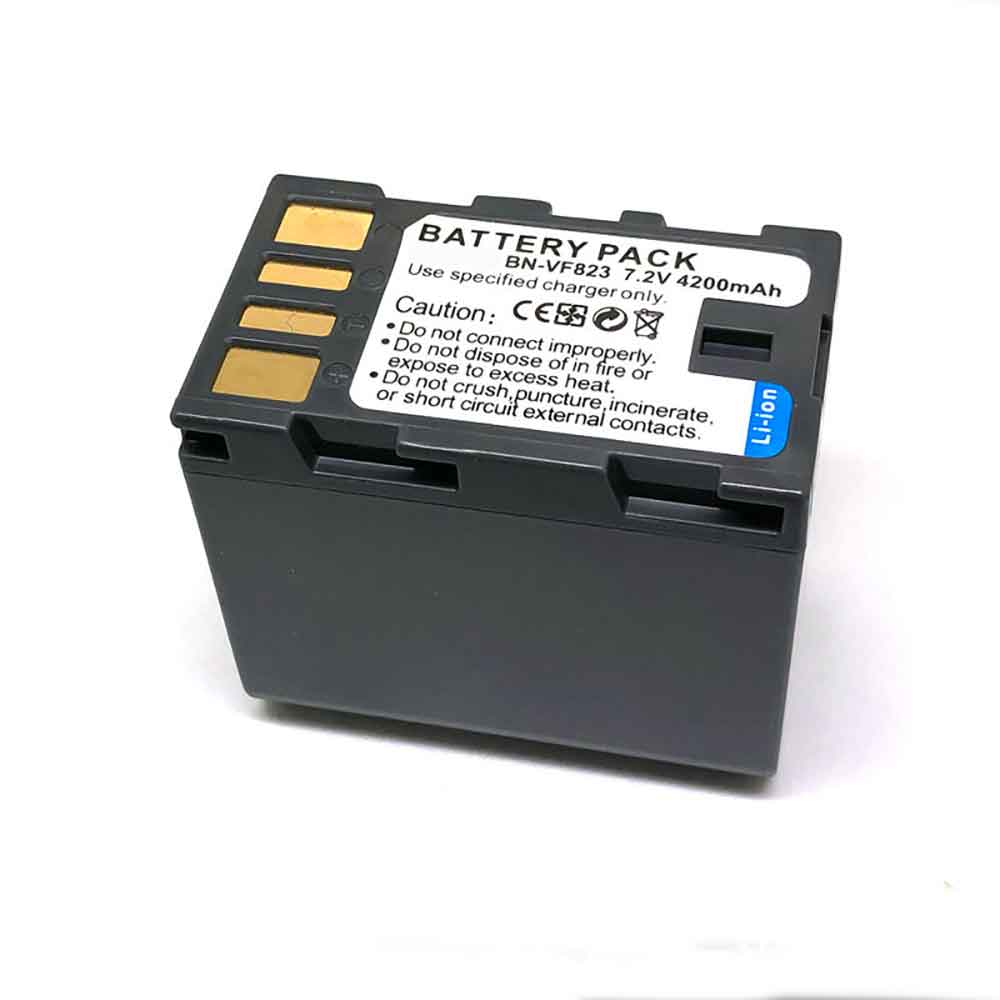
4200mAh 7.2V Jvc BN-VF823 Li-ion Battery for JVC GR-D720US D720EK D720EX D720

4200mAh 7.2V Jvc BN-VF823 Batteries for JVC GR-D720US D720EK D720EX D720, Jvc BN-VF823 Other battery is a brand new,100% Compatible original and replacement battery,Purchase wholesale and retail BN-VF823 with high quality and low price!

Find ou your original model number or part number(P/N), and move your eyes on the tag of battery

BN-VF823

Specifications

  • Brand:JVC
  • Capacity :4200mAh
  • Voltage :7.2V
  • Type :Li-ion
  • Battery Cell Quality: Grade A
  • Descriptive: Replacement Battery – 1 Year Warranty
  • Description: Brand New, 1 Year Warranty! 30-Days Money Back! Fast Shipping!

How we test this Jvc BN-VF823 Battery
Step 1: Make sure customer bought the correct battery.
Step 2: Check battery’s appearance and interface.
Step 3: Test battery charger and recharger function.
Step 4: Charger the battery to 100% and recharger to 0% to get real battery capacity
Step 5: Use Ev2300 to check the voltage difference of each goroup cells.
Step 6: Charger battery power more than 30%.
Step 7: Package battery carefully and send out

Compatible Part Numbers:
BN-VF823

Compatible Model Numbers:
JVC GR-D720US/D720EK/D720EX/D720/D725US/D725EK/D725EX/D726EX/D728EX/D740EX/D745EX/D746EX/D750EX/D760EX/GRD771US/D771US/GR-D771EK/GRD771EK/D771EK/GR-D771EX/GRD771EX/D771EX/GR-D771/GRD771/GRD790US/D790US/GR-D790EK

How much do you know about how to run laptop well as any place? The follow Tips cut way back on protecting battery life.


1). Please recharge or change your Other battery when battery power low.
2). Using Li-Ion Replacement Jvc BN-VF823 Other Battery for your notebook which can work longer time than Non Li-ion one.
3). It is better to defragmentation regularly for your Other battery life.
4). In order to reduce the laptop power consumpition, you can use some optical drive spin-down and hard drive in your Other .
5). Please keep your laptop in sleep or standby model without long time using, which both save the Replacement Jvc BN-VF823 Other Battery power and extend battery using life.
6). Leave your battery in a dry and cool condition when without using.
7). When you rarely or generally plugged in fixed power using, Please take down your battery to avoid hurting battery life.

Hot Products

67Wh/4220mah ASUS C41N1904 for Asus C41N1904-1 UX325JA UX393J2100mAh /2.1Ah HETRONIC 68300900 for HETRONIC Remote Control8000mAh/30.4WH RAZER FT803437PA for RAZER Gaming Mouse Battery FT87800mAh PANASONIC CF-VZSU46 for Panasonic Toughbook CF-30 CF-362Wh CLEVO N350BAT-6 for Clevo 6-87-N350S-4D7 3ICR19-654900mAh/18.8WH ZTE Li3949T44P6h996644 for ZTE Nubia Red Magic 3 NX629J33Wh HP BV02XL for HP Envy X2 Detachable 13 Serie2300mah BOSE 404600 for Bose SOUNDLINK I II III4342mAh/51Wh DELL 7WNW1 for Dell Latitude 7424 5424 5420 R3200mAh/12.4WH SONY LIP1660ERPC for Sony Xperia XZ3 H8416 H9436 H

iPhone in Permanent Low Power Mode: How to Do It and What You’ll Lose

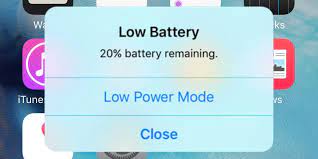
 Here’s every iPhone user’s least-favorite alert: “Low battery. 20% battery remaining,” and the option to tap “Low Power Mode” or enter a state of rejection by tapping “Off.” At least iPhone 14 Pro and Pro Max users now receive low battery alerts via Dynamic Island instead of intrusive pop-ups, but that’s still not a welcome message.

Once your iPhone is charged to 80%, Low Power Mode automatically turns off, but what if you want to keep it on all the time? How long will your battery last, how much faster will it charge, and how will it affect iPhone performance? Let’s take a look below!

What is iPhone Low Power Mode?

Low Power Mode is an iOS setting that disables certain iPhone features to save battery power when the battery is low. When the battery level drops to 20%, your iPhone will ask you if you want to turn on Low Power Mode, then turn it on again at 10%.

Apple says Low Power Mode reduces the amount of power the iPhone uses to extend battery life. You can tell when you are in low power mode because your battery icon will be yellow. Your iPhone automatically turns off Low Power Mode when the battery reaches 80% charge.

What features are disabled in iPhone Low Power Mode?

According to the official Apple support page, Low Power Mode makes the following changes to save battery power:

Turn off 5G (except video streaming), set your iPhone screen to turn off after 30 seconds of inactivity, reduce display brightness, use ProMotion to reduce iPhone display refresh rate, remove some visual effects, pause iCloud photo sync, pause automatic downloads, Pauses email fetching, prevents background app refresh, Low Power Mode also disables watching videos in HDR, turns off the Always On display in iPhone 14 Pro and Pro Max, disables video autoplay, and reduces CPU and GPU performance.

How to turn on iPhone Low Power Mode?

The manual way to stay in low power mode at all times is to put your iPhone in low power mode after each charge. You can turn it on manually by going to Settings > Battery and switching to Low Power Mode. You can also manually turn on Low Power Mode using the iPhone Control Center or Siri.

How to permanently turn on iPhone Low Power Mode?

To automatically keep your iPhone in low power mode all the time, you’ll need to put some thought into making your own personal automation using the Shortcuts app.

There are many ways to use Shortcuts to automatically set Low Power Mode, the easiest way is to turn on Low Power Mode when the battery is below 100%. That way, your iPhone is basically in low power mode all the time, but it can also create backups, complete downloads, and receive updates while it’s plugged in and charged at 100%.

On your iPhone home screen, scroll all the way to the right to get to your app library, then scroll down and tap Shortcuts. Once the app is running, select Automation at the bottom of the screen, then click the blue Create Personal Automation button.

On the New Animation screen, scroll down and select Battery Level. Click on the bottom option Falls below and move the slider all the way to the right 100%. Then click Next. You have set the conditions to trigger the action.

Now create an action to put the iPhone into low power mode. On the Actions screen, click the blue Add Action button. You can then type “Low” into the search box and click Set Low Power Mode, or click Scripting and find it under Device.

Once you have chosen to set up low power mode, it will appear as “Turn on low power mode” on your action screen. Click Next. On the new automation screen below, turn off Ask Before Run to automatically turn on Low Power Mode. If desired, you can request notification each time the automation runs.

Confirm “Don’t ask” and click Done to finish. You are all set. Every time your battery drops below 100%, your iPhone automatically switches to low power mode.

How much power does Low Power Mode save?

The value of Low Power Mode has been debated since the iPhone 9 was released. While some estimates suggest that battery life will be roughly one and a half times longer with Low Power Mode, others show little or no difference in battery usage.

If you’re worried about letting your iPhone battery last longer, you just have to try Low Power Mode yourself and see what the difference is.

How to get out of low power mode

If you find that Low Power Mode doesn’t save battery power, you can turn off the automation by going into the shortcut and turning off Enable this animation. To delete it completely, swipe left on the Low Power Mode automation on the main automation screen and tap the red delete button.

You can also create your own custom version of Low Power Mode by adjusting your iPhone settings to take some of the action that Low Power Mode does.

>>>>>>>>>>>>>iPhone battery

Acer’s new flagship laptop could be the best MacBook Pro alternative

 Acer has unveiled its latest flagship laptop, the Swift Edge, which competes with the LG Gram 16 in a niche category best defined as ultrabooks with large displays. As we all know, the SFA16-41 is only 13mm thick, has a 16-inch display, and weighs 1.17kg, which is about 30g lighter than its LG rivals; thanks to its magnesium alloy chassis.

It’s also one of the first mainstream laptops to feature the new AMD Ryzen PRO 6000 processor and Pluton, a new security feature implemented by Microsoft.

The Swift Edge comes with 16GB of LPDDR5 RAM (albeit on one slot) and a 1TB SSD, which is a lot more than others offer (for example, the LG Gram 16 starts with 8GB of RAM and a 256GB SSD).

Born for creativity

While the screen is spectacular, this isn’t the first time such a display has been shown on a laptop.

Before Acer, Lenovo, Gigabyte, Dell, and Asus bundled similarly sized 16:10 OLED displays in some of their laptops, users could enjoy the space the 3840 x 2400 resolution offered. Acer claims it supports 100 percent of the DCI-P3 color gamut and a peak brightness of 500 nits, which is what it calls “cinematic-quality visuals” — and for some users, it may well be the perfect laptop for Photoshop.

What makes this device stand out is the Ryzen 6800U, a powerful 8-core 16-thread processor based on AMD’s Zen 3+ technology and manufactured using a 6nm process. The end result is a frugal CPU with a TPD comparable to the Core i7-1260P (used in the LG Gram 16) but with performance comparable to more power-hungry processors like the Core i5-12500H (used in the Honor MagicBook 14) Comparable).

So far, only two models offer it: the stunning 1kg Asus Zenbook S 13 OLED and the amazingly priced Lenovo ThinkBook 13s Gen 4.

The rest of the specs include a Radeon 680M graphics card with an HDMI 2.1 port with 8K support, Wi-Fi 6e wireless networking, two USB 3.2 Gen 2 Type-C ports, two Type-A ports and an audio jack, all made up of a fairly small The 3-cell 54WHr battery, which Acer says can power the Swift Edge for up to 7.5 hours.

>>>>>>>>>>>>Acer Battery

1600mAh 3.7V Jjrc 853465 Li-ion Battery for JJRC A6 Drone

1600mAh 3.7V Jjrc 853465 Batteries for JJRC A6 Drone, Jjrc 853465 Other battery is a brand new,100% Compatible original and replacement battery,Purchase wholesale and retail 853465 with high quality and low price!

Find ou your original model number or part number(P/N), and move your eyes on the tag of battery

853465

Specifications

  • Brand:JJRC
  • Capacity :1600mAh
  • Voltage :3.7V
  • Type :Li-Po
  • Battery Cell Quality: Grade A
  • Descriptive: Replacement Battery – 1 Year Warranty
  • Description: Brand New, 1 Year Warranty! 30-Days Money Back! Fast Shipping!

How we test this Jjrc 853465 Battery
Step 1: Make sure customer bought the correct battery.
Step 2: Check battery’s appearance and interface.
Step 3: Test battery charger and recharger function.
Step 4: Charger the battery to 100% and recharger to 0% to get real battery capacity
Step 5: Use Ev2300 to check the voltage difference of each goroup cells.
Step 6: Charger battery power more than 30%.
Step 7: Package battery carefully and send out

Compatible Part Numbers:
853465

Compatible Model Numbers:
JJRC A6 Drone

How much do you know about how to run laptop well as any place? The follow Tips cut way back on protecting battery life.


1). Please recharge or change your Other battery when battery power low.
2). Using Li-Ion Replacement Jjrc 853465 Other Battery for your notebook which can work longer time than Non Li-ion one.
3). It is better to defragmentation regularly for your Other battery life.
4). In order to reduce the laptop power consumpition, you can use some optical drive spin-down and hard drive in your Other .
5). Please keep your laptop in sleep or standby model without long time using, which both save the Replacement Jjrc 853465 Other Battery power and extend battery using life.
6). Leave your battery in a dry and cool condition when without using.
7). When you rarely or generally plugged in fixed power using, Please take down your battery to avoid hurting battery life.

Hot Products

4900mAh/18.8WH ZTE Li3949T44P6h996644 for ZTE Nubia Red Magic 3 NX629J33Wh HP BV02XL for HP Envy X2 Detachable 13 Serie2300mah BOSE 404600 for Bose SOUNDLINK I II III4342mAh/51Wh DELL 7WNW1 for Dell Latitude 7424 5424 5420 R3200mAh/12.4WH SONY LIP1660ERPC for Sony Xperia XZ3 H8416 H9436 H3175mAh/35WH LENOVO L18M3PF2 for LENOVO 81M0S00000 L340-17IWL6020mAh/22.3WH HUAWEI HB3484V3EAW-12 for Huawei MediaPad 10 Link S10-202500mAh/19.3WH XIAOMI BM58 for Xiaomi 11T Pro2150MAH/7.6Wh LENOVO BL225 for Lenovo A785E A858 A858T S8 A702000mAh/7.6WH COOLPAD CPLD-364 for Coolpad CPLD-364

160mAh 3.7V Fuli 951718 Li-ion Battery for Fuli Model Airplane Remote Control Toy Plane

160mAh 3.7V Fuli 951718 Batteries for Fuli Model Airplane Remote Control Toy Plane, Fuli 951718 Other battery is a brand new,100% Compatible original and replacement battery,Purchase wholesale and retail 951718 with high quality and low price!

Find ou your original model number or part number(P/N), and move your eyes on the tag of battery

951718

Specifications

  • Brand:Fuli
  • Capacity :160mAh
  • Voltage :3.7V
  • Type :Li-Po
  • Battery Cell Quality: Grade A
  • Descriptive: Replacement Battery – 1 Year Warranty
  • Description: Brand New, 1 Year Warranty! 30-Days Money Back! Fast Shipping!

How we test this Fuli 951718 Battery
Step 1: Make sure customer bought the correct battery.
Step 2: Check battery’s appearance and interface.
Step 3: Test battery charger and recharger function.
Step 4: Charger the battery to 100% and recharger to 0% to get real battery capacity
Step 5: Use Ev2300 to check the voltage difference of each goroup cells.
Step 6: Charger battery power more than 30%.
Step 7: Package battery carefully and send out

Compatible Part Numbers:
951718

Compatible Model Numbers:
Fuli Model Airplane Remote Control Toy Plane

How much do you know about how to run laptop well as any place? The follow Tips cut way back on protecting battery life.


1). Please recharge or change your Other battery when battery power low.
2). Using Li-Ion Replacement Fuli 951718 Other Battery for your notebook which can work longer time than Non Li-ion one.
3). It is better to defragmentation regularly for your Other battery life.
4). In order to reduce the laptop power consumpition, you can use some optical drive spin-down and hard drive in your Other .
5). Please keep your laptop in sleep or standby model without long time using, which both save the Replacement Fuli 951718 Other Battery power and extend battery using life.
6). Leave your battery in a dry and cool condition when without using.
7). When you rarely or generally plugged in fixed power using, Please take down your battery to avoid hurting battery life.

Hot Products

4900mAh/18.8WH ZTE Li3949T44P6h996644 for ZTE Nubia Red Magic 3 NX629J33Wh HP BV02XL for HP Envy X2 Detachable 13 Serie2300mah BOSE 404600 for Bose SOUNDLINK I II III4342mAh/51Wh DELL 7WNW1 for Dell Latitude 7424 5424 5420 R3200mAh/12.4WH SONY LIP1660ERPC for Sony Xperia XZ3 H8416 H9436 H3175mAh/35WH LENOVO L18M3PF2 for LENOVO 81M0S00000 L340-17IWL6020mAh/22.3WH HUAWEI HB3484V3EAW-12 for Huawei MediaPad 10 Link S10-202500mAh/19.3WH XIAOMI BM58 for Xiaomi 11T Pro2150MAH/7.6Wh LENOVO BL225 for Lenovo A785E A858 A858T S8 A702000mAh/7.6WH COOLPAD CPLD-364 for Coolpad CPLD-364

4500mAh 3.7V Hongjie 815894AE Li-ion Battery for Hongjie Toy Model Airplane

4500mAh 3.7V Hongjie 815894AE Batteries for Hongjie Toy Model Airplane, Hongjie 815894AE Other battery is a brand new,100% Compatible original and replacement battery,Purchase wholesale and retail 815894AE with high quality and low price!

Find ou your original model number or part number(P/N), and move your eyes on the tag of battery

815894AE

Specifications

  • Brand:Hongjie
  • Capacity :4500mAh
  • Voltage :3.7V
  • Type :Li-Po
  • Battery Cell Quality: Grade A
  • Descriptive: Replacement Battery – 1 Year Warranty
  • Description: Brand New, 1 Year Warranty! 30-Days Money Back! Fast Shipping!

How we test this Hongjie 815894AE Battery
Step 1: Make sure customer bought the correct battery.
Step 2: Check battery’s appearance and interface.
Step 3: Test battery charger and recharger function.
Step 4: Charger the battery to 100% and recharger to 0% to get real battery capacity
Step 5: Use Ev2300 to check the voltage difference of each goroup cells.
Step 6: Charger battery power more than 30%.
Step 7: Package battery carefully and send out

Compatible Part Numbers:
815894AE

Compatible Model Numbers:
Hongjie Toy Model Airplane

How much do you know about how to run laptop well as any place? The follow Tips cut way back on protecting battery life.


1). Please recharge or change your Other battery when battery power low.
2). Using Li-Ion Replacement Hongjie 815894AE Other Battery for your notebook which can work longer time than Non Li-ion one.
3). It is better to defragmentation regularly for your Other battery life.
4). In order to reduce the laptop power consumpition, you can use some optical drive spin-down and hard drive in your Other .
5). Please keep your laptop in sleep or standby model without long time using, which both save the Replacement Hongjie 815894AE Other Battery power and extend battery using life.
6). Leave your battery in a dry and cool condition when without using.
7). When you rarely or generally plugged in fixed power using, Please take down your battery to avoid hurting battery life.

Hot Products

4900mAh/18.8WH ZTE Li3949T44P6h996644 for ZTE Nubia Red Magic 3 NX629J33Wh HP BV02XL for HP Envy X2 Detachable 13 Serie2300mah BOSE 404600 for Bose SOUNDLINK I II III4342mAh/51Wh DELL 7WNW1 for Dell Latitude 7424 5424 5420 R3200mAh/12.4WH SONY LIP1660ERPC for Sony Xperia XZ3 H8416 H9436 H3175mAh/35WH LENOVO L18M3PF2 for LENOVO 81M0S00000 L340-17IWL6020mAh/22.3WH HUAWEI HB3484V3EAW-12 for Huawei MediaPad 10 Link S10-202500mAh/19.3WH XIAOMI BM58 for Xiaomi 11T Pro2150MAH/7.6Wh LENOVO BL225 for Lenovo A785E A858 A858T S8 A702000mAh/7.6WH COOLPAD CPLD-364 for Coolpad CPLD-364

2600mAh 14.8V Tiger B-EP801-BT-QM-R Li-ion Battery for Tiger TEC B-EP801-BT-QM-R

2600mAh 14.8V Tiger B-EP801-BT-QM-R Batteries for Tiger TEC B-EP801-BT-QM-R, Tiger B-EP801-BT-QM-R Other battery is a brand new,100% Compatible original and replacement battery,Purchase wholesale and retail B-EP801-BT-QM-R with high quality and low price!

Find ou your original model number or part number(P/N), and move your eyes on the tag of battery

B-EP801-BT-QM-R

Specifications

  • Brand:Tiger
  • Capacity :2600mAh
  • Voltage :14.8V
  • Type :Li-ion
  • Battery Cell Quality: Grade A
  • Descriptive: Replacement Battery – 1 Year Warranty
  • Description: Brand New, 1 Year Warranty! 30-Days Money Back! Fast Shipping!

How we test this Tiger B-EP801-BT-QM-R Battery
Step 1: Make sure customer bought the correct battery.
Step 2: Check battery’s appearance and interface.
Step 3: Test battery charger and recharger function.
Step 4: Charger the battery to 100% and recharger to 0% to get real battery capacity
Step 5: Use Ev2300 to check the voltage difference of each goroup cells.
Step 6: Charger battery power more than 30%.
Step 7: Package battery carefully and send out

Compatible Part Numbers:
B-EP801-BT-QM-R

Compatible Model Numbers:
Tiger TEC B-EP801-BT-QM-R

How much do you know about how to run laptop well as any place? The follow Tips cut way back on protecting battery life.


1). Please recharge or change your Other battery when battery power low.
2). Using Li-Ion Replacement Tiger B-EP801-BT-QM-R Other Battery for your notebook which can work longer time than Non Li-ion one.
3). It is better to defragmentation regularly for your Other battery life.
4). In order to reduce the laptop power consumpition, you can use some optical drive spin-down and hard drive in your Other .
5). Please keep your laptop in sleep or standby model without long time using, which both save the Replacement Tiger B-EP801-BT-QM-R Other Battery power and extend battery using life.
6). Leave your battery in a dry and cool condition when without using.
7). When you rarely or generally plugged in fixed power using, Please take down your battery to avoid hurting battery life.

Hot Products

4900mAh/18.8WH ZTE Li3949T44P6h996644 for ZTE Nubia Red Magic 3 NX629J33Wh HP BV02XL for HP Envy X2 Detachable 13 Serie2300mah BOSE 404600 for Bose SOUNDLINK I II III4342mAh/51Wh DELL 7WNW1 for Dell Latitude 7424 5424 5420 R3200mAh/12.4WH SONY LIP1660ERPC for Sony Xperia XZ3 H8416 H9436 H3175mAh/35WH LENOVO L18M3PF2 for LENOVO 81M0S00000 L340-17IWL6020mAh/22.3WH HUAWEI HB3484V3EAW-12 for Huawei MediaPad 10 Link S10-202500mAh/19.3WH XIAOMI BM58 for Xiaomi 11T Pro2150MAH/7.6Wh LENOVO BL225 for Lenovo A785E A858 A858T S8 A702000mAh/7.6WH COOLPAD CPLD-364 for Coolpad CPLD-364