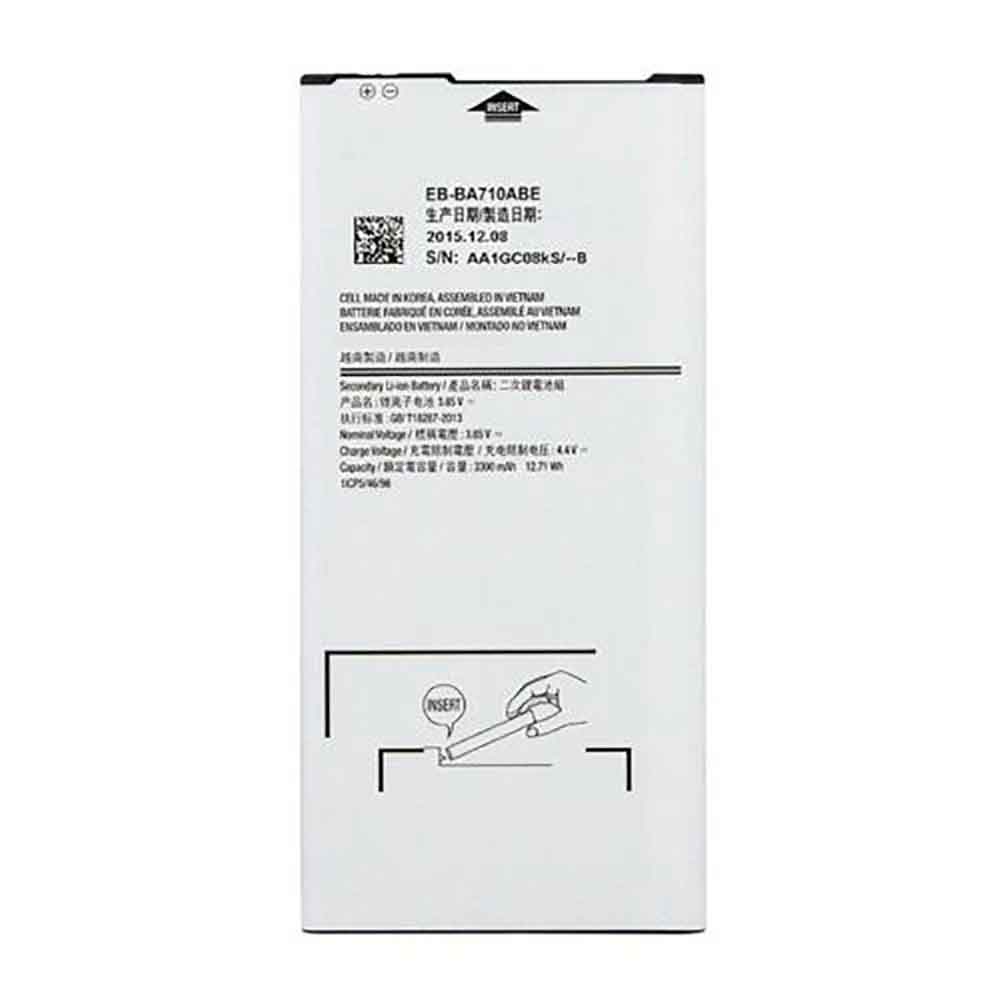
2670mAh 10.28WH 3.85V 4.4V Vivo B-D0 Li-ion Battery for Vivo Y67 Y67L

2670mAh 10.28WH 3.85V 4.4V Vivo B-D0 Batteries for Vivo Y67 Y67L, Vivo B-D0 Cell Phone battery is a brand new,100% Compatible original and replacement Phone battery,Purchase wholesale and retail B-D0 with high quality and low price!

Find ou your original model number or part number(P/N), and move your eyes on the tag of battery
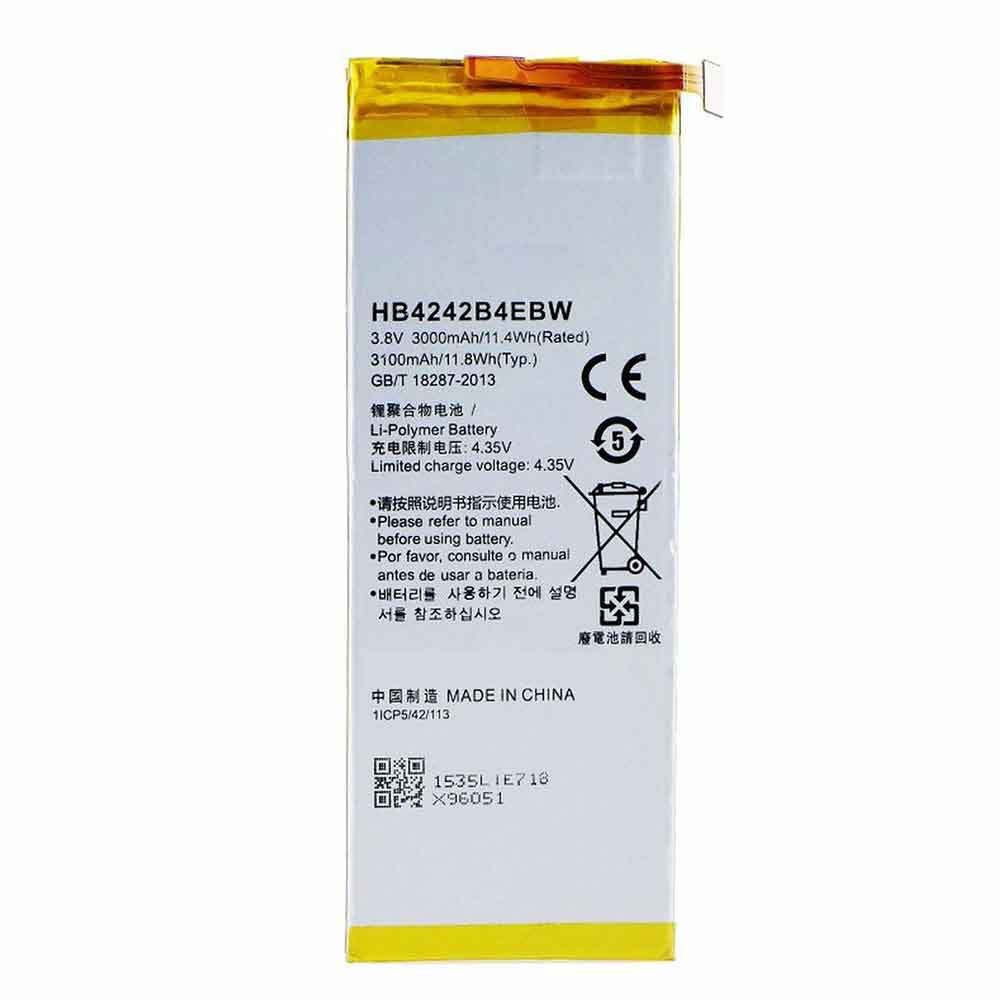
B-D0

Specifications

  • Brand:Vivo
  • Capacity :2670mAh 10.28WH
  • Voltage :3.85V 4.4V
  • Type :Li-ion
  • Battery Cell Quality: Grade A
  • Descriptive: Replacement Battery – 1 Year Warranty
  • Description: Brand New, 1 Year Warranty! 30-Days Money Back! Fast Shipping!

How we test this Vivo B-D0 Battery
Step 1: Make sure customer bought the correct battery.
Step 2: Check battery’s appearance and interface.
Step 3: Test battery charger and recharger function.
Step 4: Charger the battery to 100% and recharger to 0% to get real battery capacity
Step 5: Use Ev2300 to check the voltage difference of each goroup cells.
Step 6: Charger battery power more than 30%.
Step 7: Package battery carefully and send out

Compatible Part Numbers:
B-D0

Compatible Model Numbers:
Vivo Y67 Y67L

How much do you know about how to run laptop well as any place? The follow Tips cut way back on protecting battery life.


1). Please recharge or change your Cell Phone battery when battery power low.
2). Using Li-Ion Replacement Vivo B-D0 Cell Phone Battery for your notebook which can work longer time than Non Li-ion one.
3). It is better to defragmentation regularly for your Cell Phone battery life.
4). In order to reduce the laptop power consumpition, you can use some optical drive spin-down and hard drive in your Cell Phone .
5). Please keep your laptop in sleep or standby model without long time using, which both save the Replacement Vivo B-D0 Cell Phone Battery power and extend battery using life.
6). Leave your battery in a dry and cool condition when without using.
7). When you rarely or generally plugged in fixed power using, Please take down your battery to avoid hurting battery life.

Hot Products

4850mAh 18.43WH AMAZON 58-000313 for Amazon 26S1021200MAH/0.77Wh SAMSUNG EB-BR365FBE for Samsung Gear Fit 2 Pro Sports94Wh LENOVO 45N1016 for Lenovo ThinkPad T410 T420 T4304910mAh/19.00WH VIVO B-O5 for VIVO y20640MAh/70Wh PANASONIC CF-VZSU80U for Panasonic CF-C2 MK1 Toughbook7200mAh DELL PC764 for Dell Latitude D620 D630 Preci50Wh ASUS C31N1339 for Asus ZenBook UX303L Q302L Lapt4900mAh/18.87WH SAMSUNG HQ-50S for Samsung Galaxy A02S57.9Wh HP SH03XL for HP Spectre X360 13-AC0XX 13-AC2980MAH 11.33WH BLACKPHONE BP2 for Blackphone 2

2600mAh 9.88WH 3.8V 4.35V Vivo B-72 Li-ion Battery for Vivo Xshot X710L

2600mAh 9.88WH 3.8V 4.35V Vivo B-72 Batteries for Vivo Xshot X710L, Vivo B-72 Cell Phone battery is a brand new,100% Compatible original and replacement Phone battery,Purchase wholesale and retail B-72 with high quality and low price!

Find ou your original model number or part number(P/N), and move your eyes on the tag of battery

B-72

Specifications

  • Brand:Vivo
  • Capacity :2600mAh 9.88WH
  • Voltage :3.8V 4.35V
  • Type :Li-ion
  • Battery Cell Quality: Grade A
  • Descriptive: Replacement Battery – 1 Year Warranty
  • Description: Brand New, 1 Year Warranty! 30-Days Money Back! Fast Shipping!

How we test this Vivo B-72 Battery
Step 1: Make sure customer bought the correct battery.
Step 2: Check battery’s appearance and interface.
Step 3: Test battery charger and recharger function.
Step 4: Charger the battery to 100% and recharger to 0% to get real battery capacity
Step 5: Use Ev2300 to check the voltage difference of each goroup cells.
Step 6: Charger battery power more than 30%.
Step 7: Package battery carefully and send out

Compatible Part Numbers:
B-72

Compatible Model Numbers:
Vivo Xshot X710L

How much do you know about how to run laptop well as any place? The follow Tips cut way back on protecting battery life.


1). Please recharge or change your Cell Phone battery when battery power low.
2). Using Li-Ion Replacement Vivo B-72 Cell Phone Battery for your notebook which can work longer time than Non Li-ion one.
3). It is better to defragmentation regularly for your Cell Phone battery life.
4). In order to reduce the laptop power consumpition, you can use some optical drive spin-down and hard drive in your Cell Phone .
5). Please keep your laptop in sleep or standby model without long time using, which both save the Replacement Vivo B-72 Cell Phone Battery power and extend battery using life.
6). Leave your battery in a dry and cool condition when without using.
7). When you rarely or generally plugged in fixed power using, Please take down your battery to avoid hurting battery life.

Hot Products

4850mAh 18.43WH AMAZON 58-000313 for Amazon 26S1021200MAH/0.77Wh SAMSUNG EB-BR365FBE for Samsung Gear Fit 2 Pro Sports94Wh LENOVO 45N1016 for Lenovo ThinkPad T410 T420 T4304910mAh/19.00WH VIVO B-O5 for VIVO y20640MAh/70Wh PANASONIC CF-VZSU80U for Panasonic CF-C2 MK1 Toughbook7200mAh DELL PC764 for Dell Latitude D620 D630 Preci50Wh ASUS C31N1339 for Asus ZenBook UX303L Q302L Lapt4900mAh/18.87WH SAMSUNG HQ-50S for Samsung Galaxy A02S57.9Wh HP SH03XL for HP Spectre X360 13-AC0XX 13-AC2980MAH 11.33WH BLACKPHONE BP2 for Blackphone 2

1624mAh 6.21WH 3.82V 4.35V Apple 616-00107 Li-ion Battery for Apple 616-00107

1624mAh 6.21WH 3.82V 4.35V Apple 616-00107 Batteries for Apple 616-00107, Apple 616-00107 Cell Phone battery is a brand new,100% Compatible original and replacement Phone battery,Purchase wholesale and retail 616-00107 with high quality and low price!

Find ou your original model number or part number(P/N), and move your eyes on the tag of battery

616-00107

Specifications

  • Brand:Apple
  • Capacity :1624mAh 6.21WH
  • Voltage :3.82V 4.35V
  • Type :Li-ion
  • Battery Cell Quality: Grade A
  • Descriptive: Replacement Battery – 1 Year Warranty
  • Description: Brand New, 1 Year Warranty! 30-Days Money Back! Fast Shipping!

How we test this Apple 616-00107 Battery
Step 1: Make sure customer bought the correct battery.
Step 2: Check battery’s appearance and interface.
Step 3: Test battery charger and recharger function.
Step 4: Charger the battery to 100% and recharger to 0% to get real battery capacity
Step 5: Use Ev2300 to check the voltage difference of each goroup cells.
Step 6: Charger battery power more than 30%.
Step 7: Package battery carefully and send out

Compatible Part Numbers:
616-00107

Compatible Model Numbers:
Apple 616-00107

How much do you know about how to run laptop well as any place? The follow Tips cut way back on protecting battery life.


1). Please recharge or change your Cell Phone battery when battery power low.
2). Using Li-Ion Replacement Apple 616-00107 Cell Phone Battery for your notebook which can work longer time than Non Li-ion one.
3). It is better to defragmentation regularly for your Cell Phone battery life.
4). In order to reduce the laptop power consumpition, you can use some optical drive spin-down and hard drive in your Cell Phone .
5). Please keep your laptop in sleep or standby model without long time using, which both save the Replacement Apple 616-00107 Cell Phone Battery power and extend battery using life.
6). Leave your battery in a dry and cool condition when without using.
7). When you rarely or generally plugged in fixed power using, Please take down your battery to avoid hurting battery life.

Hot Products

4850mAh 18.43WH AMAZON 58-000313 for Amazon 26S1021200MAH/0.77Wh SAMSUNG EB-BR365FBE for Samsung Gear Fit 2 Pro Sports94Wh LENOVO 45N1016 for Lenovo ThinkPad T410 T420 T4304910mAh/19.00WH VIVO B-O5 for VIVO y20640MAh/70Wh PANASONIC CF-VZSU80U for Panasonic CF-C2 MK1 Toughbook7200mAh DELL PC764 for Dell Latitude D620 D630 Preci50Wh ASUS C31N1339 for Asus ZenBook UX303L Q302L Lapt4900mAh/18.87WH SAMSUNG HQ-50S for Samsung Galaxy A02S57.9Wh HP SH03XL for HP Spectre X360 13-AC0XX 13-AC2980MAH 11.33WH BLACKPHONE BP2 for Blackphone 2

2500mAh 9.5WH 3.8V 4.35V Meizu BT43C Li-ion Battery for Meizu M2 Mini Meilan 2

2500mAh 9.5WH 3.8V 4.35V Meizu BT43C Batteries for Meizu M2 Mini Meilan 2, Meizu BT43C Cell Phone battery is a brand new,100% Compatible original and replacement Phone battery,Purchase wholesale and retail BT43C with high quality and low price!

Find ou your original model number or part number(P/N), and move your eyes on the tag of battery

BT43C

Specifications

  • Brand:Meizu
  • Capacity :2500mAh 9.5WH
  • Voltage :3.8V 4.35V
  • Type :Li-ion
  • Battery Cell Quality: Grade A
  • Descriptive: Replacement Battery – 1 Year Warranty
  • Description: Brand New, 1 Year Warranty! 30-Days Money Back! Fast Shipping!

How we test this Meizu BT43C Battery
Step 1: Make sure customer bought the correct battery.
Step 2: Check battery’s appearance and interface.
Step 3: Test battery charger and recharger function.
Step 4: Charger the battery to 100% and recharger to 0% to get real battery capacity
Step 5: Use Ev2300 to check the voltage difference of each goroup cells.
Step 6: Charger battery power more than 30%.
Step 7: Package battery carefully and send out

Compatible Part Numbers:
BT43C

Compatible Model Numbers:
Meizu M2 Mini Meilan 2

How much do you know about how to run laptop well as any place? The follow Tips cut way back on protecting battery life.


1). Please recharge or change your Cell Phone battery when battery power low.
2). Using Li-Ion Replacement Meizu BT43C Cell Phone Battery for your notebook which can work longer time than Non Li-ion one.
3). It is better to defragmentation regularly for your Cell Phone battery life.
4). In order to reduce the laptop power consumpition, you can use some optical drive spin-down and hard drive in your Cell Phone .
5). Please keep your laptop in sleep or standby model without long time using, which both save the Replacement Meizu BT43C Cell Phone Battery power and extend battery using life.
6). Leave your battery in a dry and cool condition when without using.
7). When you rarely or generally plugged in fixed power using, Please take down your battery to avoid hurting battery life.

Hot Products

4850mAh 18.43WH AMAZON 58-000313 for Amazon 26S1021200MAH/0.77Wh SAMSUNG EB-BR365FBE for Samsung Gear Fit 2 Pro Sports94Wh LENOVO 45N1016 for Lenovo ThinkPad T410 T420 T4304910mAh/19.00WH VIVO B-O5 for VIVO y20640MAh/70Wh PANASONIC CF-VZSU80U for Panasonic CF-C2 MK1 Toughbook7200mAh DELL PC764 for Dell Latitude D620 D630 Preci50Wh ASUS C31N1339 for Asus ZenBook UX303L Q302L Lapt4900mAh/18.87WH SAMSUNG HQ-50S for Samsung Galaxy A02S57.9Wh HP SH03XL for HP Spectre X360 13-AC0XX 13-AC2980MAH 11.33WH BLACKPHONE BP2 for Blackphone 2

How to remove a laptop battery

 Whether you’re using an Apple Mac or a Windows laptop, the process for removing the battery is generally the same. Also, it is common to see some laptops with the latest operating systems come with unusable laptop batteries. In these cases, you can simply take the laptop to a nearby service center or any professional technician and get the job done. Your professional technician will remove the battery without causing any damage to other external or internal parts of the system. However, if your laptop battery works, you can easily remove it. The following will tell you how to remove the laptop battery, let’s take a look!

How to remove the laptop battery?

The following are general ideas for removing a laptop battery. If you’re replacing a laptop battery, you can easily insert a new battery after removing the old one. However, follow the steps below to remove your laptop’s battery.

Step 1: Unplug the laptop if it is plugged in, or you can disconnect the power cord.

Step 2: Turn the system over so the bottom is facing up.Step 3: Locate the battery latch on the bottom of the laptop.

Step 4: To remove the laptop battery, you must slide the latch switch in the opposite direction and hold it in this position until the laptop battery is released.

Step 5: On some Windows or Mac laptops, the battery will usually pop out on its own. However, for others, you have to pull it out with your fingertips.

Important: While most laptops only have one latch, some require you to slide both latches to remove the battery. For these laptops, the latches look similar on laptops with one latch, but require you to move both latches at the same time, usually toward each other.

Also, some older laptops, such as IBM’s, require you to pull out the latch and push it toward the battery.

If you can’t find any buttons or latches to release the laptop battery, the laptop may use a different method to remove the battery. Laptops may require servicing by a professional service technician who can remove the laptop completely or partially. We strongly recommend that you refer to your laptop documentation or check the manufacturer’s official website for steps to remove the laptop battery. If repairs are required to remove the battery, the website or documentation will guide you.

>>>>>>>>>>>laptop battery

Thanks for reading, hope it helps!

Friendly reminder: If you need to replace your device battery, this battery store will be a good choice: www.batteryforpc.co.uk

Do you need to know when you need to remove your laptop’s battery

 When we use a laptop, we generally do not remove the battery without a reason, because a laptop without a battery will make your work or entertainment impossible. But you also need to know that in some cases, you need to remove the laptop battery, because this may be beneficial to your work or your laptop. So let’s take a look specifically at when we need to remove our laptop battery.

Do you use your laptop for extended periods of time with the system connected to AC power, especially when doing very intense heat-generating work? If your answer is yes, then you should remove the battery to preserve its lifespan.

However, if the power in your home is often out or there is a storm outside that could cause a power outage, then keep the laptop battery connected. Otherwise, you may end up losing important data. Also, if you have a UPS (uninterruptible power supply) plugged in, it’s not a problem at all, you can definitely remove the battery.

If you’re on the go and considering only plugging in for an hour or so before needing the battery, keep the laptop battery connected. The process of shutting down the laptop, removing the battery, then restarting, then shutting down again, then reconnecting the battery (and turning the laptop back on again when you reach your next destination) is too inconvenient and not worth your time. Therefore, when moving or When on the move, keep the battery fully charged for emergencies.

Removing the battery is a good idea if you’re not going to be using the laptop for an extended period of time, such as when you’re traveling. It gives your laptop battery a good rest, extending its lifespan.

There may be other reasons to remove the laptop’s battery, such as when the battery needs to be replaced. You should know when you need to replace your laptop battery. If you have a lot of problems with your laptop, like fast discharge, then you should go for a replacement. There really is no battery that can last forever.

So what happens if you remove your laptop’s battery?

Removing the laptop battery will not harm your laptop in any way. Typically, laptops, whether Apple Mac or Windows, are designed to use an A/C adapter and battery for power. So the laptop can run even if you remove the battery or the battery dies.

>>>>>>>>>>>>laptop battery

Thanks for reading, hope it helps!

Friendly reminder: If you need to replace your device battery, this battery store will be a good choice: www.batteryforpc.co.uk

95Wh 8330mAh 11.49V Asus C32N1838 Li-ion Battery for Asus StudioBook Pro X W730 W730G2T W730G1T W730G5T

95Wh 8330mAh 11.49V Asus C32N1838 Batteries for Asus StudioBook Pro X W730 W730G2T W730G1T W730G5T, Asus C32N1838 Laptop battery is a brand new,100% Compatible original and replacement Laptop battery,Purchase wholesale and retail C32N1838 with high quality and low price!

Find ou your original model number or part number(P/N), and move your eyes on the tag of battery

C32N1838

Specifications

  • Brand:Asus
  • Capacity :95Wh 8330mAh
  • Voltage :11.49V
  • Type :Li-ion
  • Battery Cell Quality: Grade A
  • Descriptive: Replacement Battery – 1 Year Warranty
  • Description: Brand New, 1 Year Warranty! 30-Days Money Back! Fast Shipping!

How we test this Asus C32N1838 Battery
Step 1: Make sure customer bought the correct battery.
Step 2: Check battery’s appearance and interface.
Step 3: Test battery charger and recharger function.
Step 4: Charger the battery to 100% and recharger to 0% to get real battery capacity
Step 5: Use Ev2300 to check the voltage difference of each goroup cells.
Step 6: Charger battery power more than 30%.
Step 7: Package battery carefully and send out

Compatible Part Numbers:
C32N1838

Compatible Model Numbers:
Asus ProArt StudioBook Pro X W730G5T
Asus StudioBook Pro X W730
Asus StudioBook Pro X W730G5T W730 W730G5T W730G5T-AV009T W730G5T-AV010R W730G5T-AV011T

How much do you know about how to run laptop well as any place? The follow Tips cut way back on protecting battery life.


1). Please recharge or change your Laptop battery when battery power low.
2). Using Li-Ion Replacement Asus C32N1838 Laptop Battery for your notebook which can work longer time than Non Li-ion one.
3). It is better to defragmentation regularly for your Laptop battery life.
4). In order to reduce the laptop power consumpition, you can use some optical drive spin-down and hard drive in your Laptop .
5). Please keep your laptop in sleep or standby model without long time using, which both save the Replacement Asus C32N1838 Laptop Battery power and extend battery using life.
6). Leave your battery in a dry and cool condition when without using.
7). When you rarely or generally plugged in fixed power using, Please take down your battery to avoid hurting battery life.

Hot Products

200MAH/0.77Wh SAMSUNG EB-BR365FBE for Samsung Gear Fit 2 Pro Sports94Wh LENOVO 45N1016 for Lenovo ThinkPad T410 T420 T4304910mAh/19.00WH VIVO B-O5 for VIVO y20640MAh/70Wh PANASONIC CF-VZSU80U for Panasonic CF-C2 MK1 Toughbook7200mAh DELL PC764 for Dell Latitude D620 D630 Preci50Wh ASUS C31N1339 for Asus ZenBook UX303L Q302L Lapt4900mAh/18.87WH SAMSUNG HQ-50S for Samsung Galaxy A02S57.9Wh HP SH03XL for HP Spectre X360 13-AC0XX 13-AC2980MAH 11.33WH BLACKPHONE BP2 for Blackphone 22200mAh/32WH LENOVO L15S4E02 for LENOVO Ideapad V310-15IKB V510

5800mAh 3.85V Ulefone Armor-10 Li-ion Battery for Ulefone Armor 10

5800mAh 3.85V Ulefone Armor-10 Batteries for Ulefone Armor 10, Ulefone Armor-10 Cell Phone battery is a brand new,100% Compatible original and replacement Phone battery,Purchase wholesale and retail Armor-10 with high quality and low price!

Find ou your original model number or part number(P/N), and move your eyes on the tag of battery

Armor-10

Specifications

  • Brand:Ulefone
  • Capacity :5800mAh
  • Voltage :3.85V
  • Type :Li-ion
  • Battery Cell Quality: Grade A
  • Descriptive: Replacement Battery – 1 Year Warranty
  • Description: Brand New, 1 Year Warranty! 30-Days Money Back! Fast Shipping!

How we test this Ulefone Armor-10 Battery
Step 1: Make sure customer bought the correct battery.
Step 2: Check battery’s appearance and interface.
Step 3: Test battery charger and recharger function.
Step 4: Charger the battery to 100% and recharger to 0% to get real battery capacity
Step 5: Use Ev2300 to check the voltage difference of each goroup cells.
Step 6: Charger battery power more than 30%.
Step 7: Package battery carefully and send out

Compatible Part Numbers:
Armor-10

Compatible Model Numbers:
Ulefone Armor 10

How much do you know about how to run laptop well as any place? The follow Tips cut way back on protecting battery life.


1). Please recharge or change your Cell Phone battery when battery power low.
2). Using Li-Ion Replacement Ulefone Armor-10 Cell Phone Battery for your notebook which can work longer time than Non Li-ion one.
3). It is better to defragmentation regularly for your Cell Phone battery life.
4). In order to reduce the laptop power consumpition, you can use some optical drive spin-down and hard drive in your Cell Phone .
5). Please keep your laptop in sleep or standby model without long time using, which both save the Replacement Ulefone Armor-10 Cell Phone Battery power and extend battery using life.
6). Leave your battery in a dry and cool condition when without using.
7). When you rarely or generally plugged in fixed power using, Please take down your battery to avoid hurting battery life.

Hot Products

200MAH/0.77Wh SAMSUNG EB-BR365FBE for Samsung Gear Fit 2 Pro Sports94Wh LENOVO 45N1016 for Lenovo ThinkPad T410 T420 T4304910mAh/19.00WH VIVO B-O5 for VIVO y20640MAh/70Wh PANASONIC CF-VZSU80U for Panasonic CF-C2 MK1 Toughbook7200mAh DELL PC764 for Dell Latitude D620 D630 Preci50Wh ASUS C31N1339 for Asus ZenBook UX303L Q302L Lapt4900mAh/18.87WH SAMSUNG HQ-50S for Samsung Galaxy A02S57.9Wh HP SH03XL for HP Spectre X360 13-AC0XX 13-AC2980MAH 11.33WH BLACKPHONE BP2 for Blackphone 22200mAh/32WH LENOVO L15S4E02 for LENOVO Ideapad V310-15IKB V510

4680mAh 18.018WH 3.85V Blackview DK017 Li-ion Battery for Blackview A80 Pro

4680mAh 18.018WH 3.85V Blackview DK017 Batteries for Blackview A80 Pro, Blackview DK017 Cell Phone battery is a brand new,100% Compatible original and replacement Phone battery,Purchase wholesale and retail DK017 with high quality and low price!

Find ou your original model number or part number(P/N), and move your eyes on the tag of battery

DK017

Specifications

  • Brand:Blackview
  • Capacity :4680mAh 18.018WH
  • Voltage :3.85V
  • Type :Li-ion
  • Battery Cell Quality: Grade A
  • Descriptive: Replacement Battery – 1 Year Warranty
  • Description: Brand New, 1 Year Warranty! 30-Days Money Back! Fast Shipping!

How we test this Blackview DK017 Battery
Step 1: Make sure customer bought the correct battery.
Step 2: Check battery’s appearance and interface.
Step 3: Test battery charger and recharger function.
Step 4: Charger the battery to 100% and recharger to 0% to get real battery capacity
Step 5: Use Ev2300 to check the voltage difference of each goroup cells.
Step 6: Charger battery power more than 30%.
Step 7: Package battery carefully and send out

Compatible Part Numbers:
DK017

Compatible Model Numbers:
Blackview A80 Pro

How much do you know about how to run laptop well as any place? The follow Tips cut way back on protecting battery life.


1). Please recharge or change your Cell Phone battery when battery power low.
2). Using Li-Ion Replacement Blackview DK017 Cell Phone Battery for your notebook which can work longer time than Non Li-ion one.
3). It is better to defragmentation regularly for your Cell Phone battery life.
4). In order to reduce the laptop power consumpition, you can use some optical drive spin-down and hard drive in your Cell Phone .
5). Please keep your laptop in sleep or standby model without long time using, which both save the Replacement Blackview DK017 Cell Phone Battery power and extend battery using life.
6). Leave your battery in a dry and cool condition when without using.
7). When you rarely or generally plugged in fixed power using, Please take down your battery to avoid hurting battery life.

Hot Products

200MAH/0.77Wh SAMSUNG EB-BR365FBE for Samsung Gear Fit 2 Pro Sports94Wh LENOVO 45N1016 for Lenovo ThinkPad T410 T420 T4304910mAh/19.00WH VIVO B-O5 for VIVO y20640MAh/70Wh PANASONIC CF-VZSU80U for Panasonic CF-C2 MK1 Toughbook7200mAh DELL PC764 for Dell Latitude D620 D630 Preci50Wh ASUS C31N1339 for Asus ZenBook UX303L Q302L Lapt4900mAh/18.87WH SAMSUNG HQ-50S for Samsung Galaxy A02S57.9Wh HP SH03XL for HP Spectre X360 13-AC0XX 13-AC2980MAH 11.33WH BLACKPHONE BP2 for Blackphone 22200mAh/32WH LENOVO L15S4E02 for LENOVO Ideapad V310-15IKB V510

5000mAh 19.25WH 3.85V 4.4V Oukitel S79 Li-ion Battery for Oukitel WP8 Pro

5000mAh 19.25WH 3.85V 4.4V Oukitel S79 Batteries for Oukitel WP8 Pro, Oukitel S79 Cell Phone battery is a brand new,100% Compatible original and replacement Phone battery,Purchase wholesale and retail S79 with high quality and low price!

Find ou your original model number or part number(P/N), and move your eyes on the tag of battery

S79

Specifications

  • Brand:Oukitel
  • Capacity :5000mAh 19.25WH
  • Voltage :3.85V 4.4V
  • Type :Li-ion
  • Battery Cell Quality: Grade A
  • Descriptive: Replacement Battery – 1 Year Warranty
  • Description: Brand New, 1 Year Warranty! 30-Days Money Back! Fast Shipping!

How we test this Oukitel S79 Battery
Step 1: Make sure customer bought the correct battery.
Step 2: Check battery’s appearance and interface.
Step 3: Test battery charger and recharger function.
Step 4: Charger the battery to 100% and recharger to 0% to get real battery capacity
Step 5: Use Ev2300 to check the voltage difference of each goroup cells.
Step 6: Charger battery power more than 30%.
Step 7: Package battery carefully and send out

Compatible Part Numbers:
S79

Compatible Model Numbers:
Oukitel WP8 Pro

How much do you know about how to run laptop well as any place? The follow Tips cut way back on protecting battery life.


1). Please recharge or change your Cell Phone battery when battery power low.
2). Using Li-Ion Replacement Oukitel S79 Cell Phone Battery for your notebook which can work longer time than Non Li-ion one.
3). It is better to defragmentation regularly for your Cell Phone battery life.
4). In order to reduce the laptop power consumpition, you can use some optical drive spin-down and hard drive in your Cell Phone .
5). Please keep your laptop in sleep or standby model without long time using, which both save the Replacement Oukitel S79 Cell Phone Battery power and extend battery using life.
6). Leave your battery in a dry and cool condition when without using.
7). When you rarely or generally plugged in fixed power using, Please take down your battery to avoid hurting battery life.

Hot Products

200MAH/0.77Wh SAMSUNG EB-BR365FBE for Samsung Gear Fit 2 Pro Sports94Wh LENOVO 45N1016 for Lenovo ThinkPad T410 T420 T4304910mAh/19.00WH VIVO B-O5 for VIVO y20640MAh/70Wh PANASONIC CF-VZSU80U for Panasonic CF-C2 MK1 Toughbook7200mAh DELL PC764 for Dell Latitude D620 D630 Preci50Wh ASUS C31N1339 for Asus ZenBook UX303L Q302L Lapt4900mAh/18.87WH SAMSUNG HQ-50S for Samsung Galaxy A02S57.9Wh HP SH03XL for HP Spectre X360 13-AC0XX 13-AC2980MAH 11.33WH BLACKPHONE BP2 for Blackphone 22200mAh/32WH LENOVO L15S4E02 for LENOVO Ideapad V310-15IKB V510