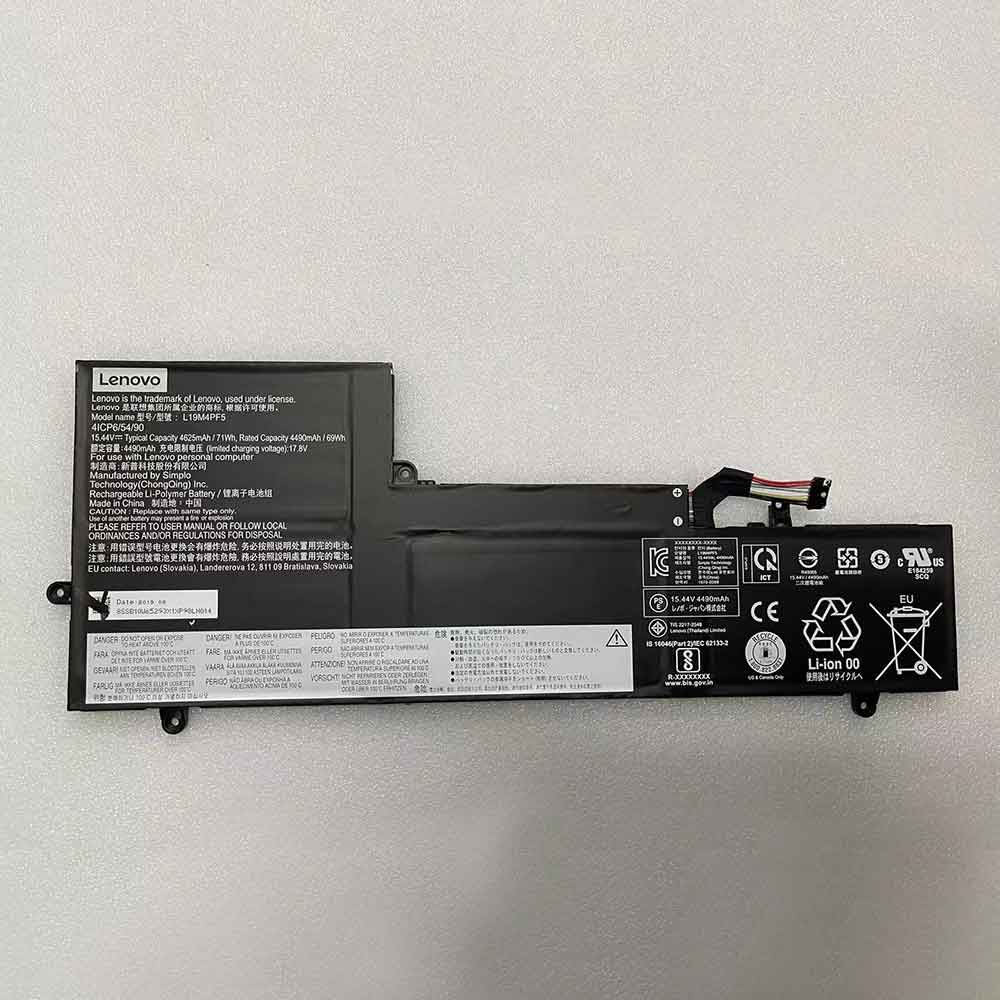
How to wake up a dormant Li-Ion battery – method

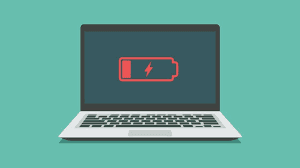
 Lithium-ion batteries are rechargeable batteries that are ideal for most electronic devices such as smartphones and laptops. The battery contains a protection circuit module. The protection circuit samples the voltage in the lithium-ion battery and outputs the same sampled voltage. This protection protects the battery from abuse and can be turned on and off. It is also activated when the battery is over-discharged, rendering it unusable. This happens because the protection circuit is designed to detect the battery voltage and cut off the lithium battery if the voltage falls below a specified voltage. When this happens, the battery goes into sleep mode. Let’s look at ways to wake up a Li-Ion battery that is dormant, whether it can be overcharged, and its life cycle. Let’s have a look!

How do I wake up a Li-Ion battery from sleep mode?

When the Li-Ion battery is insufficiently charged, it enters sleep mode. This can be a cause for concern, as most people consider such batteries useless and throw them away, as chargers often render them unusable. However, sleep mode should not be a cause for concern, as some analyzers and chargers have boost and wake-up functions to reactivate such batteries. The boost activates the protection circuit by applying a small charging voltage. When the correct battery voltage is applied, the charger can charge normally.

Let’s look at ways to wake up a sleeping battery.

Step 1: Read the voltage.

First, you need to confirm whether your lithium-ion battery has any remaining power. First power off the electronics and remove the battery. Using a voltmeter, read the voltage to check if the battery has any juice. When doing this, keep in mind that different manufacturers cause the battery to go into sleep mode at different voltage levels. So it’s best to be familiar with your battery capacity to be able to wake it up.

Step 2: Connect the charger.

Using a suitable charger, connect the battery for a few minutes while watching for any signs of damage and healing. Use a charger with a “boost” or “wake up” function. Keep in mind that boosting Li-Ion batteries with voltages of 1.5 and below is not recommended. This is because a battery that is undercharged for a long time can develop a copper shunt that can cause an electrical short. These shorts often cause the battery to overheat and possibly explode.

Step 3: Read the voltage again.

Check the voltage with a voltmeter. A higher reading than before means the boost is working, the same voltage means the process was unsuccessful and you should consider buying a new battery. Make sure you check your charger manual to see when the process is complete.

Step 4: Charge and discharge the battery.

If the boost works, you can now connect the Li-Ion battery to the charger and fully charge it.

Step 5: Freeze the battery.

In an airtight bag free of moisture, freeze the battery fully charged for a full day, then allow the battery to cool until it returns to its original room temperature.

Step 6: Charge the battery.

Connect the battery to the charging system and fully charge it.

Can Li-ion batteries be overcharged?

It may damage the battery and even cause harm to the user’s health. Lithium-ion batteries can accept partial charges, so overcharging is impossible. Protection circuits in these batteries prevent the flow of ions by suppressing overvoltage when temperatures get too high.

The battery management system in most lithium-ion battery packs also makes overcharging impossible. An internal circuit monitors the state of charge of the battery and cuts off the current when the limit is reached. If your Li-ion battery is overcharged, the charging system is mostly defective.

How long can an unused Li-Ion battery last?

Batteries in the product or in storage should not be left idle for long periods of time. If the battery has been unused for six months, check the battery status and charge it appropriately or discard it. Lithium-ion batteries have an estimated lifespan of mostly 2 to 3 years or 300 to 500 charge cycles. That is, from it being fully charged to fully discharged and fully charged. Since rechargeable lithium-ion batteries have a limited life cycle, they will gradually lose their ability to hold a charge, and most of the time you will need to replace the battery. All in all, the life of an unused battery will depend on how it is stored and external factors.

>>>>>>>>>>>>>>>Battery

Thanks for reading, hope it helps!

Friendly reminder: If you need to replace the battery, this battery store will be a good choice: www.batteryforpc.co.uk

Make your runs more effective with these 7 Apple Watch tips

 Whether you’re training for a marathon or jogging for the first time, the Apple Watch has a lot to offer runners. The best part is that you don’t need the latest Apple Watch Series 7 to take advantage of these features. These tips apply to all models, including the Apple Watch SE and Apple Watch Series 3. If you’re used to tracking your runs on mobile apps, the Watch will help ease the load. If you’re not already tied to any third-party running apps, the native Activity app on the Apple Watch has most of the features you need to log those miles and stay motivated while running. You just need to know how to find them.

Here are some tips to make your Apple Watch a better companion on your run. Let’s have a look!

Update your stats

When you first set up your Apple Watch, you may have set it up in the Health app, but if you haven’t already, make sure your profile has updated information. Go to the Watch app on your phone, select the “My Watch” tab at the bottom, then go to “Health” and press “Edit” in the top right corner to make changes.

Calibrate Apple Watch

Another important part of the “knowing about you” phase is calibrating the watch to your personal pace and stride for a more accurate distance reading when you leave your phone behind or when GPS is unreliable.

Go to the My Watch tab of the Watch app on your phone, then click Privacy and select Reset Fitness Calibration Data. To recalibrate, Apple recommends taking the watch out while jogging in a flat, open area with good reception. The user must bring their phone with them when running for the first time. Next, you’ll need to start an outdoor run or walk in the Workout app on your Apple Watch for at least 20 minutes. If you don’t have 20 minutes to spare, you can also do it every 5 or 10 minutes, just know that you’ll need 20 minutes in total for an accurate calibration. Once you’ve recorded the first 20 minutes, you can ditch the phone and resume your usual running route.

tighten that strap

Once you’ve calculated your stride and distance, you need to make sure you’re getting an accurate heart rate reading. Apple Watch uses heart rate to calculate calories burned, and this gadget can be used to help you keep checking during training or competition. But the heart rate sensor has to be in direct contact with your skin to get an accurate reading, which means you may need to tighten the strap before jogging to make sure the Apple Watch stays in place as you swing your sweaty arms up and down. If you want more precise readings, you can pair it with an external heart rate monitor.

Custom success metrics

Customize your workout interface from the Watch app on your phone. Scroll down to the Workout option on the My Watch tab on your iPhone, and once in, click Workout View at the top. Next, select the outdoor (or indoor) running option, click Edit in the upper right corner, and add, delete, or rearrange as needed.

Set custom running goals on Apple Watch

You can also set goals before each run with the Workout app on Apple Watch. Click the three dots next to the run type of your choice and set a goal based on distance, calories or time. You can also set pace alerts here, so your watch will buzz when you’re below or above your target pace. Before starting an outdoor run, tap the three dots and set an alarm.

Activate automatic pause

You can activate auto-pause through your phone’s Watch app or directly on the Apple Watch itself. On your watch, go to Settings/Routine/Exercise and toggle Auto Pause. If you’re using the Watch app on your iPhone, select the My Watch tab, Workout and toggle Run Auto Pause. This works for outdoor runs and treadmills, so a traffic light stall or water cut won’t slow down your time and speed during your run.

Maximize battery life and make your Apple Watch last longer

As you’ve probably learned, running is bad for battery life. The battery may drain before you finish your run – which means the run won’t show up in your activity log! Battery saver mode is a pre-emptive step that helps extend battery life while still retaining most of the basic tracking functionality.

To activate Battery Saver from Apple Watch, go to Settings/General/Exercise and toggle the Battery Saver option. You can also do this from the Watch app on your iPhone and deactivate it when you’re done running.

>>>>>>>>>>>>Apple battery

2100mAh 8.09WH 3.85V 4.4V Samsung EB-BG800BBE Li-ion Battery for Samsung Galaxy S5 Mini SM-G800F

2100mAh 8.09WH 3.85V 4.4V Samsung EB-BG800BBE Batteries for Samsung Galaxy S5 Mini SM-G800F, Samsung EB-BG800BBE Cell Phone battery is a brand new,100% Compatible original and replacement Phone battery,Purchase wholesale and retail EB-BG800BBE with high quality and low price!

Find ou your original model number or part number(P/N), and move your eyes on the tag of battery

EB-BG800BBE

Specifications

  • Brand:Samsung
  • Capacity :2100mAh 8.09WH
  • Voltage :3.85V 4.4V
  • Type :Li-ion
  • Battery Cell Quality: Grade A
  • Descriptive: Replacement Battery – 1 Year Warranty
  • Description: Brand New, 1 Year Warranty! 30-Days Money Back! Fast Shipping!

How we test this Samsung EB-BG800BBE Battery
Step 1: Make sure customer bought the correct battery.
Step 2: Check battery’s appearance and interface.
Step 3: Test battery charger and recharger function.
Step 4: Charger the battery to 100% and recharger to 0% to get real battery capacity
Step 5: Use Ev2300 to check the voltage difference of each goroup cells.
Step 6: Charger battery power more than 30%.
Step 7: Package battery carefully and send out

Compatible Part Numbers:
EB-BG800BBE

Compatible Model Numbers:
Samsung Galaxy S5 Mini SM-G800F

How much do you know about how to run laptop well as any place? The follow Tips cut way back on protecting battery life.


1). Please recharge or change your Cell Phone battery when battery power low.
2). Using Li-Ion Replacement Samsung EB-BG800BBE Cell Phone Battery for your notebook which can work longer time than Non Li-ion one.
3). It is better to defragmentation regularly for your Cell Phone battery life.
4). In order to reduce the laptop power consumpition, you can use some optical drive spin-down and hard drive in your Cell Phone .
5). Please keep your laptop in sleep or standby model without long time using, which both save the Replacement Samsung EB-BG800BBE Cell Phone Battery power and extend battery using life.
6). Leave your battery in a dry and cool condition when without using.
7). When you rarely or generally plugged in fixed power using, Please take down your battery to avoid hurting battery life.

Hot Products

5.4V HP 633538-001 for HP 1GB FBWC FOR P420 P421 P43060Wh HP Ba06xl for Hp Elitebook Folio 9470m Ultra62Wh/5500mAh CLEVO PB50BAT-6 for Clevo PB71EF-G PowerSpec 152068WH DELL MV07R for Dell G5 5000 5590 5500 55053000mah/11.5wh ASUS C11P1501 for ASUS ZE500CL ZE551KL ZE6014850mAh 18.43WH AMAZON 58-000313 for Amazon 26S1021200MAH/0.77Wh SAMSUNG EB-BR365FBE for Samsung Gear Fit 2 Pro Sports94Wh LENOVO 45N1016 for Lenovo ThinkPad T410 T420 T4304910mAh/19.00WH VIVO B-O5 for VIVO y20640MAh/70Wh PANASONIC CF-VZSU80U for Panasonic CF-C2 MK1 Toughbook

2000mAh 7.70WH 3.85V 4.4V Samsung EB-BG360CBE Li-ion Battery for Samsung Core Prime/G360

2000mAh 7.70WH 3.85V 4.4V Samsung EB-BG360CBE Batteries for Samsung Core Prime/G360, Samsung EB-BG360CBE Cell Phone battery is a brand new,100% Compatible original and replacement Phone battery,Purchase wholesale and retail EB-BG360CBE with high quality and low price!

Find ou your original model number or part number(P/N), and move your eyes on the tag of battery

EB-BG360CBE

Specifications

  • Brand:Samsung
  • Capacity :2000mAh 7.70WH
  • Voltage :3.85V 4.4V
  • Type :Li-ion
  • Battery Cell Quality: Grade A
  • Descriptive: Replacement Battery – 1 Year Warranty
  • Description: Brand New, 1 Year Warranty! 30-Days Money Back! Fast Shipping!

How we test this Samsung EB-BG360CBE Battery
Step 1: Make sure customer bought the correct battery.
Step 2: Check battery’s appearance and interface.
Step 3: Test battery charger and recharger function.
Step 4: Charger the battery to 100% and recharger to 0% to get real battery capacity
Step 5: Use Ev2300 to check the voltage difference of each goroup cells.
Step 6: Charger battery power more than 30%.
Step 7: Package battery carefully and send out

Compatible Part Numbers:
EB-BG360CBE

Compatible Model Numbers:
Samsung Core Prime/G360

How much do you know about how to run laptop well as any place? The follow Tips cut way back on protecting battery life.


1). Please recharge or change your Cell Phone battery when battery power low.
2). Using Li-Ion Replacement Samsung EB-BG360CBE Cell Phone Battery for your notebook which can work longer time than Non Li-ion one.
3). It is better to defragmentation regularly for your Cell Phone battery life.
4). In order to reduce the laptop power consumpition, you can use some optical drive spin-down and hard drive in your Cell Phone .
5). Please keep your laptop in sleep or standby model without long time using, which both save the Replacement Samsung EB-BG360CBE Cell Phone Battery power and extend battery using life.
6). Leave your battery in a dry and cool condition when without using.
7). When you rarely or generally plugged in fixed power using, Please take down your battery to avoid hurting battery life.

Hot Products

5.4V HP 633538-001 for HP 1GB FBWC FOR P420 P421 P43060Wh HP Ba06xl for Hp Elitebook Folio 9470m Ultra62Wh/5500mAh CLEVO PB50BAT-6 for Clevo PB71EF-G PowerSpec 152068WH DELL MV07R for Dell G5 5000 5590 5500 55053000mah/11.5wh ASUS C11P1501 for ASUS ZE500CL ZE551KL ZE6014850mAh 18.43WH AMAZON 58-000313 for Amazon 26S1021200MAH/0.77Wh SAMSUNG EB-BR365FBE for Samsung Gear Fit 2 Pro Sports94Wh LENOVO 45N1016 for Lenovo ThinkPad T410 T420 T4304910mAh/19.00WH VIVO B-O5 for VIVO y20640MAh/70Wh PANASONIC CF-VZSU80U for Panasonic CF-C2 MK1 Toughbook

3969mAh 15.04WH 3.79V 4.35V Apple 616-00651 Li-ion Battery for Apple iPhone 11Pro Max

3969mAh 15.04WH 3.79V 4.35V Apple 616-00651 Batteries for Apple iPhone 11Pro Max, Apple 616-00651 Cell Phone battery is a brand new,100% Compatible original and replacement Phone battery,Purchase wholesale and retail 616-00651 with high quality and low price!

Find ou your original model number or part number(P/N), and move your eyes on the tag of battery

616-00651

Specifications

  • Brand:Apple
  • Capacity :3969mAh 15.04WH
  • Voltage :3.79V 4.35V
  • Type :Li-ion
  • Battery Cell Quality: Grade A
  • Descriptive: Replacement Battery – 1 Year Warranty
  • Description: Brand New, 1 Year Warranty! 30-Days Money Back! Fast Shipping!

How we test this Apple 616-00651 Battery
Step 1: Make sure customer bought the correct battery.
Step 2: Check battery’s appearance and interface.
Step 3: Test battery charger and recharger function.
Step 4: Charger the battery to 100% and recharger to 0% to get real battery capacity
Step 5: Use Ev2300 to check the voltage difference of each goroup cells.
Step 6: Charger battery power more than 30%.
Step 7: Package battery carefully and send out

Compatible Part Numbers:
616-00651

Compatible Model Numbers:
Apple iPhone 11Pro Max

How much do you know about how to run laptop well as any place? The follow Tips cut way back on protecting battery life.


1). Please recharge or change your Cell Phone battery when battery power low.
2). Using Li-Ion Replacement Apple 616-00651 Cell Phone Battery for your notebook which can work longer time than Non Li-ion one.
3). It is better to defragmentation regularly for your Cell Phone battery life.
4). In order to reduce the laptop power consumpition, you can use some optical drive spin-down and hard drive in your Cell Phone .
5). Please keep your laptop in sleep or standby model without long time using, which both save the Replacement Apple 616-00651 Cell Phone Battery power and extend battery using life.
6). Leave your battery in a dry and cool condition when without using.
7). When you rarely or generally plugged in fixed power using, Please take down your battery to avoid hurting battery life.

Hot Products

5.4V HP 633538-001 for HP 1GB FBWC FOR P420 P421 P43060Wh HP Ba06xl for Hp Elitebook Folio 9470m Ultra62Wh/5500mAh CLEVO PB50BAT-6 for Clevo PB71EF-G PowerSpec 152068WH DELL MV07R for Dell G5 5000 5590 5500 55053000mah/11.5wh ASUS C11P1501 for ASUS ZE500CL ZE551KL ZE6014850mAh 18.43WH AMAZON 58-000313 for Amazon 26S1021200MAH/0.77Wh SAMSUNG EB-BR365FBE for Samsung Gear Fit 2 Pro Sports94Wh LENOVO 45N1016 for Lenovo ThinkPad T410 T420 T4304910mAh/19.00WH VIVO B-O5 for VIVO y20640MAh/70Wh PANASONIC CF-VZSU80U for Panasonic CF-C2 MK1 Toughbook

2000mAh 7.6WH 3.8V 4.35V Coolpad CPLD-161 Li-ion Battery for CoolPad E570

2000mAh 7.6WH 3.8V 4.35V Coolpad CPLD-161 Batteries for CoolPad E570, Coolpad CPLD-161 Cell Phone battery is a brand new,100% Compatible original and replacement Phone battery,Purchase wholesale and retail CPLD-161 with high quality and low price!

Find ou your original model number or part number(P/N), and move your eyes on the tag of battery

CPLD-161

Specifications

  • Brand:CoolPad
  • Capacity :2000mAh 7.6WH
  • Voltage :3.8V 4.35V
  • Type :Li-ion
  • Battery Cell Quality: Grade A
  • Descriptive: Replacement Battery – 1 Year Warranty
  • Description: Brand New, 1 Year Warranty! 30-Days Money Back! Fast Shipping!

How we test this Coolpad CPLD-161 Battery
Step 1: Make sure customer bought the correct battery.
Step 2: Check battery’s appearance and interface.
Step 3: Test battery charger and recharger function.
Step 4: Charger the battery to 100% and recharger to 0% to get real battery capacity
Step 5: Use Ev2300 to check the voltage difference of each goroup cells.
Step 6: Charger battery power more than 30%.
Step 7: Package battery carefully and send out

Compatible Part Numbers:
CPLD-161

Compatible Model Numbers:
CoolPad E570

How much do you know about how to run laptop well as any place? The follow Tips cut way back on protecting battery life.


1). Please recharge or change your Cell Phone battery when battery power low.
2). Using Li-Ion Replacement Coolpad CPLD-161 Cell Phone Battery for your notebook which can work longer time than Non Li-ion one.
3). It is better to defragmentation regularly for your Cell Phone battery life.
4). In order to reduce the laptop power consumpition, you can use some optical drive spin-down and hard drive in your Cell Phone .
5). Please keep your laptop in sleep or standby model without long time using, which both save the Replacement Coolpad CPLD-161 Cell Phone Battery power and extend battery using life.
6). Leave your battery in a dry and cool condition when without using.
7). When you rarely or generally plugged in fixed power using, Please take down your battery to avoid hurting battery life.

Hot Products

5.4V HP 633538-001 for HP 1GB FBWC FOR P420 P421 P43060Wh HP Ba06xl for Hp Elitebook Folio 9470m Ultra62Wh/5500mAh CLEVO PB50BAT-6 for Clevo PB71EF-G PowerSpec 152068WH DELL MV07R for Dell G5 5000 5590 5500 55053000mah/11.5wh ASUS C11P1501 for ASUS ZE500CL ZE551KL ZE6014850mAh 18.43WH AMAZON 58-000313 for Amazon 26S1021200MAH/0.77Wh SAMSUNG EB-BR365FBE for Samsung Gear Fit 2 Pro Sports94Wh LENOVO 45N1016 for Lenovo ThinkPad T410 T420 T4304910mAh/19.00WH VIVO B-O5 for VIVO y20640MAh/70Wh PANASONIC CF-VZSU80U for Panasonic CF-C2 MK1 Toughbook

How to charge and restore a dead Li-ion battery?

 Lithium-ion batteries are very useful in today’s electronic world. We use them at home, at work, at school, on portable devices, and many other places. Sometimes the battery can be restored if it is not charging or operating as needed. Here’s what you need to know about why lithium-ion batteries suddenly become unresponsive and how to restore them. Let’s have a look!

1. Can you revive a dead lithium-ion battery?

Yes. Lithium batteries are susceptible to issues that can cause them to be unresponsive to charging or discharging. To understand how to restore a depleted lithium-ion battery, you must understand how it works and its unique features.

How Lithium-Ion Batteries Work

“Lithium ion battery” refers to many types of batteries that rely on lithium ions to work. Their common feature is that they rely on anodes made of lithium compounds.

During charging, positively charged lithium ions move across the electrolyte to the cathode (negative electrode), and negatively charged ions are released from the cathode and move the anode. The opposite happens when discharging, the lithium ions move towards the anode. The problem is that if the battery is discharged for too long, the electrodes will over strip the ions.

If after this state of discharge, you try to charge the battery, the electrodes will reconstitute. This process is very irregular and can easily cause short circuits, fires and explosions. To prevent this, Li-Ion batteries are equipped with a battery management system (BMS) that measures the health of the battery based on the battery voltage.

What Causes a Dead Battery, Hibernates, or Bricks

If the BMS detects that the battery voltage is below a predetermined level, it will not charge it for safety reasons. That’s why even if you plug it in, it won’t charge and also shows the faulty battery indicator LED.

In most cases, this is what causes the battery to sleep. This battery can be recovered in the following situations:

● Not lower than the nominal voltage. For a 3.2 or 4V battery pack, this is usually 1.5V.

● Less than one week below the nominal voltage.

●No signs of physical damage.

While you can restore this type of battery to its operating state, be aware that the process can be dangerous. However, if you still want to restore it yourself, there are some tricks you can use.

How to charge a completely dead battery?

There are two ways to rejuvenate a depleted lithium-ion battery. The first involves its original charger or other approved model, while the second consists of another battery of similar voltage and capacity.

Restoring a Depleted Li-Ion Battery Using a Boost Charger

If the battery comes with a separate AC charger or cradle, check with the manufacturer that it has a “boost” function.

This is the function of the charger to check the battery to see if it is higher than the nominal voltage. If not, it applies the appropriate voltage to bring it back to acceptable levels. Different manufacturers have incorporated various features into these chargers. They usually display lights to show if the battery is charging. For some, you may need to manually switch between “normal” and “accelerated” charging. If the charger has an auto boost mode, let the battery charge halfway, discharge, and then charge normally.

Use another battery to restore a depleted Li-Ion battery

You can also use a similar rechargeable battery to “start” a dead battery. Here’s what you should do:

● Look for similar batteries with matching voltages and nearly similar charge capacities.

● Make sure the other battery is fully charged. It should have higher voltage.

●Connect the two batteries with a cable. The two positive terminals should match, the same as the negative terminals.

●Let them sit for 5-10 minutes, then disconnect the cables.

● Check that the previously drained battery is now higher than the minimum voltage, and then charge it as usual.

What happens here is that when the cells are equalized charging, the higher voltage cell directly boosts the lower voltage cell. If the voltage is higher than the minimum value, it can be charged normally with the charger.

3. How to extend the service life of lithium-ion batteries?

Lithium batteries degrade over time, just like all other types of batteries. However, this process can be slowed down by taking some precautions.

● Avoid deep charge cycles. Deep charging will drain their life cycle faster, while replenishing them from 50% power helps improve it.

●Keep low temperature. Lithium batteries love the cold, if your device lacks thermal protection, make sure to cool it down regularly.

●It is fully charged from time to time. This means that you drain the battery completely and then use the recommended charger to fully charge it.

● Track the expiration date. Even if a lithium battery is not used, it will still degrade over time because lithium ion batteries have a limited lifespan.

>>>>>>>>>>>Battery

Thanks for reading, hope it helps!

Friendly reminder: If you need to replace the battery, this battery store will be a good choice: www.batteryforpc.co.uk
Cast your Android phone screen to your TV. this is the method

 The small screen of your Android phone lets you magically cast or mirror your phone’s screen to a nearby TV with just a few taps, giving you a better view of everything you want. Aside from a comfortable viewing experience, the cast screen comes in handy if you want to play a few rounds of Among Us or show everyone that you can’t get enough of the latest TikTok trends. Here’s how you can start mirroring or casting your Android phone or tablet’s screen to your TV. Let’s have a look!

Everything you need to mirror your Android phone to your TV

You need an Android phone or tablet running Android 5.0 or higher. This version of Android was released in 2014, so your phone or tablet is most likely running a newer version of Android. You can check by opening the settings app and going to about phone and looking for the Android version.

In addition to an Android phone or tablet, you’ll also need a Google Chromecast streaming device, such as the recently released Chromecast with Google TV, a TV with Chromecast built in, or a smart display like the Google Nest Hub. If you don’t know if your TV supports Chromecast, the best way to check is to see if it shows up as an available casting device when you follow one of the methods below.

Cast your screen to your TV using the Google Home app

The most reliable and consistent way to mirror your Android phone‘s screen is to use the Google Home app. If you’ve set up any of Google’s smart speakers, Nest Wifi, or Chromecast devices, you probably already have it. If not, you can download it from the Play Store.

Open the Home app and select the Chromecast device you want to use. There will be a button at the bottom of the screen labeled Cast my Screen; tap it. You have to accept the prompt reminding you that whatever is on your phone screen will be visible on your TV to anyone in your room. You may also see a second prompt warning you if your device is not optimized for mirroring. To stop casting your screen, tap the button in the Home app labeled Stop Mirroring.

There is an easier way, depending on your phone

There’s an easier way: use the casting shortcut in the quick settings panel. Swipe down from the top of your Android phone or tablet’s display to access the quick settings panel. There should be an option labeled Screen cast, once you find the Screen cast button, select it, and select the device from the list on which to mirror the display. It may take a few seconds for your phone to connect to your Chromecast-enabled device, but once connected, your screen will appear on your TV. Stop casting by repeating the same steps we just outlined.

But here’s the thing: Not every phone includes a cast button option in the quick settings panel. You can still mirror your phone using the Home app.

>>>>>>>>>>Phone battery

Thanks for reading, hope it helps!

Friendly reminder: If you need to replace the battery, this battery store will be a good choice: www.batteryforpc.co.uk
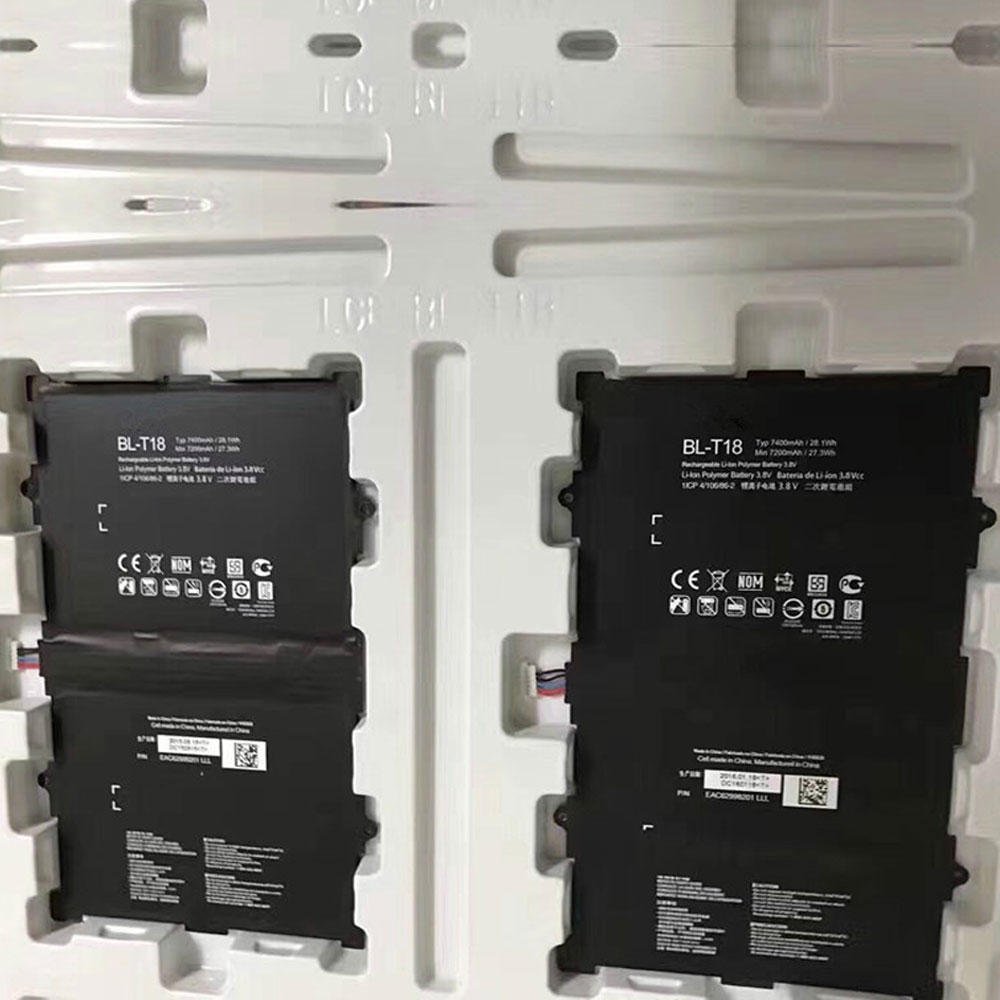
4614MAH 15.4V Asus C42N1839 Li-ion Battery for Asus ZenBook 15 UX534FA UX534FT UX563FD Q536FD

4614MAH 15.4V Asus C42N1839 Batteries for Asus ZenBook 15 UX534FA UX534FT UX563FD Q536FD, Asus C42N1839 Laptop battery is a brand new,100% Compatible original and replacement Laptop battery,Purchase wholesale and retail C42N1839 with high quality and low price!

Find ou your original model number or part number(P/N), and move your eyes on the tag of battery

C42N1839

Specifications

  • Brand:Asus
  • Capacity :4614MAH
  • Voltage :15.4V
  • Type :Li-ion
  • Battery Cell Quality: Grade A
  • Descriptive: Replacement Battery – 1 Year Warranty
  • Description: Brand New, 1 Year Warranty! 30-Days Money Back! Fast Shipping!

How we test this Asus C42N1839 Battery
Step 1: Make sure customer bought the correct battery.
Step 2: Check battery’s appearance and interface.
Step 3: Test battery charger and recharger function.
Step 4: Charger the battery to 100% and recharger to 0% to get real battery capacity
Step 5: Use Ev2300 to check the voltage difference of each goroup cells.
Step 6: Charger battery power more than 30%.
Step 7: Package battery carefully and send out

Compatible Part Numbers:
C42N1839

Compatible Model Numbers:
Asus ZenBook 15 UX534FA UX534FT UX563FD Q536FD

How much do you know about how to run laptop well as any place? The follow Tips cut way back on protecting battery life.


1). Please recharge or change your Laptop battery when battery power low.
2). Using Li-Ion Replacement Asus C42N1839 Laptop Battery for your notebook which can work longer time than Non Li-ion one.
3). It is better to defragmentation regularly for your Laptop battery life.
4). In order to reduce the laptop power consumpition, you can use some optical drive spin-down and hard drive in your Laptop .
5). Please keep your laptop in sleep or standby model without long time using, which both save the Replacement Asus C42N1839 Laptop Battery power and extend battery using life.
6). Leave your battery in a dry and cool condition when without using.
7). When you rarely or generally plugged in fixed power using, Please take down your battery to avoid hurting battery life.

Hot Products

60Wh HP Ba06xl for Hp Elitebook Folio 9470m Ultra62Wh/5500mAh CLEVO PB50BAT-6 for Clevo PB71EF-G PowerSpec 152068WH DELL MV07R for Dell G5 5000 5590 5500 55053000mah/11.5wh ASUS C11P1501 for ASUS ZE500CL ZE551KL ZE6014850mAh 18.43WH AMAZON 58-000313 for Amazon 26S1021200MAH/0.77Wh SAMSUNG EB-BR365FBE for Samsung Gear Fit 2 Pro Sports94Wh LENOVO 45N1016 for Lenovo ThinkPad T410 T420 T4304910mAh/19.00WH VIVO B-O5 for VIVO y20640MAh/70Wh PANASONIC CF-VZSU80U for Panasonic CF-C2 MK1 Toughbook7200mAh DELL PC764 for Dell Latitude D620 D630 Preci

3900mAh 15.02WH 3.85V 4.4V Huawei HB466483EEW Li-ion Battery for Huawei Nova 7

3900mAh 15.02WH 3.85V 4.4V Huawei HB466483EEW Batteries for Huawei Nova 7, Huawei HB466483EEW Cell Phone battery is a brand new,100% Compatible original and replacement Phone battery,Purchase wholesale and retail HB466483EEW with high quality and low price!

Find ou your original model number or part number(P/N), and move your eyes on the tag of battery

HB466483EEW

Specifications

  • Brand:Huawei
  • Capacity :3900mAh 15.02WH
  • Voltage :3.85V 4.4V
  • Type :Li-ion
  • Battery Cell Quality: Grade A
  • Descriptive: Replacement Battery – 1 Year Warranty
  • Description: Brand New, 1 Year Warranty! 30-Days Money Back! Fast Shipping!

How we test this Huawei HB466483EEW Battery
Step 1: Make sure customer bought the correct battery.
Step 2: Check battery’s appearance and interface.
Step 3: Test battery charger and recharger function.
Step 4: Charger the battery to 100% and recharger to 0% to get real battery capacity
Step 5: Use Ev2300 to check the voltage difference of each goroup cells.
Step 6: Charger battery power more than 30%.
Step 7: Package battery carefully and send out

Compatible Part Numbers:
HB466483EEW

Compatible Model Numbers:
Huawei Nova 7

How much do you know about how to run laptop well as any place? The follow Tips cut way back on protecting battery life.


1). Please recharge or change your Cell Phone battery when battery power low.
2). Using Li-Ion Replacement Huawei HB466483EEW Cell Phone Battery for your notebook which can work longer time than Non Li-ion one.
3). It is better to defragmentation regularly for your Cell Phone battery life.
4). In order to reduce the laptop power consumpition, you can use some optical drive spin-down and hard drive in your Cell Phone .
5). Please keep your laptop in sleep or standby model without long time using, which both save the Replacement Huawei HB466483EEW Cell Phone Battery power and extend battery using life.
6). Leave your battery in a dry and cool condition when without using.
7). When you rarely or generally plugged in fixed power using, Please take down your battery to avoid hurting battery life.

Hot Products

60Wh HP Ba06xl for Hp Elitebook Folio 9470m Ultra62Wh/5500mAh CLEVO PB50BAT-6 for Clevo PB71EF-G PowerSpec 152068WH DELL MV07R for Dell G5 5000 5590 5500 55053000mah/11.5wh ASUS C11P1501 for ASUS ZE500CL ZE551KL ZE6014850mAh 18.43WH AMAZON 58-000313 for Amazon 26S1021200MAH/0.77Wh SAMSUNG EB-BR365FBE for Samsung Gear Fit 2 Pro Sports94Wh LENOVO 45N1016 for Lenovo ThinkPad T410 T420 T4304910mAh/19.00WH VIVO B-O5 for VIVO y20640MAh/70Wh PANASONIC CF-VZSU80U for Panasonic CF-C2 MK1 Toughbook7200mAh DELL PC764 for Dell Latitude D620 D630 Preci