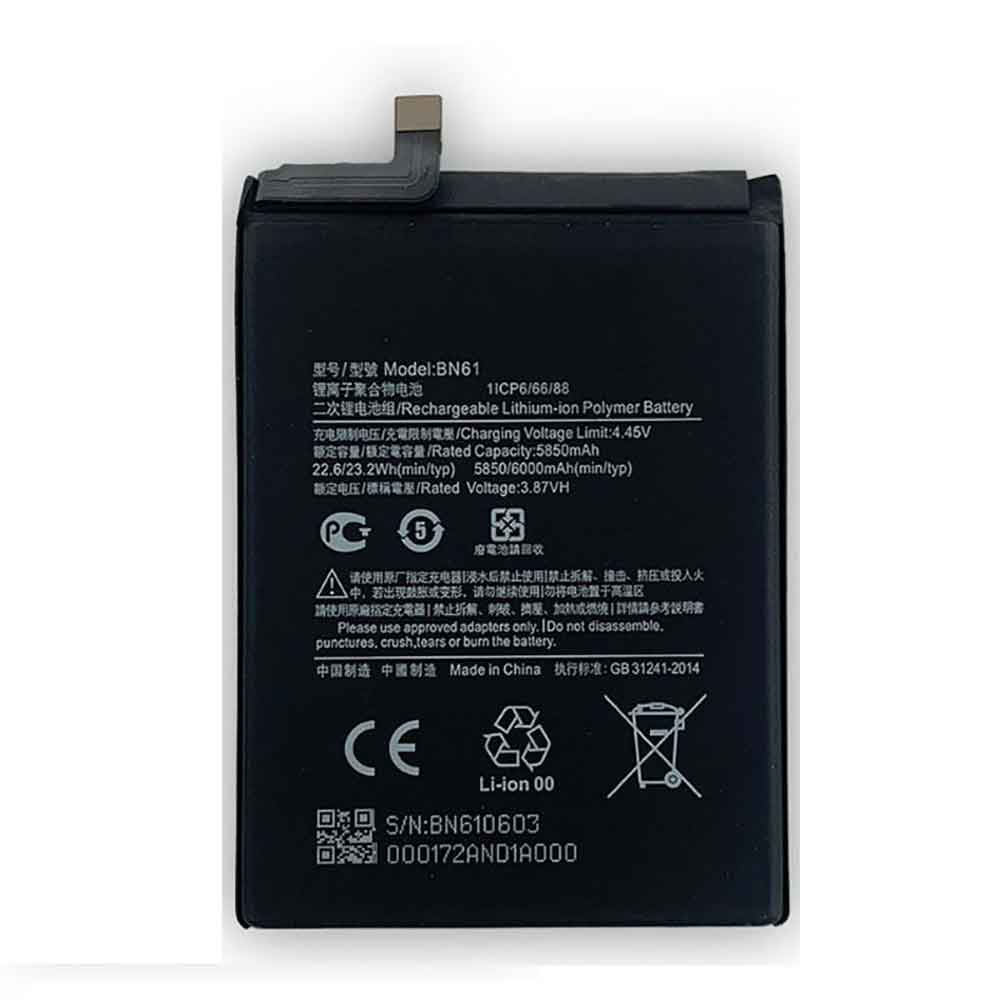
6000mAh 3.87V Xiaomi BN61 Li-ion Battery for Xiaomi Poco X3

6000mAh 3.87V Xiaomi BN61 Batteries for Xiaomi Poco X3, Xiaomi BN61 Cell Phone battery is a brand new,100% Compatible original and replacement Phone battery,Purchase wholesale and retail BN61 with high quality and low price!

Find ou your original model number or part number(P/N), and move your eyes on the tag of battery
BN61

Specifications

  • Brand:Xiaomi
  • Capacity :6000mAh
  • Voltage :3.87V
  • Type :Li-ion
  • Battery Cell Quality: Grade A
  • Descriptive: Replacement Battery – 1 Year Warranty
  • Description: Brand New, 1 Year Warranty! 30-Days Money Back! Fast Shipping!

How we test this Xiaomi BN61 Battery
Step 1: Make sure customer bought the correct battery.
Step 2: Check battery’s appearance and interface.
Step 3: Test battery charger and recharger function.
Step 4: Charger the battery to 100% and recharger to 0% to get real battery capacity
Step 5: Use Ev2300 to check the voltage difference of each goroup cells.
Step 6: Charger battery power more than 30%.
Step 7: Package battery carefully and send out

Compatible Part Numbers:
BN61

Compatible Model Numbers:
Xiaomi Poco X3

How much do you know about how to run laptop well as any place? The follow Tips cut way back on protecting battery life.


1). Please recharge or change your Cell Phone battery when battery power low.
2). Using Li-Ion Replacement Xiaomi BN61 Cell Phone Battery for your notebook which can work longer time than Non Li-ion one.
3). It is better to defragmentation regularly for your Cell Phone battery life.
4). In order to reduce the laptop power consumpition, you can use some optical drive spin-down and hard drive in your Cell Phone .
5). Please keep your laptop in sleep or standby model without long time using, which both save the Replacement Xiaomi BN61 Cell Phone Battery power and extend battery using life.
6). Leave your battery in a dry and cool condition when without using.
7). When you rarely or generally plugged in fixed power using, Please take down your battery to avoid hurting battery life.

Hot Products

830mAh PARROT Zik2.0 for Parrot Zik 2.0,Parrot Zik 38100mAh GETAC 44184400099 for Getac B300 B300X BP3S3P2900(P)2000mAh 44Wh GTECH 109A0015 for Gtech ATF300 6ICR19/66 Vacuum38Wh ASUS C21N1421 for ASUS Transformer Book T300CHI6600mAh MEDION BP-DRAGON-GT(P) for Medion MAM2100 MIM2300 Akoya E1250mAh/4.625WH LEAGOO BT-4001 for Leagoo BT-400147WH TOSHIBA PA3928U-1BRS for TOSHIBA Qosmio X770 3D X772000mAh/7.6WH MOTOROLA JE30 for Motorola E5 play go1680mAh/6.21WH SONIM BAT-04900-01S for Sonim XP8 XP88005000mAh/19.25Wh CAT APP00223 for Cat S41 phone
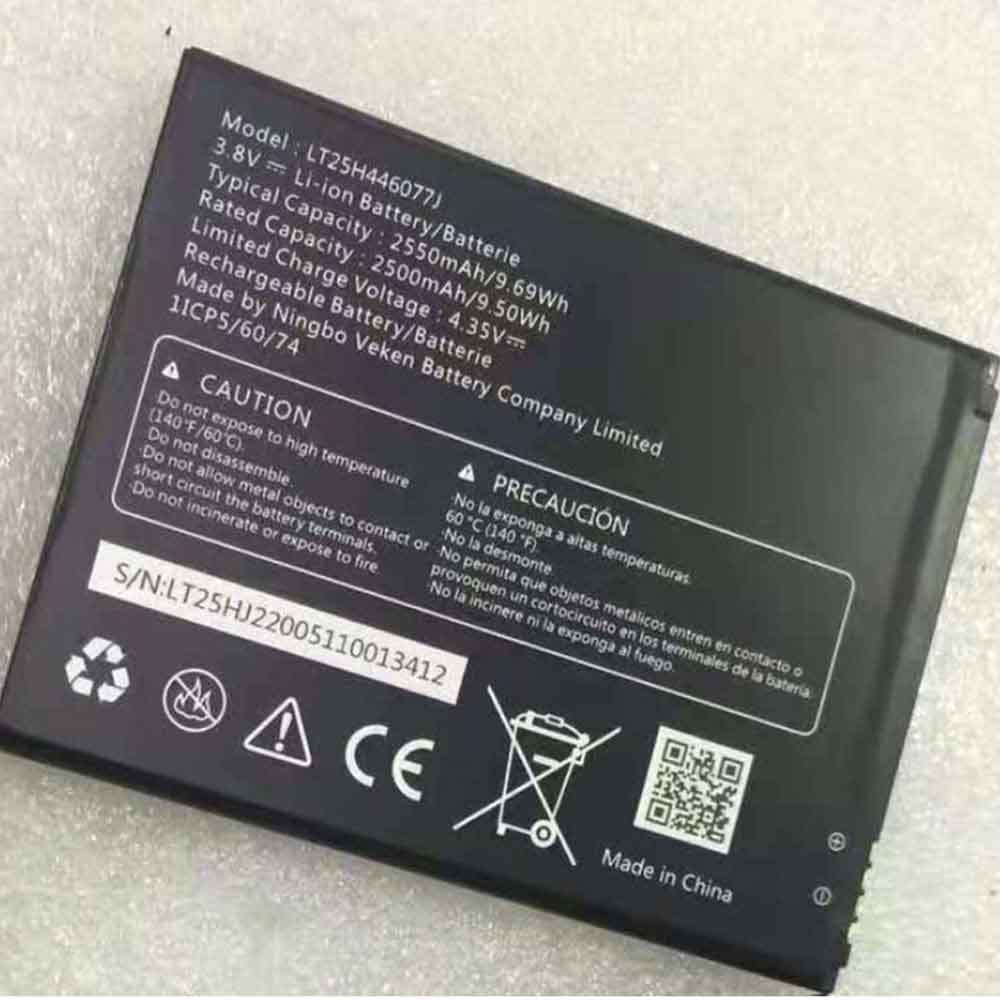
2250mAh 3.8V Wiko LT25H446077J Li-ion Battery for Wiko Ride 2 U520AS

2250mAh 3.8V Wiko LT25H446077J Batteries for Wiko Ride 2 U520AS, Wiko LT25H446077J Cell Phone battery is a brand new,100% Compatible original and replacement Phone battery,Purchase wholesale and retail LT25H446077J with high quality and low price!

Find ou your original model number or part number(P/N), and move your eyes on the tag of battery

LT25H446077J

Specifications

  • Brand:Wiko
  • Capacity :2250mAh
  • Voltage :3.8V
  • Type :Li-ion
  • Battery Cell Quality: Grade A
  • Descriptive: Replacement Battery – 1 Year Warranty
  • Description: Brand New, 1 Year Warranty! 30-Days Money Back! Fast Shipping!

How we test this Wiko LT25H446077J Battery
Step 1: Make sure customer bought the correct battery.
Step 2: Check battery’s appearance and interface.
Step 3: Test battery charger and recharger function.
Step 4: Charger the battery to 100% and recharger to 0% to get real battery capacity
Step 5: Use Ev2300 to check the voltage difference of each goroup cells.
Step 6: Charger battery power more than 30%.
Step 7: Package battery carefully and send out

Compatible Part Numbers:
LT25H446077J

Compatible Model Numbers:
Wiko Ride 2 U520AS

How much do you know about how to run laptop well as any place? The follow Tips cut way back on protecting battery life.


1). Please recharge or change your Cell Phone battery when battery power low.
2). Using Li-Ion Replacement Wiko LT25H446077J Cell Phone Battery for your notebook which can work longer time than Non Li-ion one.
3). It is better to defragmentation regularly for your Cell Phone battery life.
4). In order to reduce the laptop power consumpition, you can use some optical drive spin-down and hard drive in your Cell Phone .
5). Please keep your laptop in sleep or standby model without long time using, which both save the Replacement Wiko LT25H446077J Cell Phone Battery power and extend battery using life.
6). Leave your battery in a dry and cool condition when without using.
7). When you rarely or generally plugged in fixed power using, Please take down your battery to avoid hurting battery life.

Hot Products

830mAh PARROT Zik2.0 for Parrot Zik 2.0,Parrot Zik 38100mAh GETAC 44184400099 for Getac B300 B300X BP3S3P2900(P)2000mAh 44Wh GTECH 109A0015 for Gtech ATF300 6ICR19/66 Vacuum38Wh ASUS C21N1421 for ASUS Transformer Book T300CHI6600mAh MEDION BP-DRAGON-GT(P) for Medion MAM2100 MIM2300 Akoya E1250mAh/4.625WH LEAGOO BT-4001 for Leagoo BT-400147WH TOSHIBA PA3928U-1BRS for TOSHIBA Qosmio X770 3D X772000mAh/7.6WH MOTOROLA JE30 for Motorola E5 play go1680mAh/6.21WH SONIM BAT-04900-01S for Sonim XP8 XP88005000mAh/19.25Wh CAT APP00223 for Cat S41 phone
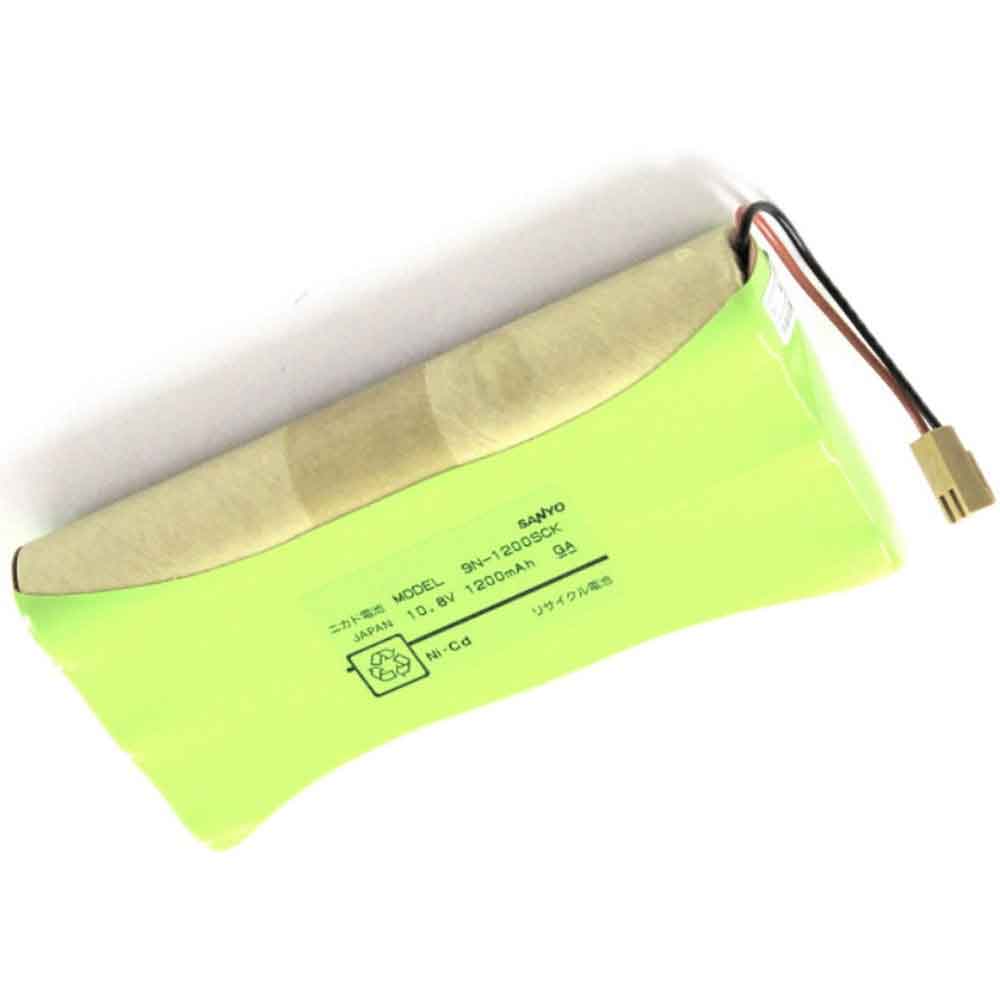
1200mAh 10.8V Jms 9N-1200SCK Li-ion Battery for JMS OT-701 OT-707 OT-601

1200mAh 10.8V Jms 9N-1200SCK Batteries for JMS OT-701 OT-707 OT-601, Jms 9N-1200SCK Other battery is a brand new,100% Compatible original and replacement battery,Purchase wholesale and retail 9N-1200SCK with high quality and low price!

Find ou your original model number or part number(P/N), and move your eyes on the tag of battery

9N-1200SCK

Specifications

  • Brand:JMS
  • Capacity :1200mAh
  • Voltage :10.8V
  • Type :Ni-Cd
  • Battery Cell Quality: Grade A
  • Descriptive: Replacement Battery – 1 Year Warranty
  • Description: Brand New, 1 Year Warranty! 30-Days Money Back! Fast Shipping!

How we test this Jms 9N-1200SCK Battery
Step 1: Make sure customer bought the correct battery.
Step 2: Check battery’s appearance and interface.
Step 3: Test battery charger and recharger function.
Step 4: Charger the battery to 100% and recharger to 0% to get real battery capacity
Step 5: Use Ev2300 to check the voltage difference of each goroup cells.
Step 6: Charger battery power more than 30%.
Step 7: Package battery carefully and send out

Compatible Part Numbers:
9N-1200SCK

Compatible Model Numbers:
JMS OT-701 OT-707 OT-601

How much do you know about how to run laptop well as any place? The follow Tips cut way back on protecting battery life.


1). Please recharge or change your Other battery when battery power low.
2). Using Li-Ion Replacement Jms 9N-1200SCK Other Battery for your notebook which can work longer time than Non Li-ion one.
3). It is better to defragmentation regularly for your Other battery life.
4). In order to reduce the laptop power consumpition, you can use some optical drive spin-down and hard drive in your Other .
5). Please keep your laptop in sleep or standby model without long time using, which both save the Replacement Jms 9N-1200SCK Other Battery power and extend battery using life.
6). Leave your battery in a dry and cool condition when without using.
7). When you rarely or generally plugged in fixed power using, Please take down your battery to avoid hurting battery life.

Hot Products

830mAh PARROT Zik2.0 for Parrot Zik 2.0,Parrot Zik 38100mAh GETAC 44184400099 for Getac B300 B300X BP3S3P2900(P)2000mAh 44Wh GTECH 109A0015 for Gtech ATF300 6ICR19/66 Vacuum38Wh ASUS C21N1421 for ASUS Transformer Book T300CHI6600mAh MEDION BP-DRAGON-GT(P) for Medion MAM2100 MIM2300 Akoya E1250mAh/4.625WH LEAGOO BT-4001 for Leagoo BT-400147WH TOSHIBA PA3928U-1BRS for TOSHIBA Qosmio X770 3D X772000mAh/7.6WH MOTOROLA JE30 for Motorola E5 play go1680mAh/6.21WH SONIM BAT-04900-01S for Sonim XP8 XP88005000mAh/19.25Wh CAT APP00223 for Cat S41 phone

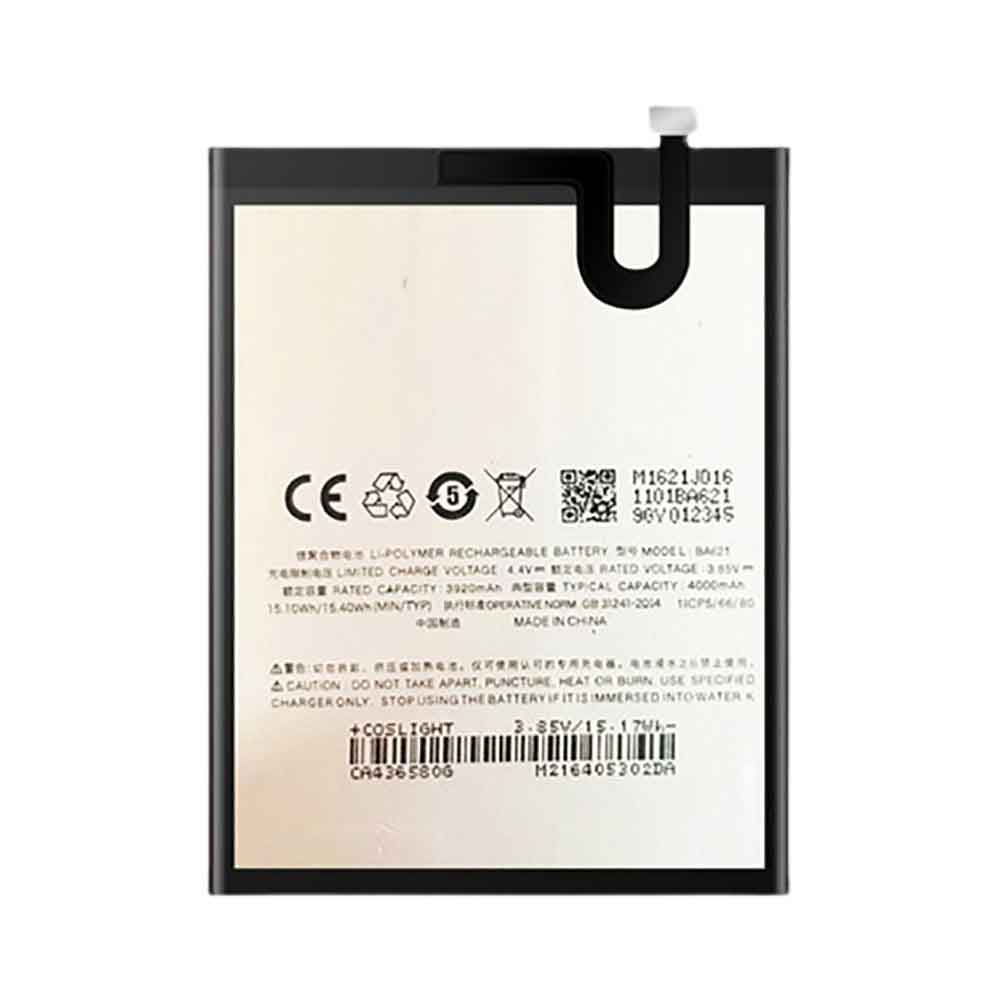
4000mAh 3.85V Meizu BA621 Li-ion Battery for Meizu M5 Note M621Q M621M

4000mAh 3.85V Meizu BA621 Batteries for Meizu M5 Note M621Q M621M, Meizu BA621 Cell Phone battery is a brand new,100% Compatible original and replacement Phone battery,Purchase wholesale and retail BA621 with high quality and low price!

Find ou your original model number or part number(P/N), and move your eyes on the tag of battery

BA621

Specifications

  • Brand:Meizu
  • Capacity :4000mAh
  • Voltage :3.85V
  • Type :Li-ion
  • Battery Cell Quality: Grade A
  • Descriptive: Replacement Battery – 1 Year Warranty
  • Description: Brand New, 1 Year Warranty! 30-Days Money Back! Fast Shipping!

How we test this Meizu BA621 Battery
Step 1: Make sure customer bought the correct battery.
Step 2: Check battery’s appearance and interface.
Step 3: Test battery charger and recharger function.
Step 4: Charger the battery to 100% and recharger to 0% to get real battery capacity
Step 5: Use Ev2300 to check the voltage difference of each goroup cells.
Step 6: Charger battery power more than 30%.
Step 7: Package battery carefully and send out

Compatible Part Numbers:
BA621

Compatible Model Numbers:
Meizu M5 Note M621Q M621M

How much do you know about how to run laptop well as any place? The follow Tips cut way back on protecting battery life.


1). Please recharge or change your Cell Phone battery when battery power low.
2). Using Li-Ion Replacement Meizu BA621 Cell Phone Battery for your notebook which can work longer time than Non Li-ion one.
3). It is better to defragmentation regularly for your Cell Phone battery life.
4). In order to reduce the laptop power consumpition, you can use some optical drive spin-down and hard drive in your Cell Phone .
5). Please keep your laptop in sleep or standby model without long time using, which both save the Replacement Meizu BA621 Cell Phone Battery power and extend battery using life.
6). Leave your battery in a dry and cool condition when without using.
7). When you rarely or generally plugged in fixed power using, Please take down your battery to avoid hurting battery life.

Hot Products

830mAh PARROT Zik2.0 for Parrot Zik 2.0,Parrot Zik 38100mAh GETAC 44184400099 for Getac B300 B300X BP3S3P2900(P)2000mAh 44Wh GTECH 109A0015 for Gtech ATF300 6ICR19/66 Vacuum38Wh ASUS C21N1421 for ASUS Transformer Book T300CHI6600mAh MEDION BP-DRAGON-GT(P) for Medion MAM2100 MIM2300 Akoya E1250mAh/4.625WH LEAGOO BT-4001 for Leagoo BT-400147WH TOSHIBA PA3928U-1BRS for TOSHIBA Qosmio X770 3D X772000mAh/7.6WH MOTOROLA JE30 for Motorola E5 play go1680mAh/6.21WH SONIM BAT-04900-01S for Sonim XP8 XP88005000mAh/19.25Wh CAT APP00223 for Cat S41 phone
Switching your iPhone to Android? Here’s an easy way to transfer data

 If you’ve made the leap from an iPhone to an Android phone, you’ll find yourself with a long to-do list. Whether you’re transitioning to Google’s Pixel 6 or a new Samsung phone like the upcoming Galaxy Z Flip 4, switching operating systems can quickly become a hassle if you don’t know the most efficient way to move your data.

The secret to the easy transfer process is the tiny plastic adapters that Google and Samsung include in the box. The adapter has a USB-A connector on one end and a USB-C connector on the other end, allowing you to connect your new phone to your old iPhone. You can also use a USB-C to Lighting cable for newer phones like the iPhone 11. Using the adapter, you can transfer photos, videos, files, music and wallpapers. Let’s take a look at the specific operation together!

Switch from iPhone to Google Pixel phone

If you’re specifically switching from an iPhone to a Google Pixel, the first thing you’ll want to do is charge both phones. Next, you’ll turn off iMessage on all Apple devices—anything that uses your AppleID. Go to Settings, then Messages, then turn off iMessage.

If your new Pixel came with a SIM card, install it, turn on your phone and hit the start button. Next, connect to a Wi-Fi network and select Copy your data. Now unlock your old iPhone and put your lighting power cord in the bottom. Then, plug the other end into what Google calls the Quick Switch Adapter (QSA). Finally, insert the QSA into the Pixel. You can also use a USB-C to Lighting cable.

When prompted, tap Trust on iPhone. Then sign in to your Google Account on the Pixel. Next, select what you want to copy and click Copy. While the transfer occurs, you can continue to set up your phone, such as adding a PIN or setting up the Google Assistant and Google Pay. Once the transfer is complete, you’re done. Check to make sure everything you want to migrate is actually implemented and enjoy your new Google life.

Switch from iPhone to Samsung Galaxy phone

If you have a new Samsung Galaxy phone, it also comes with an adapter, but you can also move data over Wi-Fi. I recommend using an adapter as it is faster. You can also connect the two with a USB-C to Lighting cable. Just like with Pixel transfers, the first thing you need to do is make sure both phones are charged and turn off iMessage on your iPhone.

Unlike the Pixel, however, you can choose to set up your Galaxy phone as a new phone and then transfer the data, which means you can start using the phone right away without waiting. To start the transfer, open the Smart Switch app on your Samsung phone. Your phone may take a minute to download the app.

After turning it on, you may be prompted to send or receive data. Click Receive. Then, choose how you want to transfer: Wi-Fi or cable. Next, connect the two phones with the adapter and the iPhone’s Lightning cable – if you’re streaming over Wi-Fi, you don’t need to connect the phone to the cable.

On an iPhone, tap Trust, and on a Samsung phone, you’ll see a message pop up saying Connecting to your iPhone. If your iPhone was backed up with encryption, you might be prompted for a passcode. It should be your Apple ID password.

Next, your Samsung phone will scan your iPhone for data. This can take a few minutes and then you can choose exactly what type of data to bring in. Then, click the transfer arrow. Once done, browse your new Samsung phone and check your data. If you can’t find your photos and videos in the Gallery app, check out the Google Photos app.

>>>>>>>>>>>>>Phone battery

Thanks for reading, hope it helps!

Friendly reminder: If you need to replace the battery, this battery store will be a good choice: www.batteryforpc.co.uk

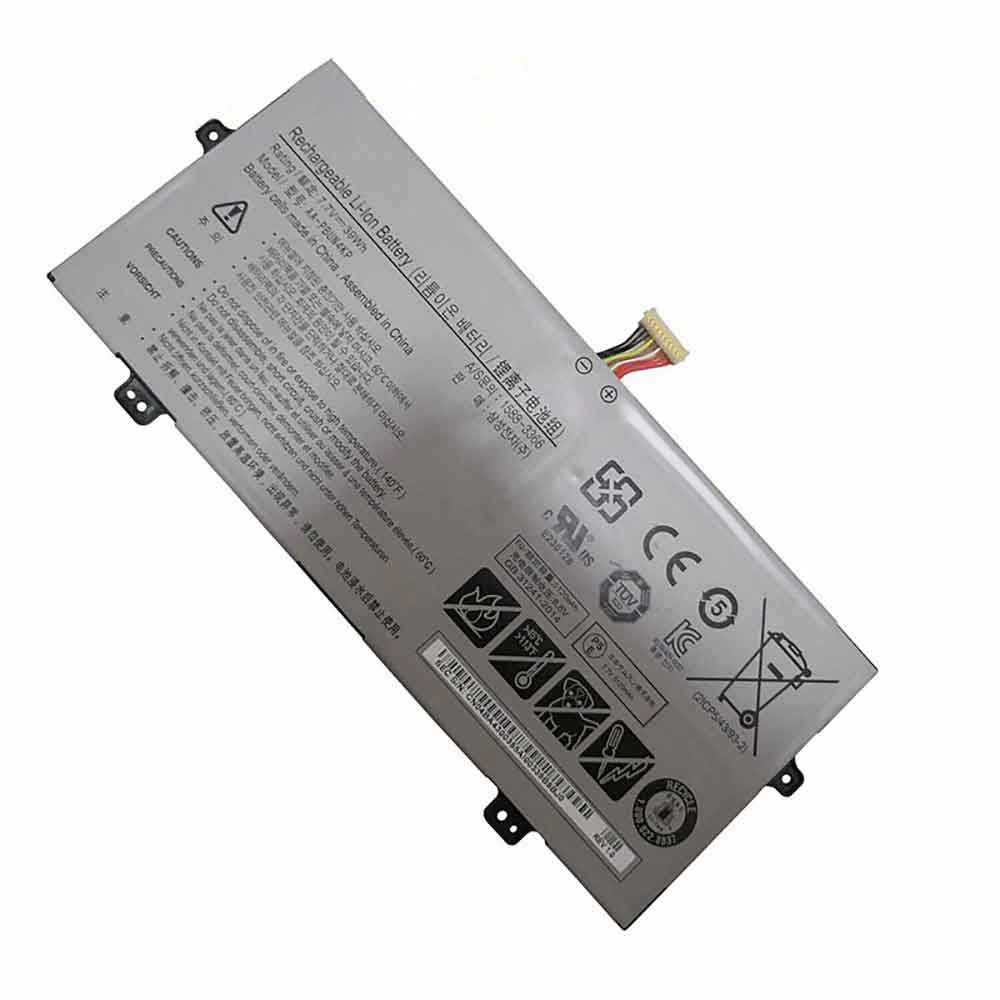
5120mAh 7.7V Samsung AA-PBUN4KP Li-ion Battery for Samsung NP930QAA NT930QBE NT930QBV

5120mAh 7.7V Samsung AA-PBUN4KP Batteries for Samsung NP930QAA NT930QBE NT930QBV, Samsung AA-PBUN4KP Cell Phone battery is a brand new,100% Compatible original and replacement Phone battery,Purchase wholesale and retail AA-PBUN4KP with high quality and low price!

Find ou your original model number or part number(P/N), and move your eyes on the tag of battery

AA-PBUN4KP

Specifications

  • Brand:Samsung
  • Capacity :5120mAh
  • Voltage :7.7V
  • Type :Li-ion
  • Battery Cell Quality: Grade A
  • Descriptive: Replacement Battery – 1 Year Warranty
  • Description: Brand New, 1 Year Warranty! 30-Days Money Back! Fast Shipping!

How we test this Samsung AA-PBUN4KP Battery
Step 1: Make sure customer bought the correct battery.
Step 2: Check battery’s appearance and interface.
Step 3: Test battery charger and recharger function.
Step 4: Charger the battery to 100% and recharger to 0% to get real battery capacity
Step 5: Use Ev2300 to check the voltage difference of each goroup cells.
Step 6: Charger battery power more than 30%.
Step 7: Package battery carefully and send out

Compatible Part Numbers:
AA-PBUN4KP

Compatible Model Numbers:
Samsung NT930QAA-K310, NT930QBE-K38W, NP930QAA-K04, NT930QAA-K39W, NT930QAA, NP930QAA-K01US, NT930QAA-K501K, NT930QBE-K28, 930QAA-K716, NT930QAA-K39, NT930QAA-X716, NP930QAA-K02HK, NT930QAA-K58WA, NT930QBV-A58A, NT930QAA-K38W, NT930QBE, NP930QAA-K01CN, NT930QAA-K501B, NT930QBV-A28A, NT930QAA-K28WA, NT930QAA-K38A, NT930QBE-K58M, NT930QAA-K310W, NT930QAA-K716, NT930QBV-A38A, NT930QAA-K58A, NT930QBE-K78, NP930QAA-K04HK, NT930QAA-K38M, NT930QAA-X58, NP930QAA-U02HK, NT930QAA-K58W, NT930QBV, 930QAA-K01, NT930QAA-K38WA, NT930QAA-KIBK, NP930QAA-K01HK, NT930QAA-K58, NT930QBV-A716A, NT930QAA-K28, NT930QAA-K30A, NT930QBE-K38, NT930QAA-K28A, NT930QAA-K716A, NT930QBV-A58M, Notebook 9 Pen NP930QAA, NP930QAA Series

How much do you know about how to run laptop well as any place? The follow Tips cut way back on protecting battery life.


1). Please recharge or change your Cell Phone battery when battery power low.
2). Using Li-Ion Replacement Samsung AA-PBUN4KP Cell Phone Battery for your notebook which can work longer time than Non Li-ion one.
3). It is better to defragmentation regularly for your Cell Phone battery life.
4). In order to reduce the laptop power consumpition, you can use some optical drive spin-down and hard drive in your Cell Phone .
5). Please keep your laptop in sleep or standby model without long time using, which both save the Replacement Samsung AA-PBUN4KP Cell Phone Battery power and extend battery using life.
6). Leave your battery in a dry and cool condition when without using.
7). When you rarely or generally plugged in fixed power using, Please take down your battery to avoid hurting battery life.

Hot Products

8100mAh GETAC 44184400099 for Getac B300 B300X BP3S3P2900(P)2000mAh 44Wh GTECH 109A0015 for Gtech ATF300 6ICR19/66 Vacuum38Wh ASUS C21N1421 for ASUS Transformer Book T300CHI6600mAh MEDION BP-DRAGON-GT(P) for Medion MAM2100 MIM2300 Akoya E1250mAh/4.625WH LEAGOO BT-4001 for Leagoo BT-400147WH TOSHIBA PA3928U-1BRS for TOSHIBA Qosmio X770 3D X772000mAh/7.6WH MOTOROLA JE30 for Motorola E5 play go1680mAh/6.21WH SONIM BAT-04900-01S for Sonim XP8 XP88005000mAh/19.25Wh CAT APP00223 for Cat S41 phone2400mAh MOTOROLA 82-150612-01 for Motorola Symbol MC2100 MC2080

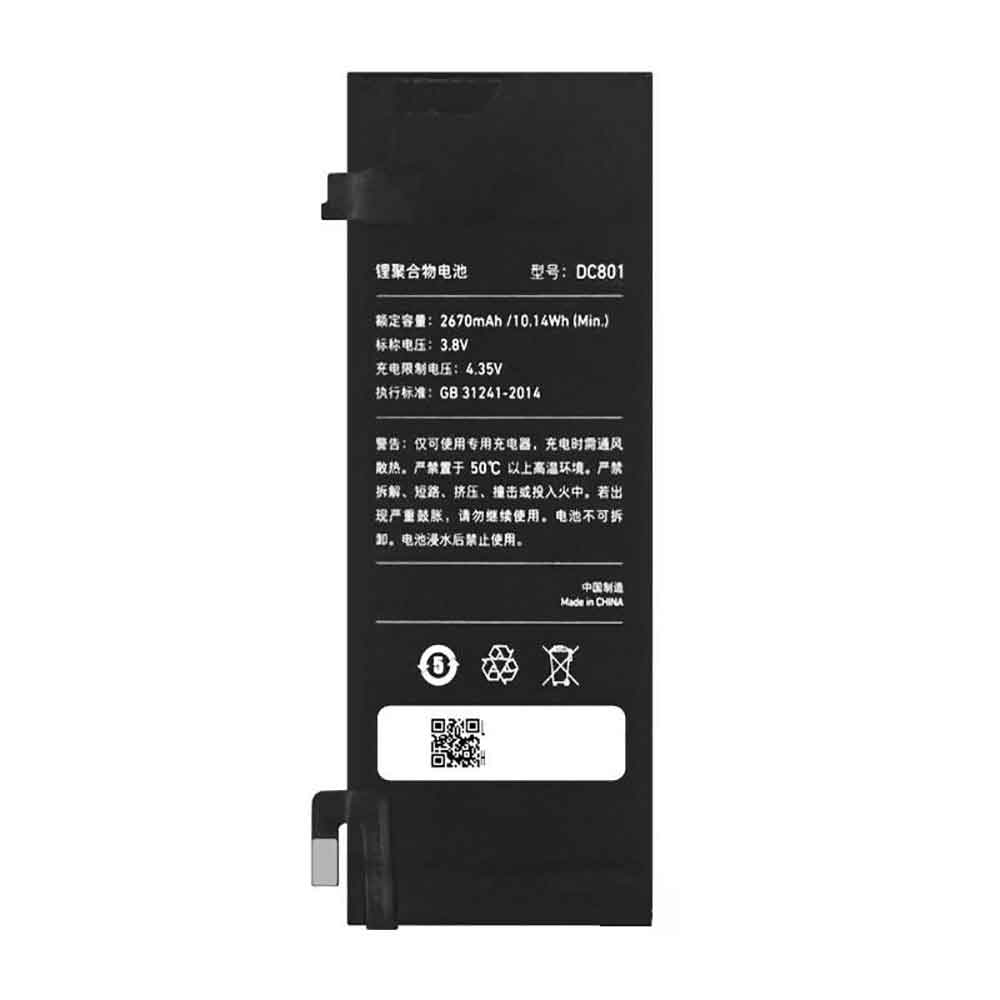
2670mAh 3.8V Smartisan DC801 Li-ion Battery for Smartisan T2 SM801

2670mAh 3.8V Smartisan DC801 Batteries for Smartisan T2 SM801, Smartisan DC801 Cell Phone battery is a brand new,100% Compatible original and replacement Phone battery,Purchase wholesale and retail DC801 with high quality and low price!

Find ou your original model number or part number(P/N), and move your eyes on the tag of battery

DC801

Specifications

  • Brand:Smartisan
  • Capacity :2670mAh
  • Voltage :3.8V
  • Type :Li-ion
  • Battery Cell Quality: Grade A
  • Descriptive: Replacement Battery – 1 Year Warranty
  • Description: Brand New, 1 Year Warranty! 30-Days Money Back! Fast Shipping!

How we test this Smartisan DC801 Battery
Step 1: Make sure customer bought the correct battery.
Step 2: Check battery’s appearance and interface.
Step 3: Test battery charger and recharger function.
Step 4: Charger the battery to 100% and recharger to 0% to get real battery capacity
Step 5: Use Ev2300 to check the voltage difference of each goroup cells.
Step 6: Charger battery power more than 30%.
Step 7: Package battery carefully and send out

Compatible Part Numbers:
DC801

Compatible Model Numbers:
Smartisan T2 SM801

How much do you know about how to run laptop well as any place? The follow Tips cut way back on protecting battery life.


1). Please recharge or change your Cell Phone battery when battery power low.
2). Using Li-Ion Replacement Smartisan DC801 Cell Phone Battery for your notebook which can work longer time than Non Li-ion one.
3). It is better to defragmentation regularly for your Cell Phone battery life.
4). In order to reduce the laptop power consumpition, you can use some optical drive spin-down and hard drive in your Cell Phone .
5). Please keep your laptop in sleep or standby model without long time using, which both save the Replacement Smartisan DC801 Cell Phone Battery power and extend battery using life.
6). Leave your battery in a dry and cool condition when without using.
7). When you rarely or generally plugged in fixed power using, Please take down your battery to avoid hurting battery life.

Hot Products

8100mAh GETAC 44184400099 for Getac B300 B300X BP3S3P2900(P)2000mAh 44Wh GTECH 109A0015 for Gtech ATF300 6ICR19/66 Vacuum38Wh ASUS C21N1421 for ASUS Transformer Book T300CHI6600mAh MEDION BP-DRAGON-GT(P) for Medion MAM2100 MIM2300 Akoya E1250mAh/4.625WH LEAGOO BT-4001 for Leagoo BT-400147WH TOSHIBA PA3928U-1BRS for TOSHIBA Qosmio X770 3D X772000mAh/7.6WH MOTOROLA JE30 for Motorola E5 play go1680mAh/6.21WH SONIM BAT-04900-01S for Sonim XP8 XP88005000mAh/19.25Wh CAT APP00223 for Cat S41 phone2400mAh MOTOROLA 82-150612-01 for Motorola Symbol MC2100 MC2080

Galaxy Watch 5: How does the Pro model differ from the standard model?

 Samsung announced its new Galaxy Watch 5 series at Unpacked. By now, you probably know that the lineup consists of the base Galaxy Watch 5 and Galaxy Watch 5 Pro. The two smartwatches share the same DNA, but are also different enough to give us a deeper understanding of how they work. So, what are the main differences between the Galaxy Watch 5 and the Galaxy Watch 5 Pro? Let’s take a look below!

For starters, the Galaxy Watch 5 is available in two sizes (40mm and 44mm), while the Galaxy Watch 5 Pro is only available in a 45mm configuration. Aside from the obvious size difference, another noticeable difference is the rotating bezel. None of the Galaxy Watch 5 models have a rotating physical bezel; however, the Galaxy Watch 5 Pro does have a thicker concave (fixed) bezel, which is more of a design element than a feature.

Galaxy Watch 5 vs Watch 5 Pro: Design and build quality

Smartwatches with professional labels use higher quality materials in their construction. While both the Watch 5 and Watch 5 Pro use a sapphire crystal display protection (60% better scratch resistance), only the Galaxy Watch 5 Pro has a titanium body and a D-Buckle wristband.

Galaxy Watch 5 vs Watch 5 Pro: Hardware similarities and differences

Aside from the obvious design differences, the Galaxy Watch 5 and Watch 5 Pro share the same 5nm Exynos W920 chipset, 1.5GB of RAM, and 16GB of storage. They are also running One UI Watch 4.5 based on Wear OS 3.5 at launch.

All Watch 5 variants should perform similarly, but one key difference is that the Galaxy Watch 5 Pro has a larger battery. The Pro model is powered by a 590mAh battery, while the standard 40mm and 44mm Galaxy Watch 5 variants have 284mAh and 410mAh batteries respectively.

The Galaxy Watch 5 Pro offers up to 80 hours of use on a single charge. Battery life on Samsung smartwatches has been a concern since the original Galaxy Watch, but both the Watch 5 and Watch 5 Pro set the bar even higher.

Galaxy Watch 5 Pro gets exclusive health features

Samsung‘s new smartwatch comes with a temperature sensor and better health features, including sleep tracking and sleep coaching with sleep analysis reports, scores, and daily tasks. They also feature heart rate, blood pressure and blood oxygen monitoring, electrocardiogram and snoring detection.

However, the Galaxy Watch 5 Pro gets three Samsung-exclusive health features, including route workouts that support GPX file export and import, turn-by-turn routes for hiking and biking activities, and tracking to reversing routes to your starting point.

>>>>>>>>>>>Samsung watch battery

Samsung Galaxy Watch 5 vs Galaxy Watch 4: Should you upgrade?

 Not only did Samsung announce its flagship phones for late 2022, the Galaxy Z Fold 4 and Z Flip 4, but we also introduced a brand new smartwatch.

Last year’s Galaxy Watch 4 and Watch 4 Classic brought a fundamental shift in Samsung’s wearable strategy, as the company ditched Tizen after partnering with Google on the new Wear OS 3. This gives users access to more apps through the Play Store, while also introducing the company’s new Bioelectric Impedance Analysis (BIA) sensor.

Samsung Galaxy Watch 5 vs Galaxy Watch 4: What’s the Same

As soon as you take a look at the Galaxy Watch 5, it’s clear that Samsung has decided to take a “if it ain’t broke, don’t fix it” approach. Compared to the Galaxy Watch 4, you might even have a hard time telling the two apart.

The Galaxy Watch 5 is available in two different case sizes; 40mm and 44mm, while displaying the same size, 1.19 inches for the former and 1.36 inches for the latter. Even the two generations of smartwatches are the same size, which is great if you’re concerned that Samsung is trying to shake things up with the Watch 5.

Under the hood, things are about the same, as Samsung continues to use its Exynos W920 chip paired with 1.5GB of RAM and 16GB of onboard storage. In terms of navigation, you’ll find two buttons on the right side of the case, while Samsung’s unique digital bezel makes a return for the standard Watch 5 once again. This gives you the ability to scroll, essentially acting as a digital crown without the need for a physical crown.

When it comes to health and fitness tracking, both the Galaxy Watch 5 and Galaxy Watch 4 have many of the same sensors. These include Samsung’s Bio-Impedance Analysis (BIA) sensor, which captures over 2,400 data points, providing the ability to check your body composition directly from your wrist. Then, we have other sensors like built-in ECG and optical heart rate, and the ones found in almost all the best fitness smartwatches for activity and step tracking.

Samsung Galaxy Watch 5 vs Galaxy Watch 4: What’s changed

On the surface, you’d be hard-pressed to notice any physical differences between the Galaxy Watch 5 and Galaxy Watch 4. The most obvious difference is definitely the color options, as Samsung is ditching the green and black options for the Watch 5. Instead, those opting for the 40mm version can choose between Boa Purple, Graphite and Pink Gold. If you choose the larger 44mm model, you can choose from sapphire, silver and graphite.

While the Watch 5 may look and physically identical to the Watch 4, Samsung did make a major upgrade to the display glass in use. Last year’s iteration used Corning Gorilla Glass with DX+, which was designed to be as close to sapphire as possible.

With the Watch 5, Samsung went all out to bring sapphire glass to its latest smartwatch. According to Samsung, the upgrade makes the Watch 5s’ glass about 1.6 times stronger than its predecessor.

The next big difference between these two smartwatches is battery life. Somehow, Samsung managed to fit a bigger battery into the Watch 5, using a 284mAh battery on the 40mm model and a 410mAh battery on the 44mm model.

Fast charging has also been improved, as the Watch 5 is able to reach 45 percent battery life in just 30 minutes. To accompany the new advanced sleep tracking feature, Samsung claims the Galaxy Watch 5 offers 8 hours of sleep tracking on just an 8-minute charge.

Arguably the biggest new feature in the Galaxy Watch 5 lineup is an all-new body temperature sensor. This feature has long been rumored to be coming, and now it’s finally here. While this isn’t a new feature in the smartwatch market, this is the first time we’ve seen a Samsung smartwatch include it. But contrary to other options, Samsung is using an infrared temperature sensor designed to provide more accurate results.

Samsung Galaxy Watch 5 vs Galaxy Watch 4: Should you upgrade?

Not only does the Watch 5 offer an extra 10 hours of battery life, it’s incredible to get 8 hours of sleep tracking on a charge of less than 10 minutes. Unlike Bluetooth 5.0 in the Watch 4, it also includes Bluetooth 5.2 for a more reliable and stable connection to your phone. Also, you will enjoy having a more durable smartwatch thanks to the sapphire crystal glass.

But if you care a little bit about fitness tracking, the Watch 5 knocks it out. Samsung continued to use its excellent BIA sensor, but redesigned the bottom of the watch to provide more reliable readings. And the added skin temperature sensor is just the icing on the cake.

>>>>>>>>>>>>Samsung watch battery

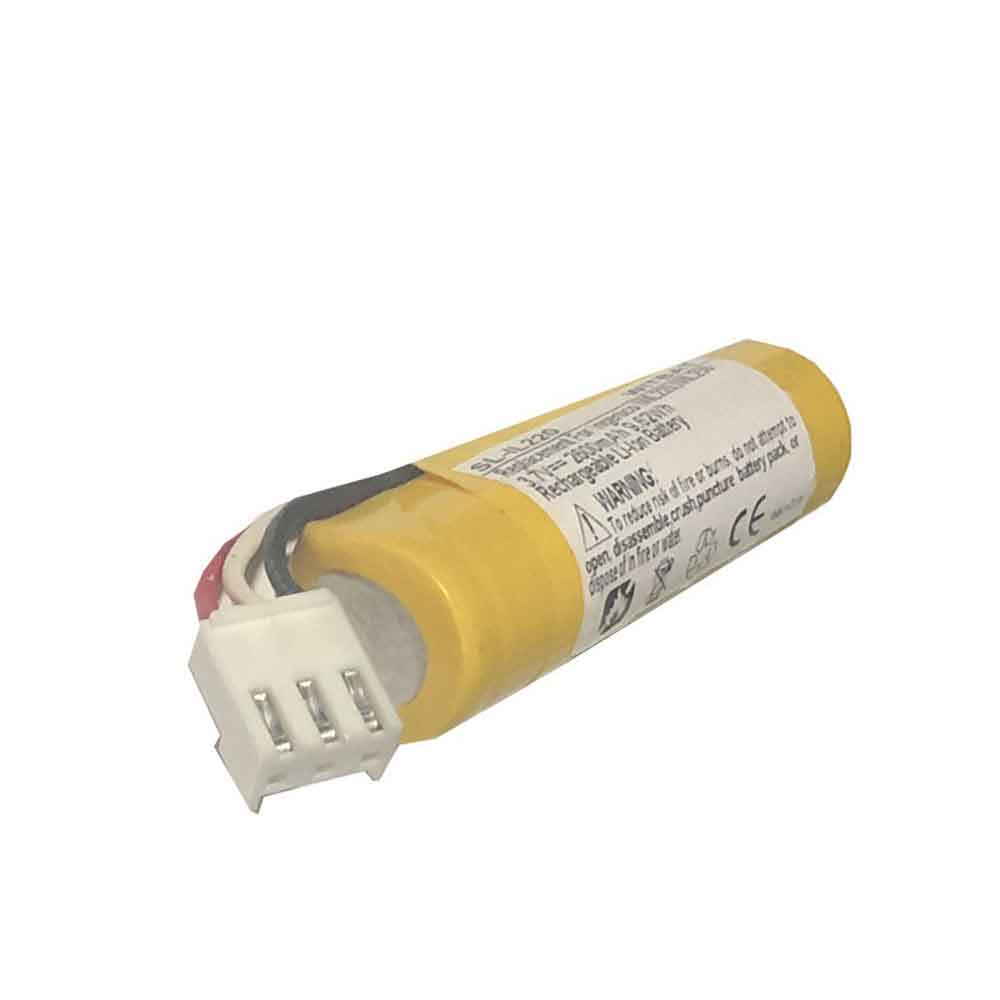
2600mAh 3.7V Ingenico F26401964 Li-ion Battery for Ingenico iWL220 iWL250 POS

2600mAh 3.7V Ingenico F26401964 Batteries for Ingenico iWL220 iWL250 POS, Ingenico F26401964 Other battery is a brand new,100% Compatible original and replacement battery,Purchase wholesale and retail F26401964 with high quality and low price!

Find ou your original model number or part number(P/N), and move your eyes on the tag of battery

F26401964

Specifications

  • Brand:Ingenico
  • Capacity :2600mAh
  • Voltage :3.7V
  • Type :Li-ion
  • Battery Cell Quality: Grade A
  • Descriptive: Replacement Battery – 1 Year Warranty
  • Description: Brand New, 1 Year Warranty! 30-Days Money Back! Fast Shipping!

How we test this Ingenico F26401964 Battery
Step 1: Make sure customer bought the correct battery.
Step 2: Check battery’s appearance and interface.
Step 3: Test battery charger and recharger function.
Step 4: Charger the battery to 100% and recharger to 0% to get real battery capacity
Step 5: Use Ev2300 to check the voltage difference of each goroup cells.
Step 6: Charger battery power more than 30%.
Step 7: Package battery carefully and send out

Compatible Part Numbers:
295006044
F26401964

Compatible Model Numbers:
Ingenico iWL220 iWL250 POS

How much do you know about how to run laptop well as any place? The follow Tips cut way back on protecting battery life.


1). Please recharge or change your Other battery when battery power low.
2). Using Li-Ion Replacement Ingenico F26401964 Other Battery for your notebook which can work longer time than Non Li-ion one.
3). It is better to defragmentation regularly for your Other battery life.
4). In order to reduce the laptop power consumpition, you can use some optical drive spin-down and hard drive in your Other .
5). Please keep your laptop in sleep or standby model without long time using, which both save the Replacement Ingenico F26401964 Other Battery power and extend battery using life.
6). Leave your battery in a dry and cool condition when without using.
7). When you rarely or generally plugged in fixed power using, Please take down your battery to avoid hurting battery life.

Hot Products

8100mAh GETAC 44184400099 for Getac B300 B300X BP3S3P2900(P)2000mAh 44Wh GTECH 109A0015 for Gtech ATF300 6ICR19/66 Vacuum38Wh ASUS C21N1421 for ASUS Transformer Book T300CHI6600mAh MEDION BP-DRAGON-GT(P) for Medion MAM2100 MIM2300 Akoya E1250mAh/4.625WH LEAGOO BT-4001 for Leagoo BT-400147WH TOSHIBA PA3928U-1BRS for TOSHIBA Qosmio X770 3D X772000mAh/7.6WH MOTOROLA JE30 for Motorola E5 play go1680mAh/6.21WH SONIM BAT-04900-01S for Sonim XP8 XP88005000mAh/19.25Wh CAT APP00223 for Cat S41 phone2400mAh MOTOROLA 82-150612-01 for Motorola Symbol MC2100 MC2080