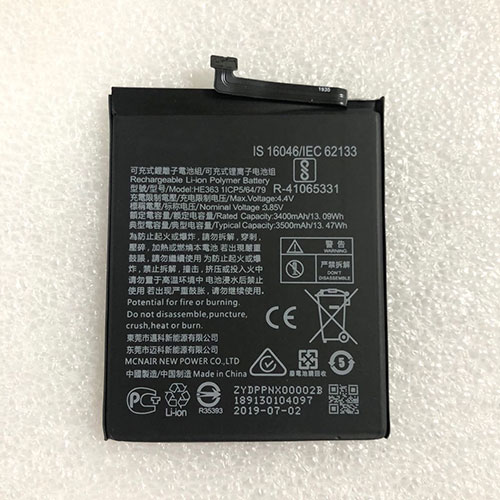
Cheap Pentax 10002 Li-ion Other battery, Brand New 10002 replacement battery for Pentax GPS RTK

2500mAh 7.4V Pentax 10002 Batteries for Pentax GPS RTK, Pentax 10002 Other battery is a brand new,100% Compatible original and replacement Laptop battery,Purchase wholesale and retail 10002 with high quality and low price!

10002 Battery pentax Li-ion 7.4V 2500mAh

10002

Specifications

  • Brand:Pentax
  • Capacity :2500mAh
  • Voltage :7.4V
  • Type :Li-ion
  • Battery Cell Quality: Grade A
  • Descriptive: Replacement Battery – 1 Year Warranty
  • Description: Brand New, 1 Year Warranty! 30-Days Money Back! Fast Shipping!

How we test this Pentax 10002 Battery Li-ion 7.4V 2500mAh

Step 1: Make sure customer bought the correct battery.
Step 2: Check battery’s appearance and interface.
Step 3: Test battery charger and recharger function.
Step 4: Charger the battery to 100% and recharger to 0% to get real battery capacity
Step 5: Use Ev2300 to check the voltage difference of each goroup cells.
Step 6: Charger battery power more than 30%.
Step 7: Package battery carefully and send out

Compatible Part Numbers:

10002

Compatible Model Numbers:

Pentax GPS RTK

How much do you know about how to run laptop well as any place? The follow Tips cut way back on protecting battery life.


1). Please recharge or change your Other battery when battery power low.
2). Using Li-Ion Replacement Pentax 10002 Other Battery for your notebook which can work longer time than Non Li-ion one.
3). It is better to defragmentation regularly for your Other battery life.
4). In order to reduce the laptop power consumpition, you can use some optical drive spin-down and hard drive in your Other .
5). Please keep your laptop in sleep or standby model without long time using, which both save the Replacement Pentax 10002 Other Battery power and extend battery using life.
6). Leave your battery in a dry and cool condition when without using.
7). When you rarely or generally plugged in fixed power using, Please take down your battery to avoid hurting battery life.

Hot Products

16.8V/20V 400mA/2200mAH/32Wh BOSE 300769-003 for Bose Sounddock Portable Digita11.1V/12.4v 2300mah BOSE 404600 for Bose SOUNDLINK I II III15.4V 5209mAh RAZER RC30-0248 for RAZER Blade 15 2018 RZ09-023867.4V 2230mAh/17Wh BOSE 063404 for 0634043.8V 6300mAh/23.94Wh AMAZON 2955C7 for Amazon Kindle Fire HD 10.1 7th3.7V/4.2V 1750MAH/6.5WH AMAZON GP-S10-346392-0100 for AMAZON KINDLE 3 3G WIFI Kindle3.8 V 1300 mAh AMAZON MC-305070 for AMAZON Kindle Voyage7.7V 37Wh/4810mAh ACER AP16M5J for ACER A315-51-51SL N17Q1 SERIES3.8V 2930mAh/11.1Wh NETGEAR W-7 for Netgear AirCard 790S 790SP 8107.4V 2230mAH/17Wh BOSE 061384 for BOSE SOUNDLINK Mini Series

Laptop of the Year: Honor MagicBook 14

There has been some fierce competition for the coveted spot of Tech Advisor’s laptop of the year. But in the end, it came down to the best balance of features and cost – and no device does it better than the Honor MagicBook 14, which comes in at the very affordable price of £549.99.

The original MagicBook 14 was launched at the beginning of the year, and was the company’s first big step into the Western laptop market. Later in the year we also saw a re-released version with some upgraded specs and a few minor tweaks to justify its slightly higher £669 price tag.

Both generations of the laptop feel premium, with a 14in display (though there’s also a 15in model available too), a 1080p IPS LCD screen, and very slim bezels. The exterior aluminium finish both looks and feels high-end, and the device is lightweight enough to be easily portable. The keyboard also features a hidden pop-up webcam, allowing for that extra layer of privacy for users.

Battery life is great on this laptop, lasting an impressive 13 hours of continuous video playback in our internal tests. This means that it will easily handle a full day’s worth of work, and then some, in real day-to-day use.

Performance is just as impressive, as the refreshed MagicBook 14 packs a powerful Ryzen 5 4500U processor, paired with 8GB RAM and 512GB storage. This makes it a great all-round device for work and productivity whilst still being capable of running the odd game or heavy-duty programme such as Adobe software. 

Of course, if you would prefer slightly lighter performance and a cheaper price, you can still opt for the cheaper original version, which has a previous-gen Ryzen 5 3500U processor and 256GB storage. Despite being an older model, it is still a great device that shares most of the same standout features of the updated MagicBook.

If you want to get your hands on the Honor MagicBook 14, here are all the places where you can pick it up from right now:

We also loved…

Whilst the Honor MagicBook 14 was our favourite pick of the year, there are a few other devices that deserve mentioning.

The Pixelbook Go is arguably the best Chromebook on the market right now, complete with a classy and refined design and an easy-to-use Chrome OS interface. However, the higher-end models are on the expensive side.

Apple’s MacBooks have also had a change in the processors, moving from Intel to Apple’s own M1 chip. This switch has boosted the battery life, graphics, speed and performance of both the MacBook Air and MacBook Pro, and could be the biggest shake-up to the laptop industry in years.

Finally, there’s the Huawei MateBook 14, which is essentially a more premium take on Honor’s MagicBook 14. It comes in slightly more expensive, starting at £689 at the time of writing, but for that you’re getting stronger processor options and a slimmer, more premium build.

We’re still announcing the rest of our 2020 award picks, but so far we’ve revealed the best TV, tablet, and audio tech of the year so far, so make sure to check them out.

Xiaomi Mi 10T Pro camera faces serious problems and looks like a hardware issue

While we are waiting for the full review to come out (or maybe check out the existing review of the not-so-different Xiaomi Mi 10T), it would be a good idea to take a closer look at what seems to be one of the major flaws of the Xiaomi Mi 10T Pro. Before moving on, I have to highlight that this is my personal experience with a handset that I purchased and it could be a hardware problem that only affects my unit or a certain batch.

In most cases, mobile phone photography tests involve night shots of various buildings and landscapes, without focusing on shots that involve a single light source. Last night, when I decided to take out my new Mi 10T Pro for some night shots I wasn’t expecting to bump into such serious issues. The video embedded below should say it all, but earlier today I also discovered the presence of the ominous green dot in day shots.

The image embedded at the end of the article should say everything about the daylight impact on the camera problem. To sum it all up, I should point out the following:

The problem surfaces both when shooting videos and still images.

The ultra-wide and macro cameras are not affected by it.

Using the Pro mode does not help much, as long as the camera in use is the main shooter and not one of the two secondaries mentioned above.

The green dot is not the only artifact that I noticed, as you can see in the image above and in the movie (there is that diagonal line in both, although it only shows up briefly in the video).

The video/still image resolution has no noticeable impact on the artifact(s).

To make it all as clear as possible, I will conclude this article by saying that the phone runs the latest MIUI version available (Global 12.0.6 Stable, based on Android 10), the camera assembly looks all right and is perfectly clean, the phone has not been subjected to any shocks, and the usual night shots without powerful light sources come out nice, although some minor artifacts show up sometimes in the average “street at night” photos as well. Am I the only one facing this problem or we should start a club?

Nikon Z6 II review: A sensational second coming

During the spring of 2019 we spent weeks shooting with the Nikon Z6 around South Africa’s wine region and pretty much fell head-over-heels for that superb full-frame camera.

So when Nikon announced its follow-up, the Z6 II, just 18 months after the original debuted, we wondered what more it could bring to the table. The answer is more processing power, for more speed in burst shooting, along with a wider buffer for capturing more shots consecutively, and dual card slots.

Don’t think of the Z6 II as an upgraders camera, then, just think of it as the original enhanced for new buyers. And quite the camera it is too. But with stiff competition, is it the full-frame mirrorless camera you should consider buying?

What’s new?

Dual Expeed processing engine

Dual card slots (1x SD (UHS-II), 1x XQD)

14fps burst mode, buffer to 200 JPEG Fine / 112 Raw

4K 60p capture coming 2021

So the Z6 II – that’s “two”, not “mark two” by any means, we’re told – adds a Dual Expeed processing engine. It’s the first time Nikon has put a dual system into any of its mirrorless cameras, meaning the Z6 II can shoot at up to 14 frames per second (up from 12fps in the original Z6). Not only that, but an increased buffer size means up to 200 JPEG Fine or 112 Raw files.

But one of the biggest changes to the Z6 II is something you can’t see from the outside: beneath the side flap are two card slots, one for XQD, one for SD (UHS-II), meaning the choice is yours when it comes to format – or use both should you want automatic back-ups or a JPEG/Raw split.

In addition the II model features enhanced autofocus – with low-light shooting to -6EV, which is said to be “quarter moonlight” – to further cement its appeal. Although, as we’ll come to, we don’t find the system feels that different in use compared to the original.

Design

Z series mount; FTZ adapter available for F-mount compatibility

Magnesium alloy front, back & top covers; weather sealed

3.6m-dot electronic viewfinder (100% FoV, 0.8x mag)

3.2-inch tilt-angle LCD touchscreen

When it comes to design and aesthetics the Z6 II is a mirror image of its mirrorless original. That means the same Nikon Z series lens mount, bringing super quality potential – it’s a big mount, but not too big, smaller than the Leica one used in the Panasonic S1; while Z lenses aren’t as epic-massive as those in Canon’s EOS R either.

The Z6 II is well built, robust, weather-sealed, it’s got all the buttons and dials in the right places so it’s familiar to use for any Nikon user or newcomer/enthusiast. We particularly like the toggle to the rear that’s ideal for quick adjustments – and it’s positioned well should you be using the camera up to your eye.

As we said of the original Z6, though, there is still one slight change we would make: although the 3.2-inch LCD screen is of ample quality, we’d switch out its tilt-angle mechanism to a full vari-angle one for greater flexibility.

Performance

In-body stabilisation to claimed 5-stops (VR; vibration reduction)

273 phase-detection points, covering 90% of frame

While Canon tends to opt for simple area focus on many of its mirrorless camera models, the Nikon approach is a little more varied and precise. Not only does the Z6 II offer 273 phase-detection autofocus points, encompassing 90 per cent of the frame, you can adjust from auto to wide-area, single-area or pin-point focus.

It’s the pin-point mode that we’ve found really useful, especially in low-light, as with a full-frame sensor at your disposal it’s critical that focus and aperture selection are on point for pin-sharp focus. The automatic modes are still very decent at grabbing hold of a subject and quickly focusing though.

Switch to continuous autofocus and this is where Nikon says the Z6 II has ramped things up compared to its predecessor. It’s apparently more adept at following moving subjects, but we’ve found the difference slight to the point of not really noticing – some more long lenses in testing would be needed for us to really see any difference.

Nonetheless, the system is capable, just not the most accomplished in the market. As we said of the original: we can’t shake off the fact that the Sony A7R III offers some incredible subject tracking from its active focus system – and that system is a couple of years old now.

Another major boon in the Z6 II is the in-body image stabilisation. The larger and more resolute a sensor, the more beneficial image stabilisation is at an image level. Sure, you can’t see the active benefit of stabilisation as you would through a lens-based solution, but having that added assurance that hand-held shots will be extra sharp at even fairly low shutter speeds is a reassurance.

When it comes to burst shooting the Z6 II offers 14fps, upping the ante compared to the original model. The buffer is far more capacious, too, so if you’re shooting Raw files then the capacity is upped a lot – with the original camera we were shooting three dozen in a single burst, but with the second-gen Z6 that’s over the triple-figure mark, making it three times more capable in our hands.

Another obvious benefit of this mirrorless camera is that it can be completely silent – so if you’re shooting, say, golf or trying to be discreet while out on the street then its electronic shutter option is perfect. We used it to shoot hermit grabs on a beach, lighting them with a mobile phone, and once they poked their heads back out of shell the shutter was of no concern – and out they remained!

Image Quality

24.5MP full-frame CMOS sensor (FX format)

ISO 100-51,200 sensitivity

The Nikon Z6 II has exactly the same sensor at its core as the original Z6. Which is to say that it really excels with its image quality.

That’s down to a combination of things: the sensor and image processing are a big part, but the Z mount has already shown off some of the best lenses we’ve ever seen in the consumer photography space.

In addition to the sharpness is the sheer depth that this full-frame sensor offers. That extra size just creates melty blurred backgrounds and pronounced shallow depth of field that can’t be achieved from lesser kit. You’ll need to be hyper critical about focusing, as we said before, but the pay-off is well worth it.

Equally impressive is how the ISO sensitivity holds up. The lowest ISO 100 (which is native – no ‘Low’ setting required) delivers pristine shots with a good amount of dynamic range – although you’ll want to shoot Raw to pull on the shadow and highlights details. Up the sensitivity to ISO 800 and it’s difficult to tell the difference over the base ISO. Impressive.

The higher ISO sensitivities hold a fantastic amount of detail without excessive image noise. You’ll see more grain from ISO 1600 up to ISO 6400, but it gives it a filmic quality, while colour noise increases – but is only marginal.

Push it to ISO 16,000 and it’s less impressive, while the top-end ISO 51,200 isn’t a total write-off, but it’s of really limited use. Even so, check out the ISO 10,000 shot of a bead-made butterfly that we took while on away holiday.

If 24.5-megapixels isn’t quite enough for you then the Z7 II is likely the better path for you to take, with its 45.7-megapixel sensor. It won’t perform quite as well in low-light, mind, nor is it as rapid fire, but that’s the trade-off to consider (oh, and not forgetting the sizeable price bump).

Video specification

4K video capable at 30/25/24fps, Full HD at 120/100/60/50/30/25/24fps

10-bit HDMI clean out (with N Log / HLG)

4K 60p coming February 2021

Nikon has a long history with video capture from its camera. It was the first to put it into a DSLR. But then it largely failed to keep up. The same kind of rings true with the Z6 II: it’s accomplished, capable of capturing 4K footage, but its 60p update won’t be available until some time in 2021. That’s not a problem, per se, but with Sony sailing ahead in this sector it’s hard to ignore.

The Z6 II currently offers 4K capabilities at 30, 25 or 25 frames per second at the time of writing, along with up to 120fps at Full HD (1080p). There’s also 10-bit clean HDMI out and N Log – along with two 3.5mm jacks for headphones and microphone – so it’s well equipped for quality capture, whether casual or on a rig.

Verdict The Nikon Z6 II is, just like the original Z6, a mighty impressive camera. That’s because this full-frame mirrorless brings the benefit of an incredible lens mount, delivering exceptional image quality from the right lenses.

However, the second-gen model doesn’t add a huge amount over the original. Yes, it’s nice to have Dual Expeed processing for faster frame-rate and a larger buffer. Yes, it’s great to have dual card slots this time around. But that’s more-or-less your lot. So don’t think of this camera as an upgrade and that’s just fine.

It’s still not a totally perfect camera though. We’d like to see further continuous autofocus improvements because there’s no denying Sony’s grip in this area. And where’s the proper vari-angle LCD screen?

Overall, the Z6 II is one of the most capable full-frame mirrorless cameras on the market. It’s got the lens mount right, the quality right and, despite strong competition and not being a big upgrade over the original model, it’s just exceptional in so many areas.

It’s barely any different – and image quality is the same – so if you want to save a few hundred and can find it on a deal then go for the first-gen model instead.

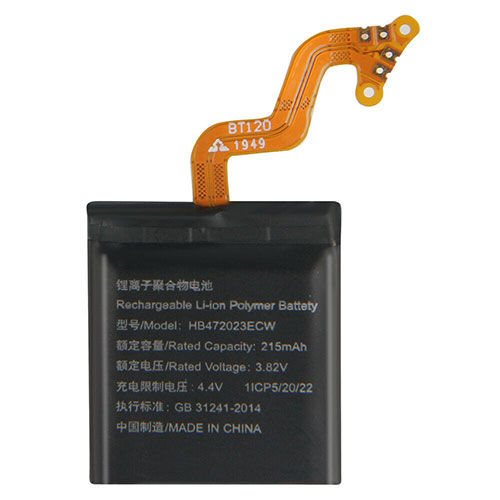
Cheap Huawei HB472023ECW Li-ion Other battery, Brand New HB472023ECW replacement battery for Huawei WATCH GT2 42MM

215mAh 3.82V/4.4V Huawei HB472023ECW Batteries for Huawei WATCH GT2 42MM, Huawei HB472023ECW Other battery is a brand new,100% Compatible original and replacement Laptop battery,Purchase wholesale and retail HB472023ECW with high quality and low price!

HB472023ECW Battery huawei Li-ion 3.82V/4.4V 215mAh

HB472023ECW

Specifications

  • Brand:Huawei
  • Capacity :215mAh
  • Voltage :3.82V/4.4V
  • Type :Li-ion
  • Battery Cell Quality: Grade A
  • Descriptive: Replacement Battery – 1 Year Warranty
  • Description: Brand New, 1 Year Warranty! 30-Days Money Back! Fast Shipping!

How we test this Huawei HB472023ECW Battery Li-ion 3.82V/4.4V 215mAh

Step 1: Make sure customer bought the correct battery.
Step 2: Check battery’s appearance and interface.
Step 3: Test battery charger and recharger function.
Step 4: Charger the battery to 100% and recharger to 0% to get real battery capacity
Step 5: Use Ev2300 to check the voltage difference of each goroup cells.
Step 6: Charger battery power more than 30%.
Step 7: Package battery carefully and send out

Compatible Part Numbers:

HB472023ECW

Compatible Model Numbers:

Huawei WATCH GT2 42MM

How much do you know about how to run laptop well as any place? The follow Tips cut way back on protecting battery life.


1). Please recharge or change your Other battery when battery power low.
2). Using Li-Ion Replacement Huawei HB472023ECW Other Battery for your notebook which can work longer time than Non Li-ion one.
3). It is better to defragmentation regularly for your Other battery life.
4). In order to reduce the laptop power consumpition, you can use some optical drive spin-down and hard drive in your Other .
5). Please keep your laptop in sleep or standby model without long time using, which both save the Replacement Huawei HB472023ECW Other Battery power and extend battery using life.
6). Leave your battery in a dry and cool condition when without using.
7). When you rarely or generally plugged in fixed power using, Please take down your battery to avoid hurting battery life.

Hot Products

16.8V/20V 400mA/2200mAH/32Wh BOSE 300769-003 for Bose Sounddock Portable Digita11.1V/12.4v 2300mah BOSE 404600 for Bose SOUNDLINK I II III15.4V 5209mAh RAZER RC30-0248 for RAZER Blade 15 2018 RZ09-023867.4V 2230mAh/17Wh BOSE 063404 for 0634043.8V 6300mAh/23.94Wh AMAZON 2955C7 for Amazon Kindle Fire HD 10.1 7th3.7V/4.2V 1750MAH/6.5WH AMAZON GP-S10-346392-0100 for AMAZON KINDLE 3 3G WIFI Kindle3.8 V 1300 mAh AMAZON MC-305070 for AMAZON Kindle Voyage7.7V 37Wh/4810mAh ACER AP16M5J for ACER A315-51-51SL N17Q1 SERIES3.8V 2930mAh/11.1Wh NETGEAR W-7 for Netgear AirCard 790S 790SP 8103.85V/4.4V 3080MAH/11.86WH ALCATEL TLp030JC for Alcatel A3 XL 9008j

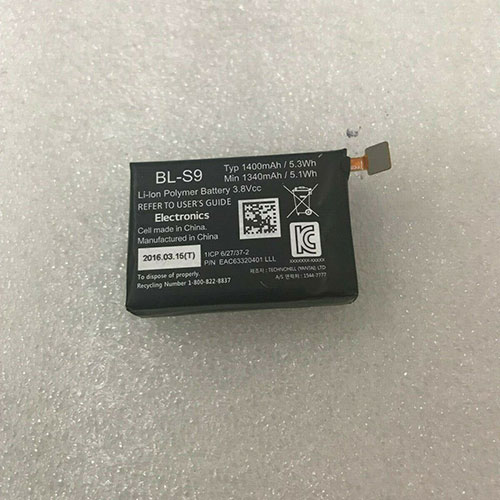
Cheap Lg BL-S9 Li-ion Other battery, Brand New BL-S9 replacement battery for LG Smart Watch

1340mAh/5.1WH 3.8V Lg BL-S9 Batteries for LG Smart Watch, Lg BL-S9 Other battery is a brand new,100% Compatible original and replacement Laptop battery,Purchase wholesale and retail BL-S9 with high quality and low price!

BL-S9 Battery lg Li-ion 3.8V 1340mAh/5.1WH

BL-S9

Specifications

  • Brand:LG
  • Capacity :1340mAh/5.1WH
  • Voltage :3.8V
  • Type :Li-ion
  • Battery Cell Quality: Grade A
  • Descriptive: Replacement Battery – 1 Year Warranty
  • Description: Brand New, 1 Year Warranty! 30-Days Money Back! Fast Shipping!

How we test this Lg BL-S9 Battery Li-ion 3.8V 1340mAh/5.1WH

Step 1: Make sure customer bought the correct battery.
Step 2: Check battery’s appearance and interface.
Step 3: Test battery charger and recharger function.
Step 4: Charger the battery to 100% and recharger to 0% to get real battery capacity
Step 5: Use Ev2300 to check the voltage difference of each goroup cells.
Step 6: Charger battery power more than 30%.
Step 7: Package battery carefully and send out

Compatible Part Numbers:

BL-S9

Compatible Model Numbers:

LG Smart Watch

How much do you know about how to run laptop well as any place? The follow Tips cut way back on protecting battery life.


1). Please recharge or change your Other battery when battery power low.
2). Using Li-Ion Replacement Lg BL-S9 Other Battery for your notebook which can work longer time than Non Li-ion one.
3). It is better to defragmentation regularly for your Other battery life.
4). In order to reduce the laptop power consumpition, you can use some optical drive spin-down and hard drive in your Other .
5). Please keep your laptop in sleep or standby model without long time using, which both save the Replacement Lg BL-S9 Other Battery power and extend battery using life.
6). Leave your battery in a dry and cool condition when without using.
7). When you rarely or generally plugged in fixed power using, Please take down your battery to avoid hurting battery life.

Hot Products

16.8V/20V 400mA/2200mAH/32Wh BOSE 300769-003 for Bose Sounddock Portable Digita11.1V/12.4v 2300mah BOSE 404600 for Bose SOUNDLINK I II III15.4V 5209mAh RAZER RC30-0248 for RAZER Blade 15 2018 RZ09-023867.4V 2230mAh/17Wh BOSE 063404 for 0634043.8V 6300mAh/23.94Wh AMAZON 2955C7 for Amazon Kindle Fire HD 10.1 7th3.7V/4.2V 1750MAH/6.5WH AMAZON GP-S10-346392-0100 for AMAZON KINDLE 3 3G WIFI Kindle3.8 V 1300 mAh AMAZON MC-305070 for AMAZON Kindle Voyage7.7V 37Wh/4810mAh ACER AP16M5J for ACER A315-51-51SL N17Q1 SERIES3.8V 2930mAh/11.1Wh NETGEAR W-7 for Netgear AirCard 790S 790SP 8103.85V/4.4V 3080MAH/11.86WH ALCATEL TLp030JC for Alcatel A3 XL 9008j

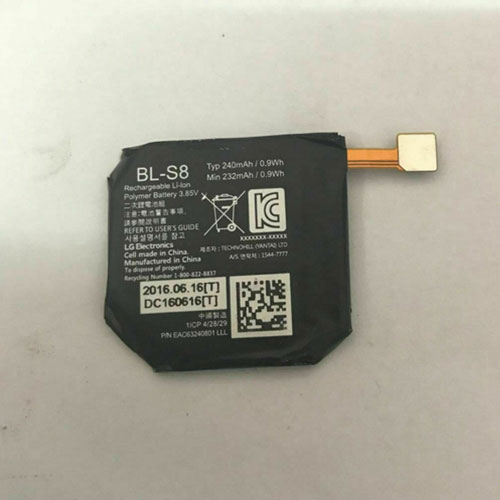
Cheap Lg BL-S8 Li-ion Other battery, Brand New BL-S8 replacement battery for LG Watch Style W270

232mAh/0.9WH 3.85V Lg BL-S8 Batteries for LG Watch Style W270, Lg BL-S8 Other battery is a brand new,100% Compatible original and replacement Laptop battery,Purchase wholesale and retail BL-S8 with high quality and low price!

BL-S8 Battery lg Li-ion 3.85V 232mAh/0.9WH

BL-S8

Specifications

  • Brand:LG
  • Capacity :232mAh/0.9WH
  • Voltage :3.85V
  • Type :Li-ion
  • Battery Cell Quality: Grade A
  • Descriptive: Replacement Battery – 1 Year Warranty
  • Description: Brand New, 1 Year Warranty! 30-Days Money Back! Fast Shipping!

How we test this Lg BL-S8 Battery Li-ion 3.85V 232mAh/0.9WH

Step 1: Make sure customer bought the correct battery.
Step 2: Check battery’s appearance and interface.
Step 3: Test battery charger and recharger function.
Step 4: Charger the battery to 100% and recharger to 0% to get real battery capacity
Step 5: Use Ev2300 to check the voltage difference of each goroup cells.
Step 6: Charger battery power more than 30%.
Step 7: Package battery carefully and send out

Compatible Part Numbers:

BL-S8

Compatible Model Numbers:

LG Watch Style W270

How much do you know about how to run laptop well as any place? The follow Tips cut way back on protecting battery life.


1). Please recharge or change your Other battery when battery power low.
2). Using Li-Ion Replacement Lg BL-S8 Other Battery for your notebook which can work longer time than Non Li-ion one.
3). It is better to defragmentation regularly for your Other battery life.
4). In order to reduce the laptop power consumpition, you can use some optical drive spin-down and hard drive in your Other .
5). Please keep your laptop in sleep or standby model without long time using, which both save the Replacement Lg BL-S8 Other Battery power and extend battery using life.
6). Leave your battery in a dry and cool condition when without using.
7). When you rarely or generally plugged in fixed power using, Please take down your battery to avoid hurting battery life.

Hot Products

16.8V/20V 400mA/2200mAH/32Wh BOSE 300769-003 for Bose Sounddock Portable Digita11.1V/12.4v 2300mah BOSE 404600 for Bose SOUNDLINK I II III15.4V 5209mAh RAZER RC30-0248 for RAZER Blade 15 2018 RZ09-023867.4V 2230mAh/17Wh BOSE 063404 for 0634043.8V 6300mAh/23.94Wh AMAZON 2955C7 for Amazon Kindle Fire HD 10.1 7th3.7V/4.2V 1750MAH/6.5WH AMAZON GP-S10-346392-0100 for AMAZON KINDLE 3 3G WIFI Kindle3.8 V 1300 mAh AMAZON MC-305070 for AMAZON Kindle Voyage7.7V 37Wh/4810mAh ACER AP16M5J for ACER A315-51-51SL N17Q1 SERIES3.8V 2930mAh/11.1Wh NETGEAR W-7 for Netgear AirCard 790S 790SP 8103.85V/4.4V 3080MAH/11.86WH ALCATEL TLp030JC for Alcatel A3 XL 9008j

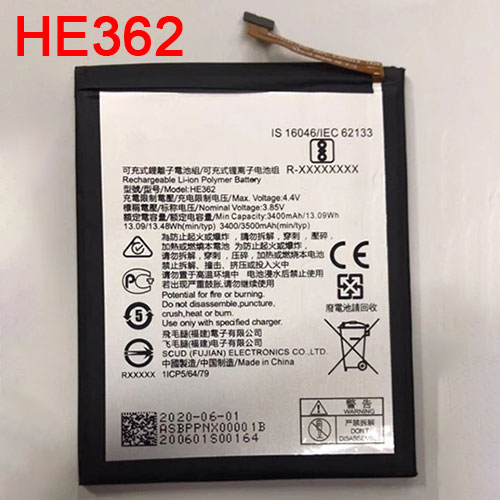
Cheap Nokia HE362 Li-ion Cell Phone battery, Brand New HE362 replacement battery for Nokia X71 cell phone

3400mAh/13.09WH 3.85V/4.4V Nokia HE362 Batteries for Nokia X71 cell phone, Nokia HE362 Cell Phone battery is a brand new,100% Compatible original and replacement Laptop battery,Purchase wholesale and retail HE362 with high quality and low price!

HE362 Battery nokia Li-ion 3.85V/4.4V 3400mAh/13.09WH

HE362

Specifications

  • Brand:Nokia
  • Capacity :3400mAh/13.09WH
  • Voltage :3.85V/4.4V
  • Type :Li-ion
  • Battery Cell Quality: Grade A
  • Descriptive: Replacement Battery – 1 Year Warranty
  • Description: Brand New, 1 Year Warranty! 30-Days Money Back! Fast Shipping!

How we test this Nokia HE362 Battery Li-ion 3.85V/4.4V 3400mAh/13.09WH

Step 1: Make sure customer bought the correct battery.
Step 2: Check battery’s appearance and interface.
Step 3: Test battery charger and recharger function.
Step 4: Charger the battery to 100% and recharger to 0% to get real battery capacity
Step 5: Use Ev2300 to check the voltage difference of each goroup cells.
Step 6: Charger battery power more than 30%.
Step 7: Package battery carefully and send out

Compatible Part Numbers:

HE377 HE362 HE376

Compatible Model Numbers:

Nokia X71 cell phone

How much do you know about how to run laptop well as any place? The follow Tips cut way back on protecting battery life.


1). Please recharge or change your Cell Phone battery when battery power low.
2). Using Li-Ion Replacement Nokia HE362 Cell Phone Battery for your notebook which can work longer time than Non Li-ion one.
3). It is better to defragmentation regularly for your Cell Phone battery life.
4). In order to reduce the laptop power consumpition, you can use some optical drive spin-down and hard drive in your Cell Phone .
5). Please keep your laptop in sleep or standby model without long time using, which both save the Replacement Nokia HE362 Cell Phone Battery power and extend battery using life.
6). Leave your battery in a dry and cool condition when without using.
7). When you rarely or generally plugged in fixed power using, Please take down your battery to avoid hurting battery life.

Hot Products

16.8V/20V 400mA/2200mAH/32Wh BOSE 300769-003 for Bose Sounddock Portable Digita11.1V/12.4v 2300mah BOSE 404600 for Bose SOUNDLINK I II III15.4V 5209mAh RAZER RC30-0248 for RAZER Blade 15 2018 RZ09-023867.4V 2230mAh/17Wh BOSE 063404 for 0634043.8V 6300mAh/23.94Wh AMAZON 2955C7 for Amazon Kindle Fire HD 10.1 7th3.7V/4.2V 1750MAH/6.5WH AMAZON GP-S10-346392-0100 for AMAZON KINDLE 3 3G WIFI Kindle3.8 V 1300 mAh AMAZON MC-305070 for AMAZON Kindle Voyage7.7V 37Wh/4810mAh ACER AP16M5J for ACER A315-51-51SL N17Q1 SERIES3.8V 2930mAh/11.1Wh NETGEAR W-7 for Netgear AirCard 790S 790SP 8103.85V/4.4V 3080MAH/11.86WH ALCATEL TLp030JC for Alcatel A3 XL 9008j

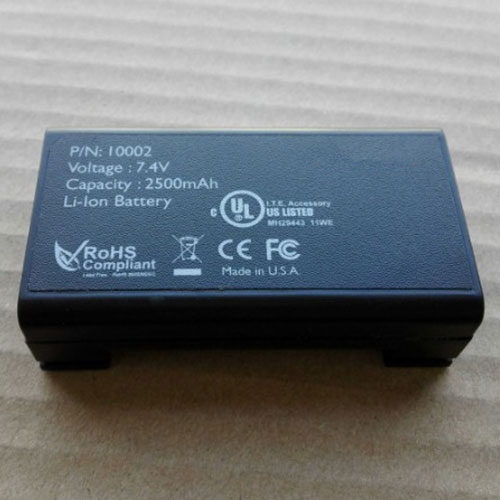
Cheap Nokia HE363 Li-ion Cell Phone battery, Brand New HE363 replacement battery for Nokia 8.1′ X7 TA-1119

3400mAh/13.09WH 3.85V/4.4V Nokia HE363 Batteries for Nokia 8.1′ X7 TA-1119, Nokia HE363 Cell Phone battery is a brand new,100% Compatible original and replacement Laptop battery,Purchase wholesale and retail HE363 with high quality and low price!

HE363 Battery nokia Li-ion 3.85V/4.4V 3400mAh/13.09WH

HE363

Specifications

  • Brand:Nokia
  • Capacity :3400mAh/13.09WH
  • Voltage :3.85V/4.4V
  • Type :Li-ion
  • Battery Cell Quality: Grade A
  • Descriptive: Replacement Battery – 1 Year Warranty
  • Description: Brand New, 1 Year Warranty! 30-Days Money Back! Fast Shipping!

How we test this Nokia HE363 Battery Li-ion 3.85V/4.4V 3400mAh/13.09WH

Step 1: Make sure customer bought the correct battery.
Step 2: Check battery’s appearance and interface.
Step 3: Test battery charger and recharger function.
Step 4: Charger the battery to 100% and recharger to 0% to get real battery capacity
Step 5: Use Ev2300 to check the voltage difference of each goroup cells.
Step 6: Charger battery power more than 30%.
Step 7: Package battery carefully and send out

Compatible Part Numbers:

HE363

Compatible Model Numbers:

Nokia 8.1′ X7 TA-1119 cell phone

How much do you know about how to run laptop well as any place? The follow Tips cut way back on protecting battery life.


1). Please recharge or change your Cell Phone battery when battery power low.
2). Using Li-Ion Replacement Nokia HE363 Cell Phone Battery for your notebook which can work longer time than Non Li-ion one.
3). It is better to defragmentation regularly for your Cell Phone battery life.
4). In order to reduce the laptop power consumpition, you can use some optical drive spin-down and hard drive in your Cell Phone .
5). Please keep your laptop in sleep or standby model without long time using, which both save the Replacement Nokia HE363 Cell Phone Battery power and extend battery using life.
6). Leave your battery in a dry and cool condition when without using.
7). When you rarely or generally plugged in fixed power using, Please take down your battery to avoid hurting battery life.

Hot Products

16.8V/20V 400mA/2200mAH/32Wh BOSE 300769-003 for Bose Sounddock Portable Digita11.1V/12.4v 2300mah BOSE 404600 for Bose SOUNDLINK I II III15.4V 5209mAh RAZER RC30-0248 for RAZER Blade 15 2018 RZ09-023867.4V 2230mAh/17Wh BOSE 063404 for 0634043.8V 6300mAh/23.94Wh AMAZON 2955C7 for Amazon Kindle Fire HD 10.1 7th3.7V/4.2V 1750MAH/6.5WH AMAZON GP-S10-346392-0100 for AMAZON KINDLE 3 3G WIFI Kindle3.8 V 1300 mAh AMAZON MC-305070 for AMAZON Kindle Voyage7.7V 37Wh/4810mAh ACER AP16M5J for ACER A315-51-51SL N17Q1 SERIES3.8V 2930mAh/11.1Wh NETGEAR W-7 for Netgear AirCard 790S 790SP 8103.85V/4.4V 3080MAH/11.86WH ALCATEL TLp030JC for Alcatel A3 XL 9008j

Dell’s XPS 17 Proves Big-Screen Laptops Are Back, and They’re Awesome

A few years back, a lot of major laptop makers began quietly paring down the number of 17-inch laptops they made (aside from monstrously large gaming rigs), with Apple and Dell dropping the 17-inch MacBook Pro and XPS 17 respectively. However, thanks to improvements like smaller bezels and improved energy efficiency, thin and light laptops with plus-sized screens and big performance are making a comeback.

After Apple re-envisioned its big-format laptop as the 16-inch MacBook Pro in 2019, Dell made a similar move by bringing back the XPS 17 this year. While the circumstances are different this time around (especially considering 2020 is a tire fire of a year), the revival of Dell’s flagship 17-inch laptop couldn’t have come at a better time. Big-screen laptops are back, baby, and they’re even better than before.

For the big reintroduction of the XPS 17, Dell didn’t deviate too much from the classic XPS design. The XPS 17 has a tapered wedge-shaped body with a silver aluminum lid, a big carbon fiber deck in the middle, and another aluminum tub on bottom. Despite its overall size (14.74 x 9.76 x 0.77 inches) and weight (5.53 pounds), the XPS 17 still manages to feel quite sleek and surprisingly portable—until you stack an XPS 15 on top and see how big the difference really is. In some ways, the size and design of the XPS 17 feels like a mirage, because when you open it up, you can’t help but appreciate how much display you get from a system that seems smaller than it is, especially when you consider the last time we saw the XPS 17 was back in 2012, when it weighed more than eight pounds instead of five.

Along its sides, the XPS 17 comes with an ample assortment of ports, including four USB-C ports with Thunderbolt 3 (all support charging, too), a headphone jack, and a full-size SD card reader. The only ports you might be missing are HDMI and USB-A, though Dell has that covered too with an included dongle.

Inside, Dell maximizes the XPS 17’s display (which comes in a multitude of options, from a 1900 x 1200 non-touch panel to a 4K UHD+ screen), with razor-thin bezels. Dell’s super tiny webcam and IR camera module, which sits above the screen, are exactly where you want them. The built-in IR camera offers support for Windows Hello face login, while the 720p HD webcam is meant to handle all your video-calling needs, though I must say that the XPS 17’s webcam image quality and resolution aren’t quite as high as I’d like.

Below on its deck, Dell flanks the keyboard with large stereo speakers that feature a 2.5-watt woofer and 1.5-watt tweeter on each side capable of delivering rich, room-filling sound. And as for the keyboard itself, Dell wisely hasn’t messed with the feel of the XPS 17’s keys, which are crisp and bouncy. I’m not gonna call them perfect, but the XPS 17’s keyboard is pretty much my platonic ideal of how keys on a laptop should feel. And finally, there’s that huge 6 x 3.5-inch matte touchpad, which leaves just enough room for your wrists on either side while providing accurate gesture recognition and more mousing room than most people probably need.

The one potential oddity about the XPS 17’s deck is Dell’s decision not to include a dedicated numpad like you sometimes see on 17-inch gaming systems. Some might bemoan that call, but on a well-rounded system like this, I think sacrificing the numpad for bigger speakers and an overall cleaner design was ultimately the right choice.

And then there’s that screen. Our review unit features the upgraded 4K 3840 x 2400 touchscreen, and I just can’t get enough. It puts out over 450 nits of brightness and has some of the richest and most vivid colors you can get from a laptop LCD panel today. If you’re intending to buy an XPS 17 to edit photos or videos, I would highly recommend upgrading to the 4K screen instead of the base FHD+ panel. Furthermore, with its 16:10 aspect ratio, the XPS 17 also provides a bit more vertical screen real estate, which is exactly what you want from a big all-purpose laptop.

The XPS 17 ain’t no slouch when it comes to performance, either. The base config comes with a 10th-gen Intel Core i5-10300H CPU, but our more expensive review unit came upgraded with a Core i7-10875H CPU, and it absolutely flies. In our CPU rendering test in Blender, the XPS 17 took almost four minutes less to render the same image (4:40) as MSI’s Creator 15 (8:33), despite the smaller Creator 15 having the same CPU.

And when it comes to graphics performance, it’s a similar story, with the XPS 17 (6:26) beating the MSI Creator 15 (8:36) by more than two minutes in our Blender GPU rendering test, once again with both systems featuring an RTX 2060 GPU. This kind of performance makes the XPS 17 a great choice for content creators, and while it’s not intended to be a competitive gaming machine, the XPS 17 is able to pump out more than 80 fps in Shadow of the Tomb Raider at 1080p with all the graphics bells and whistles turned on, so it’s not a bad fragging machine either. Thermal headroom also seems quite respectable, because while the XPS 17 will throttle itself a bit when maxed out, I didn’t notice any major lag or dips in performance during more normal loads.

Even the XPS 17’s battery life is pretty solid for a system this big, with it lasting just shy of 9 hours (8:58) on our video rundown test, nearly two hours longer than the MSI Creator 15 and an hour longer than HP’s ZBook Create G7.

After using the XPS 17 for several weeks, I only really have one complaint: its price. Because even though it starts at just $1,350 for a 17-inch FHD+ screen, Core i5 CPU, 8GB of RAM, 256GB SSD, and integrated graphics, when you start upgrading components, the cost balloons quite quickly. So in comparison, our review unit, which features a 4K touchscreen, Core i7 10875H CPU, 32GB of RAM, 1TB SSD, and RTX 2060 GPU, costs more than double the price at around $2,750. And annoyingly, if you want to cut back on a few components like RAM or storage to save money, currently the cheapest model with an RTX 2060 card starts at $2,450. Thankfully, if you’re less concerned with graphics, you can split the difference for a system with a GTX 1650 Ti GPU, which starts at around $1,800, and if you’re looking for the best balance between price and performance, that’s where I’d start.

But for me the biggest takeaway about the XPS 17 is the way it fits into 2020. While a lot of people wait for the world to get back to normal, I feel like it’s also important to think about what normal even means. Right now there are millions of people who have to work or learn from home, and even when things start opening up again, a lot of people won’t be returning to the same buildings or positions they were in before. This makes it even more important to consider what you need from a personal computer.

enly becomes a very intriguing option. Not only does its bigger screen translate into more productivity (or better movie-watching) when you’re stuck at home, you also get more ports and a wider range of upgradable components.

Meanwhile, the XPS 17 doesn’t suffer from being tied to a desk or table like a normal desktop or all-in-one. And all of this comes in a package that’s not that much larger (or much more expensive) than an XPS 15. (Though you will want to make sure you have something to carry it in, because the XPS 17 definitely doesn’t fit in my normal messenger bag.) So in a strange way, 2020 was sort of the perfect time for Dell to bring back the XPS 17. You get a bigger, more powerful system from one of the best laptop lines on the market, but in a body that’s way less of a burden than its predecessors from the not-too-distant past. So even if a 17-inch laptop might not be in your immediate future, the XPS 17 has demonstrated why they’re making a comeback, and it’s done so with power and style.