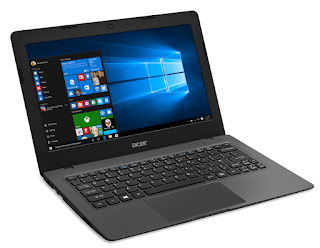
Free download related settings and methods for using Windows 10 on Mac

 No matter how happy you are with your MacBook Pro, there’s always something Windows can do that MacOS can’t, whether it’s exclusive software and video games, or unique settings and features. You may not know this, but if you only have an Apple computer, there are still ways to run Windows on it.

As long as you have an Intel-based Mac with enough storage space and the correct Windows 10 ISO file – you can download it for free from the official Windows website. The point is that whenever you start up your Mac, you can choose to run Windows 10 or MacOS. Here’s how to do it. Let’s have a look!

Here’s what you need before you start

To successfully run Windows 10 on a Mac computer, you need the following:

Intel-based Mac computer.

64GB or more of free storage space on the startup disk.

power connection.

If you’re not sure if your computer is Intel-based, click the Apple logo on the menu bar and go to About This Mac. If you see the word Processor followed by the name of the Intel processor, you have an Intel-based Mac.

1. Download the Windows 10 ISO file

Windows 11 is currently not compatible with Boot Camp Assistant on MacOS. Therefore, you need to download Windows 10. You can download free disc images of Windows 10, also known as ISO files, from the official Windows website.

1. On your Mac, go to this Windows software download page.

2. Click Select Edition, and then select Windows 10 (multi-edition ISO).

3. Click Confirm and wait for your request to be verified.

4. When finished, select your language and click OK.

5. Finally, click 64-bit Download to download the Windows 10 ISO file.

The Windows 10 ISO file is nearly 6GB, once the ISO file is complete, keep it in your download and continue to the next step.

2. Run the Boot Camp Assistant

The software you’ll use to run Windows 10 on your Mac is Boot Camp Assistant, which comes installed on your Mac from the factory. Boot Camp Assistant is designed to install the Windows operating system on your computer, and luckily, the setup process is pretty straightforward.

1. Launch Boot Camp Assistant on your Mac and click Continue.

2. Click Select Windows 10 ISO file and upload the Windows 10 ISO file you downloaded in the previous step.

3. Drag the bar to select a size for your Windows partition disk (minimum 42GB).

4. Click Install and wait about 10 minutes for the partition to be created.

After the Windows partition is complete, your laptop will restart.

3. Install Windows on your Mac

Your computer will start up, but instead of the Apple logo you’re used to, you’ll see the blue Windows logo appear. Here’s what you need to do next:

1. Complete the Windows setup.

2. If available, enter the product key. If not, you can continue without.

You can access Windows on your Mac without a product key, so don’t worry. During the installation process, you will see the copied windows files, installed features and updates, and more.

4. Set up Windows on Mac

Your Mac will restart. But this time you will be asked to set up Windows as you would on a Windows computer. You can use Cortana and your voice to complete the setup, but you’re welcome to use a keyboard, mouse, and trackpad.

1. Select your language, keyboard layout, Wi-Fi, etc. to get started.

2. If you have a Windows account, log in with your credentials.

3. Windows will start on your Mac. You will be asked to create a password and/or PIN to gain access to your computer. This is done to protect your account.

5. Install Boot Camp on Windows

Finally, the last thing you need to do is install and update Boot Camp on Windows. This will allow you to make any other changes to the partition or fix any issues while running Windows and is the last thing you need to do before using Windows.

6. Using Windows on Mac

Feel free to use Windows. The default web browser for Windows 10 is Microsoft Edge, but you can use it to download Chrome or anything else to surf the web. You can then download the file and install software that can only be installed on Windows-powered computers –

7. Switch between Windows and Mac

If you want to go back to MacOS from Windows:

1. Restart your computer.

2. Once the screen goes black, press and hold the Option key for 5 seconds.

3. On the screen, you can choose to start MacOS or Windows.

4. Select the partition to open.

>>>>>>>>>>laptop battery

Thanks for reading, hope it helps!

Friendly reminder: If you need to replace the battery of your device, this battery store will be a good choice: www.batteryforpc.co.uk

7880mAh 30.33WH 3.85V 4.40V Zte Li3980t44P6hB47456 Li-ion Battery for ZTE Nubia Red Magic NX659J

7880mAh 30.33WH 3.85V 4.40V Zte Li3980t44P6hB47456 Batteries for ZTE Nubia Red Magic NX659J, Zte Li3980t44P6hB47456 Cell Phone battery is a brand new,100% Compatible original and replacement Phone battery,Purchase wholesale and retail Li3980t44P6hB47456 with high quality and low price!

Find ou your original model number or part number(P/N), and move your eyes on the tag of battery
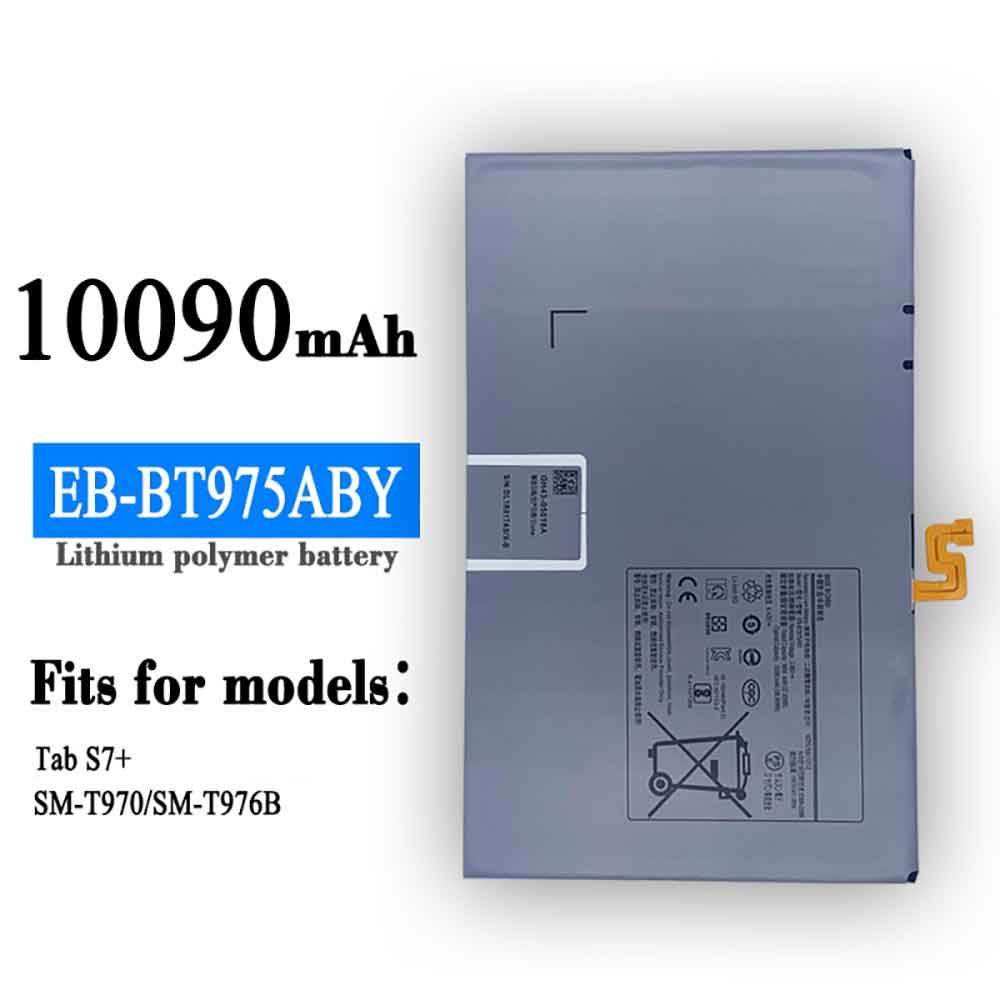
Li3980t44P6hB47456

Specifications

  • Brand:ZTE
  • Capacity :7880mAh 30.33WH
  • Voltage :3.85V 4.40V
  • Type :Li-ion
  • Battery Cell Quality: Grade A
  • Descriptive: Replacement Battery – 1 Year Warranty
  • Description: Brand New, 1 Year Warranty! 30-Days Money Back! Fast Shipping!

How we test this Zte Li3980t44P6hB47456 Battery
Step 1: Make sure customer bought the correct battery.
Step 2: Check battery’s appearance and interface.
Step 3: Test battery charger and recharger function.
Step 4: Charger the battery to 100% and recharger to 0% to get real battery capacity
Step 5: Use Ev2300 to check the voltage difference of each goroup cells.
Step 6: Charger battery power more than 30%.
Step 7: Package battery carefully and send out

Compatible Part Numbers:
Li3980t44P6hB47456

Compatible Model Numbers:
ZTE Nubia Red Magic NX659J

How much do you know about how to run laptop well as any place? The follow Tips cut way back on protecting battery life.


1). Please recharge or change your Cell Phone battery when battery power low.
2). Using Li-Ion Replacement Zte Li3980t44P6hB47456 Cell Phone Battery for your notebook which can work longer time than Non Li-ion one.
3). It is better to defragmentation regularly for your Cell Phone battery life.
4). In order to reduce the laptop power consumpition, you can use some optical drive spin-down and hard drive in your Cell Phone .
5). Please keep your laptop in sleep or standby model without long time using, which both save the Replacement Zte Li3980t44P6hB47456 Cell Phone Battery power and extend battery using life.
6). Leave your battery in a dry and cool condition when without using.
7). When you rarely or generally plugged in fixed power using, Please take down your battery to avoid hurting battery life.

Hot Products

236mAh SAMSUNG EB-BR500ABU for Samsung Galaxy Watch Active SM10800mah 39.96Wh GFL 4661140 for GFL MS-ND51 talble4320mAh/16.7WH XIAOMI BM4U for Xiaomi Redmi K304200mah CUBOT J9 for Cubot J93200mAh/12.4WH SONY LIP1701ERPC for Sony Xperia 1 XZ4 J8110 J817060WH DELL HW892 for Dell Latitude E4300 E43102200mAh/8.4WH LENOVO L17D1P34 for LENOVO Cell Phone4400mAh FOUNDER I40-3S4400-S1B1 for FOUNDER R410IU4335MAH/50WH ASUS C31N1816 for ASUS C31N1816 3ICP5/70/81 seri86Wh/5973mAh HP FM08 for HP HSTNN-LB8B 922753-421 92297

4960mAh 19.19WH 3.87V 4.45V Zte Li3945T44P8h906455 Li-ion Battery for ZTE 906455 Nubia Red Magic 6 Red Magic Six

4960mAh 19.19WH 3.87V 4.45V Zte Li3945T44P8h906455 Batteries for ZTE 906455 Nubia Red Magic 6 Red Magic Six, Zte Li3945T44P8h906455 Cell Phone battery is a brand new,100% Compatible original and replacement Phone battery,Purchase wholesale and retail Li3945T44P8h906455 with high quality and low price!

Find ou your original model number or part number(P/N), and move your eyes on the tag of battery

Li3945T44P8h906455

Specifications

  • Brand:ZTE
  • Capacity :4960mAh 19.19WH
  • Voltage :3.87V 4.45V
  • Type :Li-ion
  • Battery Cell Quality: Grade A
  • Descriptive: Replacement Battery – 1 Year Warranty
  • Description: Brand New, 1 Year Warranty! 30-Days Money Back! Fast Shipping!

How we test this Zte Li3945T44P8h906455 Battery
Step 1: Make sure customer bought the correct battery.
Step 2: Check battery’s appearance and interface.
Step 3: Test battery charger and recharger function.
Step 4: Charger the battery to 100% and recharger to 0% to get real battery capacity
Step 5: Use Ev2300 to check the voltage difference of each goroup cells.
Step 6: Charger battery power more than 30%.
Step 7: Package battery carefully and send out

Compatible Part Numbers:
Li3945T44P8h906455

Compatible Model Numbers:
ZTE 906455 Nubia Red Magic 6 Red Magic Six

How much do you know about how to run laptop well as any place? The follow Tips cut way back on protecting battery life.


1). Please recharge or change your Cell Phone battery when battery power low.
2). Using Li-Ion Replacement Zte Li3945T44P8h906455 Cell Phone Battery for your notebook which can work longer time than Non Li-ion one.
3). It is better to defragmentation regularly for your Cell Phone battery life.
4). In order to reduce the laptop power consumpition, you can use some optical drive spin-down and hard drive in your Cell Phone .
5). Please keep your laptop in sleep or standby model without long time using, which both save the Replacement Zte Li3945T44P8h906455 Cell Phone Battery power and extend battery using life.
6). Leave your battery in a dry and cool condition when without using.
7). When you rarely or generally plugged in fixed power using, Please take down your battery to avoid hurting battery life.

Hot Products

236mAh SAMSUNG EB-BR500ABU for Samsung Galaxy Watch Active SM10800mah 39.96Wh GFL 4661140 for GFL MS-ND51 talble4320mAh/16.7WH XIAOMI BM4U for Xiaomi Redmi K304200mah CUBOT J9 for Cubot J93200mAh/12.4WH SONY LIP1701ERPC for Sony Xperia 1 XZ4 J8110 J817060WH DELL HW892 for Dell Latitude E4300 E43102200mAh/8.4WH LENOVO L17D1P34 for LENOVO Cell Phone4400mAh FOUNDER I40-3S4400-S1B1 for FOUNDER R410IU4335MAH/50WH ASUS C31N1816 for ASUS C31N1816 3ICP5/70/81 seri86Wh/5973mAh HP FM08 for HP HSTNN-LB8B 922753-421 92297

3120mAh 12.0WH 3.85V 4.40V Lenovo BL288 Li-ion Battery for Lenovo Z5 L78011 L78012

3120mAh 12.0WH 3.85V 4.40V Lenovo BL288 Batteries for Lenovo Z5 L78011 L78012, Lenovo BL288 Cell Phone battery is a brand new,100% Compatible original and replacement Phone battery,Purchase wholesale and retail BL288 with high quality and low price!

Find ou your original model number or part number(P/N), and move your eyes on the tag of battery

BL288

Specifications

  • Brand:Lenovo
  • Capacity :3120mAh 12.0WH
  • Voltage :3.85V 4.40V
  • Type :Li-ion
  • Battery Cell Quality: Grade A
  • Descriptive: Replacement Battery – 1 Year Warranty
  • Description: Brand New, 1 Year Warranty! 30-Days Money Back! Fast Shipping!

How we test this Lenovo BL288 Battery
Step 1: Make sure customer bought the correct battery.
Step 2: Check battery’s appearance and interface.
Step 3: Test battery charger and recharger function.
Step 4: Charger the battery to 100% and recharger to 0% to get real battery capacity
Step 5: Use Ev2300 to check the voltage difference of each goroup cells.
Step 6: Charger battery power more than 30%.
Step 7: Package battery carefully and send out

Compatible Part Numbers:
BL288

Compatible Model Numbers:
Lenovo Z5 L78011 L78012

How much do you know about how to run laptop well as any place? The follow Tips cut way back on protecting battery life.


1). Please recharge or change your Cell Phone battery when battery power low.
2). Using Li-Ion Replacement Lenovo BL288 Cell Phone Battery for your notebook which can work longer time than Non Li-ion one.
3). It is better to defragmentation regularly for your Cell Phone battery life.
4). In order to reduce the laptop power consumpition, you can use some optical drive spin-down and hard drive in your Cell Phone .
5). Please keep your laptop in sleep or standby model without long time using, which both save the Replacement Lenovo BL288 Cell Phone Battery power and extend battery using life.
6). Leave your battery in a dry and cool condition when without using.
7). When you rarely or generally plugged in fixed power using, Please take down your battery to avoid hurting battery life.

Hot Products

236mAh SAMSUNG EB-BR500ABU for Samsung Galaxy Watch Active SM10800mah 39.96Wh GFL 4661140 for GFL MS-ND51 talble4320mAh/16.7WH XIAOMI BM4U for Xiaomi Redmi K304200mah CUBOT J9 for Cubot J93200mAh/12.4WH SONY LIP1701ERPC for Sony Xperia 1 XZ4 J8110 J817060WH DELL HW892 for Dell Latitude E4300 E43102200mAh/8.4WH LENOVO L17D1P34 for LENOVO Cell Phone4400mAh FOUNDER I40-3S4400-S1B1 for FOUNDER R410IU4335MAH/50WH ASUS C31N1816 for ASUS C31N1816 3ICP5/70/81 seri86Wh/5973mAh HP FM08 for HP HSTNN-LB8B 922753-421 92297

3120mAh 12WH 3.75V Fujitsu CA54310-0061 Li-ion Battery for Fujitsu CA54310-0061

3120mAh 12WH 3.75V Fujitsu CA54310-0061 Batteries for Fujitsu CA54310-0061, Fujitsu CA54310-0061 Cell Phone battery is a brand new,100% Compatible original and replacement Phone battery,Purchase wholesale and retail CA54310-0061 with high quality and low price!

Find ou your original model number or part number(P/N), and move your eyes on the tag of battery

CA54310-0061

Specifications

  • Brand:Fujitsu
  • Capacity :3120mAh 12WH
  • Voltage :3.75V
  • Type :Li-ion
  • Battery Cell Quality: Grade A
  • Descriptive: Replacement Battery – 1 Year Warranty
  • Description: Brand New, 1 Year Warranty! 30-Days Money Back! Fast Shipping!

How we test this Fujitsu CA54310-0061 Battery
Step 1: Make sure customer bought the correct battery.
Step 2: Check battery’s appearance and interface.
Step 3: Test battery charger and recharger function.
Step 4: Charger the battery to 100% and recharger to 0% to get real battery capacity
Step 5: Use Ev2300 to check the voltage difference of each goroup cells.
Step 6: Charger battery power more than 30%.
Step 7: Package battery carefully and send out

Compatible Part Numbers:
CA54310-0061

Compatible Model Numbers:
Fujitsu CA54310-0061

How much do you know about how to run laptop well as any place? The follow Tips cut way back on protecting battery life.


1). Please recharge or change your Cell Phone battery when battery power low.
2). Using Li-Ion Replacement Fujitsu CA54310-0061 Cell Phone Battery for your notebook which can work longer time than Non Li-ion one.
3). It is better to defragmentation regularly for your Cell Phone battery life.
4). In order to reduce the laptop power consumpition, you can use some optical drive spin-down and hard drive in your Cell Phone .
5). Please keep your laptop in sleep or standby model without long time using, which both save the Replacement Fujitsu CA54310-0061 Cell Phone Battery power and extend battery using life.
6). Leave your battery in a dry and cool condition when without using.
7). When you rarely or generally plugged in fixed power using, Please take down your battery to avoid hurting battery life.

Hot Products

236mAh SAMSUNG EB-BR500ABU for Samsung Galaxy Watch Active SM10800mah 39.96Wh GFL 4661140 for GFL MS-ND51 talble4320mAh/16.7WH XIAOMI BM4U for Xiaomi Redmi K304200mah CUBOT J9 for Cubot J93200mAh/12.4WH SONY LIP1701ERPC for Sony Xperia 1 XZ4 J8110 J817060WH DELL HW892 for Dell Latitude E4300 E43102200mAh/8.4WH LENOVO L17D1P34 for LENOVO Cell Phone4400mAh FOUNDER I40-3S4400-S1B1 for FOUNDER R410IU4335MAH/50WH ASUS C31N1816 for ASUS C31N1816 3ICP5/70/81 seri86Wh/5973mAh HP FM08 for HP HSTNN-LB8B 922753-421 92297

Mobile phone battery inspection and replacement

 Is your phone battery not as good as it used to be? Why is this? Because mobile phone batteries will age with time, this will lead to your mobile phone battery not as good as when it started. And cell phone batteries are designed to have a certain number of cycles over their lifespan. A charge cycle refers to using the battery’s full capacity before being fully charged. Most lithium-ion batteries are designed for 500 cycles. If you buy a phone and use it for three years, its performance will degrade. No matter how long you use your phone, the battery will quickly discharge. This is a sign of an old battery that needs to be replaced.

Additionally, you can tell when your phone battery needs replacing by checking for the following signs:

1. Abnormal Shutdown – If you observe that the battery shuts down even at 40% charge, it means the battery is in poor health. Consider replacing.

2. Even if you don’t use your phone for a lot of things like streaming and watching videos, the battery drains quickly.

3. The battery is bulging.

4. Your phone keeps overheating.

5. Other times, your phone will turn off after charging to a certain threshold.

6. The phone is not fully activated.

Continuing to use a damaged cell phone battery is dangerous as it could explode. However, problems with your phone could be the fault of the manufacturer.

Can the cell phone battery in my cell phone be replaced?

Gone are the days when you could buy a new battery and replace the old one on your phone. Phone makers have improved their technology, including built-in batteries. Most phones these days come with non-removable batteries. In the past, batteries were easily accessible and easy to replace. Handling the built-in battery can be risky. Replacing it means disassembling the phone to access the battery. If you have the tools needed for this process, proceed with caution. Make sure you are thoroughly familiar with safety precautions and procedures. You should take your phone to an authorized repair company to replace the built-in battery. If you’ve damaged the phone you’re replacing, you might consider buying a new phone. So it’s best to follow the manufacturer’s guidelines.

Which phones have replaceable batteries?

In the early days, most lithium ions were designed to have removable batteries in this technology-driven century, but that’s not the case. Many phones have non-removable batteries. However, there are still phones with replaceable batteries.

These include: LG G5, Moto G5, LG K8, Nokia 1, Samsung Galaxy 4, LG V20, Samsung Galaxy J7, Samsung Galaxy S5, Motorola Moto E6, Nokia 2.2… this is just a few of them a small part of. So if your phone has a removable battery, your life will be easy. Replacing your phone battery is easy.

Care should be taken when you decide to replace the built-in battery yourself. Lithium-ion batteries are dangerous and can explode. Wear protective equipment while performing this procedure. The safest way is to visit an authorized repair center and have it repaired.

>>>>>>>>>>>Phone battery

Thanks for reading, hope it helps!

Friendly reminder: If you need to replace the battery, this battery store will be a good choice:www.batteryforpc.co.uk

How do I know if my laptop battery or charger is faulty – inspection and repair

 One of the most common problems we face with our laptops is a faulty charger or battery. If either of these two critical components don’t work as expected, you’re going to have a hard time using your laptop. Batteries and chargers rarely break at the same time, but sometimes they do, especially when you make the wrong connections. It is very easy to check these two parts. Below we’ll learn how to check for faulty laptop batteries and chargers, how they work, and how to fix them

How to check my laptop battery and charger

Laptop’s battery

Laptop battery is very important because it is easy to carry. As long as the battery is fully charged, you can continue to work even without it.

Checking your laptop battery is so easy, even a kid can do it. You don’t have to take your laptop to an expert. If you want to know if your battery is bad, follow these steps.

1. Unplug the laptop from the power source

2. Make sure the battery is installed correctly

3. Press the power button (if it turns on then your battery is fine)

4. If it doesn’t power up (remove the battery and connect the charger to the mains) make sure you are using the correct type.

5. Now try running off the battery (if the laptop powers on, it means your battery is dead. However, if it doesn’t power on, then the laptop might be faulty.)

Sometimes the battery may work fine, but still not hold a charge for a long time. You can determine if this is the case by fully charging the laptop and determining how long it will last after a charge. If it wears out quickly then you will have to replace it.

laptop charger

Chargers can go bad due to short circuits or improper handling. If the charger is dead, it means you can’t charge the laptop. Let’s see how you can tell if your charger is bad:

Connect it to your laptop. Almost all have an indicator to show if it’s charging. If the indicator light is on, the charger is normal. If not, then it’s probably dead. However, sometimes the charging tank can fail, so you’ll need to do further testing. Also, some chargers have light indicators on their adapters. So if the adopter indicator light is on, your charger is probably fine.

How to Repair My Laptop Battery and Charger

Repairing a battery or charger is not easy. First, you need to diagnose it so you understand what the problem is in the first place. If the LED indicating charging glows, the charger may not be the problem but something else. However, if it doesn’t glow, the problem might be with the power cord.

Most charger failures occur in the adapter or power cord. This can be solved with a fixed voltage regulator IC. Getting replacement ICs isn’t that easy either. This is why most people prefer to buy a new one rather than repair an old one. But diagnosing the charger is always good because the fault can be very minor.

There is no need to buy a new charger if the fault can be fixed with a smaller quantity. But in the event of a failed power cord and adapter, you might consider replacing it. This is because you will end up spending almost the same amount of money to buy another one.

If the battery has reached its end of life, there is nothing you can do about it. Sometimes the battery’s contact metal needs to be scrubbed to remove rust or any other dust to prevent it from working as intended.

in conclusion

You can tell if the charger is bad by looking at the charging light on your laptop. Also, you can detect a faulty battery by running the software or just when the laptop starts up while the charger is connected. There’s not much you can do about the battery when it comes to servicing. But the charger can be fixed by changing the wires of the fixed voltage IC in the adapter.

>>>>>>>>>>>Laptop’s battery

Thanks for reading, hope it helps!

Friendly reminder: If you need to replace your laptop battery or charger, this safe and reliable battery shop will be a good choice: www.batteryforpc.co.uk

2200MAH 7.4V Vertex FNB-V67L Li-ion Battery for Vertex VX-160 VX-168 VX-418 VX-429 FT60R Radio

2200MAH 7.4V Vertex FNB-V67L Batteries for Vertex VX-160 VX-168 VX-418 VX-429 FT60R Radio, Vertex FNB-V67L Other battery is a brand new,100% Compatible original and replacement battery,Purchase wholesale and retail FNB-V67L with high quality and low price!

Find ou your original model number or part number(P/N), and move your eyes on the tag of battery

FNB-V67L

Specifications

  • Brand:Vertex
  • Capacity :2200MAH
  • Voltage :7.4V
  • Type :Li-ion
  • Battery Cell Quality: Grade A
  • Descriptive: Replacement Battery – 1 Year Warranty
  • Description: Brand New, 1 Year Warranty! 30-Days Money Back! Fast Shipping!

How we test this Vertex FNB-V67L Battery
Step 1: Make sure customer bought the correct battery.
Step 2: Check battery’s appearance and interface.
Step 3: Test battery charger and recharger function.
Step 4: Charger the battery to 100% and recharger to 0% to get real battery capacity
Step 5: Use Ev2300 to check the voltage difference of each goroup cells.
Step 6: Charger battery power more than 30%.
Step 7: Package battery carefully and send out

Compatible Part Numbers:
FNB-V67L

Compatible Model Numbers:
Vertex VX-160 VX-168 VX-418 VX-429 FT60R Radio

How much do you know about how to run laptop well as any place? The follow Tips cut way back on protecting battery life.


1). Please recharge or change your Other battery when battery power low.
2). Using Li-Ion Replacement Vertex FNB-V67L Other Battery for your notebook which can work longer time than Non Li-ion one.
3). It is better to defragmentation regularly for your Other battery life.
4). In order to reduce the laptop power consumpition, you can use some optical drive spin-down and hard drive in your Other .
5). Please keep your laptop in sleep or standby model without long time using, which both save the Replacement Vertex FNB-V67L Other Battery power and extend battery using life.
6). Leave your battery in a dry and cool condition when without using.
7). When you rarely or generally plugged in fixed power using, Please take down your battery to avoid hurting battery life.

Hot Products

4320mAh/16.7WH XIAOMI BM4U for Xiaomi Redmi K304200mah CUBOT J9 for Cubot J93200mAh/12.4WH SONY LIP1701ERPC for Sony Xperia 1 XZ4 J8110 J817060WH DELL HW892 for Dell Latitude E4300 E43102200mAh/8.4WH LENOVO L17D1P34 for LENOVO Cell Phone4400mAh FOUNDER I40-3S4400-S1B1 for FOUNDER R410IU4335MAH/50WH ASUS C31N1816 for ASUS C31N1816 3ICP5/70/81 seri86Wh/5973mAh HP FM08 for HP HSTNN-LB8B 922753-421 922974600mAh/34.04Wh TREKSTOR MLP2874170-2S for TREKSTOR PrimeBook P134910mAh/19.00WH VIVO B-O8 for VIVO Y52S

4050mAh 15.5WH 3.85V 4.40V Lg Q6322 Li-ion Battery for LG Q6322

4050mAh 15.5WH 3.85V 4.40V Lg Q6322 Batteries for LG Q6322, Lg Q6322 Cell Phone battery is a brand new,100% Compatible original and replacement Phone battery,Purchase wholesale and retail Q6322 with high quality and low price!

Find ou your original model number or part number(P/N), and move your eyes on the tag of battery

Q6322

Specifications

  • Brand:LG
  • Capacity :4050mAh 15.5WH
  • Voltage :3.85V 4.40V
  • Type :Li-ion
  • Battery Cell Quality: Grade A
  • Descriptive: Replacement Battery – 1 Year Warranty
  • Description: Brand New, 1 Year Warranty! 30-Days Money Back! Fast Shipping!

How we test this Lg Q6322 Battery
Step 1: Make sure customer bought the correct battery.
Step 2: Check battery’s appearance and interface.
Step 3: Test battery charger and recharger function.
Step 4: Charger the battery to 100% and recharger to 0% to get real battery capacity
Step 5: Use Ev2300 to check the voltage difference of each goroup cells.
Step 6: Charger battery power more than 30%.
Step 7: Package battery carefully and send out

Compatible Part Numbers:
Q6322

Compatible Model Numbers:
LG Q6322

How much do you know about how to run laptop well as any place? The follow Tips cut way back on protecting battery life.


1). Please recharge or change your Cell Phone battery when battery power low.
2). Using Li-Ion Replacement Lg Q6322 Cell Phone Battery for your notebook which can work longer time than Non Li-ion one.
3). It is better to defragmentation regularly for your Cell Phone battery life.
4). In order to reduce the laptop power consumpition, you can use some optical drive spin-down and hard drive in your Cell Phone .
5). Please keep your laptop in sleep or standby model without long time using, which both save the Replacement Lg Q6322 Cell Phone Battery power and extend battery using life.
6). Leave your battery in a dry and cool condition when without using.
7). When you rarely or generally plugged in fixed power using, Please take down your battery to avoid hurting battery life.

Hot Products

4320mAh/16.7WH XIAOMI BM4U for Xiaomi Redmi K304200mah CUBOT J9 for Cubot J93200mAh/12.4WH SONY LIP1701ERPC for Sony Xperia 1 XZ4 J8110 J817060WH DELL HW892 for Dell Latitude E4300 E43102200mAh/8.4WH LENOVO L17D1P34 for LENOVO Cell Phone4400mAh FOUNDER I40-3S4400-S1B1 for FOUNDER R410IU4335MAH/50WH ASUS C31N1816 for ASUS C31N1816 3ICP5/70/81 seri86Wh/5973mAh HP FM08 for HP HSTNN-LB8B 922753-421 922974600mAh/34.04Wh TREKSTOR MLP2874170-2S for TREKSTOR PrimeBook P134910mAh/19.00WH VIVO B-O8 for VIVO Y52S

2580mAh 9.9WH 3.8V Fujitsu CA54310-0067 Li-ion Battery for Fujitsu CA54310-0067

2580mAh 9.9WH 3.8V Fujitsu CA54310-0067 Batteries for Fujitsu CA54310-0067, Fujitsu CA54310-0067 Cell Phone battery is a brand new,100% Compatible original and replacement Phone battery,Purchase wholesale and retail CA54310-0067 with high quality and low price!

Find ou your original model number or part number(P/N), and move your eyes on the tag of battery

CA54310-0067

Specifications

  • Brand:Fujitsu
  • Capacity :2580mAh 9.9WH
  • Voltage :3.8V
  • Type :Li-ion
  • Battery Cell Quality: Grade A
  • Descriptive: Replacement Battery – 1 Year Warranty
  • Description: Brand New, 1 Year Warranty! 30-Days Money Back! Fast Shipping!

How we test this Fujitsu CA54310-0067 Battery
Step 1: Make sure customer bought the correct battery.
Step 2: Check battery’s appearance and interface.
Step 3: Test battery charger and recharger function.
Step 4: Charger the battery to 100% and recharger to 0% to get real battery capacity
Step 5: Use Ev2300 to check the voltage difference of each goroup cells.
Step 6: Charger battery power more than 30%.
Step 7: Package battery carefully and send out

Compatible Part Numbers:
CA54310-0067

Compatible Model Numbers:
Fujitsu CA54310-0067

How much do you know about how to run laptop well as any place? The follow Tips cut way back on protecting battery life.


1). Please recharge or change your Cell Phone battery when battery power low.
2). Using Li-Ion Replacement Fujitsu CA54310-0067 Cell Phone Battery for your notebook which can work longer time than Non Li-ion one.
3). It is better to defragmentation regularly for your Cell Phone battery life.
4). In order to reduce the laptop power consumpition, you can use some optical drive spin-down and hard drive in your Cell Phone .
5). Please keep your laptop in sleep or standby model without long time using, which both save the Replacement Fujitsu CA54310-0067 Cell Phone Battery power and extend battery using life.
6). Leave your battery in a dry and cool condition when without using.
7). When you rarely or generally plugged in fixed power using, Please take down your battery to avoid hurting battery life.

Hot Products

4320mAh/16.7WH XIAOMI BM4U for Xiaomi Redmi K304200mah CUBOT J9 for Cubot J93200mAh/12.4WH SONY LIP1701ERPC for Sony Xperia 1 XZ4 J8110 J817060WH DELL HW892 for Dell Latitude E4300 E43102200mAh/8.4WH LENOVO L17D1P34 for LENOVO Cell Phone4400mAh FOUNDER I40-3S4400-S1B1 for FOUNDER R410IU4335MAH/50WH ASUS C31N1816 for ASUS C31N1816 3ICP5/70/81 seri86Wh/5973mAh HP FM08 for HP HSTNN-LB8B 922753-421 922974600mAh/34.04Wh TREKSTOR MLP2874170-2S for TREKSTOR PrimeBook P134910mAh/19.00WH VIVO B-O8 for VIVO Y52S